Claude Code Skills Not Working? 7 Fixes
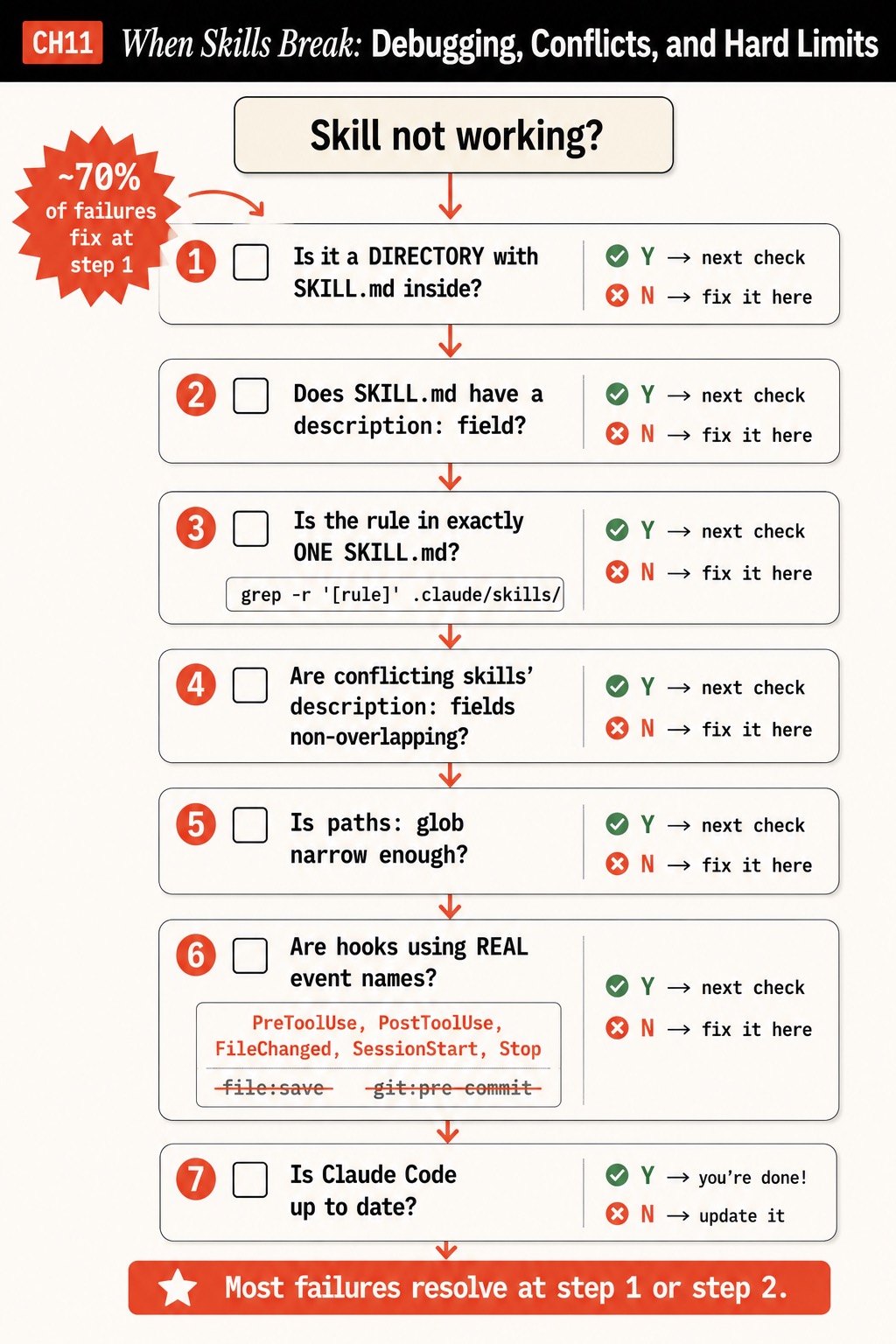
Claude Code skills not working? Seven failure modes with the exact fix command for each, built on the real directory + SKILL.md spec. ~70% resolve at step 1.
>This covers the 7 failure modes. Claude Code Skills: The SKILL.md Playbook goes deeper on the architecture that prevents conflicts at 50+ skills.
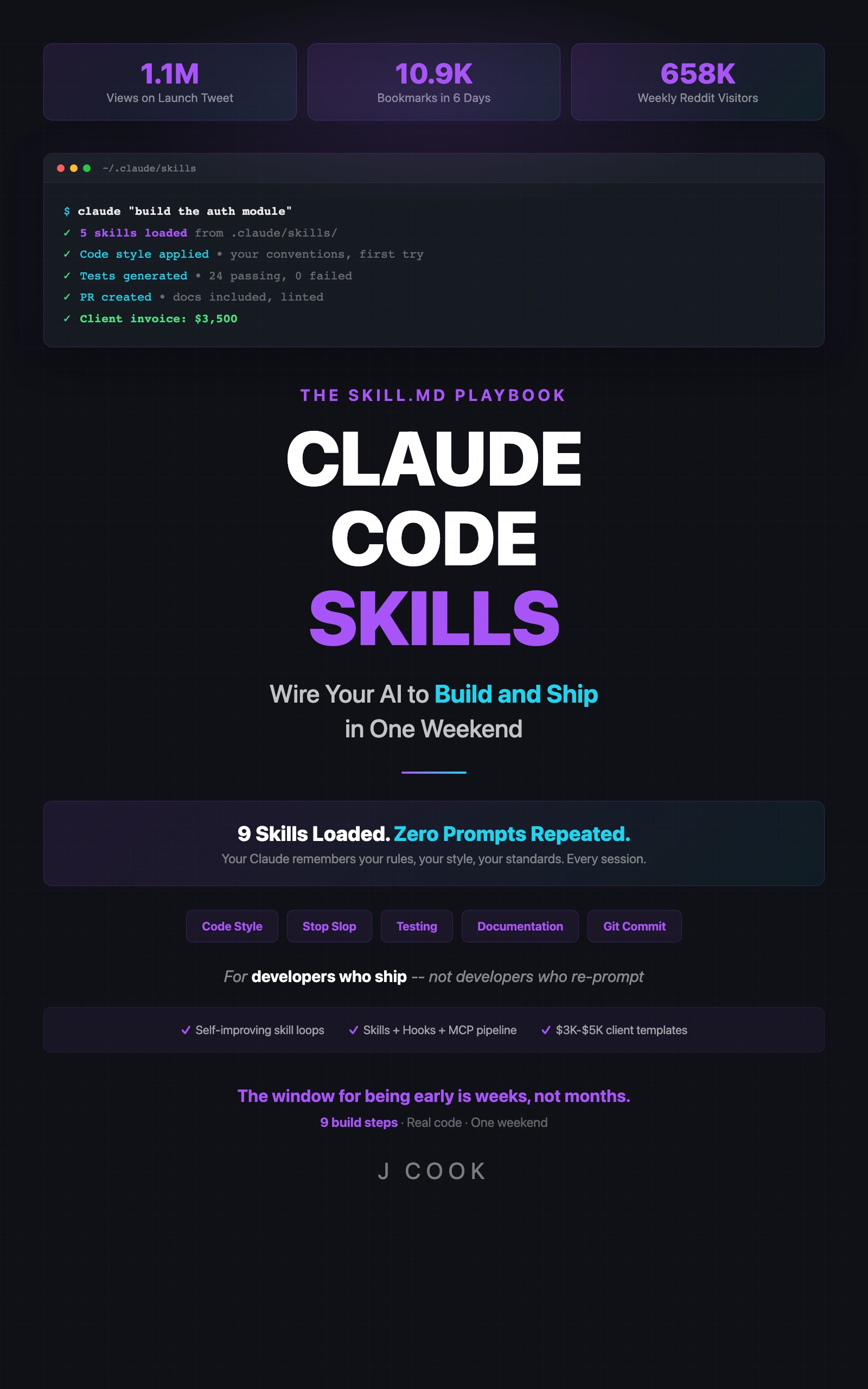
Claude Code Skills
The SKILL.md Playbook: Wire Your AI to Build and Ship in One Weekend
Summary:
- Seven failure modes that break Claude Code skills, with the fix command for each.
- The directory + SKILL.md spec the troubleshooter is built on (most guides get this wrong).
- The two myths to delete: “restart to load” and numeric-folder-priority.
- A 7-point checklist to tape to your monitor.
Claude Code skills not working is almost never a complex failure. It’s a flat file that should be a directory, or a missing description: field. About 70% of “my skills are broken” cases resolve at the first check. Older troubleshooting guides send you in circles because they’re built on the wrong spec (flat .md files, “restart Claude Code,” folder-number priority). This one is built on the real one.
What does a working skill actually look like?
A working skill is a directory under .claude/skills/ containing a file named exactly SKILL.md, and that file has a description: in its YAML frontmatter. From the official Claude Code skills docs:
my-skill/
├── SKILL.md           # Main instructions (required)
├── examples/
│   └── sample.md      # Example output
└── scripts/
    └── validate.sh    # Script Claude can execute
The docs are explicit: “The SKILL.md contains the main instructions and is required.” The description: field is what Claude matches against to decide when to invoke the skill. A flat .claude/skills/code-style.md is the old slash-command pattern, not a skill. That single misunderstanding causes most failures.
The 7 failure modes (in priority order)
| # | Check | Fast fix |
|---|---|---|
| 1 | Is it a directory with SKILL.md inside? | Convert flat .md to name/SKILL.md |
| 2 | Does SKILL.md have a description:? | Add a one-sentence description: |
| 3 | Is the rule in exactly one SKILL.md? | Find duplicates with grep |
| 4 | Are conflicting description: fields non-overlapping? | Scope each to a different task |
| 5 | Is each paths: glob narrow enough? | Tighten broad globs |
| 6 | Are hooks using real event names? | Replace fictional events |
| 7 | Is Claude Code up to date? | Check the changelog |
Fix 1: It must be a directory with SKILL.md
ls -la .claude/skills/
ls .claude/skills/code-style/   # should print: SKILL.md
Each entry must be a directory. If ls shows code-style.md instead of code-style/, that’s the problem. Most failures stop here.
Fix 2: The description field is mandatory
head -5 .claude/skills/code-style/SKILL.mdNo description: means the skill loads into metadata but Claude has nothing to match against, so it never auto-invokes. The skill is present and dormant. Add a specific one-sentence description: and it fires.
Fix 3: The rule must live in exactly one skill
grep -r "semicolon" .claude/skills/Swap semicolon for whatever rule Claude follows inconsistently. If two SKILL.md files mention the same topic with different instructions, you found the conflict.
Fix 4: Conflicting descriptions must not overlap
If two skills’ description: fields could both match the same task (“Use this when writing code” + “Use this when writing TypeScript”), Claude loads both and averages contradictory advice. The fix is tightening each description: to a non-overlapping scope, not renaming folders. If the rules genuinely contradict in the same scope, pick one and delete the other.
Fix 5: Narrow the paths glob
A skill with paths: ["**/*.ts"] auto-invokes on every TypeScript file. Scope it: paths: ["src/api/**/*.ts"]. Broad globs are why a skill fires when it shouldn’t and crowds the context.
Fix 6: Hooks need real event names
If a skill is invoked via a hook that won’t fire, the event name is usually fictional. Real: PreToolUse, PostToolUse, FileChanged, SessionStart, Stop. Not real: file:save, git:pre-commit, command:fail. Hook config lives in settings.json, not .claude/hooks/*.json.
Fix 7: Check the Claude Code version
Skills that worked yesterday and broke today with no change on your end usually mean the spec moved in an update. Check the changelog at https://code.claude.com/docs/en/ and match your files to the current spec.
Two myths that waste hours
These are in every old troubleshooting guide and both are wrong:
- “Restart Claude Code to load a new skill.” Live change detection picks up new skills inside the current session. The only exception: if
.claude/skills/itself didn’t exist when the session started and you just created it, you need a fresh session for Claude to start watching the directory. Individual skill files inside an existing directory are picked up live. - “Numbered folders set priority; move the winning rule to a higher number.” Claude does not read priority off folder names. There is no intra-project folder-number priority. The only override order is enterprise > personal > project (the more global location wins, which is counter-intuitive). Numeric prefixes only keep your directory tidy when you
lsit.
A reference reality check, because the honesty matters: skills don’t make Claude smarter, don’t persist session state, and don’t execute code. They change behavior and add context. A skill that’s never tested against real output might be doing nothing. The fix path above assumes the skill is worth loading; vague skills “load” and still change nothing.
A real 5-minute debugging session
Symptom: Claude wrote Jest assertions even though the testing skill specified Vitest.
- Asked Claude “what test framework should you use here?” It answered “Vitest.” So the skill loaded.
grep -r "jest\|vitest" .claude/skills/showed the testing skill said Vitest (correct) and an old code-review skill said “check Jest best practices” (wrong).- Read both
description:fields. The code-review skill’s was “Use this when reviewing code” with no scope, so it co-loaded on a test-file review. - Dropped the Jest line from the code-review skill and tightened its
description:to “reviewing PRs against bug/security/performance criteria.” - Re-ran. Vitest. Fixed. Five minutes, because the order was: verify loaded, check
description:scope, find the overlap.
What should you actually do?
- If Claude ignores a skill: run Fix 1 then Fix 2. Don’t rewrite the body first; structure and
description:cause most failures. - If output is inconsistent: it’s a conflict (Fix 3 and 4). Two overlapping
description:fields, not a folder-number problem. - If it broke after an update: Fix 7. Match files to the current docs spec.
The 7-point checklist, taped to the monitor: directory+SKILL.md → description: present → rule in one file → descriptions non-overlapping → paths: narrow → real hook events → Claude Code current.
bottom_line
- “Skills not working” is a flat-file or missing-
description:problem ~70% of the time. Check those two before anything else. - “Restart to load” and numeric-folder-priority are myths. Believing them is how a five-minute fix becomes a thirty-minute one.
- A skill you never test against real output might be loading perfectly and doing nothing. Loading is not the same as working.
Frequently Asked Questions
Why is Claude ignoring my skill file?+
Two causes cover most cases: the skill is a flat .md file instead of a directory with SKILL.md inside, or the SKILL.md has no description field so Claude never auto-invokes it.
Do I need to restart Claude Code after adding a skill?+
No. Live change detection picks up new skills in the current session. Only creating the .claude/skills/ directory itself mid-session needs a fresh session.
Do numbered folder prefixes set skill priority?+
No. Claude does not read priority off folder names. Numeric prefixes are a reader-side convention. The only override order is enterprise > personal > project.