The 5 Best Claude Code Skills Every Developer Builds
The 5 best Claude Code skills for developers: Stop Slop, Testing, Documentation, Git Commits, Code Review. Copy-paste SKILL.md files and the trigger for each.
>This covers the starter five. Claude Code Skills: The SKILL.md Playbook goes deeper on scaling to 50+ skills, hooks, MCP, and turning a library into income.
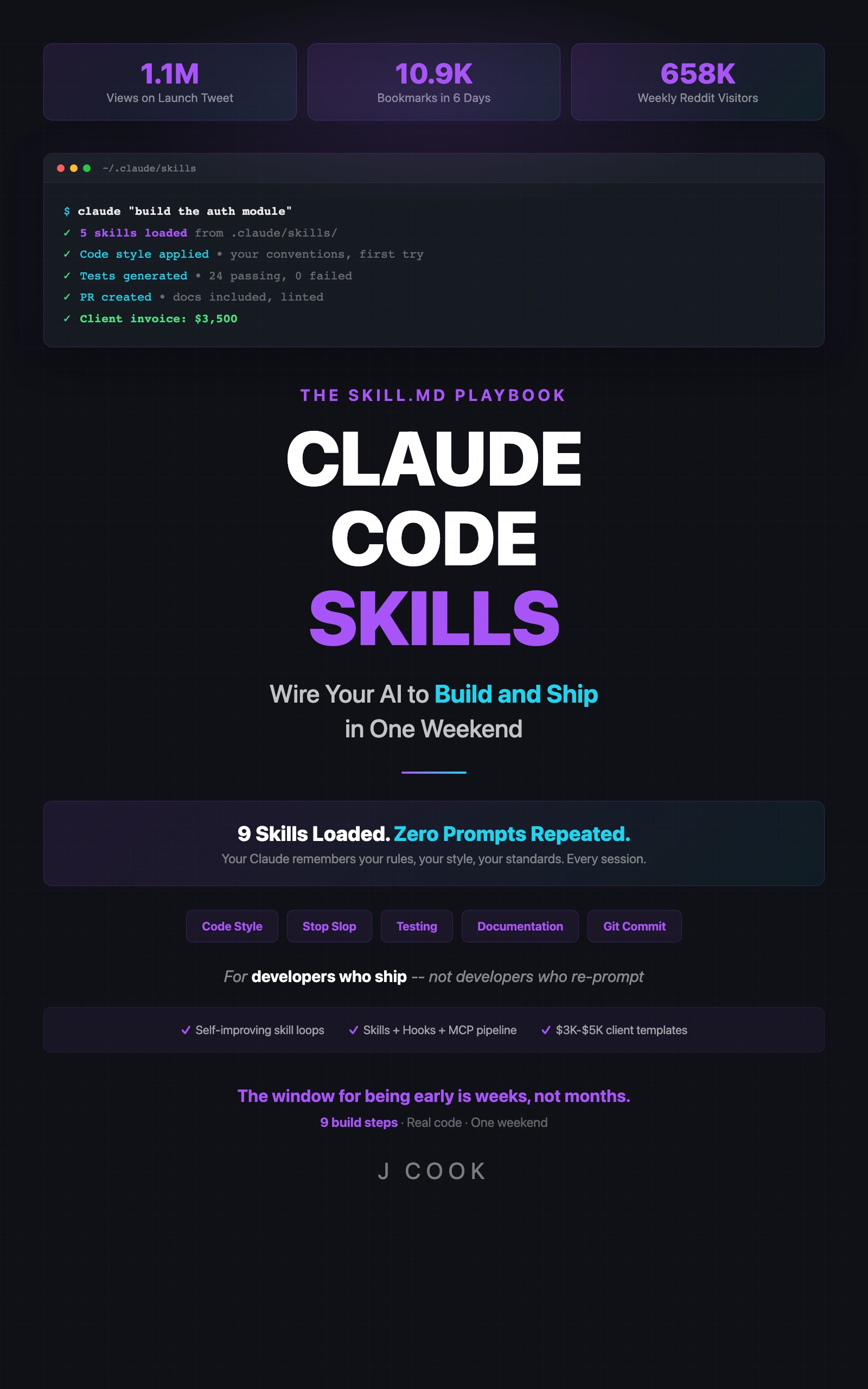
Claude Code Skills
The SKILL.md Playbook: Wire Your AI to Build and Ship in One Weekend
Summary:
- The five skills that cover the full development loop, with the copy-paste SKILL.md for each.
- The trigger that fires each skill so it only loads when relevant.
- Before/after proof on a single prompt: slop names become specific names.
- Build order and the test that tells you a skill is doing nothing.
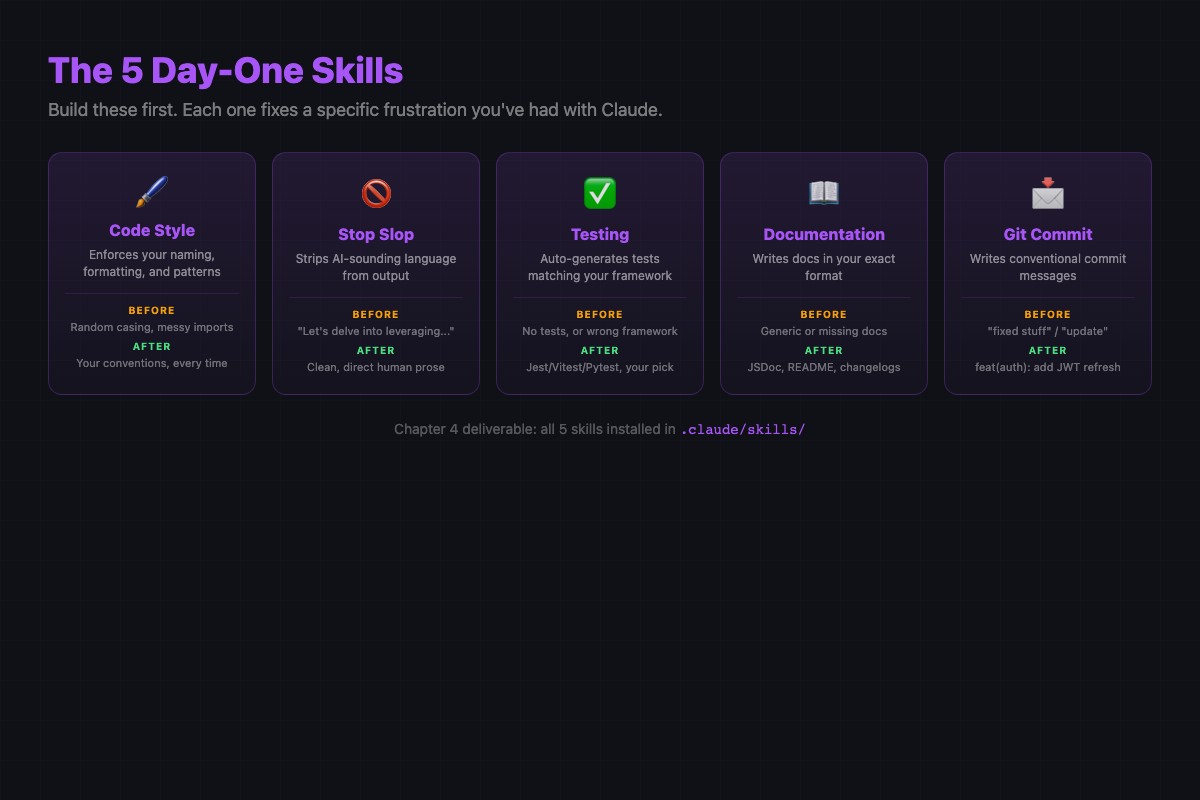
The best Claude Code skills aren’t the clever ones. They’re the five that fix the output you’d otherwise rewrite by hand every day: generic code, weak tests, useless docs, vague commits, shallow reviews. Build these five and Claude stops feeling like a fancy autocomplete and starts feeling like a junior developer who read your contribution guide.
What are the best Claude Code skills to build first?
The five best Claude Code skills are Stop Slop, Testing Standards, Documentation, Git Commits, and Code Review. Together they cover the full development loop, and each one is a directory with a SKILL.md whose description: controls when it fires:
| # | Skill | Fires on |
|---|---|---|
| 01 | Stop Slop | every code-generation request (Edit | Write) |
| 02 | Testing Standards | test files |
| 03 | Documentation | source files, docs, README |
| 04 | Git Commits | creating commits |
| 05 | Code Review | reviewing a PR or diff |
A skill is persistent project configuration, not a prompt: written once, applied every session. That’s why these five compound. Each one offloads a category of correction you’d otherwise make by hand.
For reference, Anthropic ships its own skills the same way: a directory per skill with a SKILL.md inside. From the anthropics/skills repo:
| Skill | What it does |
|---|---|
skill-creator | Scaffolds a new skill (SKILL.md + files) from a description |
mcp-builder | Generates an MCP server to integrate external tools |
webapp-testing | Tests local web apps with Playwright |
frontend-design | Applies frontend design patterns when building UI |
docx / pdf / pptx / xlsx | Create and edit Office and PDF files |
The repo README states it plainly: “Each skill is self-contained in its own folder with a SKILL.md file containing the instructions and metadata that Claude uses.”
Skill 01: Stop Slop (build this first)
Stop Slop is the highest-impact skill in the set. It strips the AI tells out of Claude’s code: generic names, comments that restate the code, fake placeholder data. Save at .claude/skills/stop-slop/SKILL.md:
---
name: stop-slop
description: Use this skill always, on every code-generation request. Strips AI tells: forces specific variable names, useful comments only, realistic example data, and concrete code over demonstration code.
---

# Stop Slop

## Instructions
- Variable names must be specific to their content.
  Bad: data, result, temp, response, item
  Good: userProfile, invoiceTotal, apiResponse, cartItem
- No comments that restate what the code does. Only comment the WHY.
- No placeholder data. Use realistic values, not "John Doe" / "test@test.com".
- Prefer early returns over nested if/else.
- Never write code that "demonstrates the concept." Solve the actual problem.

## Constraints
- No TODO comments. Implement it or explain the gap in your response text.
The before/after is dramatic. Without Stop Slop:
async function getData(id: string) {
  const data: any = await (await fetch(`/api/users/${id}`)).json()
  return data
}
With Stop Slop:
async function fetchUserProfile(userId: string) {
  const userProfile: UserProfile = await (await fetch(`/api/users/${userId}`)).json()
  return userProfile
}
data becomes userProfile. result, temp, response, item stop showing up. The function name says what it does. No any. That single naming change is the fastest visible win in the whole library.
Skills 02-05: the rest of the loop
Each is its own directory with a SKILL.md. Compact versions. The rule that earns the slot is in the description: and the first three instructions.
02 Testing Standards at .claude/skills/testing/SKILL.md:
---
name: testing
description: Use this skill when writing or modifying test files. Enforces Vitest, file-path mirroring (src/x.ts -> tests/x.test.ts), three tests per function, and specific-value assertions over truthiness.
paths:
  - "**/*.test.ts"
  - "tests/**/*.ts"
---

# Testing Standards
## Instructions
- Framework: Vitest (never import from 'jest')
- Each function: happy path, error case, edge case (minimum 3)
- Assert specific values: expect(x).toBe('validated'), not toBeTruthy()
The load-bearing line is “assert specific values, not truthiness.” It kills the laziest AI test pattern: tests that pass but prove nothing.
03 Documentation at .claude/skills/documentation/SKILL.md. Key rules: JSDoc on exported functions only (@param, @returns, @throws); skip private helpers under 10 lines; inline comments explain WHY, never WHAT. This stops Claude documenting one-line helpers with 200-word blocks while skipping the complex public API.
04 Git Commits at .claude/skills/git-commits/SKILL.md. Conventional commits: type(scope): description, imperative, 72-char subject, and a forbidden-message list (update, fix, WIP, various improvements). Twenty lines, and your git log becomes searchable.
05 Code Review at .claude/skills/code-review/SKILL.md. Prioritize bugs and security over style; one sentence per issue with a specific code fix; praise suppressed; top-5 limit. The “praise is unnecessary” line is what turns a review from “Great use of the factory pattern!” into “here’s the bug, here’s the risk, here’s the fix.”
The compound effect
Ask Claude one prompt with all five active: “Write a function that totals a shopping cart with tax and shipping, write tests, and a commit message.”
export const calculateCartTotal = (cartItems: CartItem[], taxRatePercent: number, shippingCostUsd: number) => {
  const subtotalUsd = cartItems.reduce((acc, item) => acc + item.priceUsd * item.quantity, 0)
  const taxAmountUsd = subtotalUsd * (taxRatePercent / 100)
  return subtotalUsd + taxAmountUsd + shippingCostUsd
}
Domain-specific names with units (subtotalUsd, taxAmountUsd). Vitest with expect(...).toBe(49.19). A feat(cart): add total calculation with tax and shipping commit. Five skills covering the full development loop on one prompt.
What broke when building these?
Two mistakes cost the most time:
- Building all five at once. Add them simultaneously and output improves, but you can’t tell which skill did it. Add one, test it, confirm, then the next. Sequential costs 15 extra minutes and saves hours of debugging.
- Writing them too long. First version of each skill: 15-25 lines. Skills over 40 lines produce less reliable output than short focused ones. You can always add rules later; you can’t easily debug which rule in a 60-line file is misfiring.
The verification test: same prompt, three runs. With the skill. With its directory renamed testing.bak. Renamed back. If all three look the same, the skill is too vague to earn its slot.
What should you actually do?
- If you have zero skills: build Stop Slop first. Highest visible impact, fastest feedback. Then Testing, then the other three.
- If output is inconsistent: you have a conflict. Run
grep -r "import" .claude/skills/(swap “import” for the inconsistent rule). Two skills mentioning the same topic with different rules is the cause. - If all five work: scale by job-to-be-done folders, one concern per file, every skill in git.
bottom_line
- Five skills in a folder is the difference between “Claude is a fancy autocomplete” and “Claude is the best junior developer I’ve worked with.”
- Stop Slop is the highest-ROI skill. Build it first, test it, feel the difference before adding anything else.
- Every rule must be checkable with a yes/no question. If it needs interpretation, Claude will interpret it differently than you meant.
Frequently Asked Questions
What are the best Claude Code skills to build first?+
Stop Slop, Testing Standards, Documentation, Git Commits, and Code Review. These five cover the full development loop and produce the biggest immediate change in Claude's output.
Which Claude Code skill has the highest impact?+
Stop Slop. It strips generic variable names, useless comments, and placeholder data out of every code-generation request. Build it first and test it before adding the rest.
Do these skills work with Python or only TypeScript?+
They are language-agnostic markdown. Swap Vitest for pytest and JSDoc for docstrings; the structure (directory plus SKILL.md plus description) stays identical.