Claude Chat vs Code vs Cowork: Which One to Use
The Claude Chat vs Code vs Cowork difference, explained: which one to use for thinking, building software, or running real work on your actual desktop.
>This sorts out which Claude product to reach for. Claude Cowork - Automate Your Job This Weekend goes deeper on wiring up connectors, the approval modes, and the eight desktop automations you build over a single weekend.
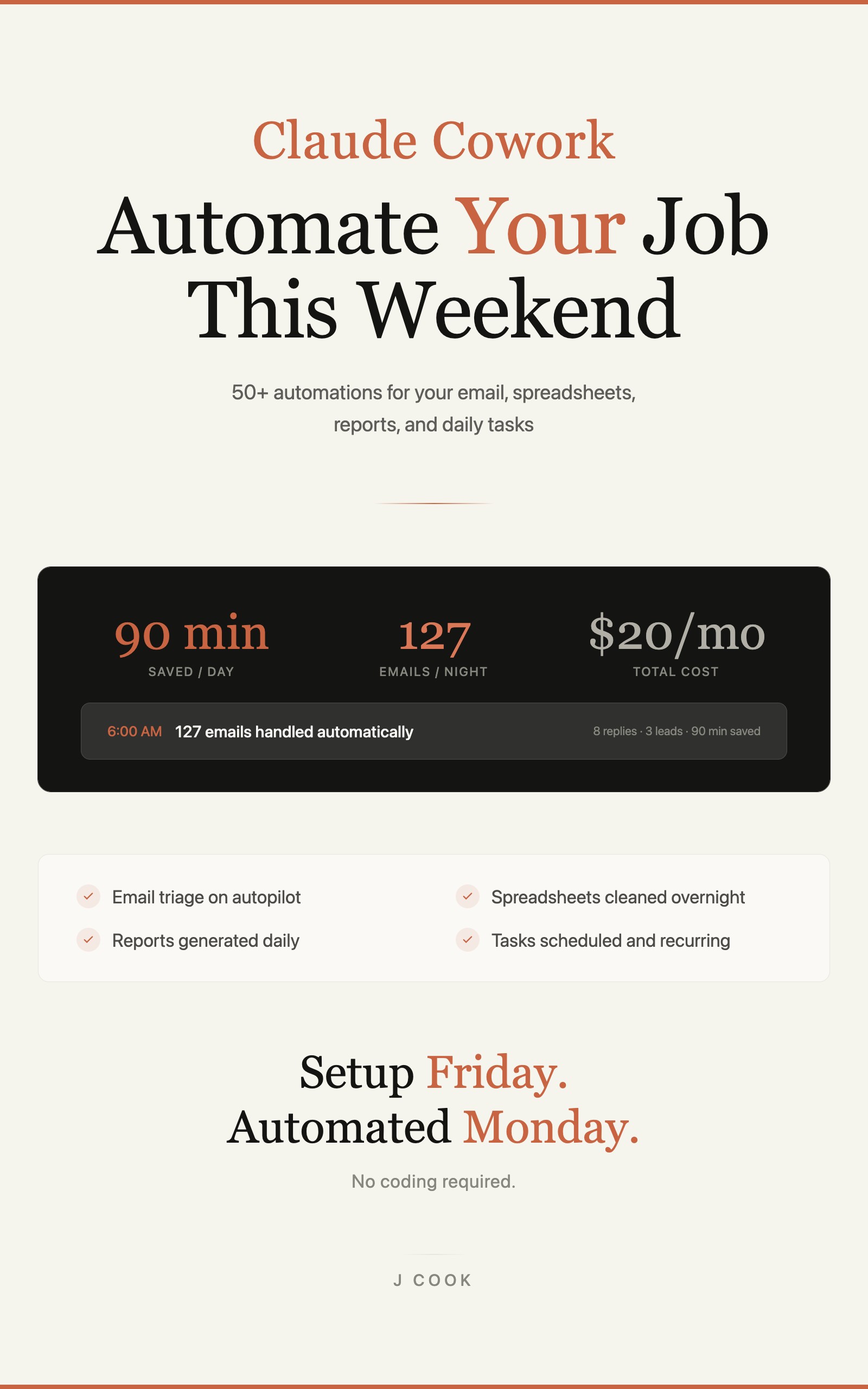
Claude Cowork - Automate Your Job This Weekend
50+ Automations for Email, Spreadsheets, Reports, and Daily Tasks Using Claude Computer Use
Summary:
- The one-line rule that ends the confusion: Chat thinks, Code builds, Cowork works.
- Which product owns which job, with a real example for each.
- Why Cowork reaches for a connector before it touches your screen.
- The two approval modes, and which one to leave on while you learn.
Here is the Claude Chat vs Code vs Cowork difference in one line: Chat thinks, Code builds, Cowork works. Anthropic makes one AI and ships it through three interfaces, and most people grab the wrong one and waste an afternoon. I burned three hours once trying to get Chat to organize a folder of PDFs on my desktop. It gave me beautiful advice on how to organize them. It could not move a single file, because that is not its job.
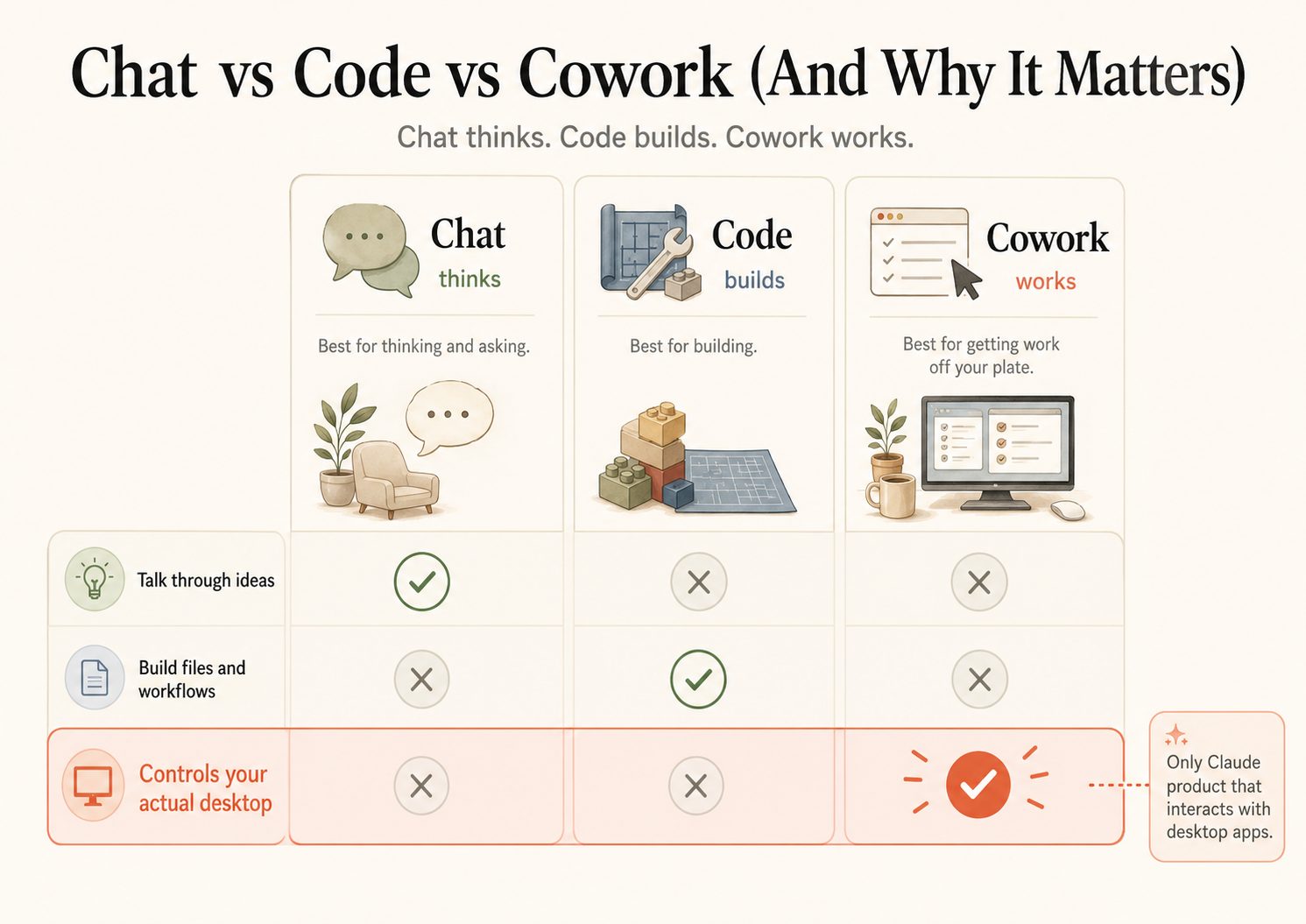
What is the difference between Claude Chat, Code, and Cowork?
The difference is what each one can touch. Chat thinks, Code builds, Cowork works. Chat can talk through ideas but cannot build files or control your desktop. Code can build files and workflows in your terminal but cannot control your desktop. Cowork is the only Claude product that interacts with desktop apps: it opens Finder, clicks buttons, fills forms, and moves files on your actual Mac.
That last row is the whole reason Cowork went viral. With Computer Use turned on, it sees your screen, moves your mouse, and operates any app you can. Not in a chat box. On your real desktop.
| Task | Right tool | Why |
|---|---|---|
| ”Summarize this PDF I am pasting” | Chat | Data is in the conversation, instant text processing |
| ”Write a blog post about X” | Chat | Pure text generation, no desktop needed |
| ”Fix the bug on line 47” | Code | Terminal-based, needs to run programs |
| ”Deploy my app to production” | Code | Needs terminal, git, shell commands |
| ”Organize my Downloads folder” | Cowork | Needs to open Finder and move files |
| ”Send follow-up emails to 10 clients” | Cowork | Needs to open Gmail and compose |
When should you use Claude Chat?
Use Chat when you want an answer, not an action. You need Claude to explain something, write something, or analyze something you paste in. There is no setup. Open the app, type, get a response in seconds.
What are the three best free tools for cleaning CSV data?That is Chat doing its job. It is the fastest option for pure question-and-answer because nothing has to touch your computer. The moment you need a file moved or an app opened, Chat is the wrong tool and it will tell you so.
When should you use Claude Code?
Use Code when you are writing software, full stop. It runs in your terminal and is built for engineering: reading and writing code, running programs, working with git. It is one of the best programming tools I have used. But here is the thing: if you do not know what a terminal is, you do not need Code. It has no graphical interface and it does not click buttons. Skipping it does not mean skipping the good part, because Cowork runs on the same engine, just pointed at your desktop instead of a codebase.
When should you use Claude Cowork?
Use Cowork when you want Claude to do work on your computer. Open applications, move files, triage email, clean spreadsheets, run a task while you do something else. This is the product that went viral, and it is the only Claude product that can act as a real desktop assistant.
The mental model for how it works is a loop: screenshot, decide, act, screenshot, decide, act. Claude takes a picture of your screen, figures out what is there, clicks or types, then screenshots again to see the result. Each cycle takes a second or two. The trick is not that Claude clicks faster than you. It is that Claude clicks while you do something else, never gets bored, and works at 3am.
Open Gmail, find conversations older than 7 days with no reply,
draft a personalized follow-up for each, and queue them for my
review. Do not send anything until I approve it.
Why does Cowork reach for a connector before controlling your screen?
Because screen control is the fallback, not the first move. When you hand Cowork a task, it looks for a connector first. A connector is a direct, first-party line into a service you already use, so Claude reads and writes through a clean data pipe instead of squinting at pixels. Only when no connector exists does it fall back to Computer Use and start driving your screen.
This is the sequencing most guides miss. They list connectors and Computer Use as two equal options. They are not equal. Connector first, screen control second. Here are the first-party connectors Claude ships right now:
- Gmail: search, read, label, and draft email (drafts only, it cannot send)
- Google Calendar: create, update, and delete events
- Google Drive: search Docs, read Sheets, Slides, PDFs, and Office files, create folders
- Slack: read and search channels
- Notion: read and write pages
- GitHub and Linear: issues and project data
- Microsoft 365: Outlook, Word, and Excel through your tenant
- Web Search: built-in
That list comes from Anthropic’s connectors documentation. When one of these covers your task, Claude uses it automatically and the job finishes in seconds. Asking for tomorrow’s meetings through the calendar connector looks like this:
Check my calendar for tomorrow and save the list of meetings,
with times and attendees, to my Desktop.
No browser, no screenshots, about three seconds. When you ask for something only visible on screen, Claude switches to Computer Use instead. You do not pick. You just describe what you want.
What about “Ask before acting” vs “Act without asking”?
These are Cowork’s two approval modes, and you should leave the safe one on. By default Cowork runs in “Ask before acting”: before it does anything consequential, it stops and checks. “I am about to click Send on this email. Should I proceed?” The other mode, “Act without asking,” lets Claude make its own calls without pausing.
My advice: stay on “Ask before acting” while you learn. The prompts are not a nuisance, they are your safety net. Watching what Claude wants to do, approving it, and seeing the result is how you build the instinct to hand over more later. There is no separate “Computer Use” button to flip per task. Once enabled, Claude decides when it needs your screen based on what you ask.
What should you actually do?
- If you want an explanation, a draft, or analysis of something you can paste in → Chat.
- If you write software and live in a terminal → Code.
- If you want Claude to run actual work on your desktop (email, files, spreadsheets, scheduled tasks) → Cowork, on the $20/month Pro plan.
- If a task feels slow or Claude is screenshotting something it should read directly → check whether a connector exists for it. Set the connector up and the same task gets faster and more accurate.
- When in doubt, start in Chat. The moment it says “I cannot access your files,” switch to Cowork.
The bottom line
- Chat thinks, Code builds, Cowork works. If you want AI doing your daily desktop work, Cowork with Computer Use is the only one of the three that can.
- The single biggest mistake is treating connectors and screen control as equals. Connector first, screen control only when nothing else reaches the job. That one rule makes everything faster.
- Leave “Ask before acting” on until a workflow has earned your trust. Watching Claude work is not wasted time, it is the fastest way to learn where it is reliable and where it is not.
Frequently Asked Questions
What is the difference between Claude Chat, Code, and Cowork?+
Chat answers questions in a window. Code writes and runs software in your terminal. Cowork controls your actual desktop: opening apps, clicking buttons, moving files. Cowork is the only one that touches your computer.
Do I need Claude Code if I am not a programmer?+
No. Code is a terminal tool for software engineering. If you do not write code, you live in Cowork, which runs on the same engine but points at your desktop instead of a codebase.
Does Cowork always take over my screen?+
No. Cowork uses a connector first when one exists (Gmail, Drive, Calendar, Slack), and only falls back to screen control when no connector covers the task. Connectors are faster and more reliable.