Which AI Crawlers Should You Allow?
Which AI crawlers to allow: the search bots (OAI-SearchBot, not GPTBot), why robots.txt isn't enough, and a curl knock test that catches the CDN block.
>This confirms reachability. Get Cited by AI goes deeper on the WAF fix, training-vs-search opt-outs, and why access is necessary but not sufficient for citations.
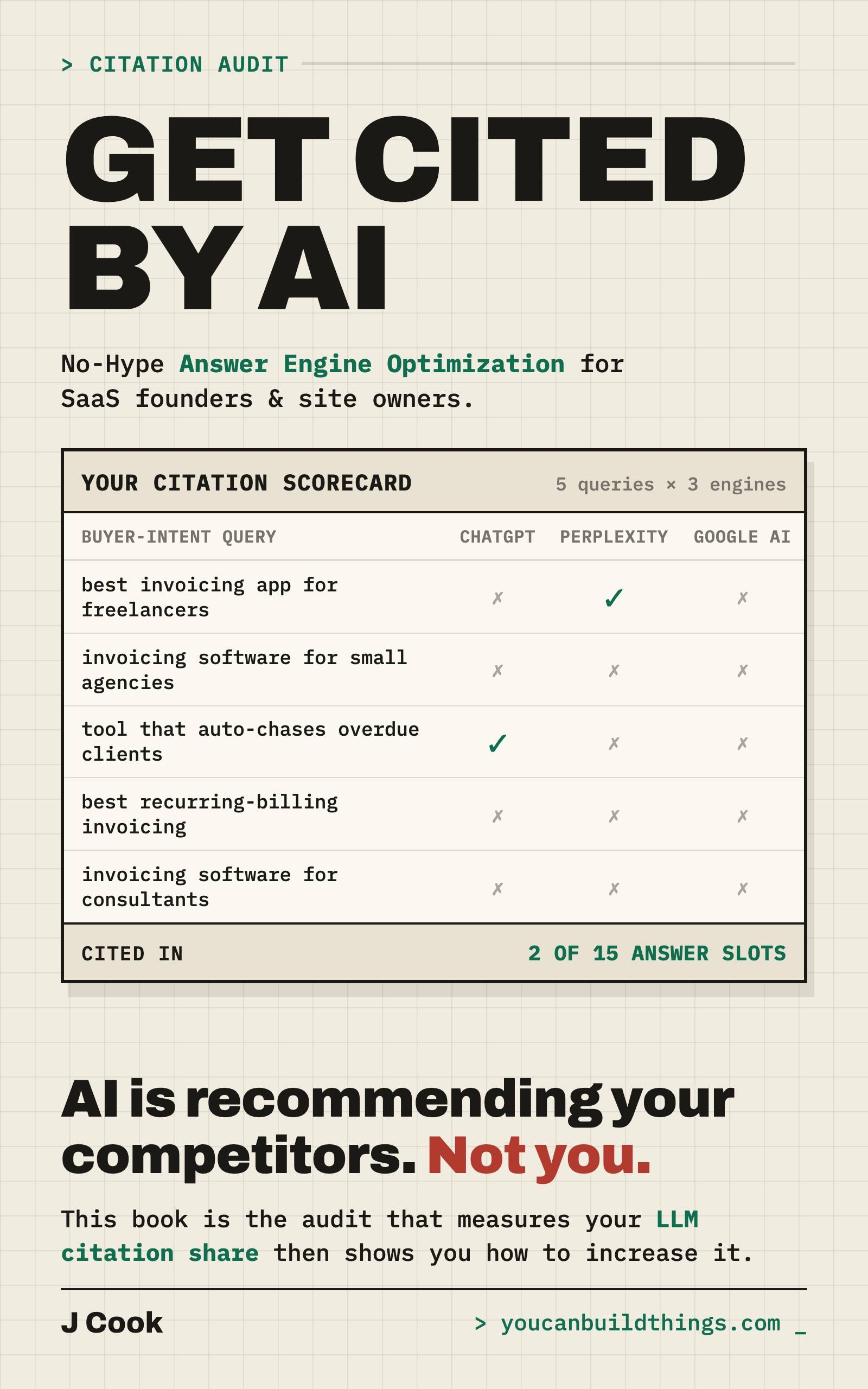
Get Cited by AI: Show Me the Number
No-Hype Answer Engine Optimization for SaaS Founders and Site Owners
Summary:
- The four search bots to allow, and why the famous one (GPTBot) is the wrong one.
- Why a clean robots.txt can still be hiding a block that costs you citations.
- A curl knock test that confirms reachability instead of assuming it.
- Why unblocking the bots is necessary but not sufficient, with the case that proves it.
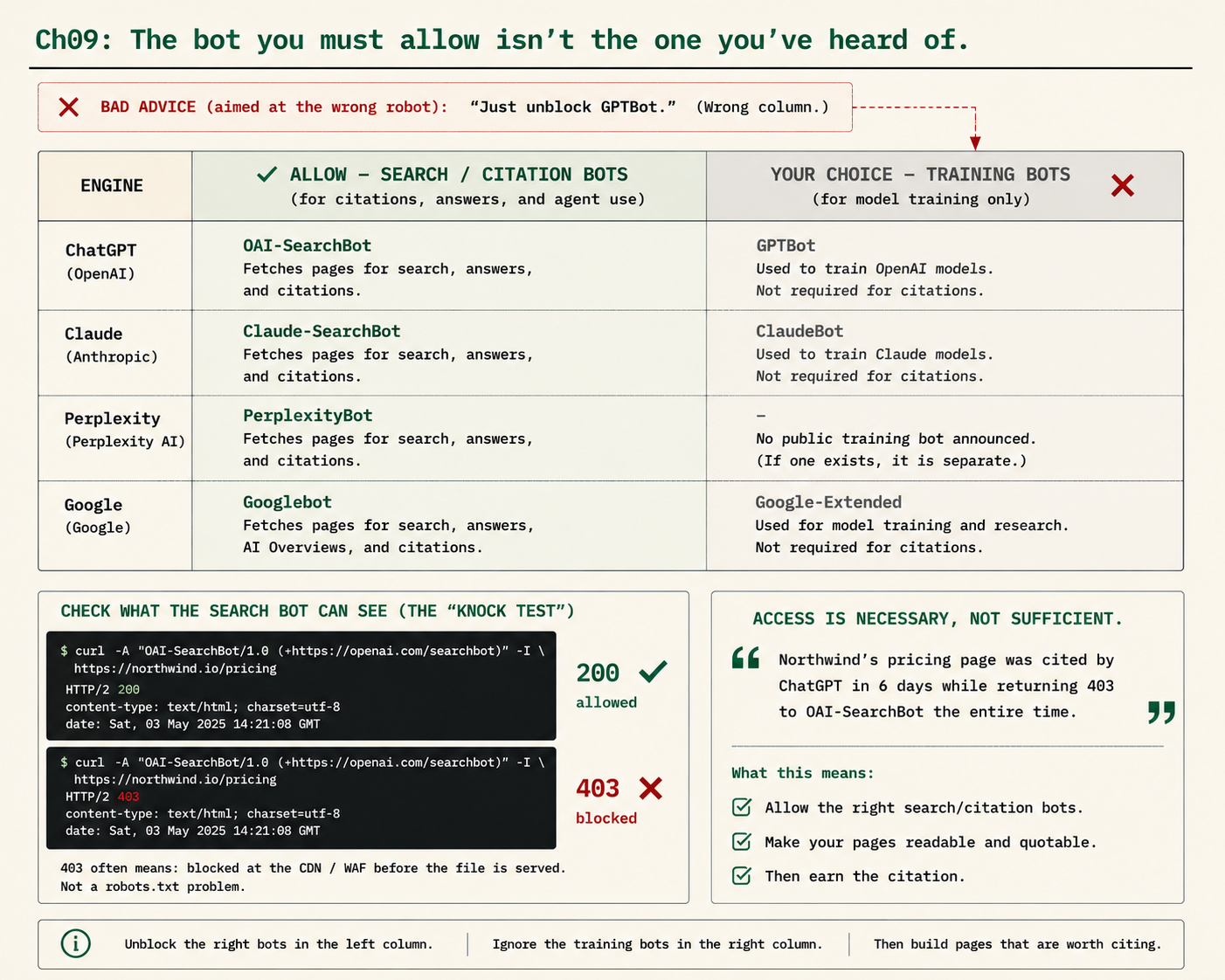
Deciding which AI crawlers to allow comes down to one split most advice gets wrong. Every major AI company runs two different bots: a search bot that fetches pages to build the live answers users see, and a training bot that gathers data for future models. The search bot decides whether you are eligible to be cited. The training bot does not. The popular advice to “unblock GPTBot so you show up in ChatGPT” confuses them, because GPTBot is the training bot. Here is the correct list, and how to confirm the bots can actually reach you.
Which AI crawlers should you allow?
Allow the four search and citation bots, and leave the training bots as a separate decision. The search bots are the ones that make you eligible to appear in AI answers:
ALLOW THESE (search / citation bots = citation eligibility)
  OAI-SearchBot     ChatGPT search
  Claude-SearchBot  Claude search
  PerplexityBot     Perplexity
  Googlebot         Google AI Overviews and AI Mode

YOUR CHOICE (training bots = model training only, NOT citations)
  GPTBot            OpenAI training
  ClaudeBot         Anthropic training
  Google-Extended   Gemini training (a robots.txt token, not a crawler)
Whether you also allow the training bots is a real business decision with arguments on both sides, and it has nothing to do with your citations. So when someone confidently tells you to allow GPTBot to get into ChatGPT, you now know more than they do.
The bot you must allow is not the one you’ve heard of
GPTBot is OpenAI’s training crawler. The bot that controls whether you appear in ChatGPT’s search answers is OAI-SearchBot. You could block GPTBot entirely, opting out of training, and still be perfectly eligible to be cited in ChatGPT search, as long as OAI-SearchBot can reach you. OpenAI says this plainly in its own crawler docs:
OAI-SearchBot is used to surface websites in search results in ChatGPT’s search features. Sites that are opted out of OAI-SearchBot will not be shown in ChatGPT search answers… we recommend allowing OAI-SearchBot in your site’s robots.txt file. […] GPTBot is used to crawl content that may be used in training our generative AI foundation models.
The same trap applies to Claude: ClaudeBot is training, Claude-SearchBot is the citation-relevant one. And Google-Extended is not a crawler at all, it is a robots.txt token that opts you out of Gemini training. It does not control AI Overviews, which ride the normal Googlebot index. Blocking Google-Extended removes you from training, not from AI answers, and “unblock Google-Extended to get into AI Overviews” is a tell that the person giving the advice does not understand the mechanism.
robots.txt is a request, not a lock
Here is the part that catches even careful people. You check your robots.txt, see no Disallow for the search bots, and conclude you are reachable. You might be wrong, because robots.txt is not where the real block usually lives. The standard itself says these rules are not a form of access authorization. It is a polite sign on the door, not a lock, which means something else on your stack can block a bot your robots.txt warmly welcomes.
That something is usually your CDN or web application firewall. Cloudflare, which sits in front of an enormous slice of the web, now blocks AI crawlers by default for new domains. If your site is behind a modern CDN, an AI-bot block may be switched on that you never knowingly enabled, and it can wall off a bot you explicitly allowed in the file. The file says “come in,” the firewall says “denied,” and the firewall wins. Start with a clean allow block anyway, then go check the firewall:
# robots.txt — allow the four AI search / citation crawlers
User-agent: OAI-SearchBot
Allow: /

User-agent: PerplexityBot
Allow: /

User-agent: Claude-SearchBot
Allow: /

User-agent: Googlebot
Allow: /

User-agent: *
Disallow:

Sitemap: https://yoursite.com/sitemap.xml
What broke: the silent 403 nobody sees
The cruelty of a crawler block is the silence. When a buyer cannot reach your page, you might see it in analytics. When a bot cannot reach your page, nothing fires: no error, no alert, no visit to be missing. The block is invisible from where you normally look, which is why it can persist for months while quietly costing you every citation downstream. The only way it surfaces is a deliberate knock. From a terminal, fetch a key page while identifying as each search bot:
# Knock as each of the four search bots and read the status line
curl -A "OAI-SearchBot"    -I https://yoursite.com/your-page
curl -A "PerplexityBot"    -I https://yoursite.com/your-page
curl -A "Claude-SearchBot" -I https://yoursite.com/your-page
curl -A "Googlebot"        -I https://yoursite.com/your-page
Read the first line of each response, and test all four, because a firewall can wave one crawler through and slam the door on another:
HTTP/2 200    # this bot got in. Good.
HTTP/2 403    # blocked. Almost certainly your CDN/WAF, even if robots.txt is fine.
A 200 means that bot can reach you. A 403 or 503 means something is blocking it, and it is almost always the CDN or firewall, not the text file. If you get a 403, go into your CDN dashboard, find the managed AI-bot blocking rule, and turn it off for the search bots you want. The web-based “AI crawler checkers” you will see advertised mostly only read your robots.txt, so they can tell you the sign on the door looks right while completely missing a firewall block. The curl knock tests the actual lock.
Access is necessary, but not sufficient
Do not walk away thinking unblocking the bots guarantees citations. It does not. There is a reported case worth sitting with: someone launched a brand-new author identity with no web presence, and an AI engine correctly cited that author within about six days, while a firewall blocked every AI crawler from the author’s own site the entire time. Cited, despite the crawlers being locked out. How? Because the citation did not come from the author’s own pages. It came from other pages the engine could reach, places that mentioned the author. The engine cited the web’s conversation about the author, not the author’s blocked site.
It is one anecdote, not a law, but it teaches the right lesson: AI citations often come from pages you do not own, like Reddit threads, review roundups, and comparison articles. Unblocking your crawlers makes you eligible to be cited from your own pages. It does not make you cited, and it does nothing about the off-site pages where your citations may actually originate. So hold both truths: a block is a self-inflicted wound you must fix, because a blocked page can never be cited from, and being unblocked is the floor, not the ceiling.
What should you actually do?
- If you have never checked → run the four-bot curl knock on your key pages today. Most people assume reachability; the people most sure they are fine are the ones most likely to have a default they never inspected.
- If you get a 403 → the block is almost certainly your CDN or WAF, not robots.txt. Fix it in the firewall dashboard, then re-run the knock to confirm a 200.
- If you want to opt out of AI training → block GPTBot and ClaudeBot while leaving OAI-SearchBot and Claude-SearchBot allowed. You stay fully citation-eligible and out of training. Add a comment so a teammate does not misread it later.
- Once access is clean → remember it is the floor. Pair it with quotable, answer-first pages, because being reachable is necessary but not sufficient.
The bottom line
- Allow the search bots, not the training bots. OAI-SearchBot, Claude-SearchBot, PerplexityBot, and Googlebot make you citation-eligible. GPTBot and ClaudeBot are training crawlers that have nothing to do with whether you get cited.
- robots.txt is a request, not a lock. Your CDN or WAF can block a bot the file allows, and Cloudflare now does it by default for new domains. Confirm with a curl knock returning 200, never assume from reading the file.
- Access is necessary, not sufficient. Fix the silent 403 because a blocked page can never be cited, then go earn the citation with content worth quoting.
Frequently Asked Questions
Which AI crawlers should you allow?+
Allow the search and citation bots: OAI-SearchBot (ChatGPT), Claude-SearchBot (Claude), PerplexityBot, and Googlebot. These make you eligible to be cited. The training bots (GPTBot, ClaudeBot, Google-Extended) are a separate choice that does not affect citations.
Is GPTBot the bot I need to allow for ChatGPT citations?+
No. GPTBot is OpenAI's training crawler. The bot that controls whether you appear in ChatGPT's search answers is OAI-SearchBot. You can block GPTBot to opt out of training and still be fully eligible for ChatGPT citations.
Why is my site blocking AI crawlers when my robots.txt looks fine?+
Because robots.txt is a request, not a lock. Your CDN or web application firewall can block a bot your robots.txt allows. Cloudflare now blocks AI crawlers by default for new domains. Knock as each bot with curl to confirm a 200, not a 403.