How to Track Voice AI Agent ROI (With Formulas)
>This covers ROI tracking. How to Build Voice AI Agents includes the full setup guide, prompt templates, and the 3-phase deployment process.
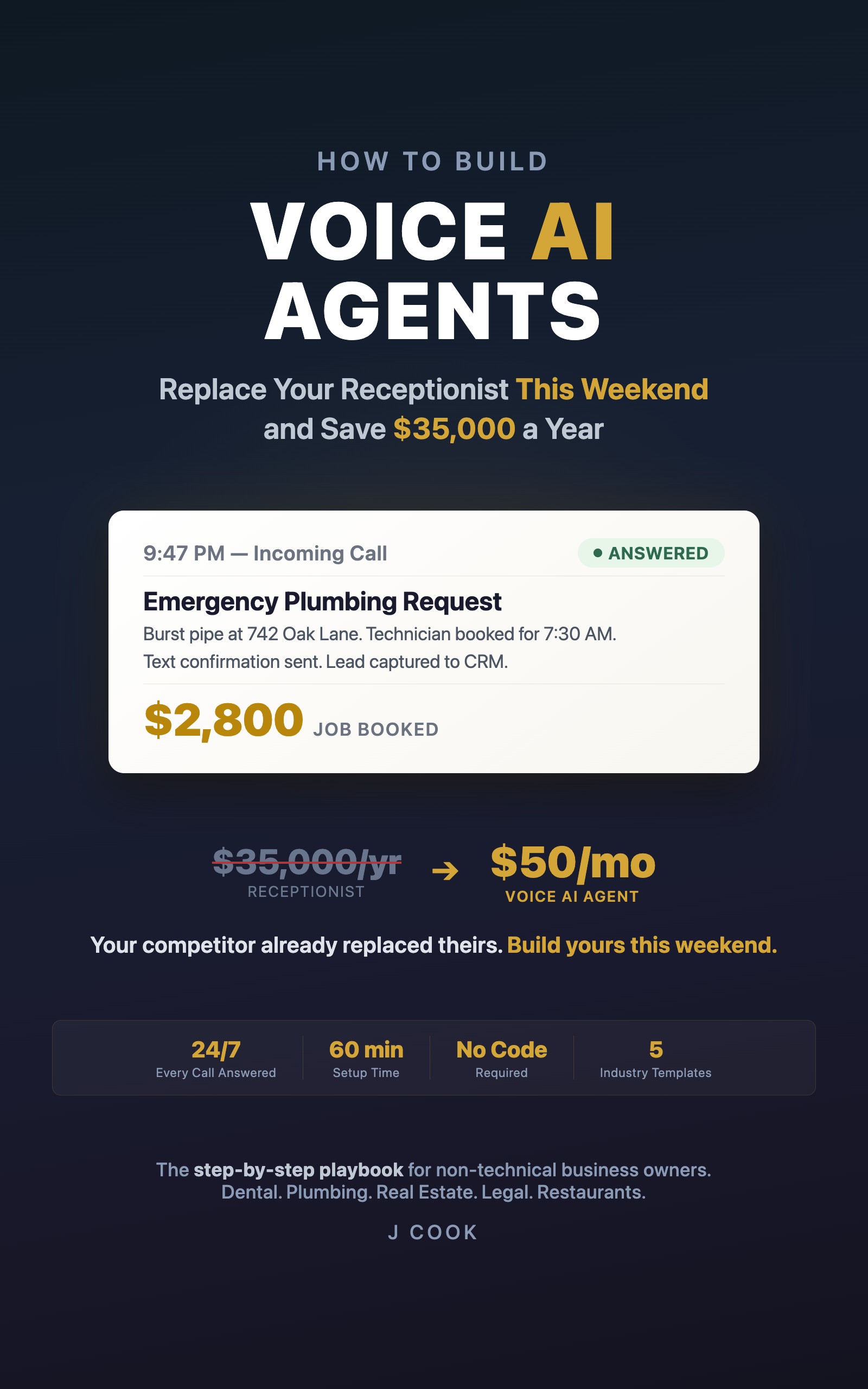
How to Build Voice AI Agents
Replace Your Receptionist This Weekend and Save $35,000 a Year
Summary:
- One formula tells you if your voice AI agent is worth keeping.
- A 5-minute Friday routine that tracks everything you need.
- Worked example: a plumbing company paying $171/month, booking 312 appointments.
- What to fix when the numbers don’t look right.
Three weeks into running his voice AI agent, a plumber in Phoenix told me: “I think it’s working. I’m getting more calls.” How many more? “I don’t know. More.” What’s it costing? “I don’t know. Less than the answering service?”
“Probably” doesn’t justify a monthly expense. One formula does.
Is it worth it? One formula, 30 seconds.
If you hate spreadsheets, ignore everything else in this article except this:
Agent cost this month:    $______
Appointments it booked:   ______
Cost per booking:         $______ (cost / appointments)
Your average job value:   $______
The rule: if the cost per booking is less than 10% of your average job value, keep the agent. If it’s more, fix the prompt before blaming the platform.
Martinez Plumbing (reported numbers): $171 / 312 appointments = $0.55 per booked appointment. Average job: $380. The agent cost less than a penny for every dollar it generated. He stopped saying “I think it’s working.”
That’s the whole decision. If you want more detail, keep reading.
How does your agent compare to what you had before?
This is the table you show your business partner or your accountant. Fill in both columns with your actual numbers:
| Metric | Before Agent | With Agent |
|---|---|---|
| Monthly phone cost | $______ | $______ |
| Calls answered/month | ______ | ______ |
| Appointments booked/month | ______ | ______ |
| Cost per call | $______ | $______ |
For reference, here’s what Martinez Plumbing reported after switching:
| Metric | Before (answering svc) | With Agent | Change |
|---|---|---|---|
| Monthly phone cost | $650 | $171 | -74% |
| Calls answered | 800 | 1,247 | +56% |
| Appointments booked | 195 | 312 | +60% |
| Cost per call | $0.81 | $0.14 | -83% |
These are reported numbers from one business. Your results will depend on your call volume and average job value. He cancelled the answering service the day he filled this in.
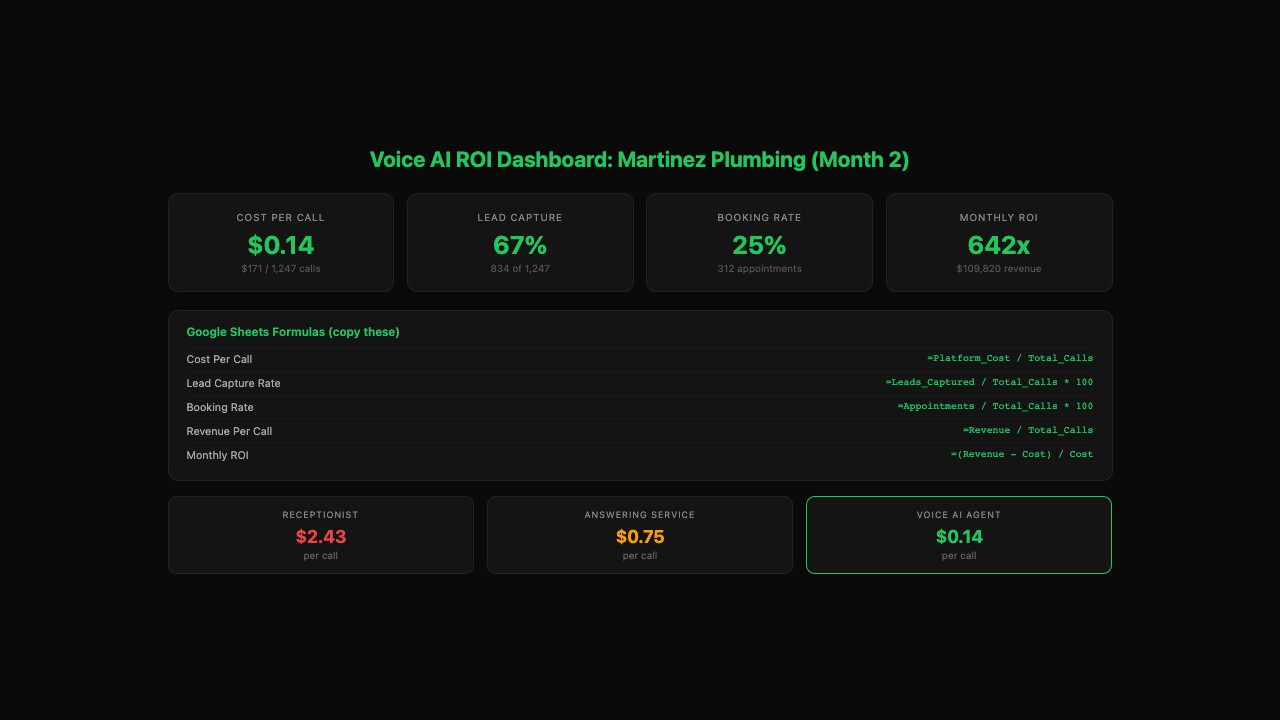
How do you track this every week? (5 minutes, every Friday)
Open a Google Sheet. One row per week. These columns:
Week Starting | Total Calls | Appointments Booked | Platform Cost | RevenueEvery Friday, fill in one row. Takes 5 minutes:
- Total Calls: from your Bland dashboard
- Appointments Booked: count agent-created calendar events
- Platform Cost: your weekly pro-rated fee (~$47/week at $200/month)
- Revenue: total from this week’s agent-booked jobs
Two formulas in the next column:
Cost per booking:  = Platform Cost / Appointments Booked
Weekly ROI:        = Revenue / Platform Cost
That’s the whole system. After four Fridays you’ll see the trend. If it’s climbing, the prompt is getting better. If it’s falling, read the troubleshooting section below.
What do you do when the numbers don’t look right?
Four scenarios and their fixes.
Booking rate under 20%. The agent answers calls but doesn’t convert them to appointments. Pull up 5 recent non-booking transcripts in your Bland dashboard. Find the moment where the caller could have been offered an appointment but wasn’t. Add to the prompt: “After answering a pricing or availability question, always ask: ‘Would you like to go ahead and schedule?’”
Too many calls going to a human (over 25% transfer rate). Review what triggers the transfers. Usually it’s questions the agent can’t answer. Add those Q&As to the prompt. One Friday of transcript reading fixes most transfer leaks.
Calls running too long (average over 4 minutes). The agent is rambling or stuck in loops. Add to the prompt: “Keep responses to 2-3 sentences. If the question is answered, ask if they need anything else and wrap up.”
Revenue doesn’t justify the cost after 4 weeks. Either the prompt isn’t converting (fix it) or your call volume is too low. Below 10 calls a day, a $200/month agent might not pencil out. Try after-hours only or a pay-per-call plan.
Every ROI calculator on Google’s first page for “voice AI agent ROI” is a lead-gen form from companies like CloudTalk and VoiceInfra. They want your email. This worksheet gives you the same answer without the sales call.
What should you actually do?
- If you haven’t tracked anything yet: fill in the one-formula box at the top of this article. Takes 30 seconds.
- If that looks good and you want ongoing proof: start the Friday spreadsheet. One row per week, 5 minutes.
- If the numbers look off: read 5 call transcripts. The fix is almost always in the prompt, not the platform.
bottom_line
- One formula: agent cost divided by booked appointments. If that number is under $5 and your average job is $300+, the agent is working. Stop overthinking it.
- Five minutes every Friday is the whole tracking system. One row, two formulas, done.
- When the numbers don’t work, fix the prompt first. Nine times out of ten, the platform is fine and the prompt is the bottleneck.
Frequently Asked Questions
How much does a voice AI agent cost per month?+
Most small businesses pay $150-400/month depending on call volume. Bland.ai charges about $0.09/min with no subscription. A business handling 50 calls/day at 2 minutes each pays roughly $270/month. Add $9/month for Make.com integrations.
How long does it take to see ROI from a voice AI agent?+
Most businesses see positive ROI within the first week. The agent costs $5-10/day to run. If it books even one appointment that voicemail would have missed, it's paid for itself.
What's a good booking rate for a voice AI agent?+
25-40% is typical and comparable to a human receptionist. Below 20% means your prompt needs better conversion triggers. Add 'After answering a pricing question, always ask: Would you like to go ahead and schedule?' to your prompt.
More from this Book
AI Receptionist for Dentists: $12,950/Month Recovered
How one dental practice replaced after-hours voicemail with a voice AI agent for $180/month and recovered $12,950 in missed patient revenue every month.
from: How to Build Voice AI Agents
Build a Voice AI Agent in Under 60 Minutes (No Code)
Step-by-step Bland.ai setup from zero to a live voice AI agent answering real calls. Copy-paste prompt template, 8 test scenarios, and troubleshooting.
from: How to Build Voice AI Agents
Voice AI Agent Failures: 8 Modes and the Exact Fixes
Eight ways voice AI agents fail in production with the exact prompt lines that fix each one. Copy-paste anti-hallucination, silence, and loop-breaker rules.
from: How to Build Voice AI Agents