AI Receptionist for Dentists: $12,950/Month Recovered
How one dental practice replaced after-hours voicemail with a voice AI agent for $180/month and recovered $12,950 in missed patient revenue every month.
>This covers the dental buying decision. How to Build Voice AI Agents includes the step-by-step setup, prompt templates for 5 industries, and the deployment safety checklist.
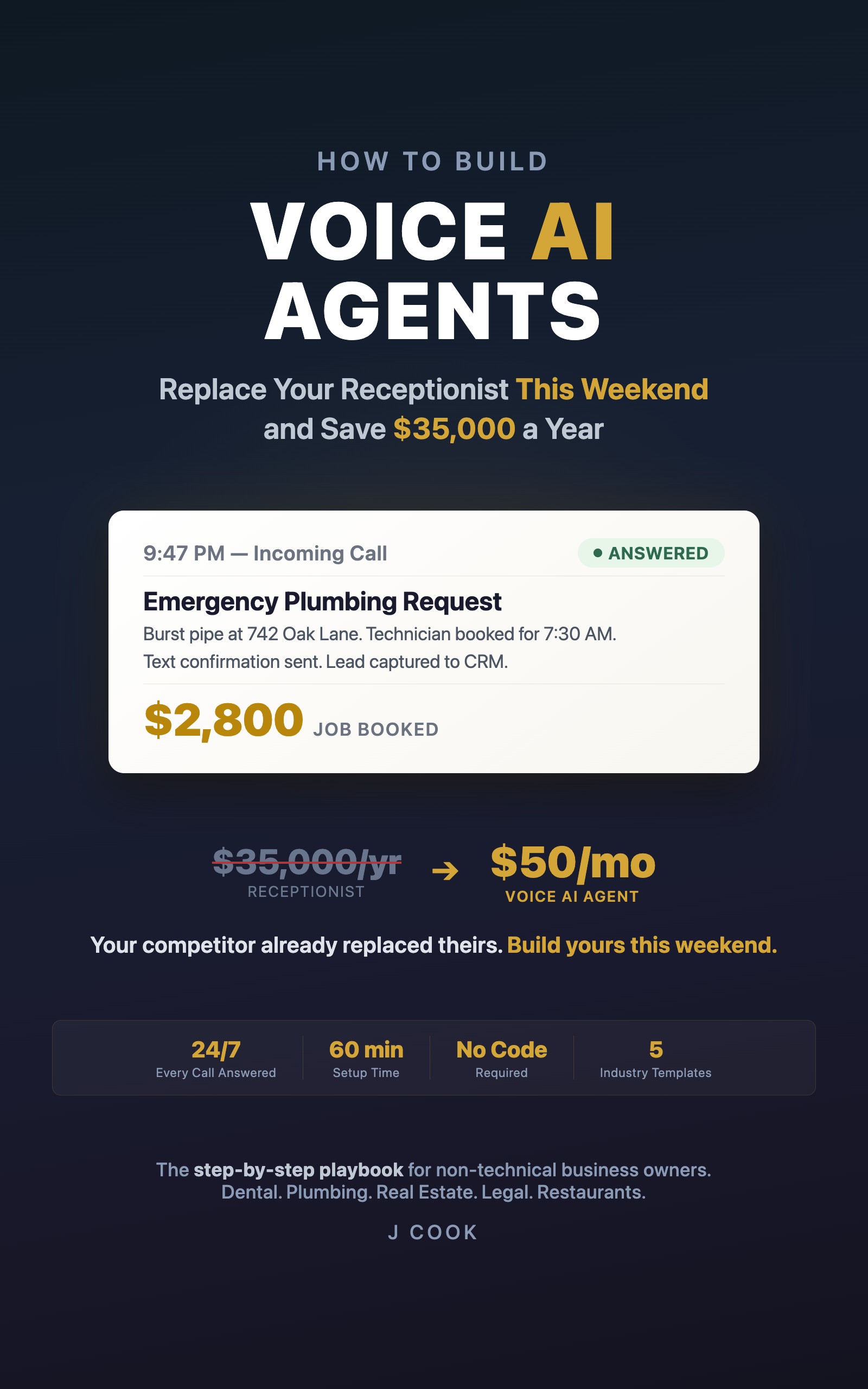
How to Build Voice AI Agents
Replace Your Receptionist This Weekend and Save $35,000 a Year
Summary:
- One dental practice reported recovering $12,950/month by replacing after-hours voicemail with a $180/month voice AI agent.
- Decision checklist: is this worth testing in your practice?
- The lowest-risk way to start: after-hours only, keep your receptionist during the day.
- Honest downsides: what the agent gets wrong and how often.
Every dental practice has the same after-5-PM problem. Patients call at 6:30 PM because that’s when they finally sit down after work and remember they need to reschedule. They call Saturday morning because a filling cracked during breakfast. Every one of those calls hits your voicemail, and maybe one in five actually leaves a message. The rest call the dentist down the street who picks up.
A voice AI agent picks up every one of those calls for about $180/month. Here’s whether it makes sense for your practice.
What happened at one practice?
Dr. Patel runs a dental practice in Ohio with 2,400 active patients and about 60 inbound calls per day. She tracked her after-hours voicemail pipeline for one month and then compared it to her first month on a voice AI agent:
| Metric | Voicemail | Voice AI Agent |
|---|---|---|
| After-hours calls | 184 | 197 (more callers stay on when a voice answers) |
| Appointments booked | 52 | 89 |
| Additional bookings | baseline | +37/month |
| Revenue at $350/visit | baseline | +$12,950/month (reported) |
These are reported results from a single practice. Your numbers will depend on your call volume, your voicemail return rate, and your average visit value. The pattern is consistent across practices: an agent that answers books more than voicemail that waits.
Should you try this? The decision checklist.
Run through these five questions. If you answer yes to three or more, it’s worth a trial.
[ ] Do you get 10+ calls per day?
[ ] Do after-hours calls go to voicemail?
[ ] Is your average appointment worth $200+?
[ ] Are you paying $400+/month for an answering service?
[ ] Is your no-show rate above 15%?
Three yeses = worth trying for a month at $180. The risk is one month’s cost. The upside is thousands in recovered revenue.
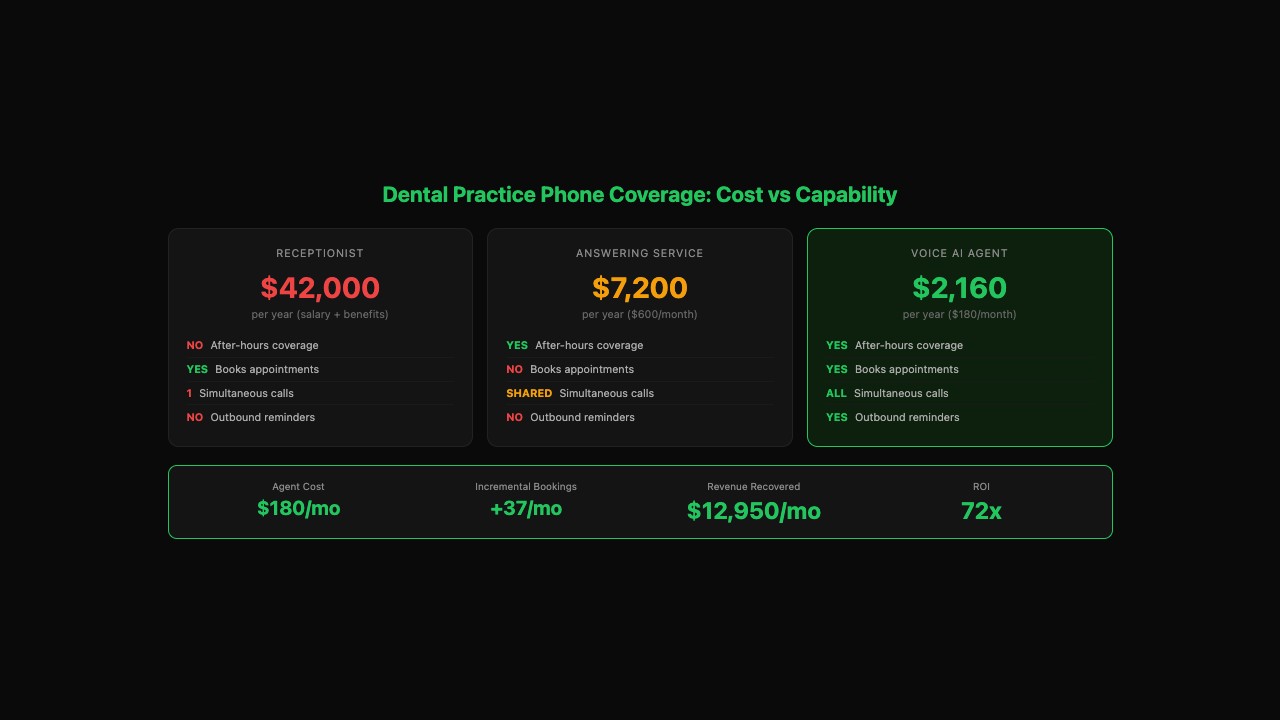
What does it cost compared to what you have now?
| Option | Monthly cost | Books appointments? | After-hours? | Handles multiple calls? |
|---|---|---|---|---|
| Receptionist | ~$3,500 (salary/benefits) | Yes | No | One at a time |
| Answering service | $400-800 | No, takes messages | Yes | Shared across clients |
| Voice AI agent | $180 | Yes, in real time | Yes | All simultaneously |
Every SaaS product on Google’s first page for “ai answering service for dentists” charges $500-2,000/month for a managed solution. Arini.ai, Dentina.ai, and TrueLark all sell managed services. Building your own on Bland.ai costs $180/month and you own the setup.
What’s the lowest-risk way to start?
Three deployment options, in order of risk:
Option 1: After-hours only (lowest risk). Route calls to the agent after 5 PM and on weekends. Keep your receptionist during business hours. Nothing changes for your daytime callers. You’re only capturing calls that were going to voicemail anyway. This is how Dr. Patel started.
Option 2: Overflow during business hours. The agent handles lines 2 and 3 while your receptionist takes line 1. During the 8:30 AM rush when three patients call at once, two of them talk to the agent instead of hearing hold music.
Option 3: Outbound appointment reminders. The agent calls patients 24 hours before their appointment to confirm. Dr. Patel reported her no-show rate dropping from 18% to 11% after adding reminders. Each reminder call costs less than $0.10. If your no-shows cost you more than $1,000/month, this pays for the entire setup by itself.
What does the agent handle that’s dental-specific?
Two things matter most for dental practices:
Insurance questions. “Do you take Delta Dental?” is the #1 caller question. You load your accepted providers into the agent’s instructions. For unlisted providers, the agent says “We don’t accept that specific plan, but we do accept most PPO plans and we offer a membership discount for uninsured patients. Would you like to hear about that?” That last line converts uninsured inquiries into membership conversations. Most receptionists skip it.
Appointment types. Cleanings are 30 minutes. Emergency visits need 60-minute blocks. New patient consultations need 90 minutes. The agent needs to know which type to check availability for based on what the caller describes.
What are the honest downsides?
Four things to know before committing:
It will occasionally get something wrong. Dr. Patel’s agent once told a caller the office was open on a holiday. A patient showed up to a locked door. Cost: a $75 discount on the rescheduled visit and a 2-minute update to the agent’s instructions. It happened once in a month where the agent booked over 200 appointments.
Heavy accents and bad connections cause problems. Speech recognition accuracy drops for non-native English speakers. The fix: the agent confirms critical details back to the caller (“I have you down for Thursday at 2 PM, is that right?”). This catches most errors before they become booking mistakes.
You have to maintain it. New insurance providers, changed hours, holiday closures. If the instructions get stale, accuracy drifts. Build a 5-minute Friday habit: read 5 transcripts, update anything that’s wrong or missing.
It doesn’t replace your receptionist for complex situations. Patients in pain need empathy. Billing disputes need a human. The agent handles the routine 70-80% so your front desk can focus on the cases that actually need a person. It’s a phone tool, not a staff replacement.
What should you actually do?
- If you get 10+ after-hours calls per day and they go to voicemail: start with after-hours only. This is the lowest-risk, highest-ROI deployment. Try it for one month at $180.
- If your front desk is drowning during morning rush: add the agent as overflow. Two fewer callers on hold means two fewer patients calling the practice down the street.
- If no-shows cost you more than $1,000/month: add outbound reminders before anything else. The reminder play alone justifies the agent cost.
- If you get fewer than 5 after-hours calls per day: the math might not justify it yet. Wait until your call volume grows or try a pay-per-call plan.
bottom_line
- A dental voice AI agent costs $180/month. Practices that have deployed them report recovering thousands in missed after-hours revenue. Run the 5-question checklist above to see if it fits yours.
- Start with after-hours only. Keep your receptionist during the day. You’re only capturing calls that were going to voicemail anyway. Zero risk to your daytime patients.
- The agent will occasionally make a mistake. One wrong answer in a month of 200+ correct bookings is a $75 problem, not a $75,000 problem. The real risk is leaving your after-hours phone on voicemail while your competitor’s AI picks up.
Frequently Asked Questions
How much does a voice AI agent cost for a dental practice?+
About $180/month on Bland.ai for a practice handling 60 calls per day. That covers the platform fee, phone number, and all call minutes. Compare to $35,000/year for a receptionist or $600/month for an answering service.
Can a voice AI agent handle dental insurance questions?+
Yes. You load your accepted insurance providers into the agent's instructions. It answers 'Do you take Delta Dental?' instantly. For unlisted providers, it says 'Let me check on that and have someone call you back' instead of guessing.
Is a voice AI agent HIPAA compliant for dental offices?+
The agent should never discuss specific patient medical history or treatment details over the phone. Bland.ai offers HIPAA-compliant plans with a BAA. Your setup instructions should include: 'Never access or discuss specific patient records.'