Build a Voice AI Agent in Under 60 Minutes (No Code)
Step-by-step Bland.ai setup from zero to a live voice AI agent answering real calls. Copy-paste prompt template, 8 test scenarios, and troubleshooting.
>This covers basic setup. How to Build Voice AI Agents goes deeper on prompt engineering, deployment safety, and ROI tracking.
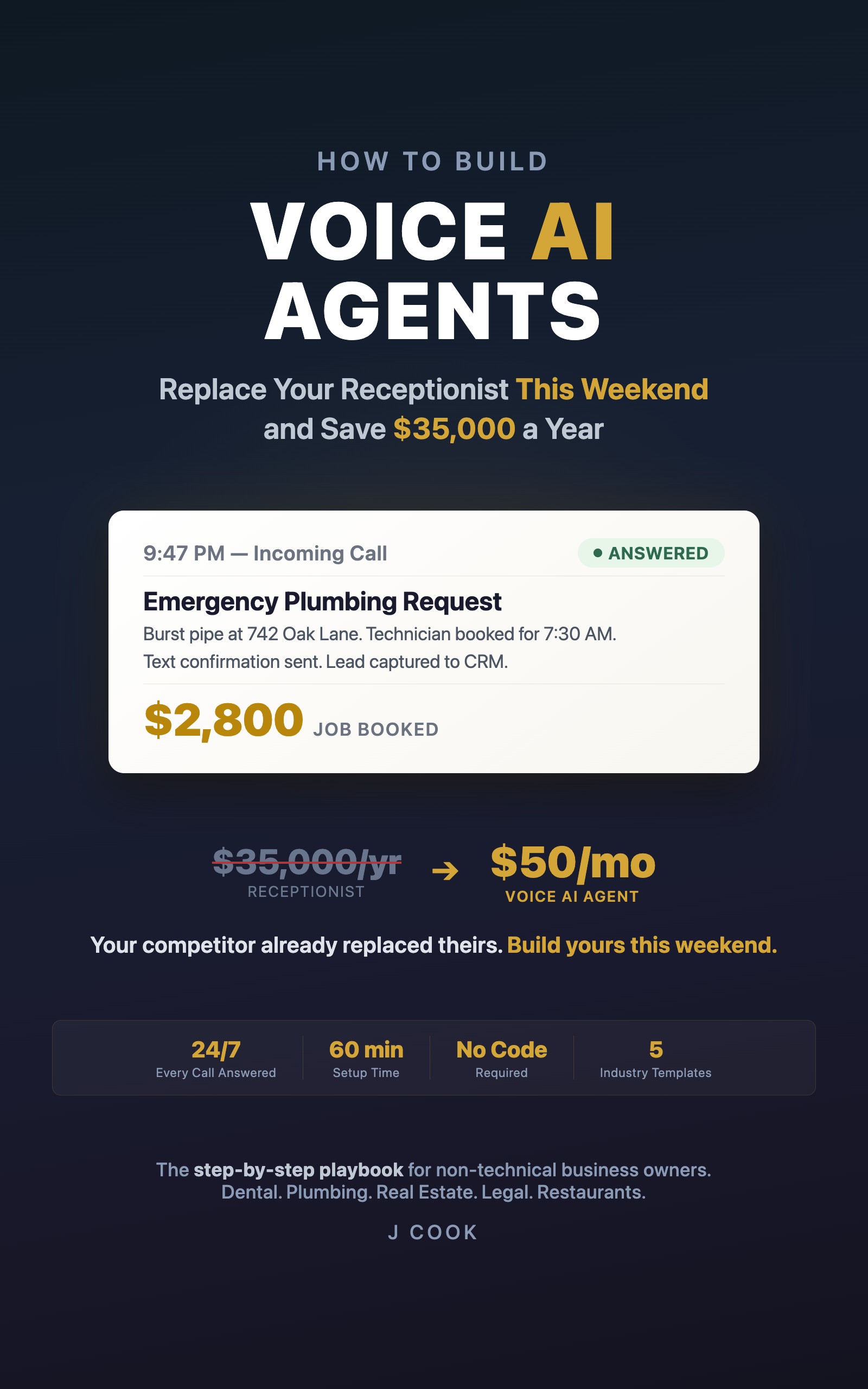
How to Build Voice AI Agents
Replace Your Receptionist This Weekend and Save $35,000 a Year
Summary:
- Build a working voice AI agent on Bland.ai in 10 steps, zero code.
- Copy-paste prompt template customized for service businesses.
- 8 test scenarios that catch problems before real callers do.
- Troubleshooting guide for the 7 most common first-timer issues.
Every business has the same phone problem. Calls come in after hours. Calls come in while you’re on another call. Calls come in while you’re elbow-deep in a job. Those calls hit voicemail, and voicemail is where leads go to die. A voice AI agent picks up every one of them. Bland.ai charges roughly $0.09 per minute of call time, though pricing varies by plan and usage.
Here’s how to build one in under an hour.
What do you need before starting?
Three things. A laptop with a browser. A credit card for the Bland.ai account (you’ll spend about $1 testing). Your phone for making test calls.
Have these ready before you start:
1. Your business name (as callers should hear it)
2. Three questions your callers ask most often
3. The answers to those three questions
That’s it. Write them down now. You’ll type them into a form in about 15 minutes.
How do you build a voice agent on Bland.ai?
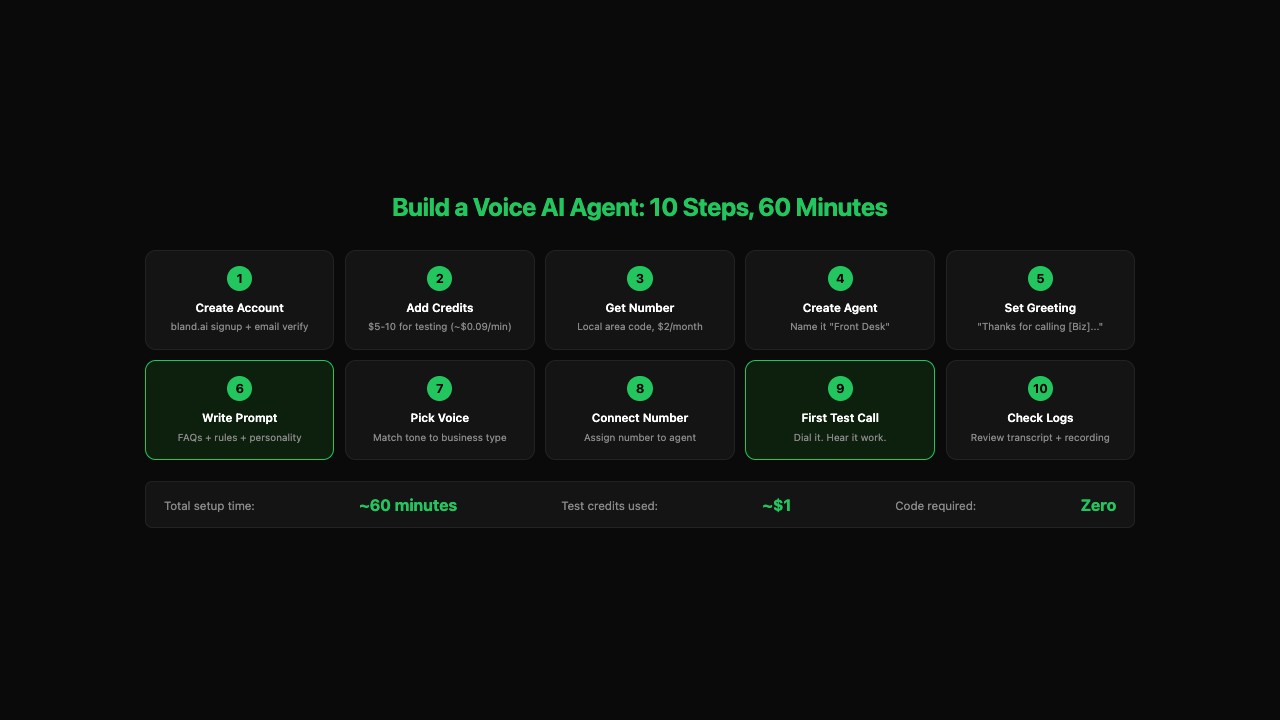
Ten steps. Each one takes 3-8 minutes. Here’s the full sequence.
Step 1: Create your account. Go to bland.ai, click Sign Up, verify your email.
Step 2: Add credits. Settings > Billing > add a credit card. Load $5-10. At $0.09/minute, that’s over an hour of call time for testing.
Step 3: Get a phone number. Phone Numbers > Buy Number. Pick your local area code. Costs about $2/month. Save this number in your phone contacts right now.
Step 4: Create an agent. Agents > Create Agent. Name it “Front Desk” (internal only, callers won’t hear it).
Step 5: Set the greeting. This is the first thing callers hear. Write it like a receptionist, not a robot:
Thanks for calling [Your Business Name]. How can I help you?Do not include “I’m an AI assistant.” That’s the fastest way to make callers hang up.
Step 6: Write the prompt. This is the most important step. Copy this template and replace the brackets:
You are a friendly and professional receptionist for [Business Name].

Your job is to answer callers' questions. Be helpful, clear, and
concise. If a caller asks something you don't know, say "I don't
have that information right now, but I can take your name and number
and have someone call you back."

Business Name: [Your Business Name]
Business Type: [e.g., dental practice, plumbing company]

Frequently Asked Questions:

Q: What are your hours?
A: [Your actual hours]

Q: [Second common question]
A: [Your answer]

Q: [Third common question]
A: [Your answer]

Rules:
- Always be polite and professional
- Keep answers short and direct
- If the caller wants to schedule, say "I'd be happy to help.
  Let me take your name and phone number and we'll call you
  back to confirm a time."
- Never make up information you don't have
Here’s what a filled-in prompt looks like for a plumbing company:
Q: Do you offer emergency service?
A: Yes, we have technicians available 24/7. If this is an emergency,
   I can get your address and have someone out as soon as possible.

Q: How much does a service call cost?
A: Our diagnostic fee is $89, which gets applied to the repair if
   you decide to go ahead. Emergency calls after hours have a
   $149 diagnostic fee.

Q: Do you do water heater replacements?
A: Yes, tank and tankless. I can take your info and have someone
   call you with a quote.
Notice the pattern: specific prices, clear next steps. “It depends” loses leads. “$89, applied to the repair” books appointments.
Step 7: Pick a voice. Bland offers several options. Click play on each sample. Match the voice to your business. Dental: calm, warm. Plumbing: direct, friendly. Law firm: measured, professional. Spend five minutes max.
Step 8: Connect the phone number. In agent settings, assign the number from Step 3. Save.
Step 9: Make your first test call. Dial the number. Hear your agent answer. Ask “What are your hours?” Get the answer you typed in. That’s your agent working.
Step 10: Check your call logs. Back in the Bland dashboard, Call Logs shows the transcript and recording of your test call. Read the transcript. Listen to the recording. Note what sounds good and what needs adjusting.
What broke when I built mine?
The first version of my agent opened with “Hello, I am an AI assistant. How may I help you today?” Four out of five test callers hung up within ten seconds. The fifth stayed long enough to ask for a real person.
The fix took two minutes. Changed the greeting to the business name. Removed every mention of “AI” or “assistant.” Added specific answers instead of generic deflections. The second version kept callers on the line because it sounded like a receptionist, not a chatbot.
The other thing that went wrong: the prompt was too short. Three FAQ answers handled three scenarios. The fourth caller asked something off-script and the agent froze for five seconds before giving a vague response. The fix: add “If you don’t know the answer, offer to take a message.” One sentence in the prompt eliminated an entire category of failures.
How do you test before going live?
Eight test scenarios. Run all of them before you let a real customer call.
Test 1: Ask a question it knows.
        "What are your hours?"

Test 2: Ask a question it doesn't know.
        "Do you offer financing?"

Test 3: Ask two things at once.
        "What are your hours and do you accept Delta Dental?"

Test 4: Say something confusing.
        "Yeah so my thing is, I was wondering about the, uh,
        appointment thing?"

Test 5: Ask to speak to a human.
        "Can I talk to a real person?"

Test 6: Sit in silence for 5 seconds.
        See if the agent prompts you.

Test 7: Speak fast and mumble.
        "Yeah hi gotta question about your hours and also
        wondering if you do weekend stuff or whatever."

Test 8: Interrupt mid-sentence.
        Wait for the agent to talk, then cut it off with
        "Actually, different question."
Write down what worked and what didn’t. These notes become your punch list for prompt revisions.
Before you send real calls, verify these 5 things
[ ] Agent answers with your business name (not a generic greeting)
[ ] All 3 FAQ answers are accurate and specific
[ ] Agent offers to take a message for unknown questions (not silence)
[ ] Call logs show transcripts and recordings in the dashboard
[ ] You've run at least 5 of the 8 test scenarios above
If all five are checked, you’re ready for real callers. Start with after-hours only so your daytime setup doesn’t change.
How do you fix common first-timer problems?
Seven issues and their fixes:
| Problem | Fix |
|---|---|
| Call doesn’t connect | Check that the phone number is assigned to the agent in the dashboard. Verify your account has credits. |
| Agent says something generic | Check the prompt field. Most common mistake: forgetting to save after editing. |
| Voice sounds choppy | Test during off-peak hours (evening). Try a different voice option. |
| Agent doesn’t understand you | Test from a quiet room with phone to your ear. Check the transcript to see what the agent “heard.” |
| Agent talks over you | Look for “interruption sensitivity” in settings and turn it up. |
| Long pause (4+ seconds) | Check your internet connection. Simplify the prompt to isolate whether complexity is the issue. |
| Agent gave wrong info | Rewrite the answer in plain, unambiguous language. “8 AM to 5 PM, Monday through Friday. Closed weekends.” |
On r/AI_Agents, the most-asked question about voice AI is “what’s your go-to stack?” with 70+ comments on a single thread. The answer for non-technical business owners: Bland.ai for the agent, Make.com for integrations, Google Calendar and Sheets for data. That stack gets you from nothing to a working agent in under an hour.
What should you actually do?
- If you’re a non-technical business owner who wants the fastest path to a working agent: follow the 10 steps above on Bland.ai. You’ll have a live agent before lunch.
- If you want appointment booking (not just FAQ answering): you need calendar integration through Make.com. That’s a second session, maybe another hour.
- If you’ve tested the basic agent and callers keep stumping it: rewrite the prompt using the 7-section framework (identity, knowledge base, conversation flow, objection handling, escalation rules, error handling, personality notes).
bottom_line
- A basic voice AI agent takes 60 minutes and $1 in test credits to build. The technology works. Stop researching and start building.
- The prompt is everything. Same platform, same voice, same phone number. My first bad prompt lost five test callers in an hour. The rewritten version started booking appointments.
- Test with the 8 scenarios before pointing real customers at it. The difference between a successful deployment and a disaster is the testing you do before going live.
Frequently Asked Questions
How much does it cost to build a voice AI agent?+
Bland.ai charges roughly $0.07-0.12 per minute of call time with no monthly subscription. Testing uses about $1 in credits. A business handling 50 calls a day at 2 minutes each pays $210-360 per month.
Do I need to know how to code to build a voice agent?+
No. Bland.ai is fully no-code. You sign up, write a prompt in plain English, attach a phone number, and make a test call. The whole process takes under 60 minutes.
Will callers know they're talking to an AI?+
Most won't. Today's text-to-speech voices from platforms like ElevenLabs and Bland are close to indistinguishable from humans. The biggest giveaway is a 2-3 second pause between responses, which callers interpret as the receptionist checking something.