How to Merge AI Agent PRs From Your Phone With GitHub Actions
Merge agent-written pull requests from your phone knowing every required check actually ran on that commit. GitHub counts a skipped job as a success, so one job that always runs checks each result by name, and it failed the skipped type check on the first test.
>This covers the check that can't be skipped. Remote Coding Agents goes further: evidence tied to the exact returned commit, an independent reviewer that can't merge its own verdict, and the fixtures that prove the whole gate still says no after every CI change.
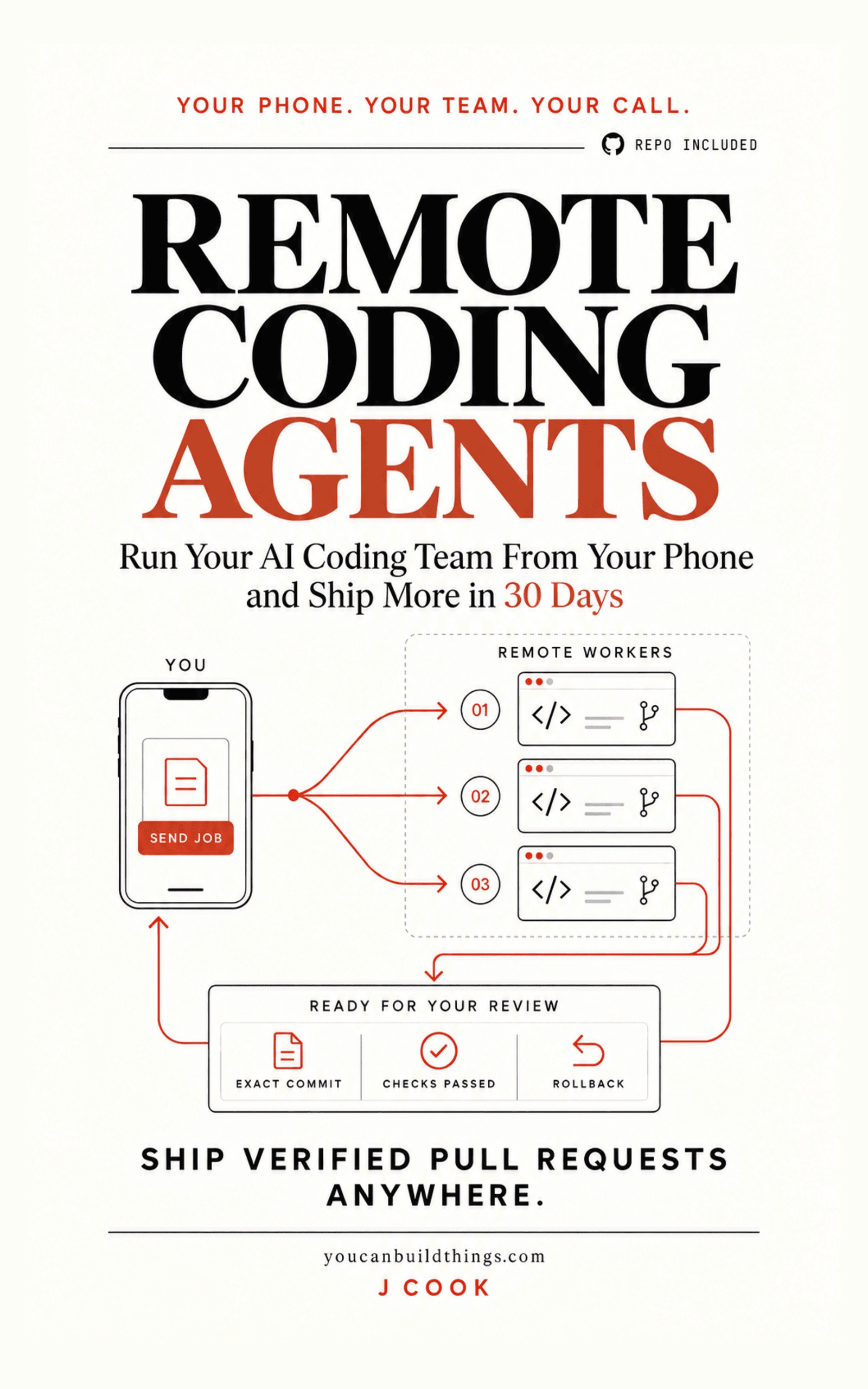
Remote Coding Agents: Ship Verified Pull Requests Anywhere
Run Your AI Coding Team From Your Phone and Ship More in 30 Days
Hello builders,
Merging a pull request from one of your agents on your phone, in line at the coffee shop, is the moment remote agents start paying for themselves. It only works if a green check means every required job actually ran on that commit, and the GitHub docs say a job skipped by a condition reports Success and will not block the merge. If you run AI coding agents in CI/CD, one extra job that always runs and reads every result by name closes that hole, and it takes about fifteen lines of YAML.
I think the scary pipeline is not the red one. It is the green one where the job that should have decided never tested the commit you are about to merge. One guide on running coding agents in CI, from andrew.ooo, put the human side of it plainly: “Large agent PRs get rubber-stamped, and rubber-stamping is where the incidents come from.” A fast green check makes that worse, because it hands you permission you didn’t earn.
Skipped counts as passed
This is the sentence that should be pinned above every repo that takes agent PRs, straight from GitHub’s docs on job conditions:
A job that is skipped will report its status as “Success”. It will not prevent a pull request from merging, even if it is a required check.
So what does GitHub count as passing? The troubleshooting page is just as direct: “Successful check statuses are success, skipped, and neutral.” It also lists a third way through: a job that depends on a failed job gets skipped and “may not block merging”, and the fix GitHub recommends is “Use always() with needs for required checks that depend on other jobs.”
A skipped workflow behaves differently, which is worth knowing before we go further. When a path or branch filter skips the whole workflow, the docs say its checks “stay in a ‘Pending’ state and block merging”, so nothing slips through, but nothing merges either. Their advice is to avoid requiring workflows that can be skipped, and I agree: keep the filters on the cheap jobs and never on the one that decides.
How does a skip sneak in? Usually through a condition someone added to save compute. Say we skip type checks on branches that start with docs/, which sounds harmless until an agent names its branch docs/fix-auth and changes code. The type check never runs, it shows up as Success, and branch protection is satisfied.
One job that always runs
Here’s the whole workflow. Swap ./ci/unit-test and ./ci/type-check for your own commands:
name: verified-change
on: pull_request
permissions:
  contents: read
jobs:
  unit:
    runs-on: ubuntu-latest
    steps:
      - uses: actions/checkout@3d3c42e5aac5ba805825da76410c181273ba90b1 # v7.0.1
        with:
          ref: ${{ github.event.pull_request.head.sha }}
      - run: ./ci/unit-test
  types:
    if: ${{ !startsWith(github.head_ref, 'docs/') }}
    runs-on: ubuntu-latest
    steps:
      - uses: actions/checkout@3d3c42e5aac5ba805825da76410c181273ba90b1 # v7.0.1
        with:
          ref: ${{ github.event.pull_request.head.sha }}
      - run: ./ci/type-check
  gate:
    if: ${{ always() }}
    needs: [unit, types]
    runs-on: ubuntu-latest
    steps:
      - env:
          NEEDS: ${{ toJSON(needs) }}
        run: |
          fail=0
          for name in unit types; do
            result=$(jq -r --arg n "$name" '.[$n].result // "missing"' <<<"$NEEDS")
            if [ "$result" != "success" ]; then echo "GATE FAIL: $name=$result"; fail=1; fi
          done
          exit "$fail"
The gate job runs even when a child fails or skips, then accepts exactly one value, success, for each name on its list. Anything else fails with the name attached. I keep the list of names inside the job on purpose, so a renamed or deleted job shows up as missing and fails. I fed the step the same JSON shape GitHub passes in, with types skipped, and it printed GATE FAIL: types=skipped and exited 1. Failed and cancelled results failed the same way, and a broken payload made jq exit nonzero, so it fails closed.
Then in branch protection we require gate and nothing else, sourced from GitHub Actions, so another app can’t post a status with the same name. The action is pinned to a full commit because tags can move. The same troubleshooting page ties required checks to the head of the branch, in its words “Required checks must pass on the latest commit SHA. Checks from earlier commits don’t satisfy the requirement.” So when an agent force-pushes, yesterday’s green result doesn’t carry over and the gate runs again on the new commit, which is exactly what we want.
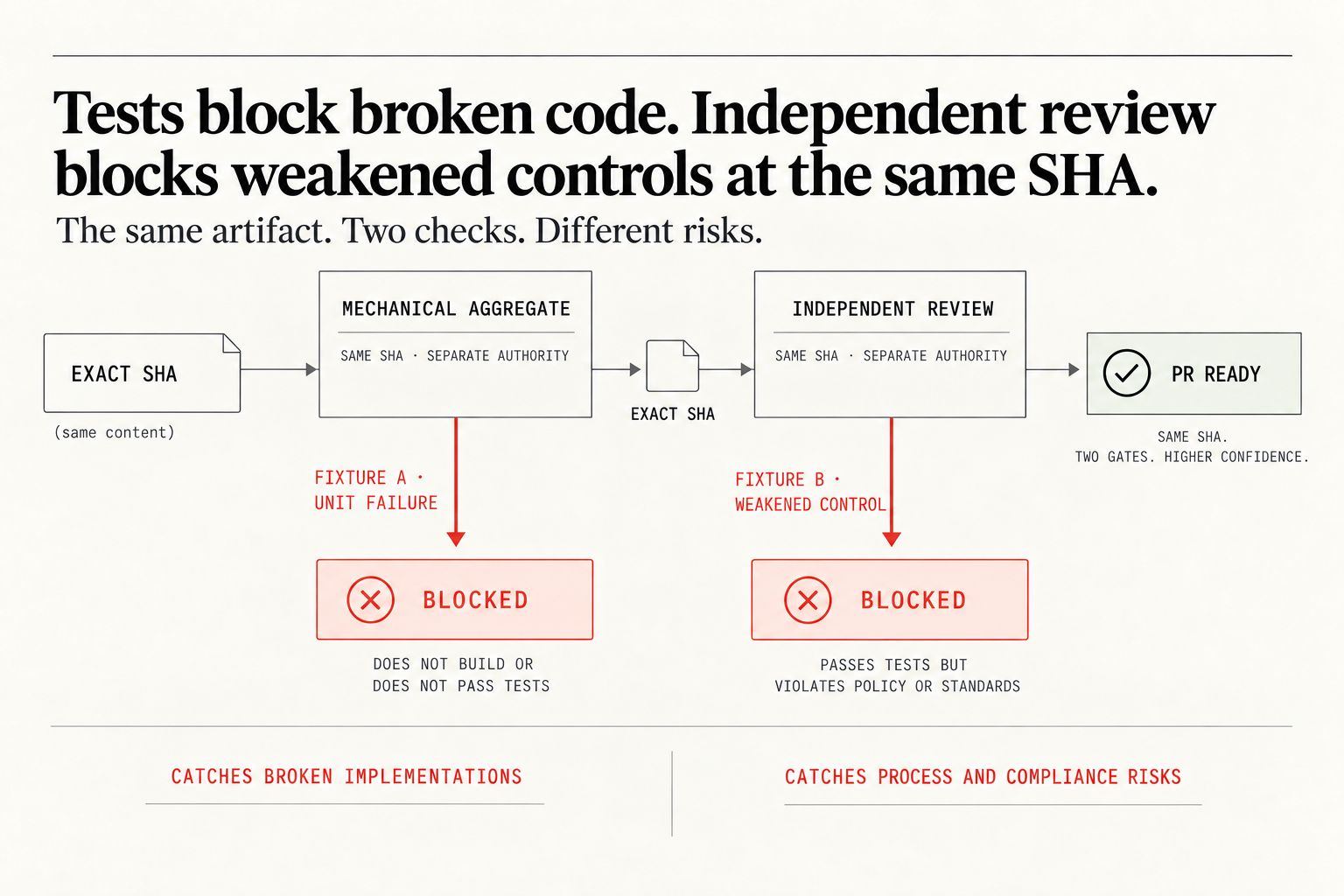
The check catches broken code, but what about a pull request that quietly edits this workflow, deletes a check and passes everything that’s left? It can’t see that one. That is why the picture has two gates on the same SHA, each with its own authority, and the pull request is ready only after both. Fixture A changes one expected value, the unit job fails, and the aggregate blocks it. Fixture B passes its tests but weakens a control, and only an independent review catches it: a clean checkout of that exact head, a different identity from the author, and no power to merge. Tests block broken code, review blocks weakened controls, and anything under .github/workflows/ goes to the review lane every time.
Seed both fixtures once before you trust it, on a throwaway branch, and try to merge each one. My rule is simple: if Fixture B merges, we found the hole on a test branch and not on a Friday release.
Now go build something this weekend!
John Cook