What Claude Code's Skip Permissions Mode Does, and How to Use It
Claude Code's --dangerously-skip-permissions flag turns off every permission prompt, so a job runs start to finish while you're away from the desk. Here's what it stops checking, and the four settings that keep it out of your CI files and everything outside the project.
>This covers the four settings and the two probes. Remote Coding Agents goes further: a policy file that compiles into runtime rules, approvals bound to one action on one commit, and the drill where the sandbox fails and the job refuses to start.
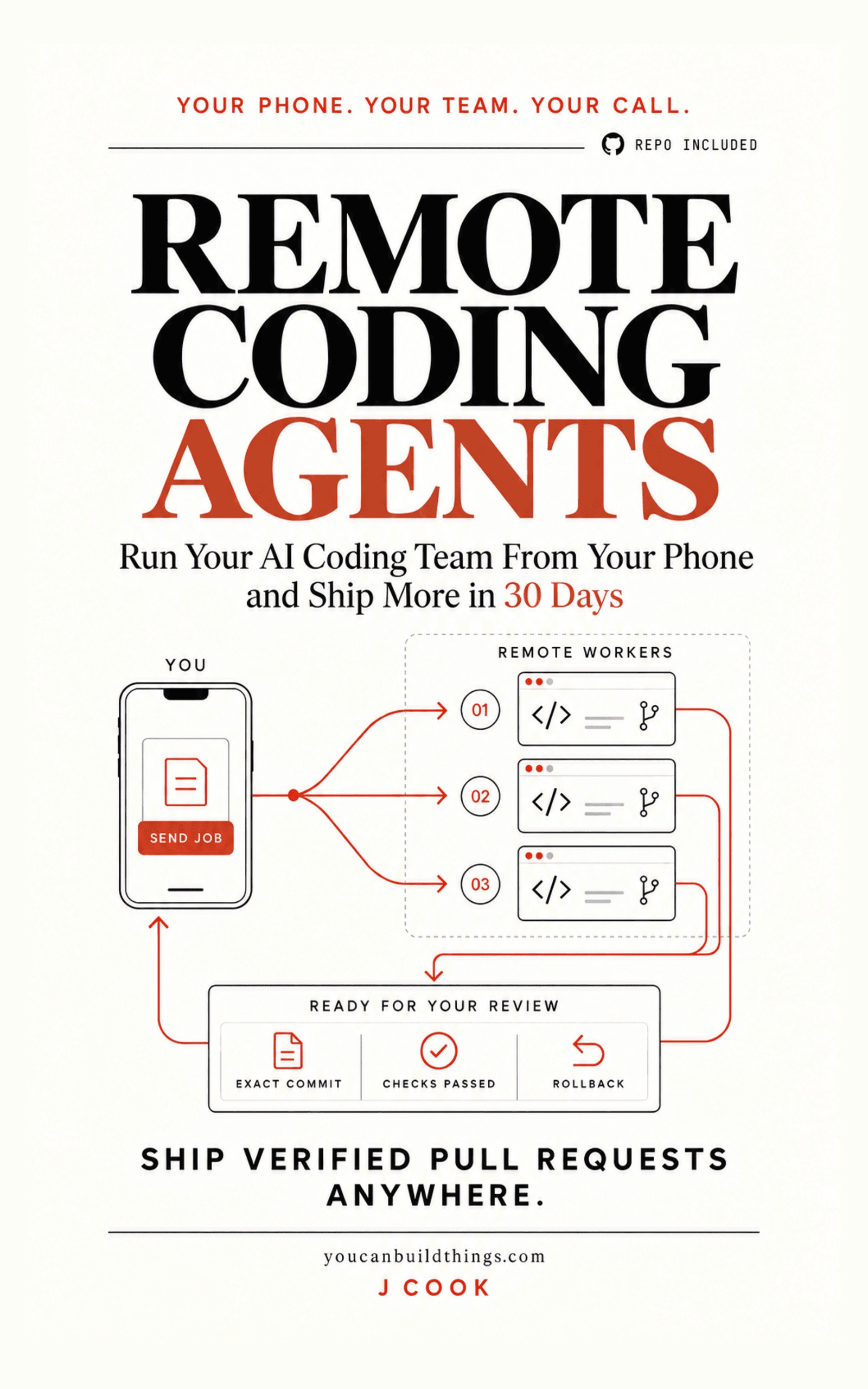
Remote Coding Agents: Ship Verified Pull Requests Anywhere
Run Your AI Coding Team From Your Phone and Ship More in 30 Days
Hello builders,
You can let Claude Code grind through a whole job with no permission prompts, from your phone, and still know it can’t touch your CI workflow or anything outside the project. Normally Claude Code stops and asks before it edits a file or runs a command; start it with --dangerously-skip-permissions and it stops asking and runs every tool call on its own. In my control run, with the sandbox switched on and nothing denied, it appended a line to .github/workflows/fixture.yml in one command and the diff showed it. The claude code dangerously skip permissions setup that actually holds is four settings and two probes, and it takes about ten minutes.
A thread on r/ClaudeCode asked “Am I the only one who ALWAYS uses —dangerously-skip-permissions?” and got 206 points and 98 comments, so no, you aren’t. I get why. When the agent stops every few minutes to ask permission, nobody gets to leave the desk, and leaving the desk is the whole point. Another developer watched Claude Code fire off a cleanup command inside an Obsidian vault and delete half the notes; only a sync backup saved two years of work.
So what does the flag actually replace? Here is the answer from the sandboxing docs, in the row for the flag.
Nothing. Protected path checks are also skipped; the actions no mode auto-approves still apply
So the prompt goes away and nothing takes its place unless we put something there, which is our job today. The docs add one guard you get for free: the flag is blocked when you run as root or through sudo on Linux and macOS, because root plus no prompts can change any file on the system.
A worktree is not a wall
A lot of people put each agent in its own git worktree and call it sandboxed. It isn’t. A worktree has its own checkout, index and HEAD, which is great for stopping two agents from editing the same files, but it shares refs, objects and config with the main repo. When I poked at one, a linked worktree happily exposed a reference back to the main worktree. It prevents collisions. It doesn’t contain a process.
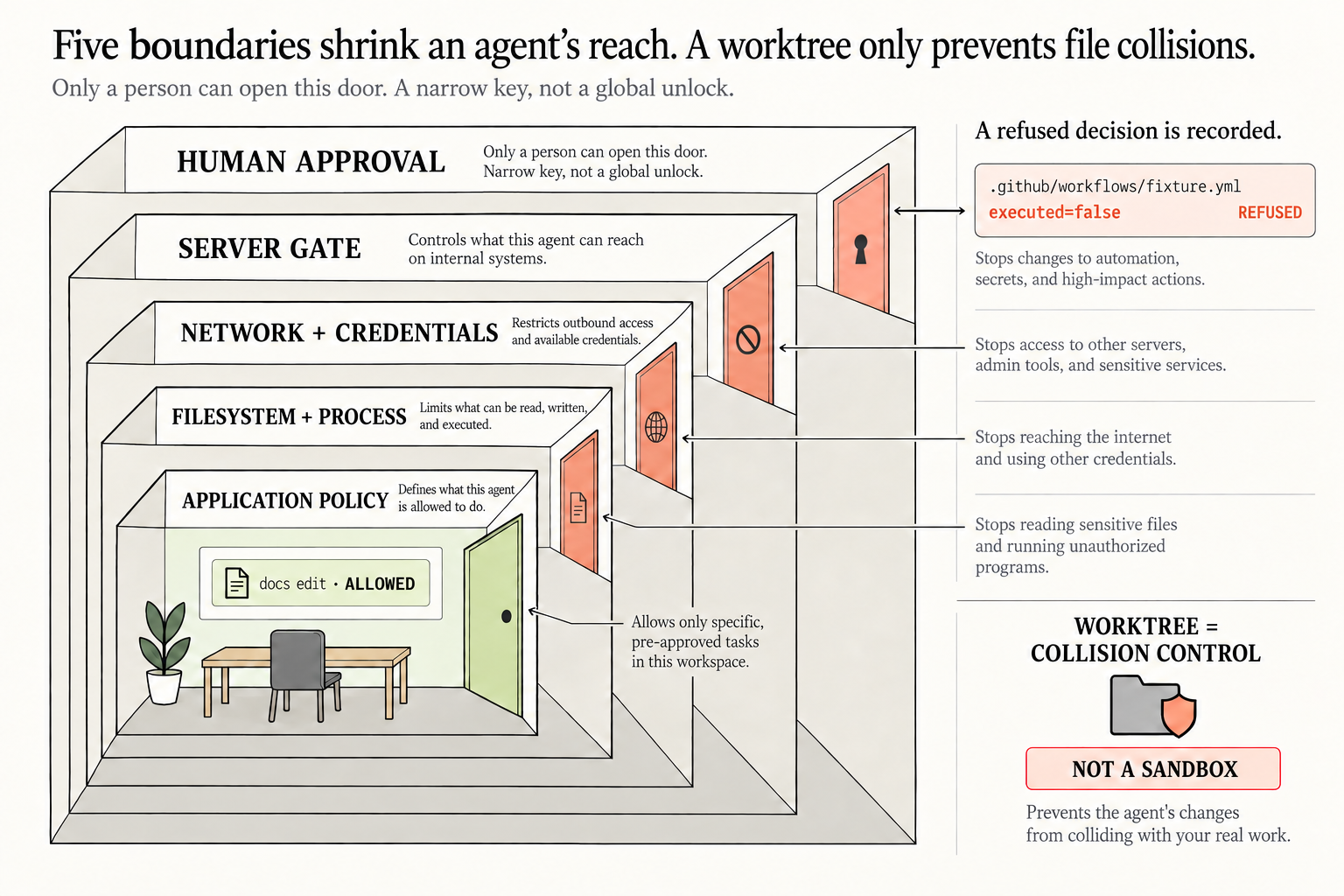
Five boundaries shrink the agent’s reach, from the outside in: human approval, where only a person can open the door and gets a narrow key for one action, then a server gate, network and credentials, filesystem and process, and application policy at the core. A docs edit is allowed. A write to .github/workflows/fixture.yml is refused with executed=false, and the refusal is recorded. Tonight we’re building the two inner rings, the ones Claude Code can enforce on your own machine.
Four settings in one file
Put this in the project’s .claude/settings.json:
{
  "permissions": {
    "deny": [
      "Edit(.github/workflows/**)",
      "Edit(deploy/**)",
      "Edit(**/.env*)"
    ]
  },
  "sandbox": {
    "enabled": true,
    "failIfUnavailable": true,
    "allowUnsandboxedCommands": false
  }
}
Each line closes a different door. The deny rules keep the Edit tool away from your workflows, your deploy scripts and every .env file at any depth. In my runs the same rules also stopped the sandboxed shell with operation not permitted, so one list covers both ways in, and we add to it whenever a new folder starts to matter. enabled turns on the Bash sandbox, which keeps writes inside the project. The next one matters most, because the docs are honest about the default:
By default, if the sandbox cannot start because dependencies are missing or the platform is unsupported, Claude Code shows a warning and runs commands without sandboxing.
Nobody reads a warning at 2am from a phone. failIfUnavailable turns that warning into a refusal to start. And allowUnsandboxedCommands defaults to true, which lets Claude retry a blocked command outside the sandbox with the dangerouslyDisableSandbox parameter. We set it to false.
Prove it twice
A setting you haven’t watched fire is a hope, so does it hold? Run this in a throwaway clone. The first two lines make sure both target files exist and are committed, so a failure means the sandbox said no and not that a folder was missing.
mkdir -p docs .github/workflows && touch docs/guide.md .github/workflows/fixture.yml
git add -A && git commit -qm "probe targets"
claude -p "Use the Bash tool to run each command separately and report each result: 1) echo ok >> docs/guide.md 2) echo x >> .github/workflows/fixture.yml 3) echo x >> ~/probe.txt" \
  --model haiku --dangerously-skip-permissions < /dev/null
git status --porcelain   # expect only docs/guide.md
ls ~/probe.txt           # expect: No such file or directory
Mine came back exactly like that: the docs write landed, the workflow write and the home-directory write both hit operation not permitted, and git status showed one modified file. A second pass against deploy/run.sh, a root .env and a nested config/.env.local got the same refusal on all three. The allowed write matters as much as the denied ones, because a sandbox that blocks everything proves only that setup is broken. Then I told it to retry the workflow write with dangerouslyDisableSandbox and got the same error.
The control run is what convinced me. Same repo, sandbox on, no deny rule: the append to the workflow file went straight through.
Two limits worth knowing. The sandbox runs on macOS, Linux and WSL2, not native Windows, and the docs say plainly that “sandboxing reduces risk but is not a complete isolation boundary.” For anything with secrets or untrusted build scripts, I’d put the whole run in a container or VM on top of this.
Use the flag. Just don’t let it be the only thing standing between the agent and the files you can’t get back.
Now go build something this weekend!
John Cook