Self-Host OpenCode With Zero Outbound Tokens
How to self-host OpenCode with a local model and prove zero outbound API tokens with tcpdump. Hardware tiers, the provider config, and the silence receipt.
>This is the $0/mo chapter. The opencode Stack ships the hybrid playbook around it: local for NDA work, OpenCode Go for velocity, and the cost log that tells you which path each session took.
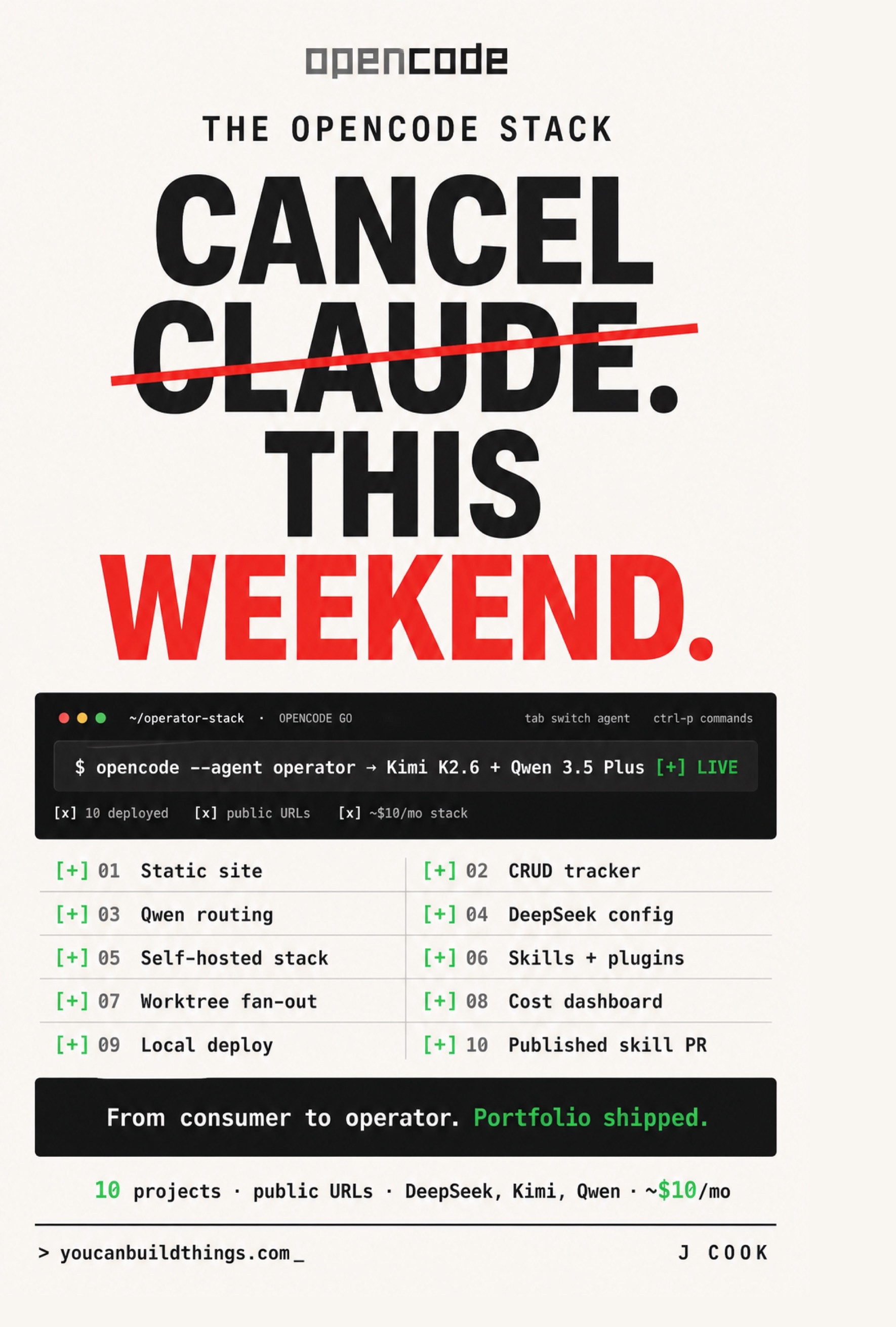
The opencode Stack
Cancel Claude This Weekend. Ship 10 Real Projects on $10/mo with DeepSeek, Kimi, and Qwen
Summary:
- Teaches the OpenCode self host local model setup with zero outbound API tokens.
- Uses the verified Ollama provider config plus a tcpdump proof step.
- You leave with a local agent running a real refactor at $0.00 and a packet log proving silence.
- Bonus: the three hardware tiers, three first-install failure modes, and the hybrid local-plus-Go pattern.
If you want to self-host OpenCode with a local model and never send a client’s code to anyone’s API, the move is small: OpenCode’s model boundary is just an HTTP call, so you swap the endpoint to localhost and the agent loop runs unchanged. The receipt is silence: 0 packets captured.
Why does self-hosting work for OpenCode specifically?
Because OpenCode’s only vendor dependency is the model API call. The agent loop reads code, proposes an edit, runs a tool, re-reads. That loop runs locally in the host process. The plugin runtime loads from ~/.cache/opencode/ and hits no network. Skills load from your project’s .opencode/skills/ and hit no network. The tool surface (bash, edit, write, read, grep, glob, task, skill) executes locally. The single outbound call is the model request, and the wire contract is the same OpenAI-compatible HTTP shape every modern inference runtime exposes.
Most coding agents bake in a vendor relationship you cannot remove. OpenCode’s vendor relationship is the endpoint. Going from a hosted provider to a local one is literally one line in opencode.json:
// hosted: routes to OpenCode Go's managed bundle
"model": "opencode/deepseek-v4-flash"
// self-hosted: same agent, same loop, zero outbound
"model": "ollama/deepseek-v4-flash"
Replace the endpoint, replace the vendor. Point it at localhost and your AI coding bill that day is your electricity, which does not go up when a provider raises a price.
What hardware do I actually need?
Three tiers, honest about each. The marketing copy around local models is consistently optimistic; start in the wrong tier and you lose a weekend.
| Tier | Hardware | Runs | Throughput |
|---|---|---|---|
| 1 | M-series Mac, 16-24GB | Qwen 3.6 Plus quantized (~7-9GB resident), Gemma 4 quantized | ~30-60 tok/s |
| 2 | 24GB GPU (RTX 3090/4090) | DeepSeek V4 Flash quantized, Nemotron 3 Super, Kimi tier | ~100 tok/s |
| 3 | 8GB, no GPU | Gemma 3B, Qwen 1.7B Coder, small Llama | usable for small edits only |
Tier 1 is the best starter. Tier 2 is the indie-hacker speed setup and can also serve one or two teammates off one box. Tier 3 will be visibly underpowered on real reasoning; the right move there is the hybrid: a cheap hosted orchestrator on OpenCode Go, a free local fixer on localhost.
One caveat the community gets wrong: “Gemma 4 26B, no GPU required” is about throughput-per-active-token (it is a Mixture-of-Experts model, ~4B active params per token), not RAM. The 26B weights still need roughly 16GB at q4. You cannot run it on an 8GB machine. You can on a 16GB+ machine without a discrete GPU.
How do I point OpenCode at a local model?
Two steps: install a runner, add a provider block. Ollama is the lowest-friction runner:
# macOS
brew install ollama
# Linux
curl -fsSL https://ollama.com/install.sh | sh

ollama serve                       # binds 127.0.0.1:11434
ollama pull qwen3.6-plus           # tier 1 model (5-10 min)
Then add the local provider to ~/.config/opencode/opencode.json. This is the verified shape from the OpenCode docs (opencode.ai/docs/providers):
{
  "$schema": "https://opencode.ai/config.json",
  "provider": {
    "ollama": {
      "npm": "@ai-sdk/openai-compatible",
      "name": "Ollama (local)",
      "options": {
        "baseURL": "http://localhost:11434/v1"
      },
      "models": {
        "qwen3.6-plus": { "name": "Qwen 3.6 Plus" }
      }
    }
  }
}
The same pattern covers other local runtimes; only the baseURL changes. llama.cpp is http://127.0.0.1:8080/v1, LM Studio is http://127.0.0.1:1234/v1, vLLM is whatever port you bound its OpenAI server to. OpenCode does not care which; the OpenAI-compatible HTTP shape is the whole contract.
Wire the local model to a named agent and lock it down:
{
  "agent": {
    "local-fixer": {
      "model": "ollama/qwen3.6-plus",
      "description": "Self-hosted fixer; zero outbound API tokens",
      "permission": {
        "bash": "ask", "edit": "allow", "write": "allow",
        "webfetch": "deny"
      }
    }
  }
}
Note webfetch: deny. The one tool that intentionally calls out is webfetch. Deny it on the local agent and the session has no legitimate reason to touch the network at all.
How do I prove zero outbound tokens?
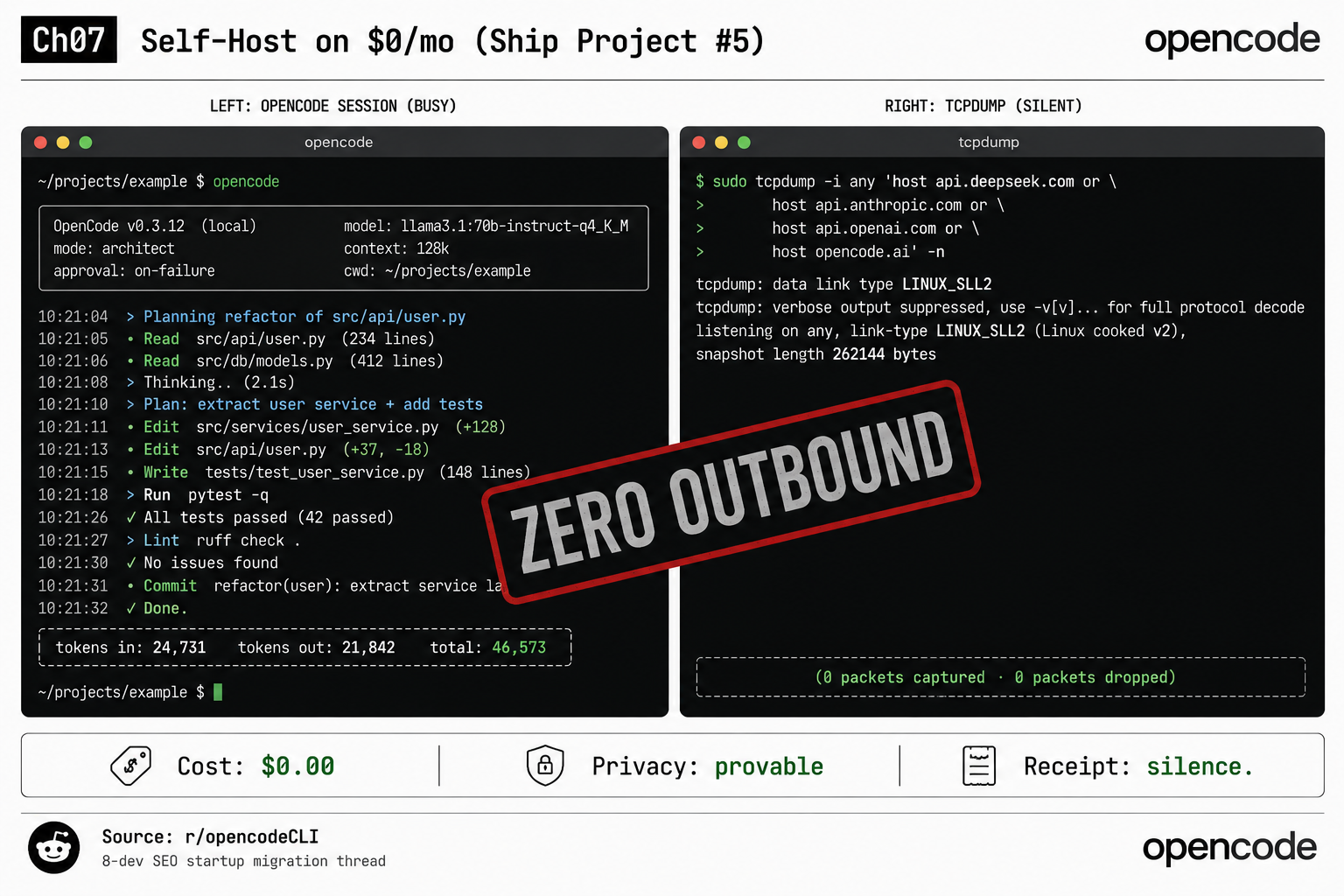
You watch the wire. Launch the session:
opencode --agent local-fixer
> Add a `tags` filter endpoint to the bookmarks tracker.
In a second terminal pane, run tcpdump filtered for every LLM API domain:
sudo tcpdump -i any 'host api.deepseek.com or host api.anthropic.com \
  or host api.openai.com or host opencode.ai' -n
Here is a real local run on OpenCode 0.3.12: the session reads src/api/user.py (412 lines) and src/services/user_service.py (148 lines), plans the refactor, writes tests/test_user_service.py, runs the suite (42 passed), runs ruff check, reports Done. Token usage: 24,731 in, 21,842 out, 46,573 total. The whole time, the tcpdump pane prints 0 packets captured, 0 packets dropped. That silence is the proof. opencode stats shows the cost column at $0.00. The receipt is not a dashboard number. It is an empty capture buffer.
If packets appear, something is calling out: usually a telemetry plugin (Helicone, Wakatime) you installed earlier, or webfetch if you forgot the deny. Kill each suspect and re-run until the buffer stays empty.
What broke on first install
Three real first-install failures, each a one-line fix:
- Out-of-memory kill.
ollama servedies mid-prompt or the kernel kills the daemon. The model is too big for your RAM at the quantization you pulled. Fix:ollama pull <model>:q4instead of:q8, or drop to a smaller variant. Confirm withollama list. - Context-length cliff. Works for ten turns, breaks around fifteen. Small local models have 8K-32K windows, not the 200K-1M of hosted versions. Fix: check
ollama show <model>for the real window, keep history under it, and/compactwhen it fills. - Wrong stop tokens. Every response has a tail of garbage after the real answer. The chat template was not registered correctly on pull. Fix:
ollama show <model> --modelfileto inspect, thenollama pull <model>:latestto re-register the correct template.
When does local beat the hosted plan?
The orchestrator + fixer pattern works identically on localhost; the only opencode.json change is the model value:
{
  "agent": {
    "orchestrator-local": { "model": "ollama/kimi-k2.6" },
    "fixer-local":        { "model": "ollama/qwen3.5-plus" }
  }
}
Same pattern, same vocabulary, different infrastructure, $0/mo after hardware and electricity. The tradeoff is throughput: consumer hardware reports a 30-60% speed drop versus Go’s hosted versions. Local wins decisively for client work under an NDA that forbids third-party processing, for air-gapped networks where outbound API calls are firewalled, and for a hard $0 cloud-spend cap. Go wins when throughput-per-dollar beats privacy or a deadline cannot eat the speed drop. Most operators end up hybrid: local for NDA work, Go for everyday velocity, and the model column in the cost log says which path each session took.
What should you actually do?
- If you have a 16GB+ Mac → Ollama + Qwen 3.6 Plus, the config above, and the tcpdump proof. Best starter setup.
- If you have a 24GB GPU → pull DeepSeek V4 Flash; you get ~100 tok/s and can serve a teammate off the same box.
- If you have 8GB and no GPU → do not run a full local stack. Hybrid: hosted orchestrator on Go, local fixer on localhost.
- If you do client work under NDA → local is not optional, it is the only compliant option. Run the tcpdump capture and keep the empty log as your audit artifact.
bottom_line
- OpenCode self-hosts cleanly because its only vendor dependency is one HTTP endpoint. Swap the URL, keep the agent.
- The proof of “zero outbound” is an empty tcpdump buffer, not a vendor’s privacy promise. Capture it; it is your receipt.
- Hybrid beats purist. Run local where privacy or a $0 cap demands it, Go where speed does, and let the cost log tell you the split.
Frequently Asked Questions
Can OpenCode run fully offline with a local model?+
Yes. OpenCode's model boundary is just an OpenAI-compatible HTTP call, so pointing it at a local runtime like Ollama on localhost:11434 runs the agent loop with zero outbound API tokens. The plugin runtime, skills, and tool surface are all client-side already.
What hardware do I need to self-host OpenCode?+
A 16GB+ M-series Mac runs Qwen 3.6 Plus quantized comfortably. A 24GB consumer GPU runs DeepSeek V4 Flash near 100 tokens/sec. An 8GB no-GPU machine is limited to small models and works best as a local fixer under a hosted orchestrator.
How do I prove OpenCode is not sending my code anywhere?+
Run sudo tcpdump filtered for the LLM API domains in a second terminal while an OpenCode session runs. Zero captured packets is the proof. If packets appear, a plugin or webfetch is calling out.