Install OpenCode and Ship in 10 Minutes
How to install OpenCode the right way, connect a provider, and ship a deployed public URL in ten minutes. Six steps, the three install gotchas, real token cost.
>This is Project #1 of ten. The opencode Stack ships the other nine plus the routing configs, the self-host path, and the cost dashboard that keeps the whole run under $15.
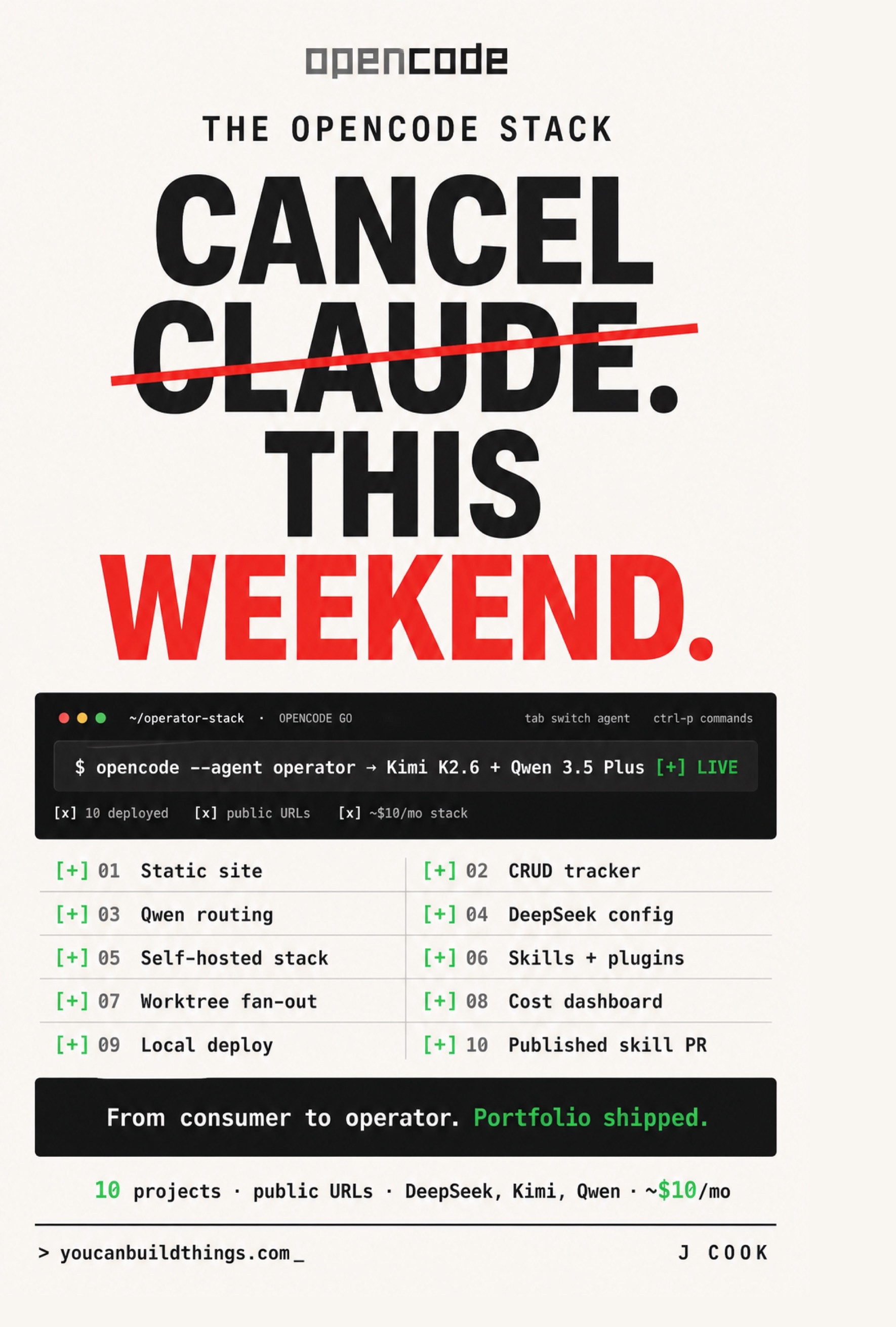
The opencode Stack
Cancel Claude This Weekend. Ship 10 Real Projects on $10/mo with DeepSeek, Kimi, and Qwen
Summary:
- Teaches how to install OpenCode and ship a deployed public URL in one ten-minute session.
- Uses the verified install one-liners plus the OpenCode Go connect flow.
- You leave with a live public URL and a one-row cost log proving the first project cost about four cents.
- Bonus: the three install gotchas with one-line fixes, and the debug subcommand that solves your own bugs.
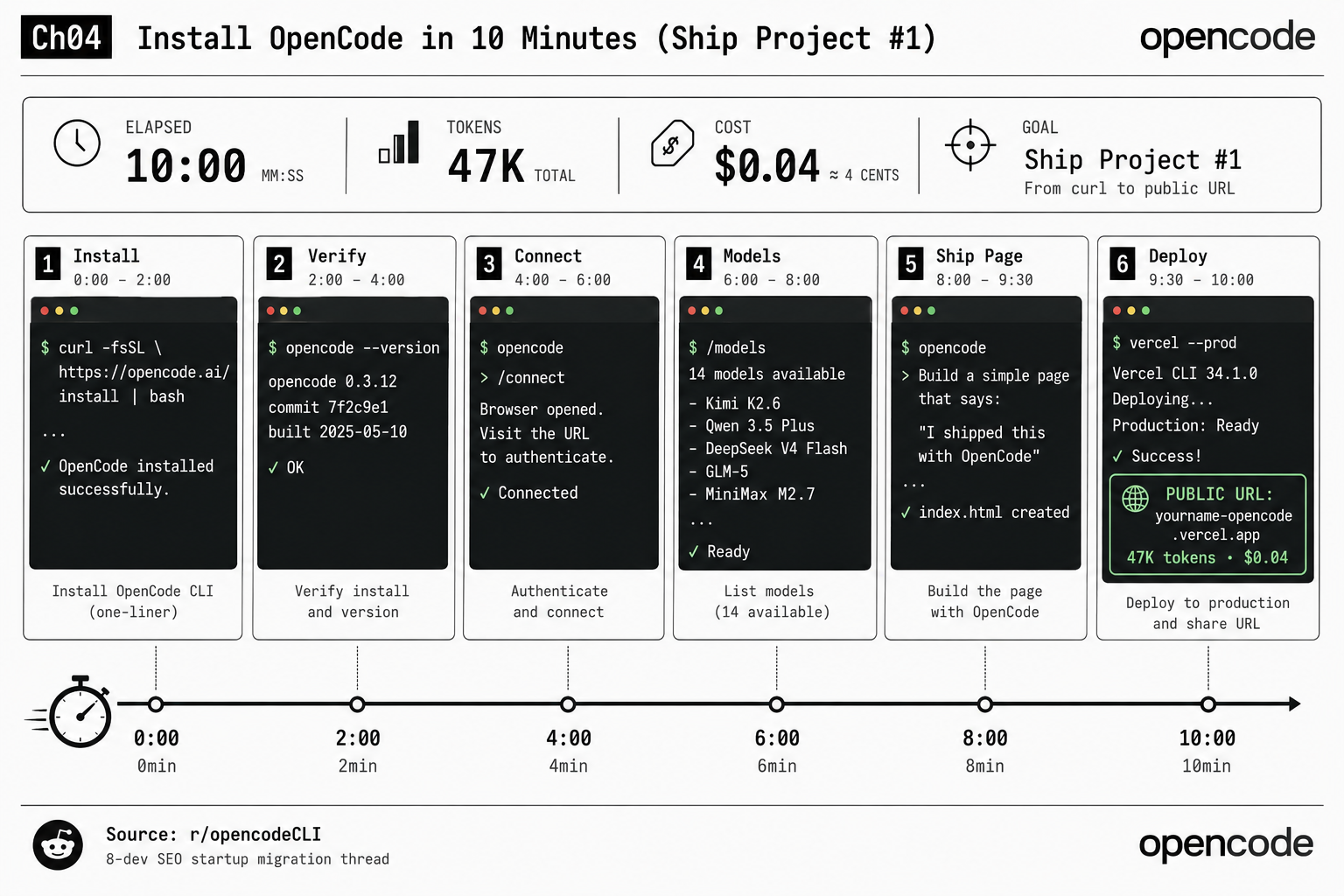
If you want to know how to install OpenCode without losing an afternoon to a PATH bug or the wrong npm package, this is the ten-minute path: curl to a deployed URL, with a token receipt at the end. Set a stopwatch. The target the book sets is 10:00 wall-clock, 47K tokens, four cents.
How do I install OpenCode?
You install OpenCode with one curl line on macOS or Linux, Homebrew on macOS, or npm if you already have Node. These are the verified commands from the OpenCode docs (opencode.ai/docs):
# Recommended one-liner (macOS / Linux)
curl -fsSL https://opencode.ai/install | bash

# npm: note the package name is opencode-ai, NOT opencode
npm install -g opencode-ai

# Bun / pnpm / Yarn
bun install -g opencode-ai
pnpm install -g opencode-ai
yarn global add opencode-ai

# Homebrew (macOS / Linux)
brew install anomalyco/tap/opencode

# Arch Linux
sudo pacman -S opencode
paru -S opencode-bin

# Windows
choco install opencode
scoop install opencode
The one that bites people: the npm package is opencode-ai. The unscoped opencode belongs to a different project, and if you install that one, opencode --help will not list any subcommand in this guide. On Windows, do not use native cmd.exe at all. Install WSL2 (Ubuntu, Debian, Arch, any distro) and run the curl line inside WSL like a normal Linux box. More on why in the gotchas section.
Decision rule: macOS → brew. Linux → curl. Windows → WSL2 plus curl.
Step 2: verify the install
Two commands. They take ten seconds and save you from debugging a ghost later:
opencode --version    # should print a real version, e.g. 0.3.12
opencode --help        # should list the full subcommand surface
If opencode --version returns “command not found”, the install script wrote the binary to ~/.local/bin/ and that directory is not on your PATH. Add export PATH="$HOME/.local/bin:$PATH" to your .zshrc or .bashrc, source it, and re-run. The --help output should list run, auth, models, stats, agent, mcp, plugin, debug and more. If yours is short, you installed the wrong package: re-install via the recommended path.
Step 3: connect a provider
OpenCode does not ship a model; it calls whichever provider you connect. The first-run flow from the docs is short:
opencode          # launches the TUI
> /connect         # pick a provider, paste the API key
For the cheap path, connect OpenCode Go: the SST team’s managed bundle, $5 the first month and $10 a month after, with a curated catalog of open-weight models. Sign in at opencode.ai, subscribe to Go, copy the API key from the dashboard, then /connect inside the TUI and select OpenCode Go. The key is stored at ~/.local/share/opencode/auth.json. Do not paste it into a chat window or commit it to git.
There is no opencode auth login --tier go shortcut. The /connect flow is the canonical way. Any tutorial showing a different incantation is from an older CLI surface.
Step 4: pick a model
Type /models in the TUI. OpenCode Go gives you 14 models in the bundle: Kimi K2.6, Kimi K2.5, GLM-5, GLM-5.1, MiniMax M2.7, MiniMax M2.5, MiMo-V2.5, Qwen 3.5 Plus, Qwen 3.6 Plus, DeepSeek V4 Pro, DeepSeek V4 Flash, and more. For Project #1, pick Kimi K2.6. It is the strongest all-rounder for a small generative task, and on Go’s per-5-hour quota you can ship this project with budget left over for two more sessions in the same window.
Step 5: ship the page (Project #1)
You have OpenCode installed, OpenCode Go connected, Kimi K2.6 selected. One prompt in the TUI:
Build a one-page static site. Title: "I shipped this with OpenCode."
A single dark-themed hero section with a tagline, a link to opencode.ai,
and a footer crediting Kimi K2.6 as the model that wrote it. Vanilla
HTML and CSS, no build step. Save as index.html and style.css.
The activity feed shows the agent read the empty directory, propose a plan, call write twice (index.html, style.css), and confirm with a read on each. Two writes, three reads, one prompt. Run opencode stats from your shell and you should see something near 8-15K input tokens and 2-4K output for this task on Kimi K2.6. A few cents, billed against your $12-per-5-hour limit.
Step 6: deploy to a public URL
From the same directory:
vercel --prod # npm i -g vercel first if you do not have itThe Vercel CLI links the project (one prompt, accept defaults) and pushes the static files to the edge. It returns a URL like yourname-opencode.vercel.app. Open it. Dark page renders. Done. Prefer Netlify? Drag the folder onto app.netlify.com/drop. Prefer Cloudflare? npx wrangler pages deploy .. Same outcome.
That is the receipt the book promises for Project #1: a public URL, about 47K total tokens, $0.04, in 10:00 of wall-clock. Capture it as one row in cost-log.csv:
date,project,model,input_tokens,output_tokens,cost_usd
2026-W19,project-01-static-hello,opencode/kimi-k2.6,12483,3217,0.04
ISO week (2026-W19) instead of a calendar date, because the cost dashboard later aggregates by week and it never looks stale.
What broke (the three install gotchas)
Every one of these is a real, documented bug with a one-line fix:
- Windows TUI closes your terminal on exit. From OpenCode issue #22003: on Windows Terminal + cmd.exe, exiting via Ctrl+D,
/exit, or/quitcloses the entire window instead of returning to the shell. Fix: install under WSL2, never native cmd.exe. - WSL2 plugins fail to load. Plugins installed via npm on the Windows side do not load under WSL2 because Bun looks in the WSL filesystem’s
~/.cache/opencode/while npm dropped them in%APPDATA%\npm\. Fix: install Bun inside WSL (curl -fsSL https://bun.sh/install | bash), thenopencode plugin <name>from the WSL shell. - OpenCode outputs in Chinese. Reported at 65 upvotes on r/opencodeCLI, common on Kimi or Qwen models. Fix: set
LANG=en_US.UTF-8in your shell profile and add one line to the session: “Respond in English unless I explicitly ask otherwise.” The locale fix stops the default; the directive locks the model.
What is the one command that solves your own bugs?
opencode debug. Most new users never run it. The ones who do fix their own problems in three minutes instead of waiting six hours for a Reddit reply. The first one to memorize:
opencode debug paths    # prints every directory OpenCode actually uses
opencode debug rg       # checks ripgrep is present (search depends on it)
opencode debug skill    # lists registered skills and their load state
Most “OpenCode is not doing what I think” bugs are actually “OpenCode is reading from a different file than I think,” and opencode debug paths answers that in one line. Run it now, while everything works, so you know what a healthy response looks like before you need it.
What should you actually do?
- If you are on macOS →
brew install anomalyco/tap/opencode, then/connectOpenCode Go. Fewest moving parts. - If you are on Windows → install WSL2 first, then the curl line inside it. Do not fight native cmd.exe.
- If
opencode --versionfails → it is a PATH issue 95% of the time. Add~/.local/binto PATH before trying anything else. - If you only have ten minutes → skip the model tour, pick Kimi K2.6, ship the page, deploy, capture the row. The full setup can wait; the receipt cannot.
bottom_line
- Install is not the hard part. The wrong npm package and a missing PATH entry are the only things that turn ten minutes into an afternoon. Both have one-line fixes above.
- Ship a real deployed artifact in the first session. A four-cent public URL is proof the stack works; a passing
--versionis not. - Run
opencode debug pathsbefore you need it. Knowing what healthy looks like is the cheapest debugging you will ever do.
Frequently Asked Questions
How do I install OpenCode?+
Run `curl -fsSL https://opencode.ai/install | bash` on macOS or Linux, `brew install anomalyco/tap/opencode` on macOS via Homebrew, or `npm install -g opencode-ai` if you have Node. On Windows, install WSL2 first and run the curl line inside it.
What is the npm package name for OpenCode?+
It is `opencode-ai`, not `opencode`. The unscoped `opencode` name on npm is a different project and will not give you the subcommands in this guide.
Why does my OpenCode terminal close on exit on Windows?+
That is the known Windows TUI exit bug (issue #22003) where Ctrl+D, /exit, or /quit closes the whole window. The fix is to install OpenCode under WSL2 instead of native cmd.exe.