How to Build a Multi-Agent AI Fleet for Your Business
Connect 3+ AI agents into a fleet where one agent triggers the next. Includes YAML trigger configs, fleet monitoring dashboards, and 4 common mistakes.
>This covers fleet basics. OpenClaw: Ship 30 AI Agents in 30 Days includes 10 business fleet templates, niche industry agents, and income-generating workflows.
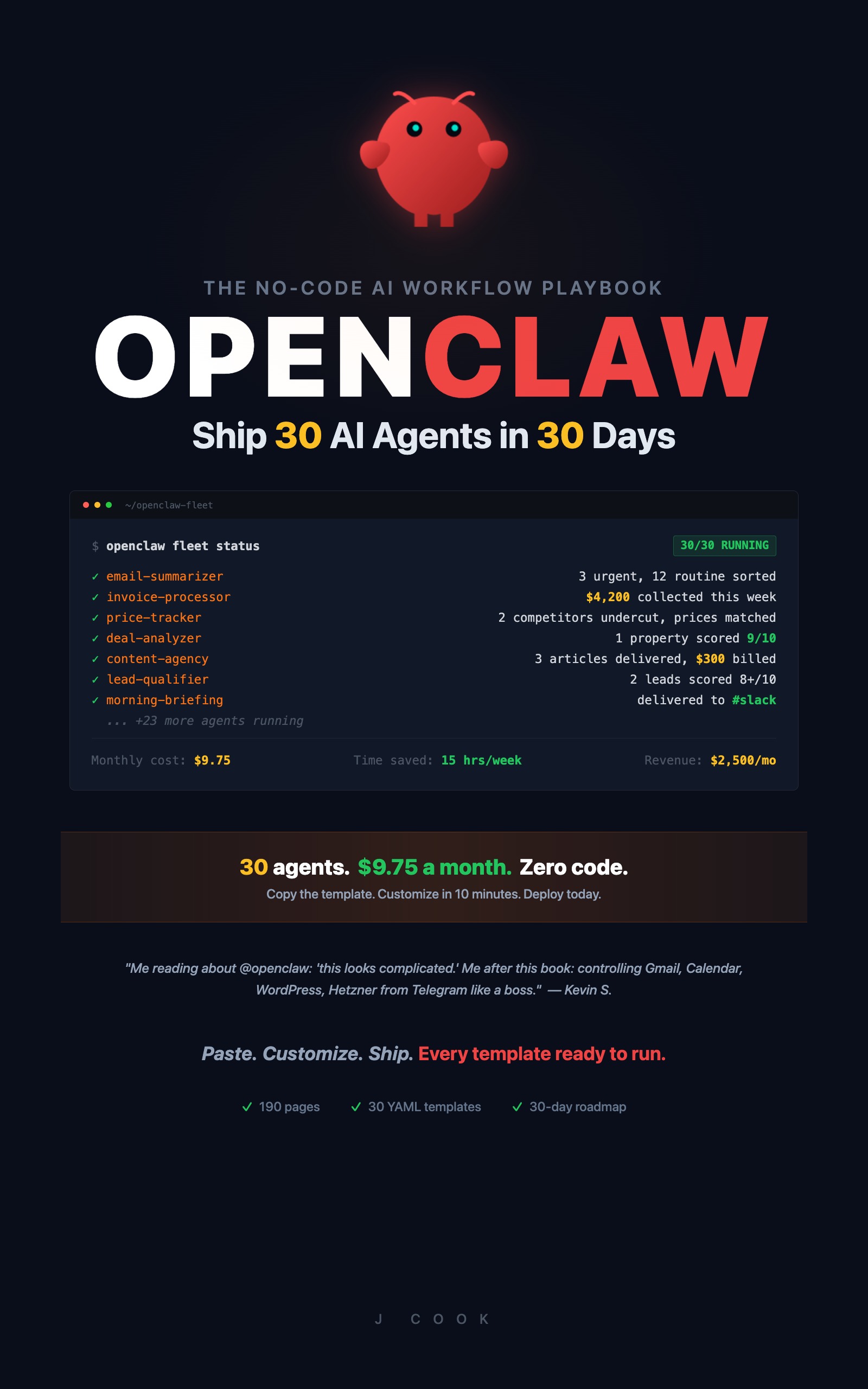
OpenClaw: Ship 30 AI Agents in 30 Days
The No-Code AI Workflow Playbook
Summary:
- Connect 3 agents into a chain where output from one triggers the next.
- Use conditional triggers so agents fire only when they need to, not on every event.
- Set up fleet monitoring that catches broken links before they cascade.
- Get YAML trigger configs, a starter fleet template, and the four mistakes to avoid.
Five solo agents save you time. Five connected agents replace an employee.
A consulting firm runs a three-agent fleet for operations. The email agent sorts incoming messages. When it finds an invoice-related email, it triggers the invoice agent, which processes the payment data and updates records. When the invoice agent marks a payment as received, it triggers the reporting agent, which updates the weekly client report. Three agents. One chain. Zero manual steps for routine operations. The weekly report arrives in the shared folder before anyone wakes up, populated with the latest invoice data from agents that ran overnight.
That’s the fleet advantage. Agents that work together accomplish things that individual agents can’t.
The numbers back it up. According to a 2026 industry analysis of 45+ automation stats:
67% of knowledge workers spend over three hours per day on manual coordination: data entry, status updates, report generation. Organizations that automate these handoffs report 59% cost reductions and 86% productivity gains.
Three hours a day is 15 hours a week. A three-agent fleet that handles email triage, invoice tracking, and report generation targets exactly that bucket of work.
How do you connect agents with triggers?
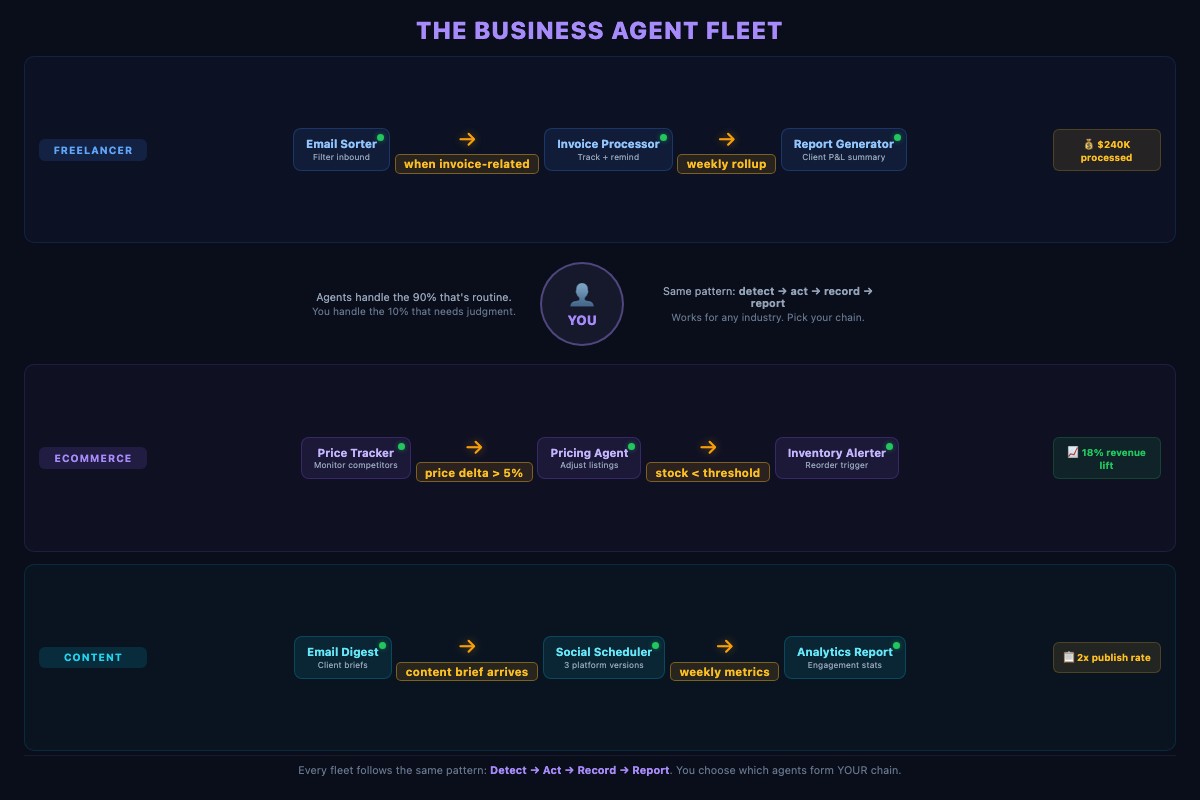
A fleet is a group of agents connected by conditional triggers. Instead of each agent running on its own schedule, agents trigger each other based on events:
Agent A completes → Output triggers Agent B → Output triggers Agent CIn OpenClaw, you connect agents using the trigger field in any workflow template:
name: "invoice-processor"
trigger:
  type: workflow-output
  config:
    workflow: "daily-email-summary"
    condition: "output contains 'invoice' or output contains 'payment'"
The invoice processor only runs when the email summarizer finishes AND the output mentions invoices or payments. Without that condition, the invoice processor would fire on every email summary, burning through your token budget processing emails about team lunches.
Three trigger types power most fleets:
workflow-complete: fires when another workflow finishes successfullyworkflow-output: fires based on specific content in another workflow’s outputschedule + dependency: fires on a schedule but only if a dependent workflow has new output
How do you build a 3-agent business fleet?
Here’s a starter fleet: email sorter feeds invoice processor feeds report generator.
Agent 1: Email Sorter (already running from Template 1)
Your email summarizer classifies every message as URGENT, ROUTINE, or NOISE. It runs at 7 AM daily. The output becomes the trigger for downstream agents.
Agent 2: Invoice Processor (triggers from email sorter)
name: "invoice-processor"
trigger:
  type: workflow-output
  config:
    workflow: "daily-email-summary"
    condition: "output contains 'invoice' or output contains 'payment'"
steps:
  - name: "check-invoices"
    tool: "google-sheets"
    action: "read"
    input:
      spreadsheet: "Invoice Tracker"
      range: "A:H"
      filter: "status != 'Paid'"
  - name: "evaluate-actions"
    tool: "llm"
    action: "process"
    input: |
      Review these outstanding invoices:
      {{check-invoices.output}}

      Actions:
      - Due today: send "payment due today" reminder
      - 7 days past due: send gentle reminder
      - 14 days past due: send formal follow-up
      - 30+ days past due: flag for personal attention (NO auto-email)
    provider: "tier-2"
  - name: "send-reminders"
    tool: "gmail"
    action: "send"
    input: "Send reminders from {{evaluate-actions.output}}"
  - name: "log-actions"
    tool: "google-sheets"
    action: "append"
    input:
      spreadsheet: "Invoice Tracker"
      sheet: "Action Log"
      data: "{{evaluate-actions.output}} with timestamp"
The 30-day escalation is key. The agent handles routine reminders automatically. But when an invoice hits 30 days overdue, it flags for your personal attention instead of sending another automated email. Past-30-day conversations need human judgment. Is the client having cash flow issues? Did they dispute the deliverable?
This is a design principle for every fleet: automate the routine, escalate the exceptions. The agent handles 90% of invoice interactions. You handle the 10% that require relationship awareness.
Agent 3: Report Generator (runs weekly, pulls from invoice log)
name: "weekly-report-generator"
trigger:
  type: schedule
  config:
    cron: "0 6 * * 5"  # Friday 6 AM
steps:
  - name: "gather-data"
    tool: "google-sheets"
    action: "read"
    input:
      spreadsheet: "Project Tracker"
      range: "A:J"
  - name: "generate-report"
    tool: "llm"
    action: "process"
    input: |
      Generate a weekly status report from:
      {{gather-data.output}}

      For each active project:
      - Status (On Track / At Risk / Blocked)
      - This week's progress (2-3 bullet points)
      - Next week's priorities

      End with: revenue this week, outstanding invoices, upcoming deadlines.
    provider: "tier-2"
  - name: "save-report"
    tool: "filesystem"
    action: "write"
    input:
      path: "~/Reports/weekly-{{date}}.md"
      content: "{{generate-report.output}}"
One consulting operation’s invoice agent has processed over $240,000 in client billings without missing a single payment reminder. It caught a scheduling conflict on day two when two clients had overlapping deliverable dates. Cost: $0.02/run for the report generator.
What breaks when agents trigger each other?
Timing gaps. Agent A runs at 7:00 AM. Agent B triggers on Agent A’s output but checks at 7:15 AM. If Agent A finishes at 7:02, Agent B waits 13 minutes. For event-based triggers (workflow-output), this isn’t an issue because the trigger fires immediately. For schedule-based triggers, add a 30-minute buffer after the dependency.
Circular triggers. Agent A triggers Agent B, which triggers Agent C, which triggers Agent A. Infinite loop. OpenClaw stops after 10 cycles by default, but the better fix: design chains with clear endpoints. Never create a cycle.
Missing error handling. Agent A fails. Agent B has no output to work with. It either fails too (good, at least it stops) or processes empty data and produces garbage that looks normal (bad, because you might act on it). Add this to every trigger:
trigger:
  type: workflow-output
  config:
    workflow: "daily-email-summary"
    condition: "output is not empty"
How do you prevent failure cascades?
Three patterns:
- Circuit breaker: If an agent fails 3 times in a row, stop triggering it. Send an alert. Resume only after manual review.
- Timeout + kill: Every agent gets a maximum runtime. 5 minutes for simple tasks, 15 for complex ones. Kill anything that exceeds it.
- Isolated error handling: Agent B’s failure should never crash Agent A. Each agent catches its own exceptions and reports status independently.
Too many agents at once. Don’t install 10 templates on day one. Start with 3. Run them for a week. Add 2 more. Building incrementally means you catch issues in isolation.
Capacity planning: On a $15/month VPS (2 vCPU, 4GB RAM), expect to run 15-20 agents with staggered schedules. Running 30 agents simultaneously requires 8GB+ RAM. Monitor memory usage the first week. If agents queue up, stagger their cron times by 5 minutes.
How do you monitor a running fleet?
Once you have 3+ agents chained together, a single broken link stops everything downstream.
# Fleet status: last run, success/failure, trigger connections
openclaw fleet status

# Continuous monitoring with Slack alerts on failure
openclaw fleet monitor --interval 60 --alert-channel "#agent-alerts"

# Daily activity digest
openclaw logs --summary --schedule daily --deliver slack --channel "#agent-logs"
The fleet monitor sends a Slack alert if any agent fails or misses its scheduled trigger. One consultant caught a failure (Gmail OAuth token expired) in 5 minutes instead of discovering it three days later when a client asked why they never got a follow-up.
What to watch for in logs:
- Unusual action counts (file organizer normally moves 8-12 files, suddenly moves 150)
- Failed actions (usually expired OAuth tokens)
- Cost spikes (a workflow that normally costs $0.003 suddenly costs $0.15)
Define “done” for each agent. Every agent needs a success condition: “Report generated and saved to /reports/”, “Email sent and delivery confirmed”, “Database updated with 0 errors.” Without clear endpoints, you don’t know if an agent succeeded or just stopped.
What should you actually do?
- If you have 5 solo agents running, pick the 3 that naturally chain together (email -> invoicing -> reporting is the most common). Connect them with triggers and test the chain end-to-end.
- If you’re starting fresh, build the email summarizer first, then add the invoice processor or lead qualifier as the second agent. Get the two-agent chain working before adding a third.
- If you want the ecommerce version, chain competitor price tracker -> pricing agent -> inventory alerter. Pricing, inventory, and reordering handled without a single spreadsheet lookup.
bottom_line
- Fleets beat solo agents because connected agents complete entire business processes, not just individual tasks. Email sorting that triggers invoice processing that feeds report generation is a system, not three separate automations.
- Conditional triggers are the key. They keep agents selective about when they fire, which controls both cost and quality.
- Start with 3 agents. Get the chain working for a week. Then scale. The four common mistakes (timing gaps, circular triggers, missing error handling, too-many-at-once) all come from building too fast.
Frequently Asked Questions
How do multiple AI agents communicate with each other?+
Through conditional triggers. Agent B watches Agent A's output. When Agent A finishes and the output matches a condition (like containing the word 'URGENT'), Agent B fires automatically.
How many AI agents can you run as a fleet?+
A $15/month VPS handles 30 agents without performance issues. Start with 3 connected agents and add more incrementally. Building a 10-agent fleet on day one is a debugging nightmare.
What happens when one agent in the fleet fails?+
Everything downstream stops. That's why fleet monitoring matters. Set up alerts that fire when any agent fails or misses its scheduled trigger. One command: openclaw fleet monitor --interval 60 --alert-channel '#agent-alerts'.