Which AI Agent Platform Should You Use?
Six AI agent platforms tested on the same real workflow. Actual setup times, tool counts, and community sizes from hands-on builds, not marketing pages.
>This covers platform selection. OpenClaw: Ship 30 AI Agents in 30 Days includes setup guides, 30 workflow templates, and migration strategies for when the ecosystem shifts.
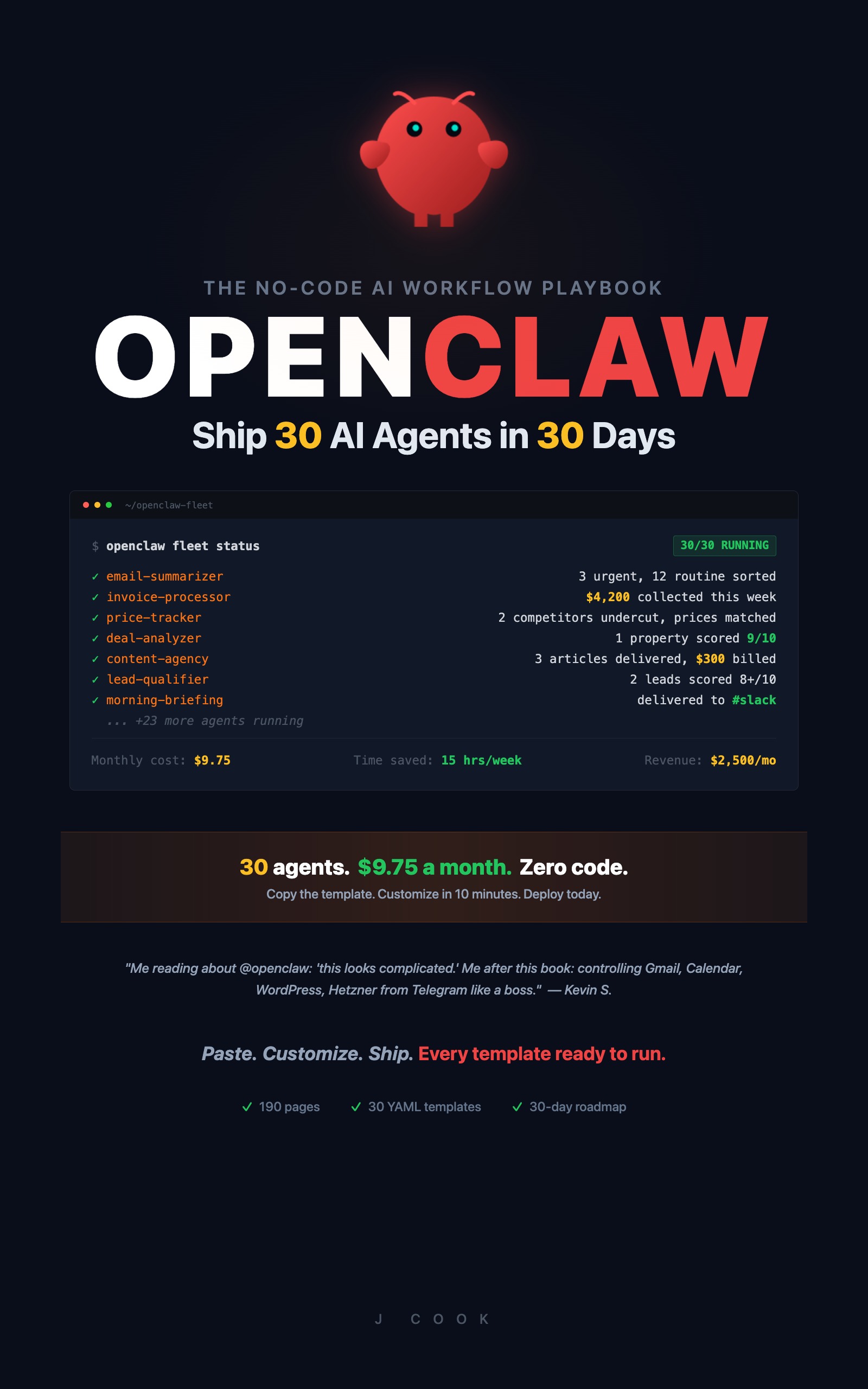
OpenClaw: Ship 30 AI Agents in 30 Days
The No-Code AI Workflow Playbook
Summary:
- Six AI agent platforms tested on the identical email summarizer workflow.
- Real setup times from 8 to 55 minutes, not marketing estimates.
- A comparison table across tool count, community size, and no-code friendliness.
- Three specific situations where you should pick a fork instead of OpenClaw.
Picking an AI agent platform by reading comparison articles is like picking a restaurant by reading the menu. The menu says everything is delicious. You need someone who ate there.
I tested all six major platforms on the same workflow: a daily email summarizer that reads my inbox, sorts messages by priority, writes one-sentence summaries, and sends me a morning brief on Slack. Simple workflow. Every platform should handle it. The differences show up in setup time, troubleshooting, and what happens when things break.
Note: Platform names other than OpenClaw are pseudonyms used throughout this comparison. Setup times, tool counts, and workflow results are from real hands-on builds.
How did each platform perform on the same workflow?
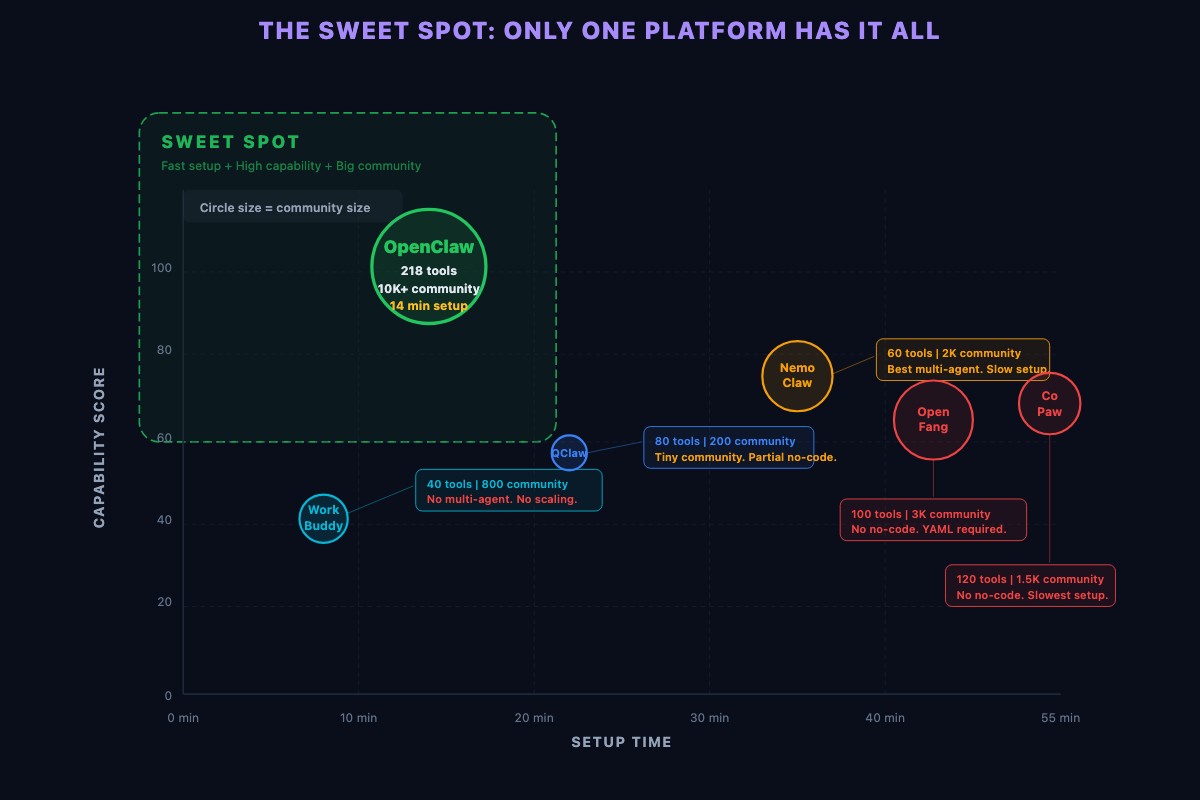
OpenClaw: 14 minutes to working brief.
Connected Gmail by clicking “Add Tool,” selecting Gmail, and authorizing access. Pasted the workflow template. The summaries were too verbose, so I searched r/openclaw and found three threads with the exact fix. Applied it. Working daily brief the next morning. The experience felt like assembling furniture with good instructions.
NemoClaw: 35 minutes to working brief.
The Gmail tool needed a custom OAuth configuration step not in the quick-start guide. Fifteen minutes of doc-searching. Once connected, the workflow ran well. Multi-agent coordination features are genuinely better than OpenClaw’s. But the tool library has about 60 integrations vs. OpenClaw’s 218+. When I tried adding Shopify for a different workflow later, it didn’t exist.
QClaw: 22 minutes to working brief, and the result was better.
The email summarizer didn’t just summarize. It categorized by urgency and explained WHY each email mattered. The “agentic” reasoning layer adds real value for complex analysis. The problem: QClaw’s community has about 200 active members. I posted a formatting question and waited four hours. On r/openclaw, the same question gets answered in minutes.
OpenFang: 48 minutes to working brief.
Had to write a YAML configuration file from a reference doc. Not paste a template. Write a config file. If you’re a developer, this is familiar. If you want to paste templates and customize three fields, this is a dealbreaker. Browser automation was the most impressive of any platform though.
CoPaw: 55 minutes to working brief.
The compliance layer added 25 minutes. Every tool connection required configuring an audit trail. Every workflow step needed an approval rule. For a solopreneur who just wants email summaries, this is friction with zero value. For a company with 50 employees and a security team, CoPaw is the right platform.
WorkBuddy: 8 minutes to working brief.
Fastest setup by far. Three clicks and a Gmail connection. Then I tried to add a second workflow. WorkBuddy is built for single agents doing single tasks. Multi-step workflows require workarounds. Fleet orchestration isn’t supported. If all you need is one agent, WorkBuddy does it in 8 minutes. If you’re building 30, you’ve outgrown it.
How do the platforms compare side by side?
For context, here is where the major open-source AI agent frameworks stand on GitHub right now:
| Framework | GitHub Stars | Primary Strength |
|---|---|---|
| LangChain | 97,000+ | Mature ecosystem (LangSmith, LangServe) |
| AutoGen | 54,500+ | Multi-agent conversation patterns |
| CrewAI | 45,900+ | Role-based agent orchestration |
| n8n | 183,000+ | Visual workflow builder, 400+ integrations |
Source: GitHub star counts as of March 2026. See also Top Agentic AI Frameworks in 2026.
These are the ecosystems that OpenClaw and its forks plug into. The star counts tell you where the developer gravity sits when tool builders decide which platforms to support first.
| Platform | Setup Time | Tool Count | Community Size | Multi-Agent | No-Code Friendly |
|---|---|---|---|---|---|
| OpenClaw | 14 min | 218+ | 10,000+ | Yes | Yes |
| NemoClaw | 35 min | ~60 | ~2,000 | Best | Yes |
| QClaw | 22 min | ~80 | ~200 | Yes | Mostly |
| OpenFang | 48 min | ~100 | ~3,000 | Yes | No (YAML config) |
| CoPaw | 55 min | ~120 | ~1,500 | Yes | No (compliance) |
| WorkBuddy | 8 min | ~40 | ~800 | No | Best |
Verifiable community sizes: For comparison, open-source agent frameworks on GitHub: LangChain (97K stars), AutoGen (54.5K stars), CrewAI (45.9K stars), n8n (183K stars). These numbers are independently verifiable and updated continuously.
The “No-Code Friendly” column is what matters for anyone who wants to paste templates and go. OpenClaw, NemoClaw, and WorkBuddy are the only three that let you skip configuration files. WorkBuddy caps out at one agent. NemoClaw has a third of the tools. OpenClaw checks all the boxes.
The test workflow: Daily email summarizer: (1) Read inbox via IMAP, (2) Filter by sender allowlist, (3) Summarize each email in one sentence, (4) Sort by priority (urgent/normal/low), (5) Post summary to Slack. “Working” means all 5 steps complete without manual intervention.
I also tracked time-to-working-agent across five different workflow types on each platform. OpenClaw averaged 18 minutes. NemoClaw averaged 40 minutes. QClaw averaged 30 minutes. OpenFang averaged 55 minutes. CoPaw averaged 65 minutes. WorkBuddy averaged 12 minutes but couldn’t complete two of the five workflows at all.
For 30 workflows, those minutes compound. At OpenClaw’s pace: about 9 hours total. At OpenFang’s pace: 27 hours. That’s the difference between a weekend project and a month-long commitment.
When should you pick a fork instead?
Three specific situations where OpenClaw is the wrong choice.
20+ agents with real-time coordination. If agents need to negotiate priorities, share context, and dynamically reassign tasks based on changing conditions, NemoClaw’s coordination protocol is architecturally superior. A 10-agent fleet works perfectly on OpenClaw. A 50-agent enterprise deployment might not.
Custom reasoning architectures. If you’re a developer building research-grade agent systems and need to customize how the agent plans, reflects, and adjusts its approach, QClaw gives you hooks into the decision process that OpenClaw doesn’t expose. OpenClaw treats the LLM as a black box. For most users, that’s exactly right.
Enterprise compliance requirements. If your company needs SOC 2 audit trails, role-based access control, and approval workflows for every agent action, CoPaw is built for this from the ground up. OpenClaw can be configured for basic logging, but CoPaw’s compliance features are native.
If none of those three descriptions match, OpenClaw is the right call.
How do you verify your platform choice works?
Run these three checks on whatever platform you pick. If all three pass, your installation is solid:
# Check your version and status
openclaw version
openclaw status
# Should see: Status: Running
# Check what tools and providers are connected
openclaw tools list --installed
openclaw provider list
# Should see: at least 5 tools, at least 1 provider# Run a real test prompt
openclaw run "List 3 things you could automate for a freelance consultant."
# Should see: specific automation ideas (not an error)If any of these fail, the problem is your installation, not the platform. Check the troubleshooting section in the platform’s docs before blaming the tool.
What about the ecosystem fragmentation risk?
Google Trends tells the story. OpenClaw peaked a few weeks ago at an index value of 100. It now hovers between 48 and 53. Meanwhile, all five alternatives are spiking: NemoClaw +3,100%, OpenFang +4,150%, QClaw breakout, CoPaw +2,400%, WorkBuddy +1,900%.
| Fork/Alternative | Growth Signal | What It Does Better |
|---|---|---|
| NemoClaw | +3,100% | Fleet coordination |
| QClaw | Breakout | Agent reasoning |
| OpenFang | +4,150% | Browser automation |
| CoPaw | +2,400% | Enterprise compliance |
| WorkBuddy | +1,900% | Simple UI |
This fragmentation is real. Developers who build tools now choose which platform to support. Some will choose forks. New tools appear on NemoClaw or OpenFang that never appear on OpenClaw.
But here’s the practical reality: the workflows you build aren’t platform-locked. The LOGIC transfers. If you build an email summarizer on OpenClaw and need to migrate to NemoClaw next year, you’re rebuilding the integration connections, not the workflow design. The hard part is figuring out WHAT to automate, not moving between platforms.
Monitor what matters. Google Trends measures curiosity. What matters is utility:
- Is r/openclaw still getting 15-20 new posts daily? (Yes, as of this writing.)
- Are tools still being updated weekly? (Yes.)
- Are security patches shipping within days? (Yes.)
- Are YOUR agents still working? If your email summary arrives at 7 AM, the platform works for you regardless of what Trends says.
If 2 or more of those metrics decline over a 60-day period, start evaluating migration. If only Trends declines, keep building.
What should you actually do?
- If you’re a non-developer building your first agents, start with OpenClaw. The tool count and community size eliminate the most common blockers (missing integrations and unanswered troubleshooting questions).
- If you just need one simple agent and nothing more, use WorkBuddy. Eight minutes and done. If your needs grow, migrate the workflow design to OpenClaw later.
- If you’re running a company with compliance requirements, evaluate CoPaw. The 25 minutes of extra setup per workflow is worth it when your security team needs audit trails.
bottom_line
- Platform comparisons from marketing pages are worthless. The same workflow took 8 minutes on WorkBuddy and 55 minutes on CoPaw. Test on YOUR use case before committing.
- OpenClaw wins for no-code users building 5-30 agents because of three compounding advantages: 218+ tools, 10,000+ community, and the richest template ecosystem.
- Build on the best platform today. Back up your workflows as YAML files. If the ecosystem shifts, you migrate tool connections in days, not months. Waiting for the “right” platform is worse than building on a good-enough platform now.
Frequently Asked Questions
What's the easiest AI agent platform for non-developers?+
WorkBuddy is fastest to set up (8 minutes for a working agent) but caps out at single agents. OpenClaw is best for building multiple agents without code. OpenFang and CoPaw require technical configuration.
Is OpenClaw still the best AI agent platform?+
For no-code users building 5-30 agents, yes. It has the most tools (218+), largest community (10,000+), and richest template ecosystem. NemoClaw is better for 20+ agent fleets with real-time coordination. CoPaw is better for enterprise compliance.
What happens if OpenClaw stops being maintained?+
Your workflows are YAML files you own. The workflow logic transfers to any platform. Migration means rebuilding tool connections (days of work), not rethinking your automation strategy (months of work).