How to Control AI Agent API Costs Under $20/Month
Keep 30 AI agents running under $20/month with a tiered provider strategy, budget caps, and loop detection. Includes cost-per-task tables and configs.
>This covers cost control for AI agents. OpenClaw: Ship 30 AI Agents in 30 Days includes 30 workflow templates with per-template cost projections and a complete provider comparison.
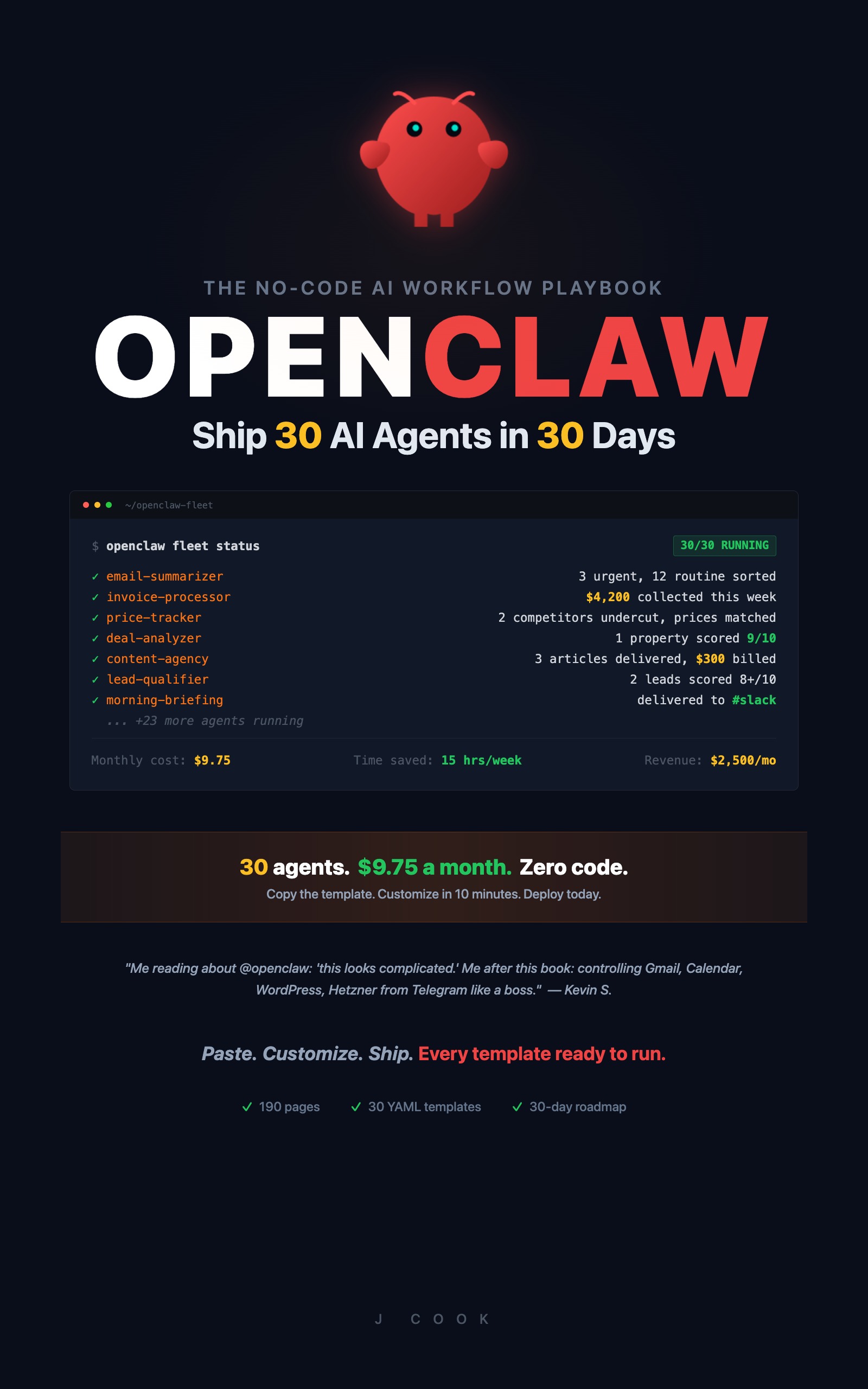
OpenClaw: Ship 30 AI Agents in 30 Days
The No-Code AI Workflow Playbook
Summary:
- Configure a three-tier provider strategy that matches model cost to task complexity.
- Set hard budget caps that kill runaway agents before they drain your account.
- Get exact cost-per-task numbers for common agent workflows.
- Copy-paste the budget configuration commands that prevent the $40 mistake.
My first AI agent loop cost me $40 in 22 minutes. The agent was researching a competitor’s pricing page. It visited the page, decided the information was incomplete, searched for more, decided THAT was incomplete, and kept going. 267 cycles at $0.15 each before my billing alert fired.
The agent wasn’t broken. It did exactly what I told it to do: “Research until you have complete information.” I forgot to define what “complete” meant, and I didn’t set a spending cap.
Three lines of configuration would have prevented it. Here they are.
How do you stop a runaway AI agent from draining your account?
Set three limits on every workflow. These catch the three most common cost disasters: loops, overspending, and hung processes.
# Per-run cost cap: kills the workflow if it exceeds $0.50
openclaw workflow config competitor-tracker --max-cost-per-run 0.50

# Loop detection: stops after 5 iterations of the same step
openclaw workflow config competitor-tracker --max-loop-count 5

# Timeout: kills the workflow after 10 minutes
openclaw workflow config competitor-tracker --max-runtime 600
If the agent from the $40 disaster had a --max-cost-per-run 0.50 limit, the damage would have been fifty cents. Not forty dollars.
Apply these defaults to every workflow you build:
openclaw config set default-max-actions 50
openclaw config set default-max-cost-per-run 0.50
openclaw config set default-max-runtime 300  # 5 minutes
Every new workflow inherits these limits. You can raise them for specific agents that need more room (research workflows might need $1.00 per run). But the defaults prevent the worst-case scenario on any workflow you forget to configure individually.
Budget caps and loops: A budget cap stops spending, but a looping agent might restart and hit the cap again. Pair caps with a maximum execution count per run. If an agent runs more than 10 cycles on the same task, kill it and alert.
How much do common AI agent tasks actually cost?
Assumptions: Cost estimates use Claude Sonnet 4 ($3/M input, $15/M output) with average task sizes of 800 input tokens and 400 output tokens. Local model costs assume hardware you already own. Actual costs vary with prompt length, output verbosity, and model choice.
Here’s what different tasks cost on GPT-4o per run:
| Task | Input Tokens | Output Tokens | Cost Per Run |
|---|---|---|---|
| Summarize a 200-word email | ~270 | ~50 | $0.002 |
| Sort an email into a category | ~270 | ~10 | $0.001 |
| Write a 500-word report section | ~100 | ~670 | $0.008 |
| Analyze a spreadsheet row | ~200 | ~100 | $0.002 |
| Research a topic (web browse + summarize) | ~2,000 | ~500 | $0.025 |
| Generate a social media post | ~150 | ~200 | $0.003 |
Most tasks cost less than a penny. Costs add up through volume (100 emails/day at $0.002 = $6/month) and complexity (research tasks cost 10x more than simple processing). And loops. Always loops.
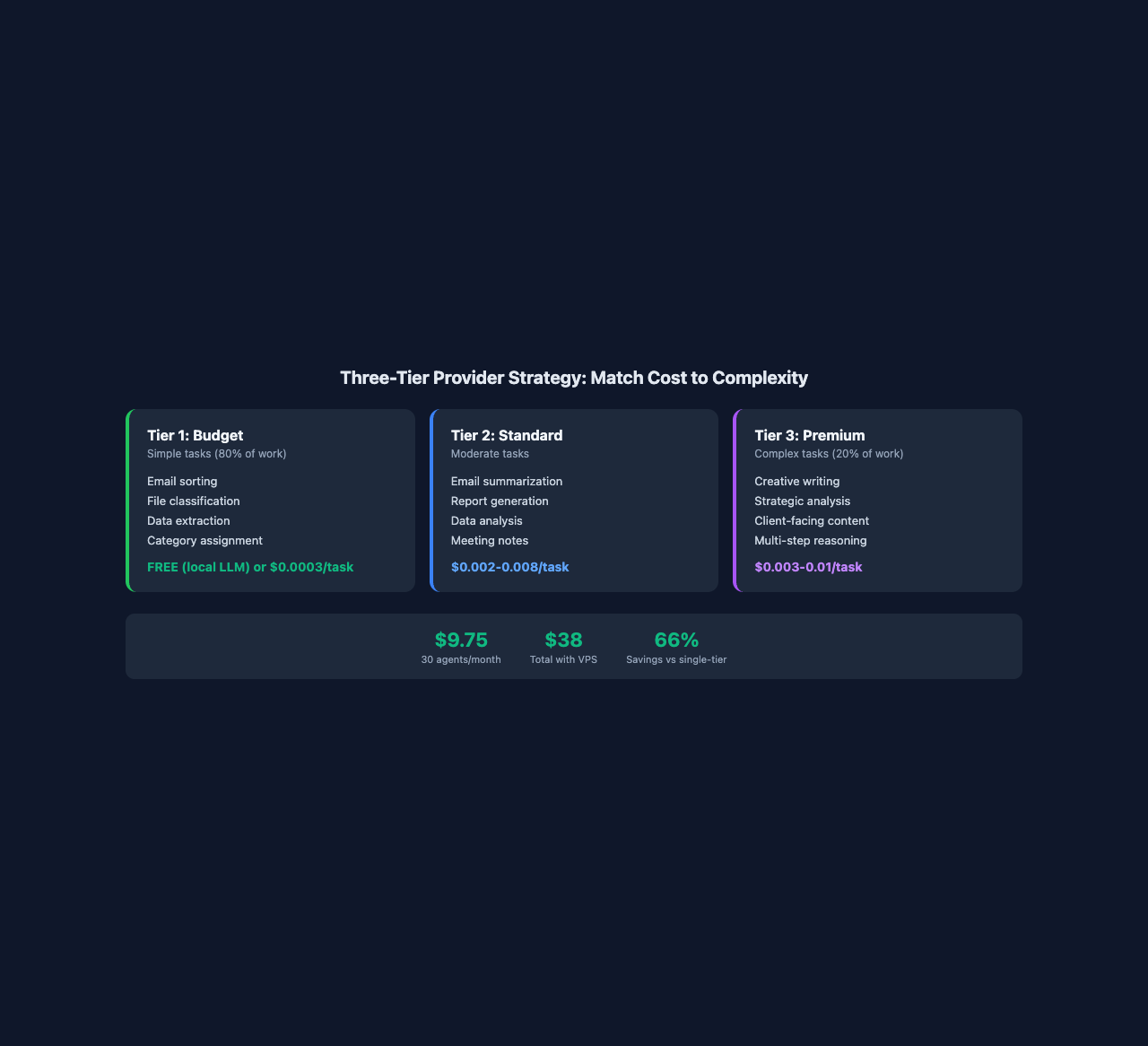
How does the three-tier provider strategy work?
Tier 1 (budget) handles simple tasks. Email sorting, file organizing, data extraction. These need accuracy, not creativity. A local LLM handles them for free. DeepSeek V3 handles them for $0.0003 per task. GPT-4o Mini costs $0.0001.
Tier 2 (standard) handles moderate tasks. Email summarization, report generation, data analysis. GPT-4o at $0.002-0.008 per task. Claude Sonnet at similar pricing. Gemini 1.5 Pro for anything involving long documents.
For reference, Anthropic’s current API pricing runs $1/MTok input and $5/MTok output for Haiku, $3/$15 for Sonnet, and $5/$25 for Opus. Batch processing cuts those rates in half. A typical agent task using Haiku costs under $0.001 per run.
Tier 3 (premium) handles complex tasks. Creative writing, strategic analysis, client-facing content. Claude Opus for writing quality. GPT-o1 for reasoning-heavy tasks.
Here’s the configuration that implements this:
# Add providers
openclaw provider add --name local-llama --type ollama --model llama3:8b
openclaw provider add --name openai --type openai --api-key YOUR_KEY
openclaw provider add --name anthropic --type anthropic --api-key YOUR_KEY

# Set global monthly budget
openclaw budget set --monthly-limit 20.00 --currency USD

# Set per-provider limits
openclaw budget set --provider openai --monthly-limit 15.00
openclaw budget set --provider anthropic --monthly-limit 5.00

# Configure fallback when budget is exceeded
openclaw config set budget-exceeded-action fallback-local

# Set spending alerts at 50%, 80%, 95%
openclaw budget alert --at 50 --action notify
openclaw budget alert --at 80 --action notify
openclaw budget alert --at 95 --action notify
The key insight: 80% of agent tasks are Tier 1 work. Sorting, classifying, extracting. A local LLM handles that 80% for free. The remaining 20% (writing, analysis, reasoning) justifies cloud API costs because those tasks directly generate revenue or save you visible time.
One person’s production setup: local Llama 3 8B for Tier 1, GPT-4o for Tier 2, Claude Sonnet for Tier 3. Monthly cost: $12-18 for 30 agents running daily. Compare that to running everything on GPT-4o: $35-45/month. Same agents, same outputs, three times the bill.
What broke when I set this up?
The $40 loop. Already covered. Three config lines prevent it. But here’s the deeper lesson: always define exit conditions in your prompts. “Research until you have complete information” is a blank check. “Research this topic. Visit at most 3 pages. Summarize what you find” is bounded.
Budget alert too late. By the time you get a billing alert from OpenAI, the damage is done. OpenClaw’s budget system catches overruns at the workflow level, before the provider’s billing system even registers the charge. Set alerts at 50% and 80% so you see the trend before it hits the cap.
Local LLM too slow for real-time tasks. A prompt that takes 2 seconds on GPT-4o takes 8-15 seconds on local Llama 3. For scheduled workflows that run at 3 AM, speed doesn’t matter. For real-time tasks (sorting incoming emails during work hours), use a cloud provider. Match the provider to the task, not the budget.
What does 30 agents actually cost?
Here’s the real math with the three-tier strategy:
| Agent Category | Count | Tier | Cost Per Run | Runs/Day | Monthly Cost |
|---|---|---|---|---|---|
| Email (sort, summarize) | 3 | 1-2 | $0.003 avg | 50 | $4.50 |
| Calendar/Scheduling | 2 | 1 | $0.001 | 10 | $0.60 |
| File Organization | 1 | 1 | $0.001 | 20 | $0.60 |
| Content (repurpose, schedule) | 5 | 2-3 | $0.008 avg | 5 | $1.20 |
| Business Ops (invoice, CRM) | 5 | 2 | $0.005 avg | 10 | $0.75 |
| Monitoring (price, competitor) | 5 | 1-2 | $0.010 avg | 5 | $0.75 |
| Niche (real estate, ecommerce) | 5 | 2 | $0.010 avg | 3 | $0.45 |
| Income Generators | 4 | 2-3 | $0.015 avg | 5 | $0.90 |
| Total | 30 | $9.75/month |
Under ten dollars a month for 30 agents. Add the VPS ($4.50-12/month) and you’re at $14-22/month total. A solopreneur consultant runs this exact setup at $38/month total (Hetzner VPS + moderate API usage). His agents handle email, invoicing, and weekly reports. His admin time dropped from 11 hours a week to 90 minutes.
How do you monitor spending in real time?
# Full spending breakdown by provider, workflow, and day
openclaw budget status --verbose

# See which agents cost the most
openclaw budget status --verbose --by-workflow
Check this weekly. If your competitor tracker suddenly costs $2/day instead of $0.10/day, something changed in the workflow logic. The verbose flag adds a daily spending chart so anomalies are obvious.
Weekly audit: Check which agents approach their ceiling. If an agent consistently hits 80%+ of its budget, either the task grew or the prompts need tightening. Review the top 3 spenders every Monday.
What should you actually do?
- If you’re just starting, set the global $20/month budget and default workflow limits before building any agents. Ten minutes of config prevents every cost disaster.
- If you’re already running agents without budget controls, apply the three default limits (
max-actions 50,max-cost-per-run 0.50,max-runtime 300) to every existing workflow today. - If you want maximum savings, install a local LLM via Ollama and route all Tier 1 tasks (sorting, classifying, extracting) through it. That eliminates 80% of your API costs overnight.
bottom_line
- Three config lines (cost cap, loop limit, timeout) prevent every runaway agent disaster. Apply them as defaults to every workflow.
- The tiered provider strategy cuts costs by two-thirds: free local LLM for simple tasks, paid APIs only for writing and analysis.
- Thirty agents cost $9.75/month in API fees. The budget isn’t tight. It’s just smart allocation.
Frequently Asked Questions
How much does it cost to run 30 AI agents per month?+
With a three-tier provider strategy, 30 agents running daily cost about $9.75/month in API fees. Add a $4.50-12 VPS and total runs $14-22/month.
How do you prevent AI agent cost overruns?+
Set three limits on every workflow: max cost per run ($0.50), max loop count (5 iterations), and max runtime (5 minutes). These catch runaway agents before they drain your account.
Should I use a local LLM or cloud API for AI agents?+
Both. Use a local LLM (free) for simple tasks like email sorting and file classification. Use cloud APIs for complex tasks like writing and analysis. This tiered approach cuts costs by two-thirds.