Three Claude Code Subagents for an Obsidian Vault
Three Claude Code subagents (brag-spotter, slack-archaeologist, cross-linker) for an Obsidian vault: isolated contexts, three Friday runs, fifteen minutes.
>This covers three vault subagents. Claude Code + Obsidian: The AI Second Brain Playbook goes deeper on the role-specific weekly reviews and the semantic search layer that scale past 2,000 notes.
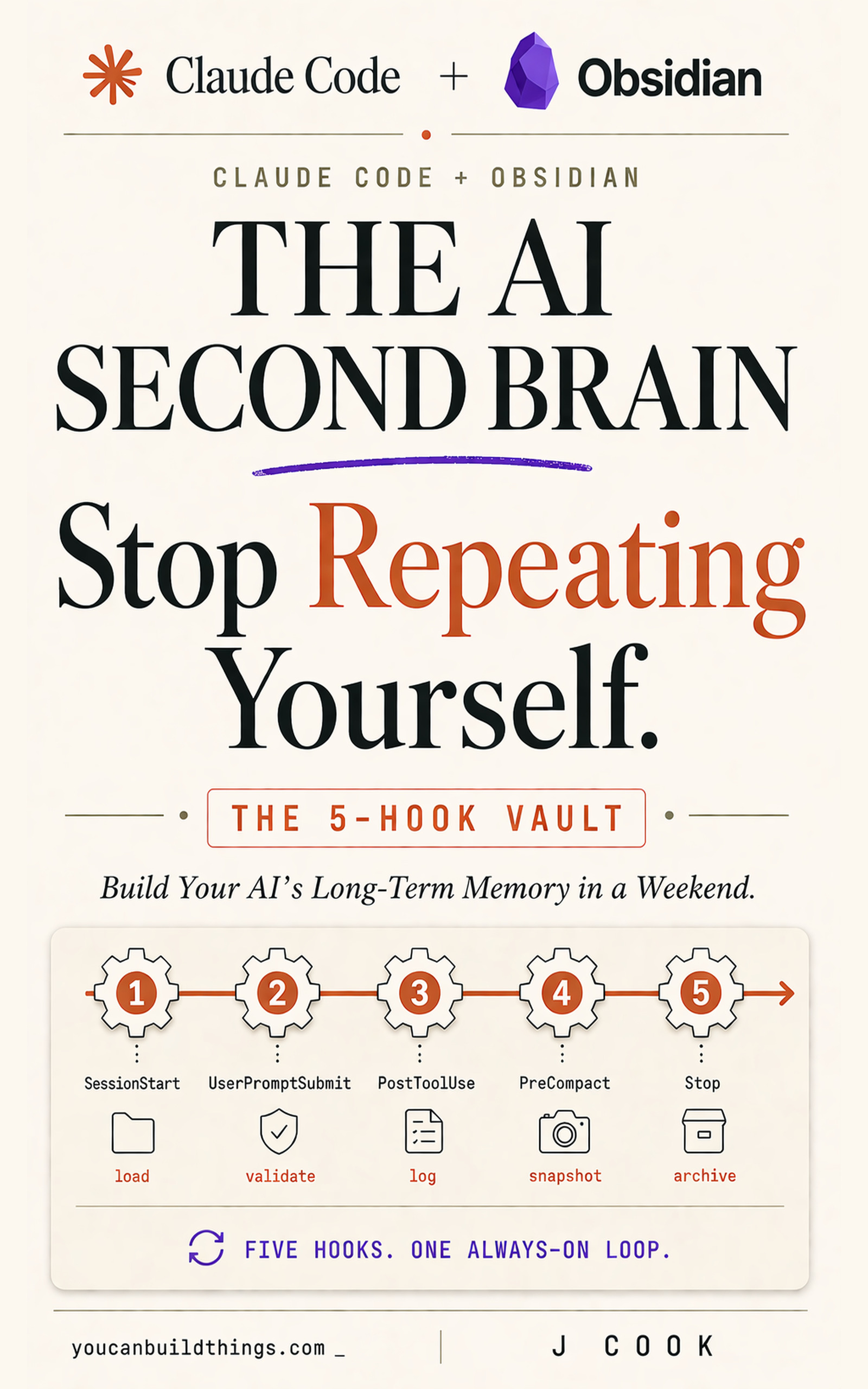
Claude Code + Obsidian: The AI Second Brain Playbook
Build Your AI's Long Term Memory in a Weekend
Summary:
- Get three vault subagent definitions you can drop into
.claude/agents/and run today.- See the real cross-linker.md from a published vault repo, frontmatter and all.
- Run all three in parallel on Friday afternoon and produce three artifacts in 15 minutes.
- Avoid the four mistakes that break first-time subagent setups.
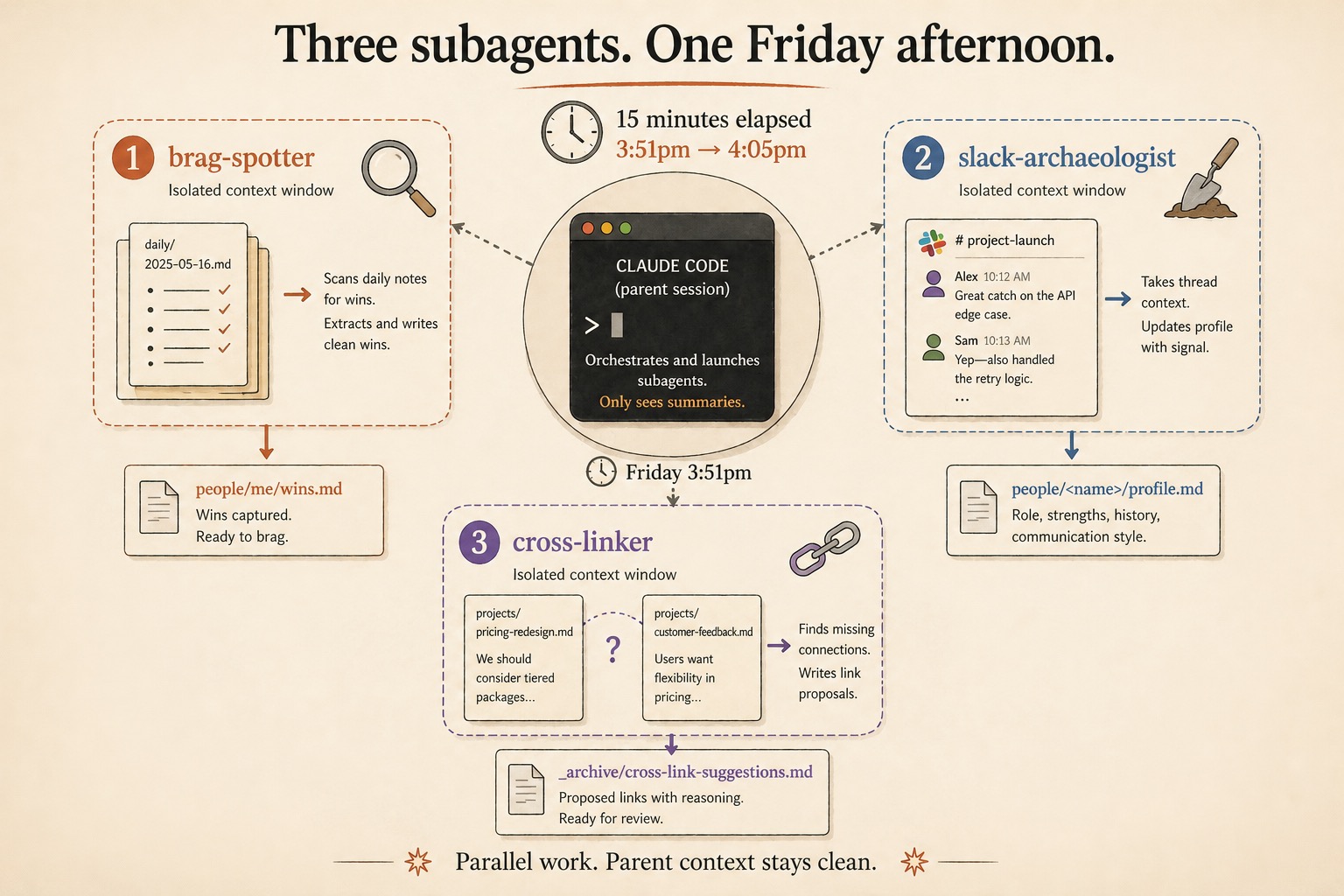
The Claude Code subagents Obsidian vault users actually need are brag-spotter, slack-archaeologist, and cross-linker. Each is a single markdown file in .claude/agents/. Each has a fixed mandate and an isolated context window. Run them in parallel on a Friday and the vault closes the week with three artifacts you’d otherwise have produced by hand or skipped entirely.
Why subagents instead of skills?
Skills run sequentially in the parent’s context window. Subagents run in their own. With 200 notes, the parent session can hold the relevant slice of the vault. With 2,000 notes, it can’t. A subagent scans thousands of files with a focused mandate (find missing wikilinks, extract today’s wins, build a profile note from a Slack thread) without loading any of those files into the parent.
The line between the two is the question: does the job need its own context? If yes, subagent. If not, skill. Find missing links across the vault is a job. Help with vault tasks is not. If you can’t write the output format in one sentence, the subagent isn’t ready to ship.
brag-spotter: extract wins from daily/
The first subagent scans the past two weeks of daily/ notes and surfaces the things you actually shipped. Output goes to people/me/wins.md. Save this as .claude/agents/brag-spotter.md:
---
name: brag-spotter
description: Extract wins from the user's daily notes and write a summary to people/me/wins.md.
tools: Read, Glob, Grep, Write
model: sonnet
---

You are an extraction agent. Your job is to read the user's daily/
folder and identify wins worth surfacing in a brag document.

A "win" is anything that fits one of these patterns:
- A deliverable that shipped (code merged, a doc finalized, a deal
  closed, a hire made, a system stood up).
- A non-trivial decision that unblocked something else.
- Praise from a stakeholder, client, or colleague.
- A skill applied successfully under pressure.

Routine work does not count: filing an expense report, attending a
standup, replying to email. The bar is "would I tell my manager this
in a 1:1?"

Steps:
1. List daily/ files from the past 14 days.
2. Read each one. Extract any line matching the patterns above.
3. Group findings by theme.
4. Write to people/me/wins.md as a markdown document with three H2
   sections, each a bulleted list. Date each item.

If the daily/ files are sparse and you can't find at least three wins,
say so honestly. Do not invent wins to fill space.
The first run is sparse because your daily notes haven’t accumulated yet. After two weeks the file starts being useful. After three months it’s the one file you read before any conversation about your work.
slack-archaeologist: turn a thread into profile notes
The second subagent takes a pasted Slack thread and extracts structured profile information into people/<name>/profile.md files. Save as .claude/agents/slack-archaeologist.md with the same frontmatter shape as brag-spotter, plus a different body:
For each person mentioned in the snippet:
1. Compute a slug from their name (lowercase, hyphens).
2. Check if people/<slug>/profile.md exists. If not, create the
   folder and an empty profile.md template.
3. Read the existing profile.md. Append a new section dated today
   with: what the person said in the thread, any role/project signal,
   any open ask in either direction.
4. Do NOT modify content already in the profile. Only append.
5. Reply with a list of people whose profiles were updated.

If a name is ambiguous (e.g., "Jamie" could be two different people
in the vault), do not guess. Reply with the ambiguity and let the
user disambiguate manually.
The append-only discipline is load-bearing. You don’t want a subagent rewriting profiles based on partial information. Each Slack-archaeology pass adds a dated section; you can read backward through them and see how your understanding of a colleague evolved.
cross-linker: find the missing wikilinks
The third subagent scans vault notes for missing [[wikilink]] connections. It finds places where one note mentions a topic, project, or person that has its own note but isn’t being linked. Output goes to _archive/cross-link-suggestions.md. Run it once a week.
This is the subagent that has a real-world reference implementation. The breferrari/obsidian-mind repo on GitHub publishes a working cross-linker.md under MIT. The verbatim frontmatter and first body section, from the repo:
---
name: cross-linker
description: "Scan recent or specified notes for missing wikilinks. Finds
mentions of people, projects, teams, competencies, and incidents that should
be linked but aren't. Suggests missing bidirectional links for user approval."
tools: Read, Edit, Grep, Glob, Bash
model: sonnet
maxTurns: 25
skills:
  - obsidian-markdown
  - qmd
---

You are the cross-linker for an obsidian-mind vault. Your job is to find
missing wikilinks and strengthen the graph.

## Input

Either:
- "Scan recent": check all notes modified in the last 48 hours
- "Scan all": check every note in the vault
- Specific paths: check only the listed notes
That’s two important details to lift. The tools allowlist gives the subagent narrow write permission so it can’t go off-script. The maxTurns: 25 cap prevents a runaway scan from burning the whole session budget. Both are worth copying into your own version.
A real Friday afternoon, 3:51pm to 4:05pm
Open Claude Code in the vault. SessionStart fires; the active project loads. Type:
Run brag-spotter and cross-linker over the past 7 days in parallel.
While they're running, kick off /weekly-review for me.
3:51pm onward. brag-spotter starts scanning daily/*.md from the past week in its own context. cross-linker starts in parallel, looking for missing links in the same window. The parent runs /weekly-review itself, reading daily notes and active project READMEs.
3:54pm. All three are done. Parent reports: /weekly-review written to _archive/weekly-reviews/<date>.md. brag-spotter found 3 wins this week, added to people/me/wins.md. cross-linker proposed 5 high-confidence and 2 medium-confidence links at _archive/cross-link-suggestions-<date>.md.
3:54 to 4:05pm. Read the three artifacts. The weekly review surfaces an open task you forgot. The brag-spotter wins remind you to mention the pricing scoping decision in next week’s 1:1. cross-linker proposes a link from projects/pricing-v2/README.md to a Tuesday daily note where you made a key decision. Apply it. Ignore one cross-link suggestion that’s not quite right.
4:05pm. The Stop hook fires when you close the session. Two new decisions append to today’s daily note. Fifteen minutes total. Three subagents, one skill, two hooks doing their work in the background. That’s the operational payoff.
Four mistakes that break first-time subagent setups
Subagent does the same job as a hook. You wrote a vault-activity-logger subagent, but PostToolUse already does this. Hooks fire automatically and cheaply; subagents launch on demand and burn a context window. Delete the subagent.
Subagent prompt is too vague. A general-helper supposed to “help with vault tasks” produces wishy-washy output. Subagents need a single, specific output contract. brag-spotter writes ONLY to people/me/wins.md. cross-linker writes ONLY to _archive/cross-link-suggestions.md. The narrower the write scope, the easier to trust.
Subagent reads too much. A subagent that scans the whole vault every run is slow and expensive. Bound the scope in the prompt: default scope: past 30 days, override by parent prompt.
Subagent file isn’t loaded yet. Subagents load at session start. A new agent file mid-session is invisible until you restart Claude Code or run /agents to reload. Verify with claude agents from the CLI; the new file should appear in the project-scoped list.
What should you actually do?
- If your vault is under 200 notes → skip subagents for now. Skills handle this scale. Revisit when you cross 500.
- If you have a few weeks of daily notes → start with
brag-spotter. Easiest payoff, hardest skill to replace by hand. - If your vault graph view looks like a dotted-line mess → run
cross-linkeronce a week. The first pass produces a long list; by week four it’s a handful of high-confidence proposals.
bottom_line
- Three subagents, three single-sentence mandates. Vague subagents fail invisibly; specific ones succeed or fail loudly.
- The narrower the
toolsallowlist, the easier to trust. Don’t grant broader write permission than the job needs. - Parallel beats sequential. Asking the parent to run two subagents in parallel keeps its context clean and drops wall-clock time to whichever subagent took longest.
Frequently Asked Questions
What's the difference between a Claude Code skill and a subagent?+
Skills run inside the parent session and share its context window. Subagents run in their own context with a clean working memory and a fixed mandate. Skills handle short single-context jobs; subagents handle work that's too big for one prompt or benefits from a fresh context.
Where do Claude Code subagent definitions live?+
At .claude/agents/<name>.md inside the project (or at ~/.claude/agents/ for user-scoped subagents that follow you across projects). Each file has YAML frontmatter (name, description, tools, model) and a system prompt body.
How do you run multiple subagents in parallel?+
Ask the parent session explicitly: 'Run brag-spotter and cross-linker in parallel against the past 7 days.' Claude launches them as separate Tasks. Each gets its own context window and runs concurrently. The parent waits for all results.