Did Your Claude Code Agent Actually Do Anything Last Night?
Put real work on a schedule and wake up genuinely knowing what happened, because the job greps its own exit signal and tells you. Eleven consecutive green runs, and every one was four seconds of a job that could not find its input file.
>This covers the exit signal and the two-condition gate. Obsidian + Claude Code goes deeper on the state file that lets a killed run resume, the liveness preconditions, and the single-writer lock.
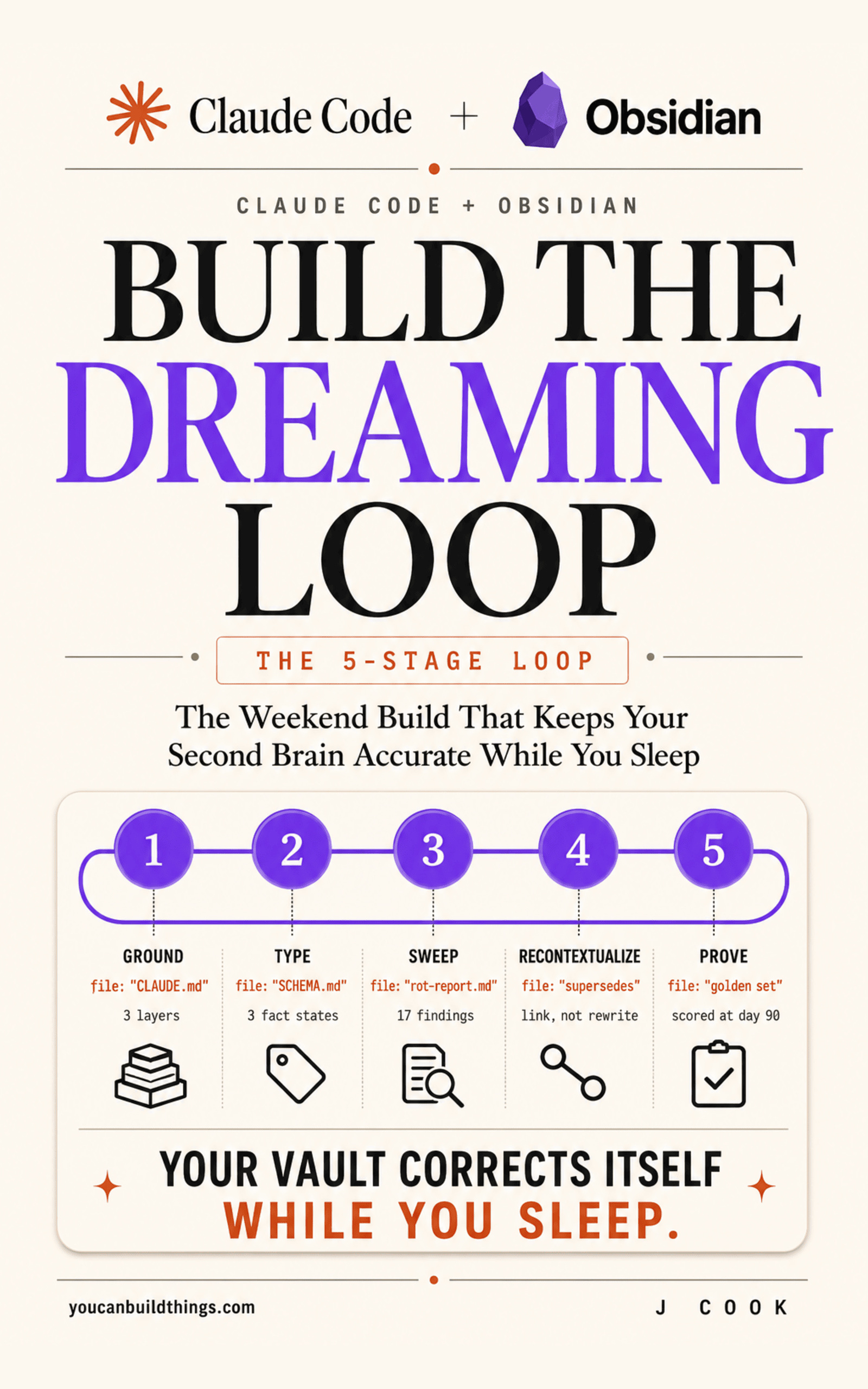
Obsidian + Claude Code Build the Dreaming Loop
Keep Your Second Brain Accurate While You Sleep
Hello builders,
Give a scheduled job one line it has to print for itself, grep for that line in the morning, and you can hand it work you would never leave running unattended, which is a real change in what one person can run. The column of green in your run history is not that line. I trusted mine for eleven nights. If your Claude Code scheduled task did nothing last night, nothing on any dashboard is going to tell you, because a green run status is not a claim about your prompt.
I scheduled a maintenance job on a Sunday and did not look at it properly for a week and a half. Why would I? The run history was a column of green. Eleven consecutive successful runs.
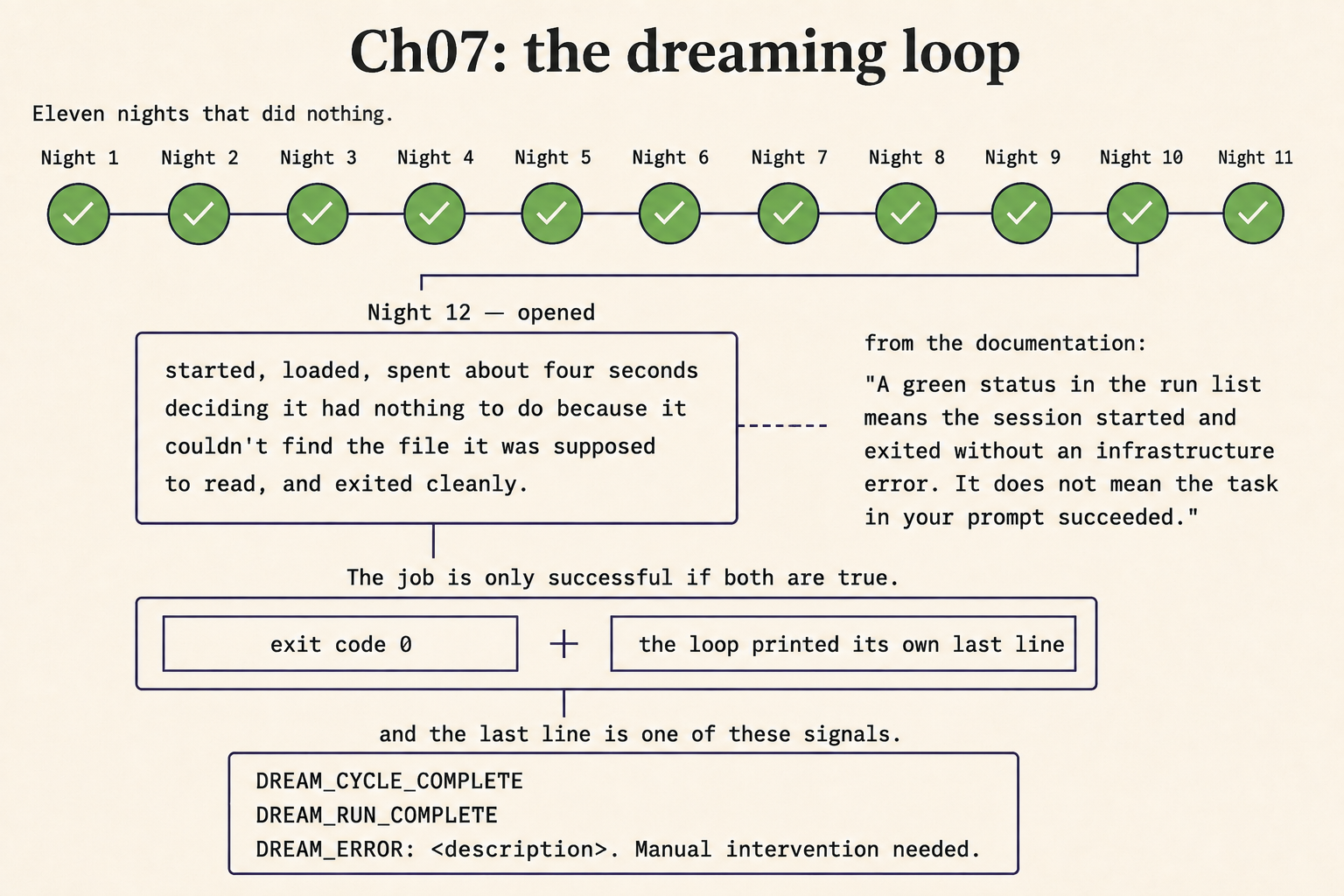
On the twelfth morning I opened one out of idle curiosity and read the transcript. The session had started, loaded, spent about four seconds deciding it had nothing to do because it could not find the file it was supposed to read, and exited cleanly.
Eleven times.
What a green status actually means
Anthropic documents that behaviour and says so plainly. The sentence lives on the cloud routines page:
A green status in the run list means the session started and exited without an infrastructure error. It does not mean the task in your prompt succeeded. Open the run to read the transcript and confirm what Claude actually did. Blocked network requests, missing connector tools, and task-level failures all surface there rather than in the status indicator.
It’s worth being precise about which surface we are on, because three different things schedule Claude Code and they do not behave alike. Cloud routines run against a fresh clone and never see your local files. Desktop scheduled tasks run locally against a working folder. And session-scoped /loop tasks expire seven days after creation.
Their failure modes differ too, which matters when we are diagnosing an empty night. Desktop skips a run outright if the machine sleeps, and enabling Keep computer awake does not save us: “Closing the laptop lid still puts it to sleep.” When the machine wakes, Desktop starts exactly one catch-up run for the most recently missed time and discards anything older, so a daily task that missed six days runs once. CLI tasks are stricter still and have no catch-up at all.
Two conditions, both required
Here’s the definition of success that replaces the badge. The process exited 0, and the job printed its own terminal signal. Either one alone is a lie we have already believed once.
So the prompt ends by printing exactly one of three strings as its last line, and nothing else:
DREAM_CYCLE_COMPLETE
DREAM_RUN_COMPLETE
DREAM_ERROR: <description>. Manual intervention needed.
A run that dies halfway prints none of them, and printing nothing is a detectable state. That’s the whole trick.
Then we check both conditions in a runner that stays deliberately small:
Save it as bin/dream.sh:
#!/usr/bin/env bash
# bin/dream.sh
VAULT=~/vault
cd "$VAULT" || exit 1   # cron starts in $HOME. Without this the project CLAUDE.md never loads.
LOG="$VAULT/reports/last-run.log"
mkdir -p "$(dirname "$LOG")"
claude -p "$(cat ~/.claude/scheduled-tasks/vault-dream/SKILL.md)" \
  --permission-mode dontAsk --output-format json > "$LOG" 2>&1
rc=$?
tail -c 4000 "$LOG" | grep -qE 'DREAM_(CYCLE|RUN)_COMPLETE' && ok=1 || ok=0
[[ $rc -eq 0 && $ok -eq 1 ]] || { printf 'FAILED rc=%s signal=%s\n' "$rc" "$ok" \
  >> "$VAULT/reports/failures.log"; exit 1; }
The moment that script starts parsing the JSON, extracting counts and deciding whether the run was good enough, it has become a program that needs its own tests, and we spend the morning debugging our monitor. It runs a thing and checks two conditions, and that is all it is allowed to do.
The flag that moves you onto a different bill
One trap before we ship this, because the documentation recommends it and it costs money. --bare skips auto-discovery of hooks, skills, plugins, MCP servers, auto memory and CLAUDE.md so scripted calls start faster. Read that list again: it is every safety property we installed, silently absent from the one run nobody is watching.
Then the part that is worse:
In bare mode, Claude Code never reads OAuth credentials or the system keychain. For the Anthropic API, set ANTHROPIC_API_KEY in the environment, with a key created in the Claude Console, or supply an apiKeyHelper in the —settings JSON.
Follow the recommended path for a scripted call on a subscription plan and we move to per-token billing, nightly, forever, and nothing announces it. The first signal is a statement.
Check the signal before anything else
Schedule that file. The crontab line points at it:
0 3 * * * /Users/you/vault/bin/dream.shThen in the morning, grep for your own line before you look at any status indicator:
grep -oE 'DREAM_(CYCLE_COMPLETE|RUN_COMPLETE|ERROR)' ~/vault/reports/last-run.log | tail -1If that prints nothing, the run didn’t finish, and it does not matter what the dashboard says. Build the habit of trusting your own signal over the vendor’s status, because yours is the one that knows what the job was.
A scheduled job that can’t tell you whether it worked is not automation. It’s a green light on a dashboard, and I ran one for eleven days.
Now go build something this weekend!
John Cook