Wire Hermes Into Paperclip with the hermes_local Adapter
The hermes_local adapter runs Hermes Agent as a Paperclip worker. Configure one agent, assign an issue, fire a heartbeat, and watch a $0.02 run end to end.
>This wires one Hermes-backed agent into Paperclip. Zero-Human Companies goes deeper on multi-agent sequencing, approval gates, and the five business configs that run on the same stack.
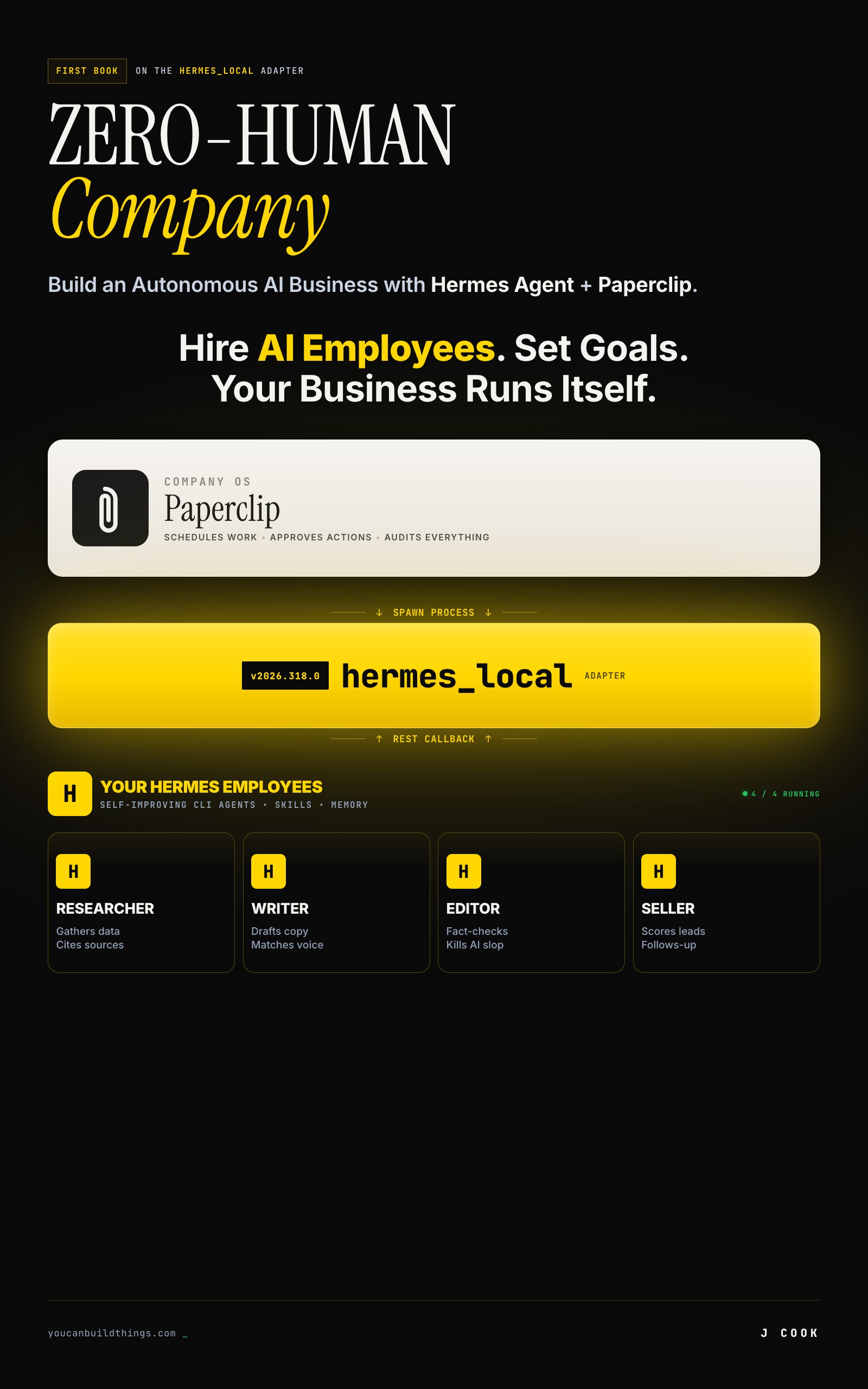
Zero-Human Companies
Build an Autonomous AI Business with Hermes Agent + Paperclip
Summary:
- Run Hermes Agent as a Paperclip worker with the
hermes_localadapter, no glue code.- Paste one
adapterConfig, assign an issue, fire a heartbeat, watch the full trace.- The trap that eats your first day: an open session-ID bug. Ship with
persistSession: false.- Copy-paste config plus the 10-step trace of a $0.02 run with zero humans after checkout.
The hermes_local adapter is the one piece that turns two separate tools into one autonomous company. Paperclip is a control plane: it schedules work, tracks cost, and gates risky actions, but it does not run agents. Hermes Agent is a CLI runtime: it runs agents with skills and memory, but it has no company around it. The adapter is the bridge, and it ships built into Paperclip. You do not build anything. You paste a config and fire a heartbeat.
What does the hermes_local adapter actually do?
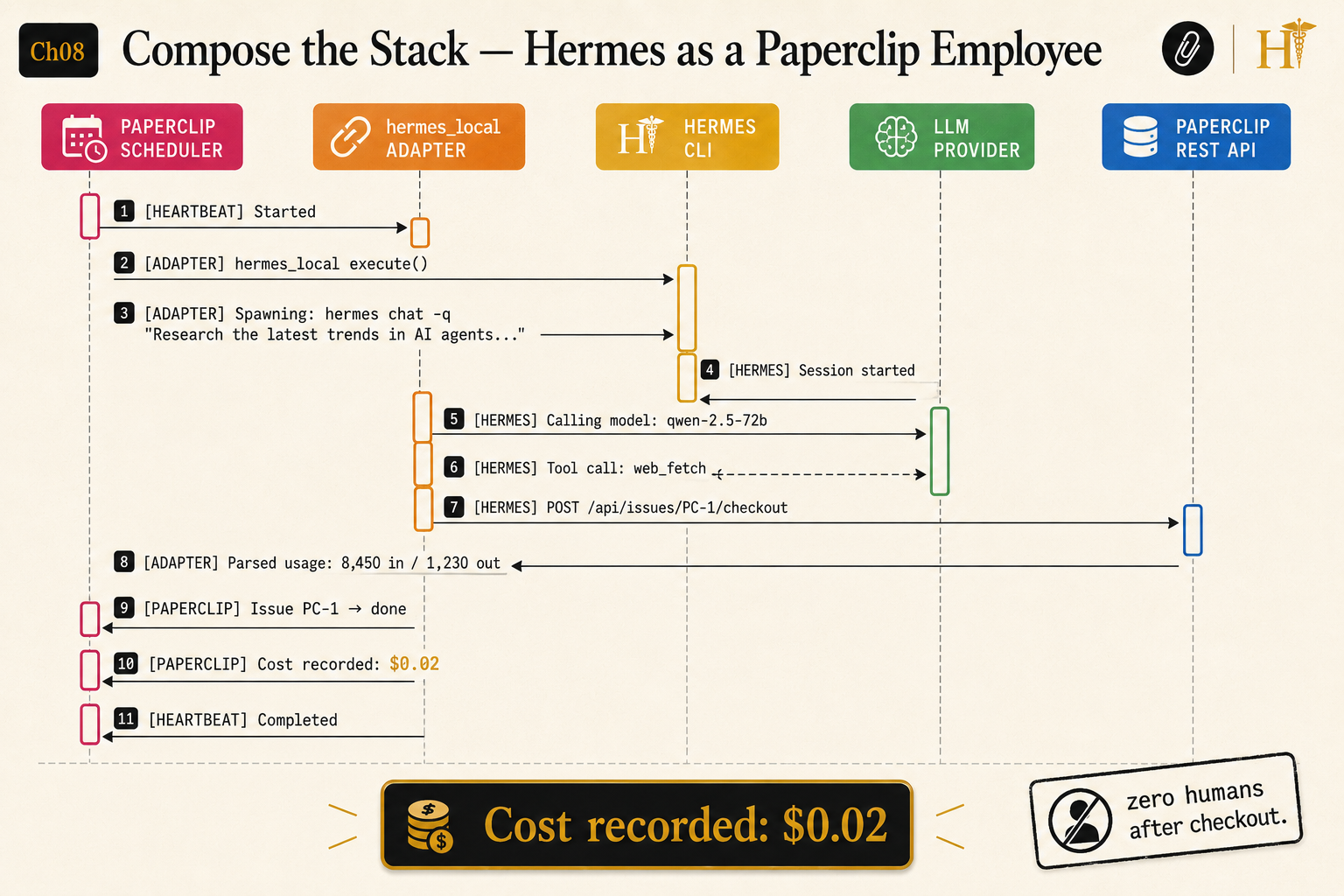
It spawns the Hermes CLI as a Paperclip worker and wires the results back into Paperclip’s database. One agent run moves through ten steps, top to bottom in the diagram above:
- Paperclip’s scheduler fires a heartbeat (default every 30 seconds,
HEARTBEAT_SCHEDULER_INTERVAL_MS=30000). - For an agent whose
adapterTypeishermes_local, Paperclip calls the adapter’sexecute(). - The adapter spawns Hermes non-interactively, roughly
hermes chat -q "Research the latest trends in AI agents...", withPAPERCLIP_API_URLandPAPERCLIP_API_KEYset in the environment. - Hermes calls the configured model, here
qwen-2.5-72b. - Hermes runs a tool, here
web_fetch. - Hermes calls back over REST:
POST /issues/PC-1/checkout. - The adapter captures stdout and parses usage:
8,492 in / 1,230 out. - Paperclip marks issue PC-1 done.
- Paperclip records the cost:
$0.02. - The heartbeat completes.
That last detail is the whole pitch. Zero humans after checkout. You set it up once, and the scheduler runs the loop on a clock.
How do you configure a hermes_local agent?
Agent creation is dashboard-only, so you do not script it. Open http://localhost:3100, go to your company, click Agents, then Add Agent, and pick hermes_local from the Adapter Type dropdown. The Adapter Config editor populates with a skeleton. Here is the canonical shape, pulled verbatim from the adapter repo:
{
  "name": "Hermes Engineer",
  "adapterType": "hermes_local",
  "adapterConfig": {
    "model": "anthropic/claude-sonnet-4",
    "maxIterations": 50,
    "timeoutSec": 300,
    "persistSession": true,
    "enabledToolsets": ["terminal", "file", "web"]
  }
}
That block is from the hermes-paperclip-adapter README. The documented toolsets are terminal, file, web, browser, code_execution, vision, mcp, creative, and productivity. Restricting toolsets is your cheapest safety control: an agent with ["file", "web"] cannot run a shell command.
Two changes before you use it for real. First, the README default anthropic/claude-sonnet-4 maps to a Sonnet build on the deprecation track. Point new agents at a current Sonnet like anthropic/claude-sonnet-4-5 instead. Same price, no looming retirement. Second, flip persistSession to false for your first runs. Here is why.
What broke: the session-ID loop that wastes your first day
The single trap that costs people a day is a real, open bug. From the issue tracker:
#1160: hermes-local adapter: invalid session ID stored in sessionParams causes infinite ‘Session not found’ loop (open). The adapter stores any string the session-ID parser returns without validating its format. When Hermes prints an unexpected token (the reported example was the word
from) that matches the session-ID regex, the adapter persists it and passes--resume fromon the next heartbeat. Hermes answersSession not found: from, the adapter re-stores the bad ID, and runs finish in 2-3 seconds without doing real work.
Source: paperclipai/paperclip#1160, open as of this writing. The fix is one field:
"adapterConfig": {
  "model": "openrouter/qwen/qwen-2.5-72b-instruct",
  "persistSession": false
}
persistSession: false starts a fresh Hermes session every heartbeat, so the bad ID never gets stored. You lose cross-heartbeat continuity, which does not matter for short, independent tasks. Turn it back on only after the agent runs clean and you actually need a long-running task to resume.
A real worker config for a research role, straight from the book’s setup:
{
  "name": "Research Worker",
  "role": "Gathers data and produces research reports",
  "adapterType": "hermes_local",
  "adapterConfig": {
    "model": "openrouter/qwen/qwen-2.5-72b-instruct",
    "maxIterations": 40,
    "timeoutSec": 600,
    "graceSec": 15,
    "persistSession": false,
    "enabledToolsets": ["file", "web"]
  }
}
Cheap worker model, no terminal access, generous timeout because research is slow. Save the agent, and confirm it from the CLI.
What does a real run look like, start to finish?
You assign the issue, fire one heartbeat, and read the trace. Three commands:
npx paperclipai issue checkout PC-1 --agent-id <agent-id>
npx paperclipai heartbeat run --agent-id <agent-id>
npx paperclipai issue get PC-1
The heartbeat streams live logs. The shape matches the diagram above:
[HEARTBEAT] Started
[ADAPTER] hermes_local execute()
[ADAPTER] Spawning: hermes chat -q "Research the latest trends in AI agents..."
[HERMES] Calling model: qwen-2.5-72b
[HERMES] Tool call: web_fetch
[HERMES] POST /issues/PC-1/checkout
[ADAPTER] Parsed usage: 8,492 in / 1,230 out
[PAPERCLIP] Issue PC-1 done
[PAPERCLIP] Cost recorded: $0.02
[HEARTBEAT] Completed
Two cents. One issue. Nobody watching. The exact log format shifts by version and verbosity, but the spine holds: heartbeat, spawn, model call, tool call, REST callback, cost recorded. If you see that sequence, the composition works.
How do you bridge other agents the same way?
You do not have to use hermes_local for everything. Paperclip ships thirteen built-in adapters: claude_local, codex_local, gemini_local, opencode_local, cursor, cursor_cloud, openclaw_gateway, hermes_local, pi_local, grok_local, acpx_local, process, and http. The last two are escape hatches. process wraps any shell command as an agent. http reaches an agent running in another language or on another host behind an endpoint. They all expose the same REST callback pattern, so the mechanism in this article generalizes.
hermes_local gets the spotlight because it carries skills and persistent memory across runs. A generic adapter pointed at a raw model call gives you an employee with amnesia every Monday. That is the whole reason to compose Hermes with the control plane instead of bolting a stateless caller onto it.
What should you actually do?
- If this is your first run → one agent, one issue,
persistSession: false, and a cheap Qwen model. Prove the loop before you scale. - If cost comes in higher than $0.02 → check the
modelfield. A worker accidentally left on Opus burns credits fast. - If the spawn fails with
hermes: command not found→ Paperclip’s server cannot see Hermes on its PATH. SethermesCommandto the absolute path, like/Users/you/.local/bin/hermes. - If runs finish in 2-3 seconds doing nothing → that is #1160. Delete the agent, recreate with
persistSession: false, re-run.
The bottom line
- The adapter is not clever. It spawns a process, passes two environment variables, and parses stdout. That thinness is the point: two well-built tools compose with a thin layer of glue.
- Ship every new
hermes_localagent withpersistSession: false. The session-ID loop is the most common first-run failure, and the fix is one boolean. - A working composition is one agent completing one issue for two cents with nobody in the chair. Everything after that is just more agents and more issues.
Frequently Asked Questions
What is the hermes_local adapter?+
It is a built-in Paperclip adapter that runs the Hermes Agent CLI as a worker. Paperclip schedules the work and tracks cost; Hermes does the work with its skills and memory. You select it from a dropdown when you create an agent.
Do I need to npm install the hermes_local adapter?+
No. It ships built into Paperclip. After npx paperclipai onboard you already have it. Installing the companion repo or editing registry.ts is the adapter-developer path, not the user path.
Why does my hermes_local agent loop on 'Session not found'?+
That is open Paperclip issue #1160. An invalid session ID gets stored and replayed forever. Set persistSession to false on the agent until you have verified the run works end to end.