Ship HTML Artifacts on Every PR (Claude Code Pattern)
Html artifacts claude engineers attach to every PR. The verbatim Thariq prompt, three first-run failure modes, and the 20% surfaced first that beats markdown.
>This covers the PR-review artifact. Files Over Prompts goes deeper on the design system that keeps artifacts coherent, the verification-agent multi-agent workflow, and the throwaway editor pattern that climaxes the HTML pillar.
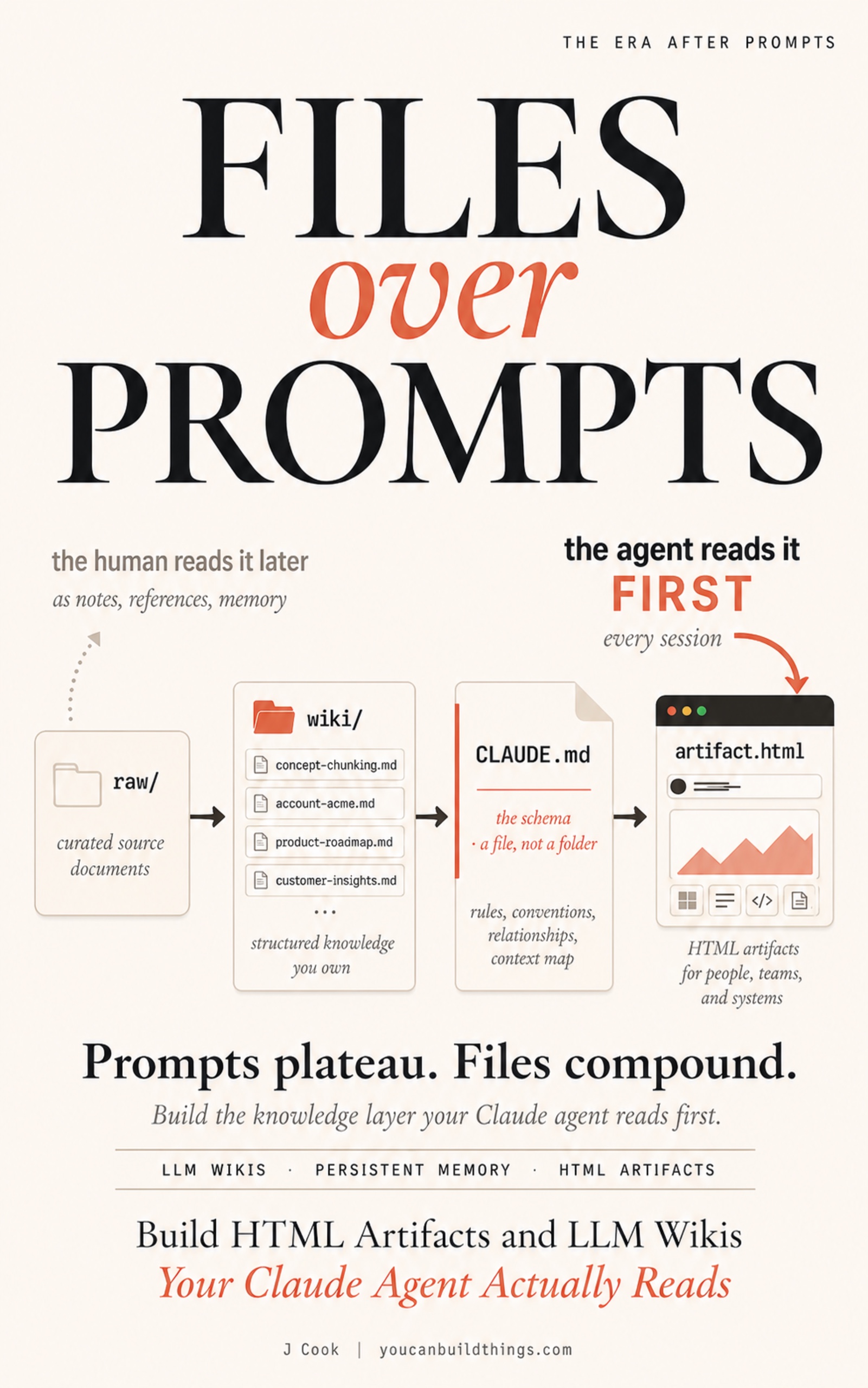
Files Over Prompts
Build HTML Artifacts and LLM Wikis Your Claude Agent Actually Reads
Summary:
- The verbatim Thariq prompt that produces an HTML PR review in one Claude Code session.
- The 3 first-run failure modes (fabricated findings, all-yellow tags, phantom line numbers).
- What the artifact shows that markdown cannot: surfaced 20%, collapsed 80%, jump links, severity color.
- The CHECKPOINT that proves it worked: a substantive comment back within 24 hours.
Html artifacts claude code teams have been shipping since the Thariq article hit X six weeks ago. The pattern that lands hardest is one sentence from his article: “I attach a HTML code explainer to every PR I make now.” A Claude Code engineer said that. That makes it the permission slip. If a Claude Code team member ships HTML PR explainers as default practice, the reader can too. This article walks the verbatim prompt, the three failure modes you will hit on your first run, and the CHECKPOINT that proves it earned its place in your week.
Why HTML instead of markdown for PR review?
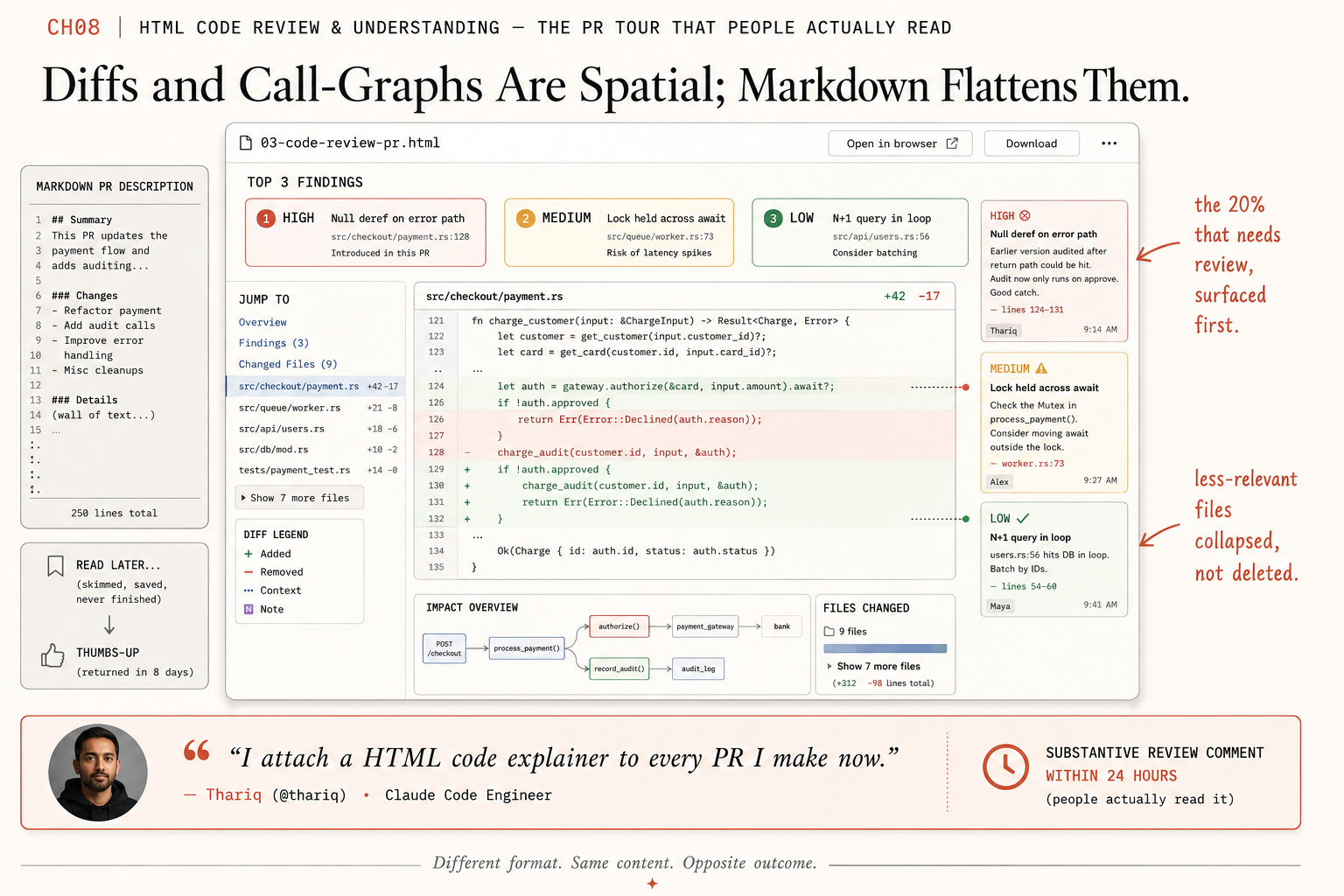
Diffs and call graphs are spatial. Markdown flattens both into a single top-to-bottom text scroll. You read down the page and rebuild the spatial layer in your head; that rebuild is what costs the reviewer’s attention. From the Anthropic blog post on HTML’s effectiveness, verbatim:
Code can be difficult to read in a Markdown file, but with HTML, we can render diffs, annotations, flowcharts, and modules. Use HTML to understand code that the agent has written, to review code, or to explain a PR to someone reviewing your code.
HTML restores the spatial layer. Margin notes attach to specific lines instead of being flat-listed at the bottom. Severity tags get color and visual hierarchy. Jump links let the reviewer skip to the file that matters. Less-relevant files collapse by default; click to expand. The reviewer sees the 20% that needs review without scrolling past the 80% that does not.
A markdown PR description is a wall of text. An HTML PR explainer is a navigable artifact. Same content, opposite outcome.
The verbatim prompt
Thariq publishes the prompt in his article’s Worked Examples section. It is twelve lines. Reproduced exactly:
Help me review this PR by creating an HTML artifact that describes it. I'm not very familiar with the streaming/backpressure logic, so focus on that. Render the actual diff with inline margin annotations, color-code findings by severity and whatever else might be needed to convey the concept well.Substitute one thing: replace “streaming/backpressure” with whatever you are least confident about in the PR you picked. That topic gets the deepest annotation in the resulting HTML, because the agent prioritizes the focused-on topic when allocating attention across the diff.
In your Claude Code session, first attach the diff:
gh pr diff <number> > pr.patchThen pin your design system and run the full prompt:
Pin: ~/wiki/design-system.html as the visual reference.
Read: pr.patch

Help me review this PR by creating an HTML artifact that describes it. I'm not very familiar with the [your focus topic] logic so focus on that. Render the actual diff with inline margin annotations, color-code findings by severity and whatever else might be needed to convey the concept well.

Save to ~/wiki/reviews/pr-<number>.html.
The agent produces an HTML file with the diff rendered, margin notes pointing at specific lines, severity tags (red for blocking, yellow for question, green for nit), jump links to each annotated section, and a focused deep-dive on the topic you named. Open it in your browser. The PR’s substantive findings should be at the top with severity tags, not buried in the bottom of a markdown comment.
What broke on my first run
Three failure modes worth naming. I have walked into each one personally; you will probably hit at least one before the pattern is yours.
Failure 1: The agent fabricates findings. This is the one that destroys trust the moment a reviewer notices it. The HTML has a finding annotated against line 47 of streaming.ts. The reviewer opens line 47. There is no such line in the actual diff. The cause is almost always that the agent did not actually read the diff, or read a stale version of it. Pasting a summary like “the PR adds streaming” gives the agent nothing to annotate; pasting the actual diff gives it something specific to point at. The fix is to attach the patch via gh pr diff <num> > pr.patch and instruct the agent to read it line-by-line. Verify the first finding by clicking through to the actual diff line. If it does not match, throw the HTML away and re-run with a different attachment method.
Failure 2: Every severity tag is yellow. This is the agent hedging because it does not have enough context to make a strong call. The artifact looks fine; it is also useless, because nothing is flagged sharply enough to act on. Fix: more context. Attach the test file, the file the PR depends on, the previous PR that touched this code. The agent’s severity calls get sharper as the context gets richer. If you cannot get a red or green call out of the agent, the agent does not understand the PR well enough to be useful, and the explainer is not going to add value over a normal review.
Failure 3: The explainer reads like the PR description rewritten in prettier styling. This happens when the prompt does not name a focus topic. The agent has no specific risk to surface, so it summarizes the diff in prose form and adds severity tags that mostly say “green” because nothing was flagged. Fix: always name a specific topic, even if the topic is “I want to make sure the test coverage is sufficient.” A vague focus is still a focus; no focus is the failure mode.
The three failure modes are why the PR review pattern is harder to ship reliably than a status report. The status report is showing data the agent already has. The PR review is reasoning about a diff the agent has to interpret. Expect to throw away the first HTML you generate and re-run with tighter context. The second one usually works.
What the artifact actually shows
A real example from a real run, dimensions intact. The PR was a 1,400-line streaming change with three substantive findings and seven boilerplate file edits.
The HTML opened with a TOP 3 FINDINGS panel. One red (“backpressure not propagated; potential memory leak under load”). One yellow (“test coverage for the error path is missing”). One green (“renamed handler to streamHandler; cosmetic”). Each finding had a jump link to the specific line in the diff. The reviewer clicked the red one first and was on the relevant line of streaming.ts in under five seconds.
The diff itself rendered with margin notes. The three findings showed up as colored markers next to the relevant lines. Files with no findings collapsed by default with a small “Show 7 more files” toggle at the bottom. The reviewer’s attention landed on the 20% that mattered first. They clicked into the rest only if they wanted to.
The whole HTML was one self-contained .html file, about 1,800 lines, opened in the browser in under a second. Sent to the actual reviewer via Slack with a one-line message. Substantive comment back within four hours: “the red one is right, but it’s narrower than you wrote. it only happens when the upstream sink is slower than the source for more than 200ms.” That kind of comment is the entire ROI argument for the pattern. The same PR with a markdown description had been thumbs-upped twice the day before. The HTML got engagement.
The Thariq demo file at thariqs.github.io/html-effectiveness/03-code-review-pr.html is the canonical reference if you want to see exactly what the layout looks like before you generate your own.
Once the artifact lands well, open a separate Claude Code session (fresh chat, no prior memory) as a verification agent against the same PR plus the HTML:
You are the verification agent. You have not seen the prior chat.

Read pr-<number>.html and the attached pr.patch.

What did the first reviewer miss? Surface anything the HTML does not annotate that you would flag as worth attention. Output 1 to 5 additional findings, severity-tagged, with line references.
The second session can only share information through the artifact. That forced read of the HTML is what makes the multi-agent workflow add value over a single longer chat.
How long does it actually take
Thariq’s own FAQ in the article names the honest cost. HTML takes 2-4x longer to generate than markdown. Two to three minutes per PR. Not tokens. Time. You wait those three minutes instead of waiting forty-five seconds for a markdown PR description.
The math:
You pay the generation time once per PR. You ship the artifact once. The reviewer reads it once. If the artifact saves five minutes of back-and-forth across the review cycle (a single “wait, what does this do” question avoided), the time math is positive on every single PR. Across a week of PRs, the math compounds. The reviewer who normally gives thumbs-ups starts giving substantive comments, because the artifact made the substantive parts visible.
The token cost is bounded: somewhere between slightly-more and roughly-double a markdown description in my own usage, never the 2-4x the misquote suggests. The 2-4x is generation time. Worth getting right because the token math affects your monthly Anthropic bill differently than the time math affects your patience.
What should you actually do?
- If you ship more than one PR per week → ship the prompt this Friday, attach the HTML to your next PR Monday morning, measure the comment depth on the response.
- If your team uses markdown PR descriptions today → do not switch the team; switch yourself. One person shipping HTML artifacts on their own PRs is enough to seed the practice. The pattern spreads by example, not by mandate.
- If your design system is not pinned → ship the design-system file first (one prompt, 30 minutes). Without it, every artifact looks subtly different and the set never feels coherent.
- If your first HTML had a phantom finding → throw it away, re-attach the patch via
gh pr diff > pr.patch, re-run. Do not try to salvage an artifact the reviewer found a phantom in. Trust does not survive one phantom finding.
CHECKPOINT
Send the URL to one colleague (the actual reviewer of the PR, or any teammate who would normally review). They open it, scroll for under 90 seconds, and respond with substantive review feedback on at least one specific finding. The substantive response is the difference. The markdown PR description gets thumbs-up. The HTML PR explainer gets a comment that engages with a specific severity-tagged line. That comment is the loop tightening on code review.
If they thumbs-up the HTML the same way they thumbs-up the markdown, something is wrong: probably the severity tags are all yellow (Failure 2 above), or the artifact looks generic because the design system was not pinned. Re-prompt and re-ship.
bottom_line
- HTML restores the spatial layer markdown flattens. The 20% that needs review surfaces first; the 80% collapses. That is the entire mechanism.
- Thariq’s verbatim 12-line prompt is the ship. Naming a focus topic is what makes the agent’s findings sharp instead of all-yellow.
- One substantive comment back within 24 hours is the only honest signal the pattern worked. If you get a thumbs-up, it did not work.
Frequently Asked Questions
What are html artifacts claude actually produces?+
Single self-contained `.html` files the agent generates instead of markdown. Diffs render with margin notes. Severity tags get color. Jump links skip you to the file that matters. Less-relevant files collapse by default. The reviewer sees the 20% that needs attention without scrolling past the 80% that does not.
Why HTML instead of just writing a clearer markdown PR description?+
Because markdown flattens spatial information. A diff is two-dimensional; a call graph is two-dimensional; markdown is a top-to-bottom text scroll. HTML restores the spatial layer with margin notes, color-coded severity, collapsible files, and inline SVG diagrams. The reviewer's read rate changes by 5x to 10x in practice.
How long does it take to generate a PR review HTML?+
Two to three minutes per PR. The 2-4x generation time over markdown is real and Thariq names it as the honest cost. The math still works because a substantive review back within 24 hours beats a thumbs-up emoji on the markdown version every time.