Persistent Memory for Claude Code in 30 Minutes
Wire claude code persistent memory in 30 minutes. The memory-pack.md pattern, the four CLAUDE.md scopes, and the Tuesday morning test that proves it loaded.
>This covers the simplest mechanism that works in 30 minutes. Files Over Prompts goes deeper on the Notion + iOS Shortcuts pattern for mobile, the MCP server option for wikis past 50 entries, and the multi-vault split for teams.
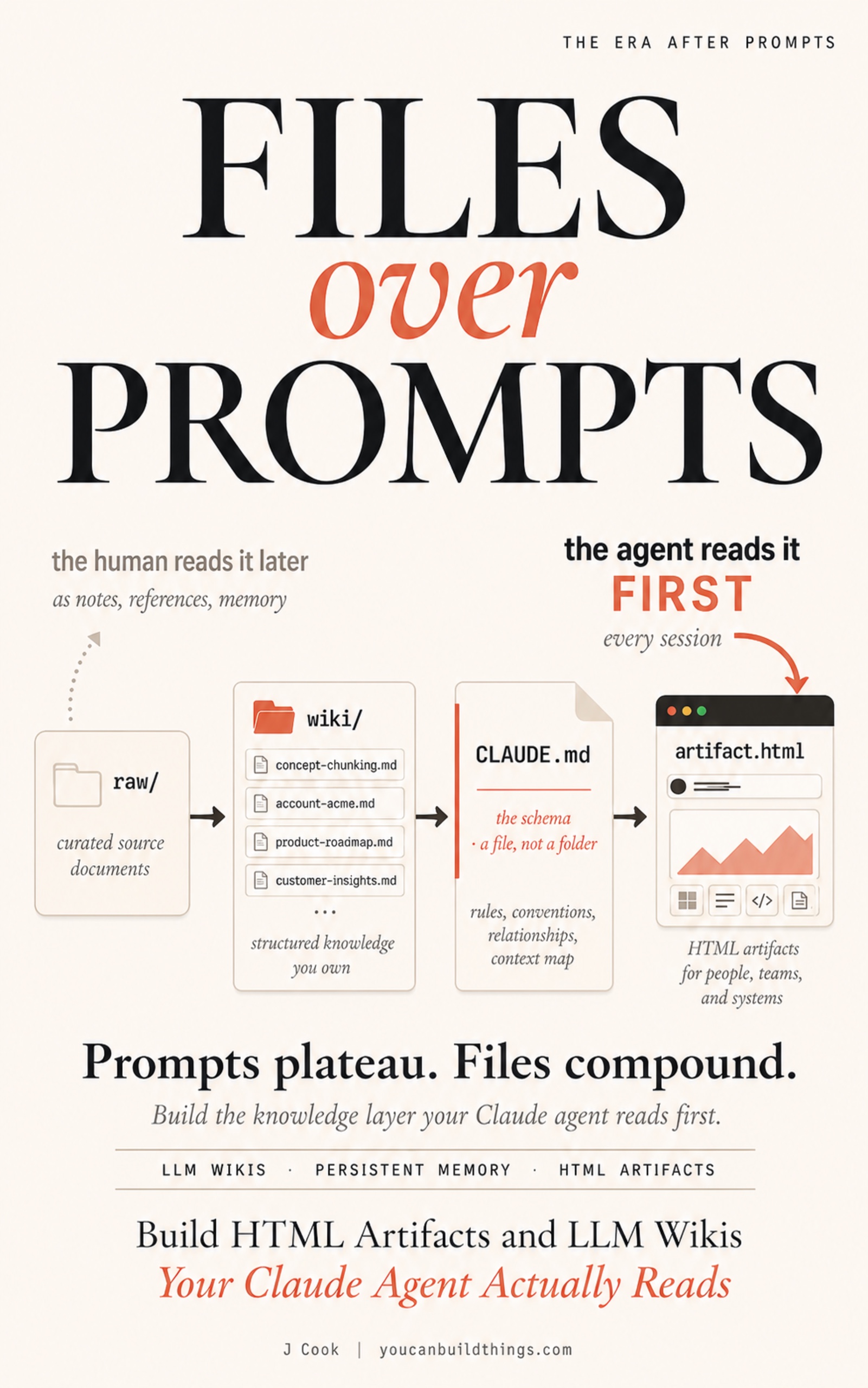
Files Over Prompts
Build HTML Artifacts and LLM Wikis Your Claude Agent Actually Reads
Summary:
- The four CLAUDE.md scopes Anthropic documents and which one you write to.
- The
memory-pack.mdtemplate you fill in once and edit weekly.- The Tuesday morning test that proves the agent remembered.
- When to layer Notion + iOS Shortcuts on top, and when not to.
It is seven on a Tuesday morning. The laptop is open. You start typing the same five paragraphs of project context you typed yesterday. Claude code persistent memory is what kills that paragraph forever. The wiki on disk is not memory. The schema file at the project root is. By the end of 30 minutes, a fresh Claude Code session answers “who am I and what are we working on” without you typing a single line of context.
What is claude code persistent memory actually?
It is a markdown file Anthropic’s runtime loads on every new session before your first message. Claude Code calls the file CLAUDE.md and supports four scopes. From the official memory documentation, verbatim on load order:
CLAUDE.md files can live in several locations, each with a different scope. The table below lists them in load order, from broadest scope to most specific, so a project instruction appears in context after a user instruction.
The four scopes:
| Scope | Location | Use case |
|---|---|---|
| Managed policy | macOS /Library/Application Support/ClaudeCode/CLAUDE.md; Linux/WSL /etc/claude-code/CLAUDE.md; Windows C:\Program Files\ClaudeCode\CLAUDE.md | Organization-wide instructions managed by IT or DevOps |
| User | ~/.claude/CLAUDE.md | Personal preferences across every project |
| Project | ./CLAUDE.md or ./.claude/CLAUDE.md | Team-shared, project-specific (this is your wiki schema) |
| Local | ./CLAUDE.local.md | Personal project-specific overrides; .gitignore this |
Most posts about Claude Code mention three scopes. There are four. The Local scope is the one most people skip and the one you want for anything personal you do not want syncing to a shared repo.
Your wiki schema sits at the Project scope. That is the slot the agent reads when you open a session in ~/wiki/. The schema tells the agent the wiki exists. The memory pack you import from inside the schema is what tells the agent who you are.
Tuesday morning, every chat starts from zero
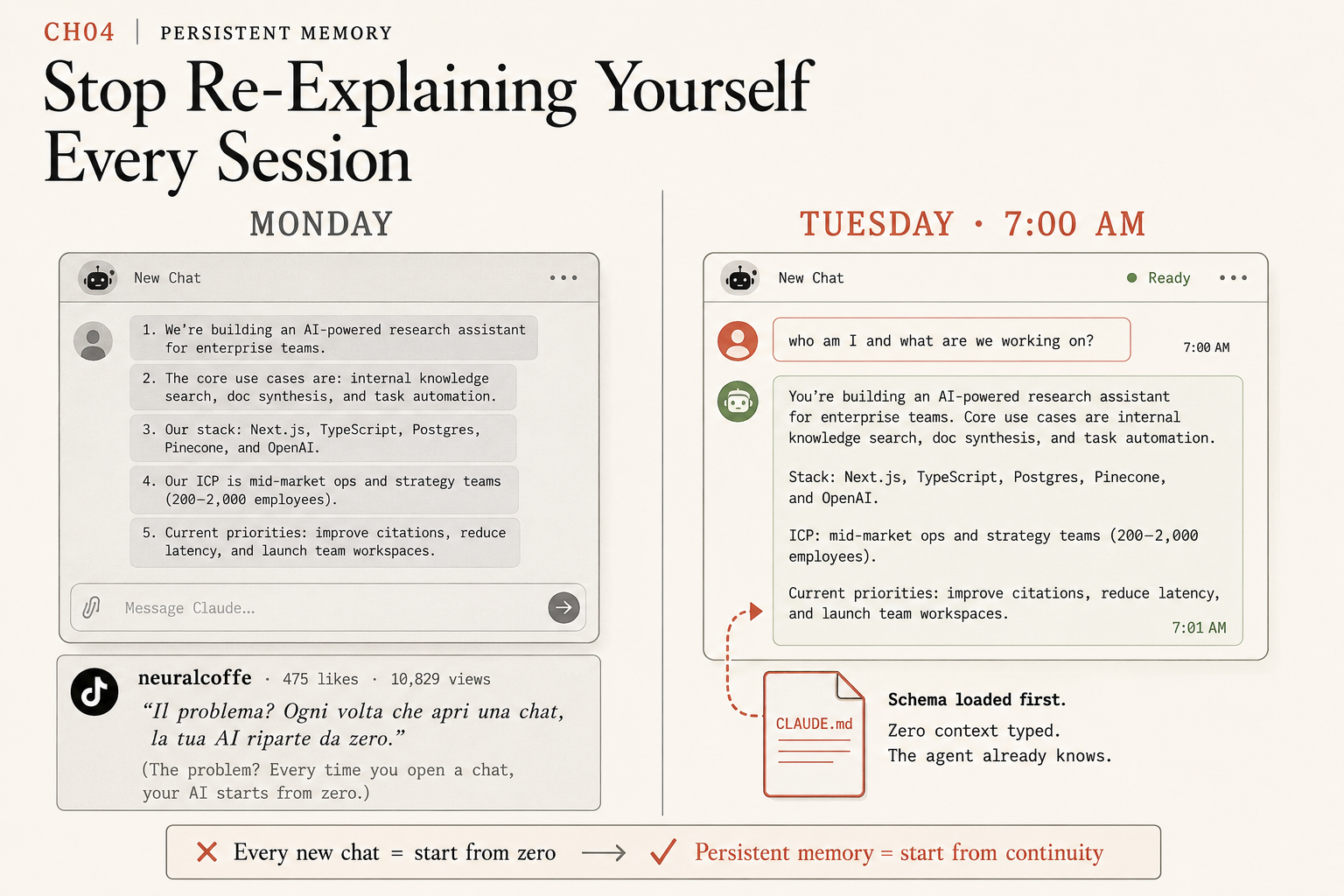
Neuralcoffe on TikTok compressed the amnesia problem in one fifteen-second video. 475 likes, 10,839 views, Italian voiceover. The translated line:
The problem? Every time you open a chat, your AI starts from zero.
Every new chat equals start from zero. That is the failure. Persistent memory equals start from continuity. That is the fix. The difference between the Monday panel where you re-type context and the Tuesday 7 AM panel where the agent already knows is one imported file. The schema loaded first. The agent already knows.
How do you wire a persistent memory injection?
Three steps. About 30 minutes total. No API keys, no SaaS, no install beyond Claude Code itself.
Step one: open your project’s CLAUDE.md. This is the schema file you wrote when you set up your wiki. If you do not have a wiki yet, run mkdir -p ~/wiki/raw ~/wiki/wiki && touch ~/wiki/CLAUDE.md in a terminal and write a schema file describing your project. The wiki layer and the memory layer are separate but compounding; you can build the memory layer first if you want.
Step two: add a Memory Pack section to CLAUDE.md. Open the file and append:
## Memory Pack

On session start, load the contents of memory-pack.md as ambient context.
The file is updated weekly. If you see a date in the file older than 14 days,
ask me to confirm it is still accurate before relying on it.

@memory-pack.md
The @memory-pack.md line is Claude Code’s file-import mechanic. The agent reads memory-pack.md into context at session start alongside the schema. If your version of Claude Code does not support the shorthand, the equivalent is to instruct the agent in the schema to call its Read tool against memory-pack.md at session start. Use this fallback in CLAUDE.md:
## Memory Pack (fallback for older Claude Code)

On every new session, your first action is to call your Read tool against
the file `memory-pack.md` in this directory before responding to the first
user message. The file contains who I am and what I am working on. Treat
its contents as ambient context I have already shared with you.
Step three: write the memory pack. Run touch ~/wiki/memory-pack.md. Open it. Paste this template, replace the bracketed pieces with your actual context, save:
# Memory Pack

## Who I am
- Name: [your name]
- Role: [what you do]
- Working voice: [direct / patient / blunt; pick one]

## Active projects (top 3)
- Project 1: [name] | [one-line current state] | [next action]
- Project 2: [name] | [one-line current state] | [next action]
- Project 3: [name] | [one-line current state] | [next action]

## Active accounts / clients
- [name]: [one-line context]
- [name]: [one-line context]

## Constraints this week
- [hard deadline, blocked dependency, anything the agent needs to honor]

## How to talk to me
- Skip preambles. Get to the point.
- Quote source files when citing facts.
- Flag uncertainty explicitly; do not guess.
Twelve or fifteen lines. Edited weekly. Never longer than half a page. The point is not completeness. The point is that the agent has enough to know you across a session boundary.
What broke when I shipped this the first time?
Three failure modes worth naming, all caught on a real run.
The schema imported the wrong file. I named the file memorypack.md (no dash) on disk and wrote @memory-pack.md (with dash) in the schema. The agent saw the schema, looked for memory-pack.md, did not find it, and gave a generic answer about who I was. Cost: 20 minutes of confusion before I noticed the filename mismatch. Fix: use the same name everywhere.
The pack was outdated by week three. I wrote the file in week one and never edited it. By week three the active projects list was wrong, the agent confidently described last month’s work as current, and I trusted its answer for half a meeting before I caught it. Fix: the schema rule that says “if you see a date in the file older than 14 days, ask me to confirm” is in the template above for this reason. Add it. The agent will surface staleness instead of silently rolling with it.
The pack grew to two pages. I kept adding fields. By week five the file had a section for every project I had ever touched, the agent paid token cost reading the whole thing every session, and the signal-to-noise ratio collapsed. Fix: top three active projects only. Archive the rest into a memory-pack-archive.md you do not import. If something is not active this week, it does not belong in the pack.
The Tuesday morning test
Close your Claude Code session.
Walk away from the laptop. Get coffee. Pretend it is Tuesday morning and you have not opened the laptop since Friday.
Sit back down. Open Claude Code in ~/wiki/. Type one sentence:
who am I and what are we working on?The agent should answer with a paraphrase of your memory pack: your name and role, your top three active projects with their current state, your active accounts, and your constraints for the week. Five to fifteen lines. Specific, not generic.
If the reply asks you to clarify who you are, the import is not firing. Check the file name spelling, check that you are in the right directory, and check that the import line is not commented out or inside a code block in the schema.
If the reply is vague about what you are working on, the memory pack is too thin. Edit it. Add the specific next action on your top project. Re-test. The pack should be tight enough that the agent’s reply makes you say “yes, exactly.”
When should you NOT use this simplest mechanism?
The memory-pack-via-schema-import pattern is the right ship for most readers. It is also not the only mechanism. Two cases where you want to layer something else on top.
Your phone is where you talk to the agent. A handful of readers do most of their prompting from a phone in a coffee shop or via a voice trigger in the car. The laptop file is invisible there. The fix is to keep the memory pack canonical in Notion, write an iOS Shortcut that pulls the Notion content and posts to the Anthropic Messages API with your memory pack as the system field on each call. Two API keys, one Shortcut, a Notion database. More work, but mobility you cannot get from a local file. The local pack still wins on the laptop; the Shortcut wins on the phone.
Your wiki has crossed 50 entries. Once the wiki gets big, the ambient cost of injecting every memory pack at every session boundary starts to crowd the context. The fix is to wire an MCP server that exposes the wiki as a tool, so the agent fetches context on demand instead of front-loading it. Karpathy’s gist names qmd as one option (BM25 plus vector search over markdown). Install adds an MCP config file at the wiki root, plus the server process to manage. Worth it past 50 entries. Overkill before that.
You can run all three mechanisms together. Start with the file-import one this weekend. Add iOS Shortcuts if you need phone access in month two. Add MCP if your wiki crosses 50 entries. That is the natural sequence.
What should you actually do?
- If your laptop is where you work → ship the file-import pattern above. Thirty minutes. Done.
- If your phone is where you prompt → ship the file-import on the laptop first as your backup, then layer iOS Shortcuts on top in week two.
- If your wiki has more than 50 entries → file-import still works as the floor; layer MCP on top for retrieval on demand.
- If your Tuesday morning test failed → check the file name (case-sensitive on Linux), confirm you are in the right directory, and verify the import line is not inside a code fence in the schema. Three things to check, takes five minutes.
bottom_line
- The wiki on disk is not memory. The schema file at the project root is. The single line that imports your memory pack is what kills the re-explaining tax.
- One file, twelve lines, weekly edits, no API keys. Most readers over-engineer this on the first try; the simplest version is the right ship.
- The Tuesday morning test is the only honest signal that it worked. If the fresh-session reply names your top project, you are done.
Frequently Asked Questions
What is claude code persistent memory actually?+
It is a file the agent reads at session start that contains who you are, what you are working on, and how to talk to you. Claude Code loads `CLAUDE.md` files from four scopes (Managed, User, Project, Local) in order. You put your memory pack at the Project scope and the agent reads it on every new session, no prompt setup.
Why doesn't Claude Code remember anything between sessions by default?+
Because the runtime context is per-session by design. The CLAUDE.md mechanism is how Anthropic chose to handle persistence: a file on disk that loads first every session. The wiki itself is not loaded automatically; the schema is. You write a small memory-pack file and have the schema import it.
Do I need a Notion API key or an MCP server for this?+
Not for the simplest version. A `memory-pack.md` file imported by `CLAUDE.md` works on your laptop with zero API keys. Notion + iOS Shortcuts is for phone access. An MCP server is for wikis past 50 entries. Start with the simplest one.