Connect Hermes Agent to Paperclip with hermes_local
>This covers the adapter setup. Zero-Human Companies walks through the full composition — skills, memory, governance, and five business configurations.
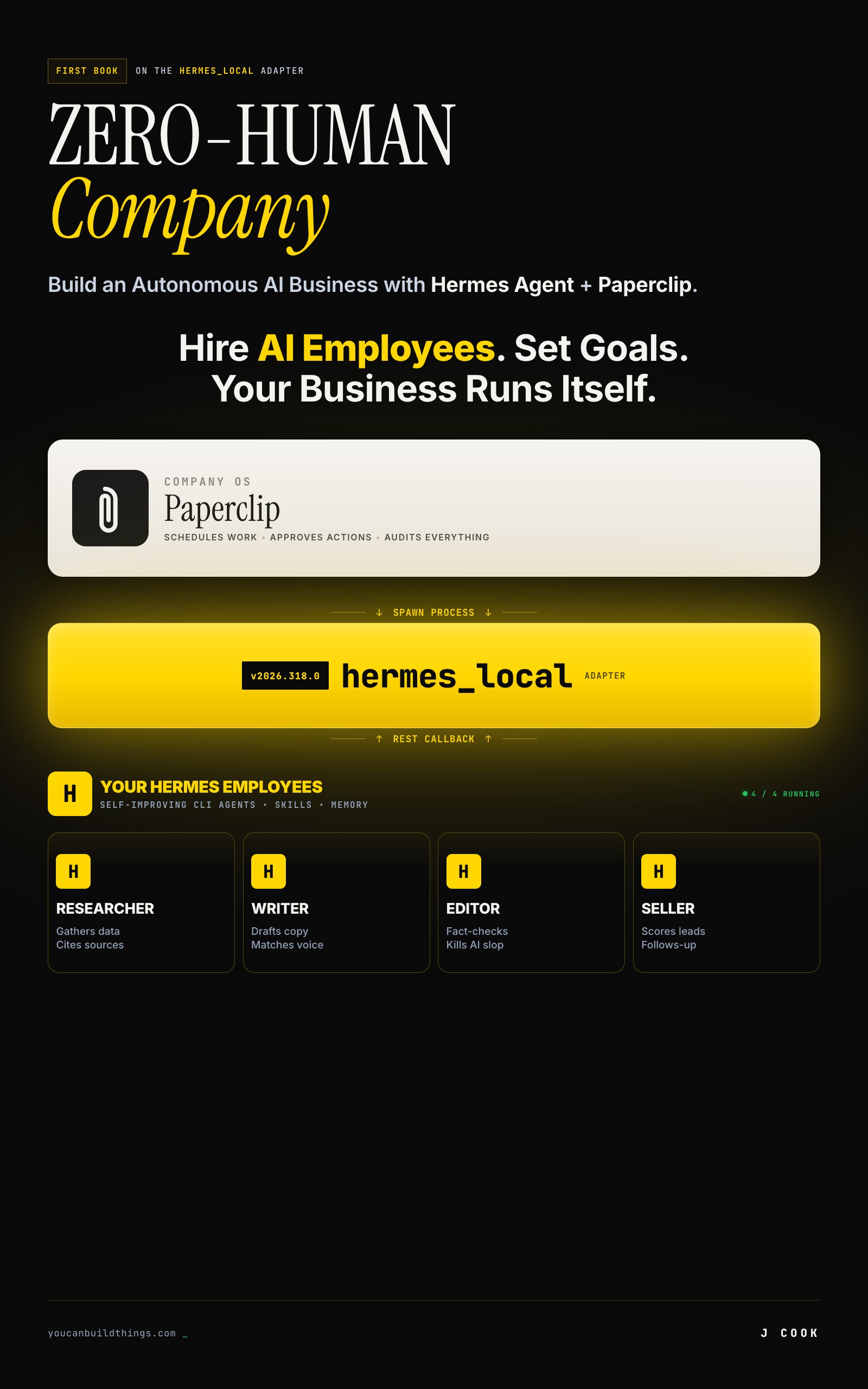
Zero-Human Companies
Build an Autonomous AI Business with Hermes Agent + Paperclip
Summary:
- The
hermes_localadapter shipped in Paperclip v2026.318.0 on March 18, 2026.- Paperclip is the control plane, Hermes is the runtime, and the adapter is ~500 lines of glue.
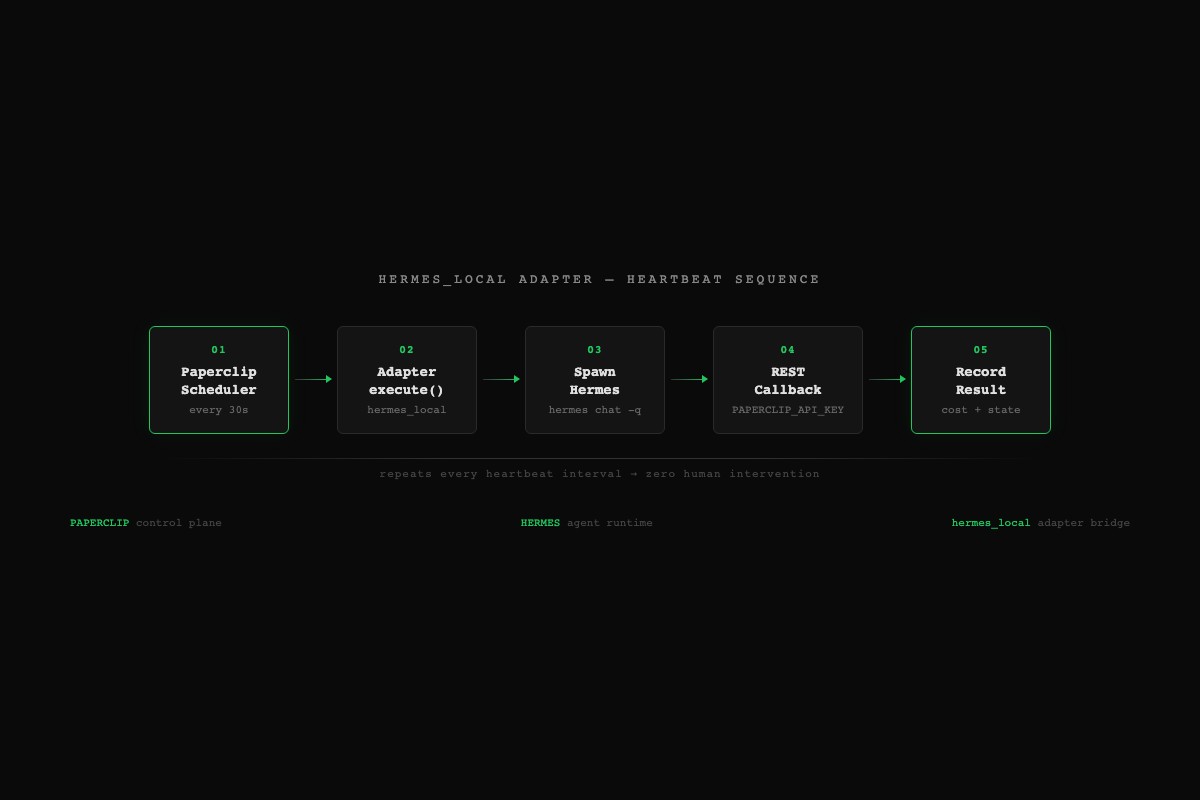
- The heartbeat loop fires every 30 seconds: scheduler, adapter, spawn, callback, record.
- Set
persistSession: falseon first runs to dodge issue #1160.
Paperclip AI and Hermes Agent setup is one config file and two environment variables. That’s it. No custom glue code, no webhook plumbing, no middleware layer. The hermes_local adapter ships built into Paperclip and connects the scheduler to the worker. This tutorial walks through the config schema, the heartbeat mechanism, and the one bug that will waste your afternoon if you don’t know about it.
Hermes Agent sits at 83.6k GitHub stars. Paperclip has 10 adapters total (claude_local, codex_local, gemini_local, and seven more). This article covers the Hermes adapter because it’s the only one where the agent gets smarter over time.
What does the hermes_local adapter actually do?
It spawns the Hermes CLI as a child process and wires it back to Paperclip’s REST API. That’s the whole trick.
Here’s what happens on every heartbeat:
- Paperclip’s scheduler fires every 30 seconds (default
HEARTBEAT_SCHEDULER_INTERVAL_MS=30000). It finds agents with checked-out issues and queues them. - Adapter invocation. For agents with
adapterType: "hermes_local", Paperclip calls the adapter’sexecute()function. - Environment prep. The adapter sets two variables:
PAPERCLIP_API_URL(where Hermes should call back) andPAPERCLIP_API_KEY(a short-lived run JWT for authentication). - Process spawn. The adapter runs the equivalent of:
PAPERCLIP_API_URL=http://localhost:3100/api \ PAPERCLIP_API_KEY=<run-jwt> \ hermes chat -q "<issue description>" - Hermes executes. Skills load, memory loads, the LLM gets called, tools run.
- REST callbacks. Hermes calls Paperclip during execution: checking out issues, posting comments, updating status. All authenticated via the injected bearer token.
- Result capture. The adapter grabs stdout, parses token usage and cost data, reports everything back. Paperclip records it.
Steps 3-6 are the adapter. Steps 1-2 and 7 are Paperclip’s core loop. About 500 lines of glue. Both tools are designed well enough that 500 lines is all you need.
How do you create a Hermes-backed agent in Paperclip?
Go to the dashboard. The CLI supports agent list and agent get but not agent create.
- Open
http://localhost:3100 - Go to your company
- Click Agents, then Add Agent
- Set the Adapter Type dropdown to
hermes_local - Paste your config into the Adapter Config JSON editor
The config schema has six fields that matter:
{
  "name": "Research Worker",
  "adapterType": "hermes_local",
  "adapterConfig": {
    "model": "anthropic/claude-sonnet-4",
    "maxIterations": 50,
    "timeoutSec": 300,
    "persistSession": false,
    "enabledToolsets": ["terminal", "file", "web"]
  }
}model: Which LLM. Format is provider/model-name. Default "anthropic/claude-sonnet-4". For cheap worker agents, swap to "openrouter/qwen/qwen-2.5-72b-instruct" at $0.12/$0.39 per million tokens.
maxIterations: Tool-call iterations per heartbeat. Bounds the work unit. Default 50.
timeoutSec: Hard wall-clock limit. Default 300 (5 minutes). Don’t go above 1800. At that point the heartbeat interval starts to matter.
persistSession: Whether to resume the same Hermes session across heartbeats. Start with false. (More on why in the “What broke” section.)
enabledToolsets: What the agent can do. "terminal" = shell commands, "file" = read/write files, "web" = HTTP requests. This is your safety control. An agent with only ["file", "web"] can’t run shell commands.
Save the agent, then verify from CLI:
npx paperclipai agent list --company <company-id>
npx paperclipai agent get <agent-id>
How do you trigger and verify the first run?
Assign an issue to the agent, then trigger a heartbeat:
# Check out an existing issue for the agent
npx paperclipai issue checkout PC-1 --agent <agent-id>

# Trigger one heartbeat immediately (don't wait 30s)
npx paperclipai heartbeat run --agent <agent-id>
The heartbeat streams logs to your terminal. You should see the adapter spawn Hermes, tool calls execute, callbacks fire, and results get recorded.
After it finishes, verify:
# Issue should show state: done and the agent as assignee
npx paperclipai issue get PC-1

# Activity log should show heartbeat, adapter, and cost entries
npx paperclipai activity list --company <company-id>
The dashboard shows the same information visually: issue in done state, activity feed entry, cost total ticking up.
That’s the minimum viable zero-human company. One agent, one issue, one successful run. Everything else is scale.
What broke?
Two things will bite you on the first attempt.
The persistSession bug (issue #1160). If persistSession is true, the adapter saves the Hermes session ID and passes --resume <id> on the next heartbeat. The bug: if Hermes’s stdout contains text that coincidentally matches the session ID regex, the adapter stores that garbage string as the session ID. Next heartbeat passes --resume <garbage>, Hermes fails with “Session not found,” and the adapter stores the same bad ID again. Infinite loop. Runs finish in 2-3 seconds without doing any work.
The proposed fix is regex validation (/^\d{8}_\d{6}_[a-zA-Z0-9]+$/). Until it ships, set persistSession: false. You lose multi-heartbeat continuity but gain a setup that works.
Here’s a quick function to check if you’re hitting the loop:
import subprocess
import json

def check_session_loop(agent_id: str, company_id: str) -> dict:
    """Detect the persistSession infinite loop from issue #1160.
    If recent runs complete in under 5 seconds, you're probably looping."""
    result = subprocess.run(
        ["npx", "paperclipai", "activity", "list",
         "--company", company_id, "--agent", agent_id,
         "--limit", "5", "--json"],
        capture_output=True, text=True
    )
    activities = json.loads(result.stdout)
    fast_runs = [a for a in activities if a.get("duration_ms", 9999) < 5000]
    return {
        "looping": len(fast_runs) >= 3,
        "fast_run_count": len(fast_runs),
        "fix": "Set persistSession: false in adapterConfig"
    }
Hermes not on PATH. If Paperclip’s adapter spawn fails with “hermes: command not found,” the server process can’t find the binary. Either add Hermes to your PATH or set "hermesCommand": "/full/path/to/hermes" in the adapterConfig.
What should you actually do?
- First run: Paste the minimal config (model, timeoutSec, enabledToolsets, persistSession=false). Assign an issue. Trigger one heartbeat manually. Watch the logs. Don’t touch anything else until this works end-to-end.
- After it works: Tune the model for cost. Worker agents doing research or data gathering can run on
openrouter/qwen/qwen-2.5-72b-instructat a fraction of Sonnet’s price. Keep Sonnet for agents that need strong reasoning. - Multiple agents: Create different agents with different roles, models, and toolset restrictions. A research agent with
["file", "web"]and a writer agent with["file", "memory"]. Same company, same dashboard, different permissions. - Production: Switch the Hermes terminal backend from
localtodocker. The local backend gives the agent the same filesystem access as the user. Fine for personal experimentation. Not fine for anything processing untrusted input.
bottom_line
- The adapter is config, not code. You’re not writing integration logic. You’re filling in a JSON object with five fields and letting Paperclip’s scheduler do the rest.
- Start with
persistSession: false. Issue #1160 is a real bug with a real infinite loop. Turn persistence on after you’ve confirmed the basic flow works. - Toolset restriction is the primary safety control. An agent with
["file"]can’t run shell commands, can’t make web requests. Give each agent the minimum toolsets its role requires.
Frequently Asked Questions
What is the hermes_local adapter in Paperclip?+
It is one of Paperclip's 10 built-in adapters. It spawns the Hermes CLI as a child process during each heartbeat, passes environment variables for authentication, and captures results back into Paperclip's control plane.
Why does my Hermes agent loop with 'Session not found' errors?+
That is Paperclip issue #1160. The adapter stores an invalid session ID from Hermes stdout and replays it on every heartbeat. Set persistSession to false in your adapterConfig until the bug is patched.
What environment variables does the hermes_local adapter inject?+
Two required variables: PAPERCLIP_API_URL (the callback endpoint, typically http://localhost:3100/api) and PAPERCLIP_API_KEY (a short-lived run JWT scoped to the specific agent execution).
More from this Book
How Much Does a Hermes + Paperclip Company Cost to Run?
Real Hermes + Paperclip company costs by tier. Verified API pricing, a copy-paste cost calculator, and the $28.50/month 6-agent production setup.
from: Zero-Human Companies
8 Hermes + Paperclip Failures (and How to Fix Each One)
Why Hermes and Paperclip agents break in production. 8 failure modes from real GitHub issues with copy-paste fixes and a diagnostic function.
from: Zero-Human Companies
Build an AI Research Agency on Hermes + Paperclip
5-agent research agency on Paperclip with Hermes workers. Full JSON configs, $0.09/report cost math, and the ramp to $6K/month.
from: Zero-Human Companies
How to Set Up Hermes Agent Skills That Compound Over Time
Build a self-improving AI agent with Hermes Agent skills. Three mechanisms, real SKILL.md files, and the commands that make your agent smarter weekly.
from: Zero-Human Companies