8 Hermes + Paperclip Failures (and How to Fix Each One)
>This covers the failure modes. Zero-Human Companies walks through the full composition stack, five business configurations, and the self-improving loop that makes agents get better over time.
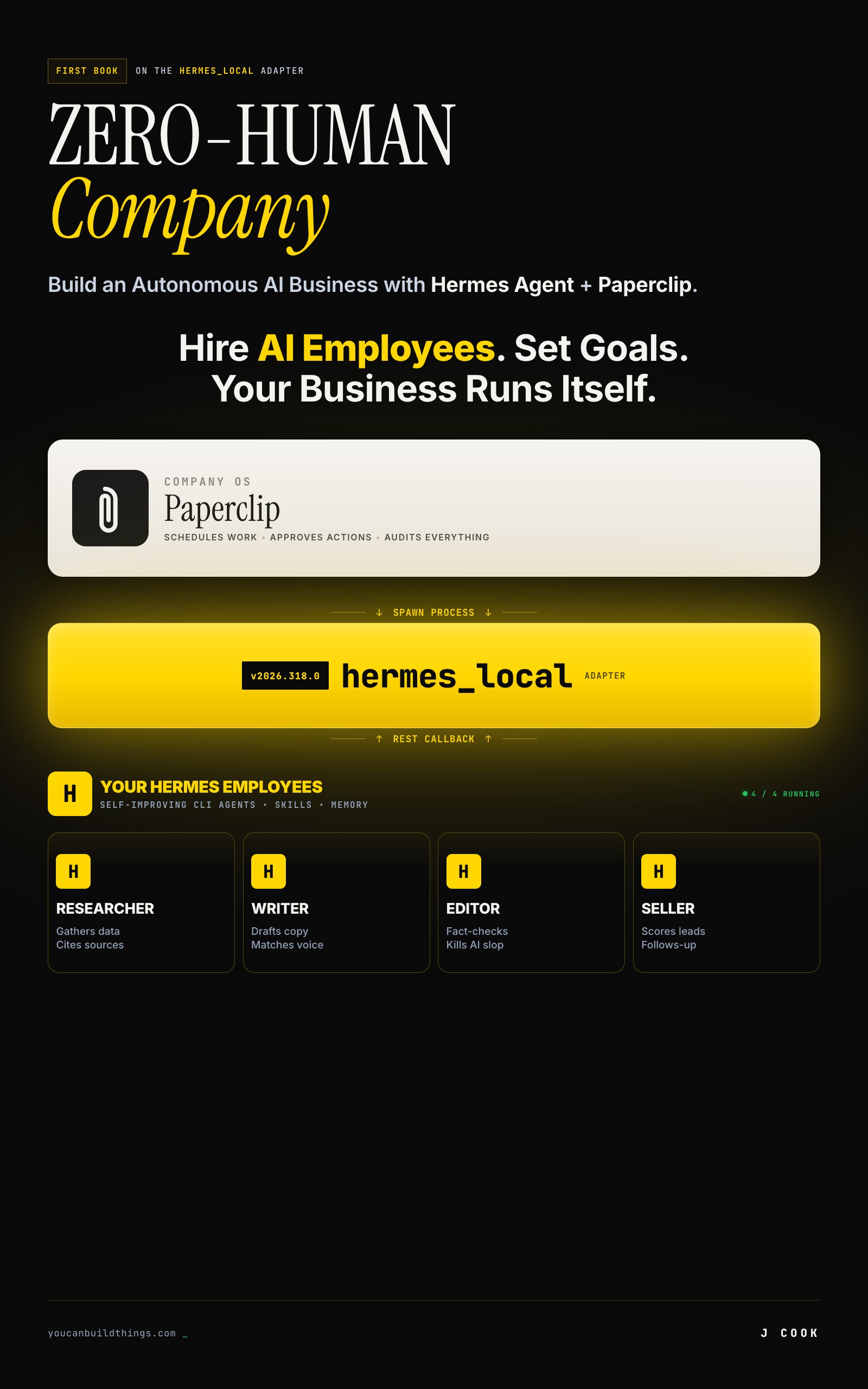
Zero-Human Companies
Build an Autonomous AI Business with Hermes Agent + Paperclip
Summary:
- Eight documented failure modes pulled from Paperclip and Hermes Agent GitHub issues, not invented war stories.
- Three categories: composition bugs, configuration traps, and universal LLM failures.
- Every failure has a specific fix you can apply in under 10 minutes.
- A copy-paste diagnostic function and a triage checklist for when things break at 2 AM.
Why do AI agents fail? Not the hand-wavy “AI is unreliable” kind of answer. The specific, documented, here-is-the-GitHub-issue kind. The problems people actually hit when they connect agents to schedulers and let them run overnight.
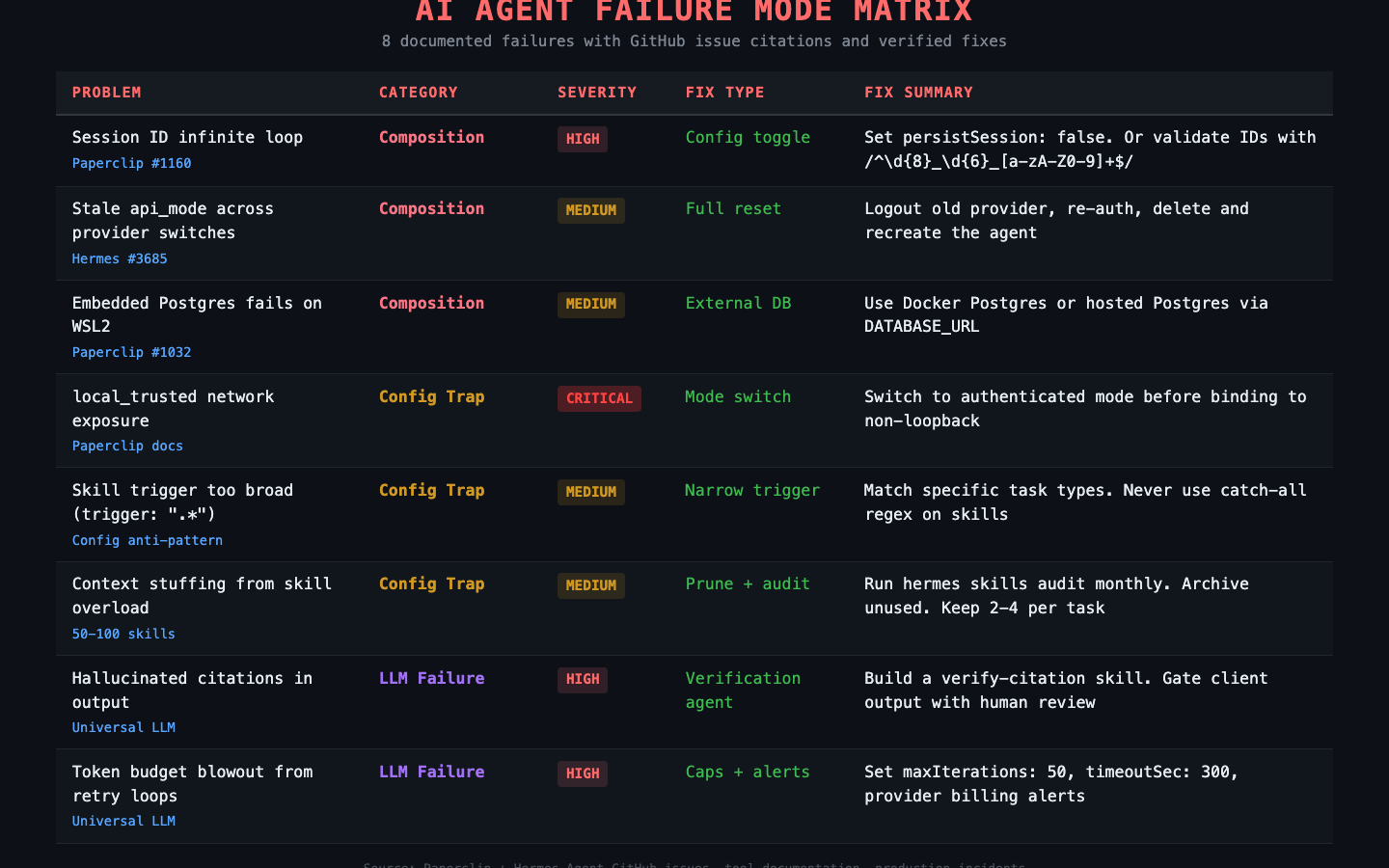
I pulled eight failure modes from the Paperclip and Hermes Agent issue trackers. Each one has a citation, a root cause, and a fix. Three are composition bugs in the tools themselves. Three are configuration traps where the tools work fine but your settings don’t. Two are universal LLM problems that hit every agent runtime regardless of what you’re running.
What are the three composition bugs?
Real bugs filed by real users. These are in the tools, not in your code.
1. Session ID infinite loop (Paperclip issue #1160). The hermes_local adapter with persistSession: true tries to read session IDs from Hermes’s output using a regex. If Hermes outputs text that accidentally matches, the adapter stores garbage as the session ID. Next heartbeat: “Session not found: from.” Every heartbeat after that: same error, infinite loop, zero work done.
{
  "adapterConfig": {
    "model": "openrouter/qwen/qwen-2.5-72b-instruct",
    "persistSession": false
  }
}
Set persistSession: false and the loop can’t start. If you need session persistence, validate IDs with /^\d{8}_\d{6}_[a-zA-Z0-9]+$/ before storing.
2. Stale api_mode across provider switches (Hermes issue #3685). You switch providers in Hermes config. Tasks still act like the old provider is active. An internal setting called api_mode doesn’t update when you change providers.
The fix is a full reset:
# 1. logout the old provider
hermes logout openrouter

# 2. re-authenticate with the new one
hermes login anthropic

# 3. verify with a fresh session
hermes chat -q "test"

# 4. if using Paperclip: delete and recreate the agent
#    the adapter caches state that doesn't invalidate cleanly
3. Embedded Postgres fails on WSL2 (Paperclip issue #1032). Paperclip’s embedded Postgres won’t initialize on certain Linux distributions, especially WSL2. The fix is an external database:
# Docker Postgres
docker run -d \
  --name paperclip-postgres \
  -e POSTGRES_PASSWORD=paperclip \
  -e POSTGRES_DB=paperclip \
  -p 5432:5432 \
  postgres:16

export DATABASE_URL="postgres://postgres:paperclip@localhost:5432/paperclip"
npx paperclipai run
What are the three configuration traps?
These aren’t bugs. The tools work exactly as designed. You just configured them in a way that hurts.
4. local_trusted network exposure. Paperclip’s local_trusted mode has no login. It assumes loopback-only access. Bind to 0.0.0.0 or put it behind a reverse proxy in this mode and anyone on the network has full admin access. API keys in the secrets directory, company configs, agent controls. All of it.
Check before you expose:
npx paperclipai env | grep -i mode
# If it says local_trusted: DO NOT bind to non-loopback
# Switch to authenticated mode first:
npx paperclipai configure
5. Skill trigger too broad. Setting trigger: ".*" on a Hermes skill loads it on every single task. Every heartbeat burns tokens loading a skill that applies to maybe 5% of tasks. Multiply by 10 skills with broad triggers and you’re stuffing context with irrelevant instructions on every run.
6. Context stuffing from skill overload. Related to #5 but worse at scale. Once your Hermes skill library hits 50-100 skills, matching slows down and agents start loading 10+ skills per task. Most tasks need 2-4. The rest is wasted context window.
| Problem | Symptom | Quick Fix |
|---|---|---|
| Broad trigger | Token spend 3-5x expected | Narrow trigger to specific task types |
| Too many skills | Agent drifts mid-task, repeats steps | hermes skills audit, archive unused |
| Stale memories | Agent contradicts current state | Prune ~/.hermes/memories/ monthly |
| Agent-generated skills too specific | Skill from one task applied everywhere | Review agent-authored skills weekly, delete bad ones |
What are the two universal LLM failures?
These hit every agent runtime. Not tool-specific. Not fixable at the config level.
7. Hallucinated citations in output. The agent produces a specific claim with a cited source. The source doesn’t exist. The URL 404s. The quote was never said. The number was invented. The output looks credible until someone checks.
This is the failure mode that costs client trust. Three defenses, stacked:
- System prompt instruction. In the agent’s SOUL.md: “If you do not know a specific fact from a verifiable source, say so. Do not fabricate numbers, dates, URLs, or citations.” Helps but not bulletproof.
- Verification skill. Build a
verify-citationskill that fetches cited URLs and checks whether the content matches the claim. Run it as a post-step on any agent that produces citations. - Human gate on client-facing output. The honest answer. For anything a human will pay for or act on, a human verifies before delivery. Agents draft. Humans ship.
8. Token budget blowout from retry loops. An agent hits an error, retries, hits the same error, retries forever. Each retry burns tokens. A few hours of this and you’ve spent $100 on a task that should have cost $0.10.
Root causes: bad skill instructions causing consistent tool-call failures, prompt template typos, model hitting a capability limit, or an invalid session resume (see #1).
How do you diagnose agent failures fast?
Copy-paste this diagnostic function. It checks the five most common failure points in order, so you don’t waste time on the rare stuff before ruling out the obvious.
#!/bin/bash
# agent-diagnose.sh - Quick triage for agent failures
# Usage: ./agent-diagnose.sh <company-id>

COMPANY_ID="${1:?Usage: agent-diagnose.sh <company-id>}"

echo "=== Step 1: Tool health ==="
npx paperclipai doctor 2>&1 | tail -20
hermes doctor 2>&1 | tail -10

echo ""
echo "=== Step 2: Recent activity (last 10 entries) ==="
npx paperclipai activity list --company "$COMPANY_ID" 2>&1 | tail -10

echo ""
echo "=== Step 3: Feedback traces ==="
npx paperclipai feedback:list --company "$COMPANY_ID" 2>&1 | tail -10

echo ""
echo "=== Step 4: Heartbeat scheduler status ==="
echo "HEARTBEAT_SCHEDULER_ENABLED=${HEARTBEAT_SCHEDULER_ENABLED:-not set}"
echo "HEARTBEAT_SCHEDULER_INTERVAL_MS=${HEARTBEAT_SCHEDULER_INTERVAL_MS:-30000 (default)}"

echo ""
echo "=== Step 5: Deployment mode ==="
npx paperclipai env 2>&1 | grep -i mode

echo ""
echo "=== Step 6: Skill count ==="
hermes skills list 2>&1 | wc -l
echo "(if >50, run 'hermes skills audit' to check for bloat)"

echo ""
echo "=== Done. Check provider dashboard for API-side issues. ==="
If steps 1-3 don’t surface the problem, check the raw logs at ~/.paperclip/instances/default/logs/ and ~/.hermes/logs/. Most failures are in the first three steps.
What breaks the self-improving loop?
This failure mode doesn’t show up in issue trackers. It’s the compounding loop itself breaking down. Three ways it happens.
Skills that are too specific. The agent saves a workflow from one task and applies it everywhere. A skill created from “extract pricing from Crunchbase” gets loaded on tasks about competitor blog analysis. Fix: review agent-authored skills weekly. Delete ones that encode a single task, not a repeatable pattern.
Stale memories contradicting current state. A memory file says “Client X prefers bullet-point format.” Client X switched to prose reports two months ago. The agent keeps producing bullets. Fix: prune ~/.hermes/memories/ monthly. If a memory hasn’t been referenced in 30 days and the domain has changed, delete it.
Skill library too big. At 50-100 skills, the agent spends more time picking skills than doing work. The context window fills with instructions instead of your actual task. Fix:
# Monthly skill audit
hermes skills audit
hermes skills list | grep -v builtin

# Archive anything unused in 30 days
mkdir -p ~/.hermes/skills-archive
mv ~/.hermes/skills/dead-skill.md ~/.hermes/skills-archive/
What should you actually do?
Depends on where you are.
If you’re just starting: Set persistSession: false on every hermes_local agent. Set maxIterations: 50 and timeoutSec: 300 in every adapter config. Set a billing alert on your API provider. Those three settings prevent the two most expensive failures (infinite loops and retry blowouts) before they happen.
If you’re already running agents in production: Run the diagnostic script above on each company. Check your deployment mode. If it says local_trusted and you’re exposed on a network, stop everything and switch to authenticated mode. Then run hermes skills audit and prune anything over 50 skills.
If things are broken right now: Work through this triage order:
paperclipai doctorandhermes doctor- Activity log for repeating patterns
- Feedback traces for cost outliers
- Heartbeat scheduler status
- Provider dashboard for API-side outages
Most problems are in steps 1-2. The rest is for the weird stuff.
bottom_line
Eight failures. Three categories. Every fix is a config change, a monthly habit, or a one-time decision. The composition bugs (#1160, #3685, #1032) will get patched upstream. The config traps are preventable right now. The LLM failures are manageable with caps and human gates. The sneaky one is the self-improving loop breaking, because the symptom is gradual quality drift, not a loud error. A 30-minute weekly review catches all of it.
Frequently Asked Questions
Why do AI agents fail in production?+
Three categories. Composition bugs: the tools connecting your agents have real bugs in their issue trackers. Configuration traps: settings that look harmless but expose your system or burn tokens. Universal LLM failures: hallucination and cost blowouts that apply to every agent runtime regardless of tooling.
How do you stop AI agent retry loops from burning money?+
Three caps stacked together. Set maxIterations: 50 in the adapter config to bound tool calls per heartbeat. Set timeoutSec: 300 to bound wall-clock time. Set billing alerts on your API provider dashboard as the last line of defense. If an agent produces 10+ activity log entries in a minute with no progress, something is broken.
What is the most dangerous AI agent configuration mistake?+
Running Paperclip in local_trusted mode on a network interface. There is no login. Anyone on the network gets full admin access to your instance, including API keys stored in the secrets directory. Switch to authenticated mode before binding to anything other than 127.0.0.1.
More from this Book
How Much Does a Hermes + Paperclip Company Cost to Run?
Real Hermes + Paperclip company costs by tier. Verified API pricing, a copy-paste cost calculator, and the $28.50/month 6-agent production setup.
from: Zero-Human Companies
Build an AI Research Agency on Hermes + Paperclip
5-agent research agency on Paperclip with Hermes workers. Full JSON configs, $0.09/report cost math, and the ramp to $6K/month.
from: Zero-Human Companies
How to Set Up Hermes Agent Skills That Compound Over Time
Build a self-improving AI agent with Hermes Agent skills. Three mechanisms, real SKILL.md files, and the commands that make your agent smarter weekly.
from: Zero-Human Companies
Connect Hermes Agent to Paperclip with hermes_local
Step-by-step setup for the Paperclip hermes_local adapter. Full config schema, heartbeat loop, environment variables, and the persistSession bug workaround.
from: Zero-Human Companies