How to Debug a Multi-Agent Claude Code Run in One Command
Fix a broken multi-agent Claude Code run with one command that names the step that broke first. It reads one log line per tool call, and in the run shown here the crash was at step 4 while the cause sat two rows earlier, at step 2.
>This covers the log and the trace. Claude Code Multiplayer goes further: what to keep out of the log, where it has to live once agents move into worktrees, and how to turn each incident into a new line in a gate.
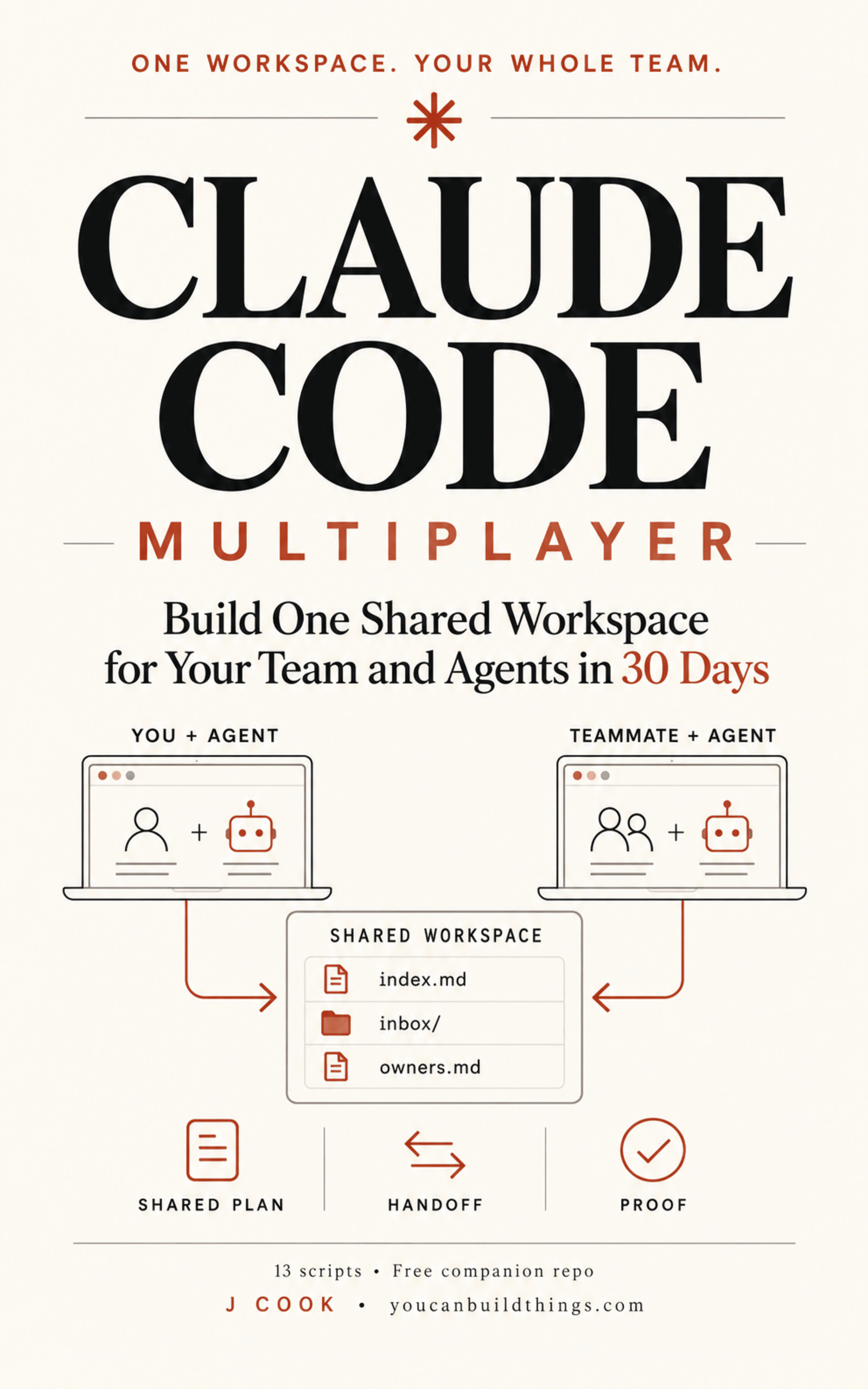
Claude Code Multiplayer
Build One Shared Workspace for Your Team and Agents in 30 Days
Hello builders,
When a run with several Claude Code agents breaks, we can have the step that caused it on screen a few seconds later, with the reason that agent gave beside it. In the run below the crash was at step 4 and the cause was at step 2, and I’d have spent the afternoon on the wrong agent without the trace. To debug a multi-agent run we need one log line per tool call from every agent, and one script that reads them in order.
Four agents means four message histories in four places, and none of them agrees with the others about what time it is. What does Claude Code keep for us? claude agents --json lists which sessions are running and whether each is idle or busy, with no record of what any of them did.
One line per tool call
Each line has six tab-separated fields: a timestamp, the agent, the tool, the target, the exit code and the reason. For a shell command the reason is the description the agent wrote on its own tool call, which is the closest thing we get to what it believed it was doing, and for a failed edit it’s the first line of the error. The script needs jq, and we save it as workspace/bin/runlog.sh.
#!/usr/bin/env bash
# One line per tool call. Never blocks, always exits 0.
payload=$(cat)
get() { echo "$payload" | jq -r "$1 // \"-\"" 2>/dev/null || echo -; }
now_ms() { local n; n=$(date +%s%3N 2>/dev/null)
  case "$n" in *N*|'') python3 -c 'import time;print(int(time.time()*1000))' ;; *) echo "$n" ;; esac; }

agent="${WORKSPACE_AGENT:-unknown}"
target=$(get '.tool_input.file_path // .tool_input.command')
target="${target#$(git rev-parse --show-toplevel 2>/dev/null)/}"
why=$(get '.tool_input.description')
code=0
if [ "$(get .hook_event_name)" = "PostToolUseFailure" ]; then
  err=$(get .error)
  code=$(printf '%s\n' "$err" | sed -n '1s/^Exit code \([0-9][0-9]*\).*/\1/p'); code="${code:-1}"
  [ "$why" = "-" ] && why=$(printf '%s\n' "$err" | head -1)
fi

dir="${WORKSPACE_RUNLOG:-workspace/runlog}/${WORKSPACE_RUN:-default}"; mkdir -p "$dir"
printf '%s\t%s\t%s\t%s\t%s\t%s\n' "$(now_ms)" "$agent" "$(get .tool_name)" \
  "$target" "$code" "$why" >> "$dir/$agent.tsv"
exit 0
Then we wire it to two events in .claude/settings.json, since a failed tool call fires a different event from a successful one.
{
  "hooks": {
    "PostToolUse": [
      { "hooks": [ { "type": "command", "command": "./workspace/bin/runlog.sh" } ] }
    ],
    "PostToolUseFailure": [
      { "hooks": [ { "type": "command", "command": "./workspace/bin/runlog.sh" } ] }
    ]
  }
}
Neither event carries an exit-code field, so the event name tells us whether the call worked, and the number itself sits inside the error text. The hooks reference says how much of that text we can lean on.
Key your hook on tool_name, is_interrupt, and the Exit code N first line; treat the rest of the string as display text, not a stable format.
That is the sed line. The logger exits 0 no matter what, since I don’t want a full disk stopping our work. We start every agent with its own name, one shared run id and the same absolute log path, as in WORKSPACE_AGENT=auth-worker WORKSPACE_RUN=run-a WORKSPACE_RUNLOG=$HOME/runlog claude, because a background session moves into its own worktree and a relative path would give each agent a private log.
The command that names the step
workspace/bin/first-failure.sh merges every agent’s file for one run, sorts the lines into a single ordered account and applies two rules. A step is suspect when its exit code isn’t zero. It is also suspect when a different agent later writes the same path, whatever the exit code was, which is how we catch two agents overwriting each other when neither write failed. That second rule will also flag a planned hand-off of one file between two agents, so we read what it names before blaming anyone.
#!/usr/bin/env bash
# first-failure.sh <run-id>: names the FIRST bad step, not the last.
DIR="${WORKSPACE_RUNLOG:-workspace/runlog}/${1:?usage: first-failure.sh <run-id>}"
ls "$DIR"/*.tsv >/dev/null 2>&1 || { echo "first-failure: no log files in $DIR" >&2; exit 1; }
cat "$DIR"/*.tsv | sort -n | awk -F'\t' '
  { ag[NR]=$2; tool[NR]=$3; tgt[NR]=$4; code[NR]=$5; why[NR]=$6; n=NR }
  END {
    for (i=1; i<=n; i++) {
      if (code[i] != "0" && code[i] != "-") { flag[i]="nonzero exit " code[i]; continue }
      for (j=i+1; j<=n; j++)
        if (tgt[j]==tgt[i] && ag[j]!=ag[i] && tool[i] ~ /^(Edit|Write)$/ && tool[j] ~ /^(Edit|Write)$/) {
          flag[i]="later rewritten by " ag[j]; break }
    }
    for (i=1; i<=n; i++) if (i in flag) {
      printf "FIRST FAILURE  step %d  %s  %s %s  (%s)\n", i, ag[i], tool[i], tgt[i], flag[i]
      printf "  reason given: %s\n\ncontext:\n", why[i]
      for (k=(i>2?i-2:1); k<=(i+3<n?i+3:n); k++)
        printf "  %s%-3d %-14s %-8s %s\n", (k==i?">>":"  "), k, ag[k], tool[k], tgt[k]
      exit
    }
    print "no first failure found in " n " steps"
  }'
Run chmod +x on both files, then break a step on purpose by sending the second agent to edit a file that doesn’t exist. We run the trace with the same log path the agents used.
WORKSPACE_RUNLOG=$HOME/runlog ./workspace/bin/first-failure.sh run-aFIRST FAILURE step 2 auth-worker Edit src/auth/token.go (nonzero exit 1)
reason given: File does not exist: src/auth/token.go
context:
1 planner Read workspace/index.md
>>2 auth-worker Edit src/auth/token.go
3 auth-worker Bash go test ./auth/...
4 test-worker Bash go test ./...
5 test-worker Write workspace/proof/003.md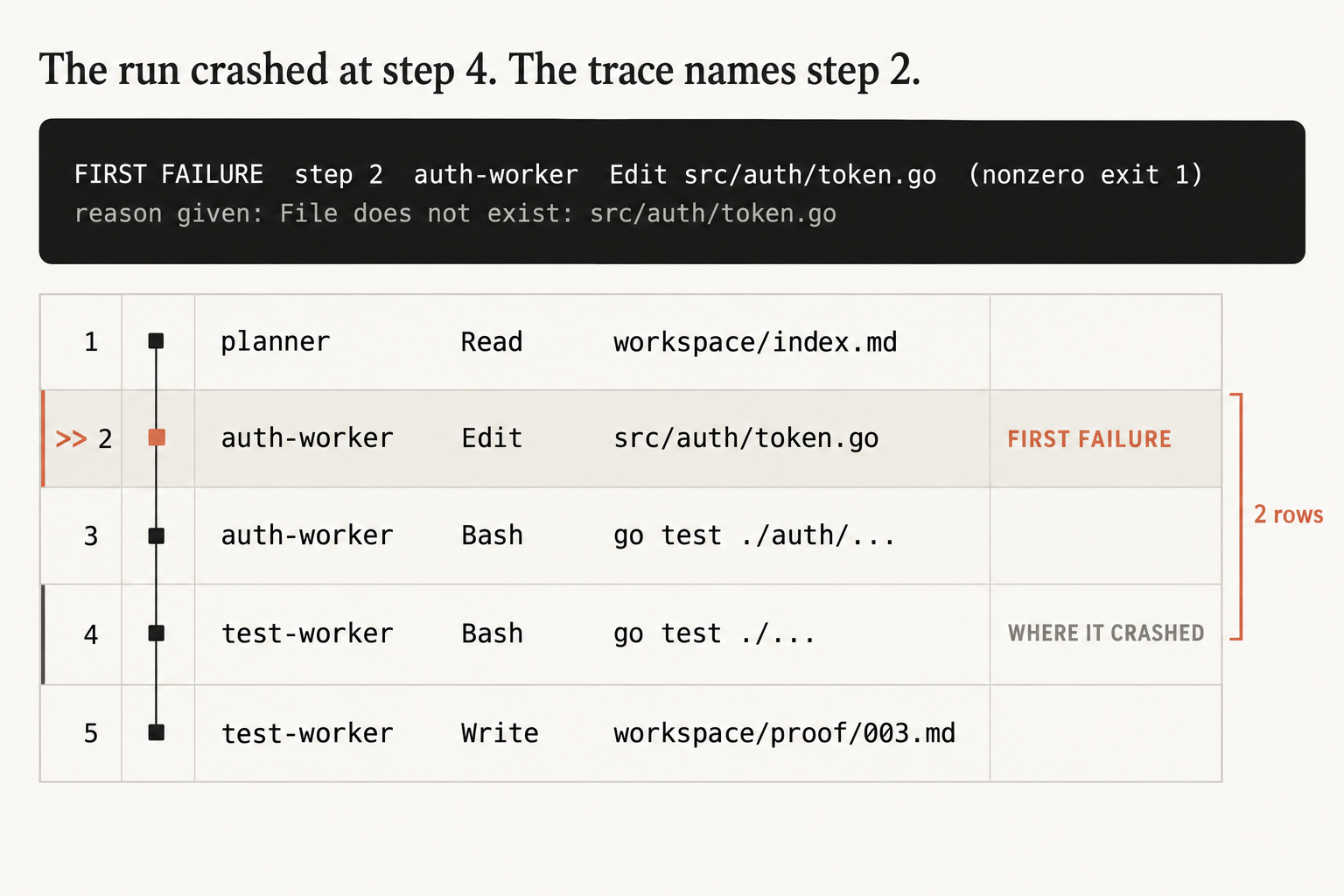
The picture is that same output with two tags added. Step 4 is tagged WHERE IT CRASHED, which is test-worker running go test ./..., and step 5, the last line of the run, where it writes workspace/proof/003.md, is where I’d have started reading. The trace points 2 rows above the crash, at step 2, where auth-worker tried to edit a src/auth/token.go that wasn’t there and said so.
I ran this on Claude Code v2.1.292 with three agents and one missing file. It named step 2, the reason read File does not exist, and the two steps after it failed too. Then I ran the same three agents with nothing broken, and the trace printed this.
no first failure found in 5 stepsWe want that line as much as the first result, since it shows the trace can come back empty.
When it names a step, we read the reason before the action and then the steps above it. Read the reason first. In my runs the fault has mostly been in what that agent believed, such as a file it thought existed or a plan it thought was current.
Break step 2 of one of your own runs this weekend and check that the trace says 2.
Now go build something this weekend!
John Cook