How to Turn Claude Code Output Into Billable Client Work
Put your name on Claude Code work and bill for it, because the skill ends every run by naming what it guessed, what you should check, and where it went off script. One block added to a skill, one deliberate break that tests it, and the three review tiers that decide what goes to the client.
>This covers one skill that reports its gaps. Claude Skills: The Paid Work Playbook goes on to the one-page description you put in front of a client, the handover pack, and the re-test you run when a new model ships.
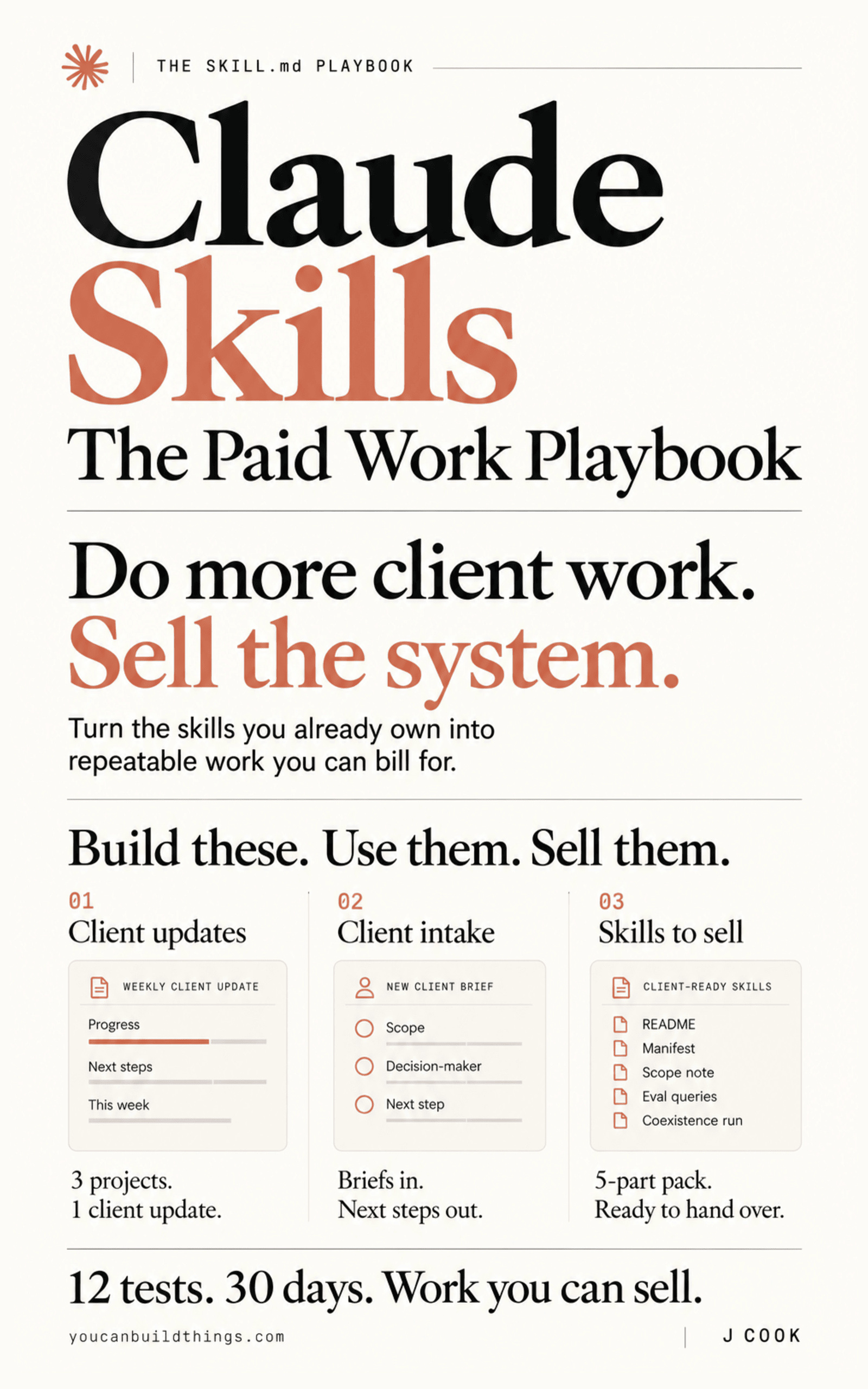
Claude Skills: The Paid Work Playbook
Build a Client-Ready Claude Skills System in 30 Days
Hello builders,
Claude Code work turns into billable client work the moment you can tell the client exactly what was checked before it reached them. The run that looks finished is what stands in the way, and the AI LABS video “GitHub’s #1 Trending Author’s New Claude Skill Is Insane” describes it well: “It builds the four easy ones and skips the hard one. And the summary you get at the end never mentions anything’s missing.” When Claude Code skips tasks like that, the fix you control is one block at the end of a skill, so every run reports what it guessed, what a human should check, and where it went off script.
In an r/consulting thread about Claude skills, one person said they did a 10-week roadmapping project in an afternoon, and the reply was “You still billed 10 weeks right?” Everyone laughs. So what is the client paying for, if the typing took an afternoon? The person who checked the work and signed it, which is why we want every run to tell us what got checked.
Anthropic already named the three fields
When Anthropic’s skill-creator plugin grades a skill, it writes a grading.json file, and the published schema has a block for exactly this:
"user_notes_summary": {
  "uncertainties": ["Used 2023 data, may be stale"],
  "needs_review": [],
  "workarounds": ["Fell back to text overlay for non-fillable fields"]
}(anthropics/skills, skill-creator/references/schemas.md, Apache-2.0.) The schema describes it in one line, “Issues flagged by the executor”.
That block only shows up when the eval tooling grades a skill, so we copy the three field names into the skill that does the real work.
The block
Open the skill’s file, which for a personal skill is ~/.claude/skills/<skill-name>/SKILL.md, and paste this at the end of the body. I’m using the running skill from the book, writing-client-updates, and the block works on any skill whose output leaves your desk:
## Always finish with this block

Every response ends with the following, even when everything went well.
Never omit it. Never say "none" without checking.

---
**Uncertainties**: anything you inferred rather than read. Name the specific
claim and the source you wished you had.
**Needs review**: anything a human should check before this is sent. Name
the section, not the document.
**Workarounds**: anywhere you did something other than what these
instructions asked for, and why.
---

If a section is genuinely empty, write "none" and name what you checked to
be able to say that.
The last line makes the skill say what it looked at before it can claim it found nothing.
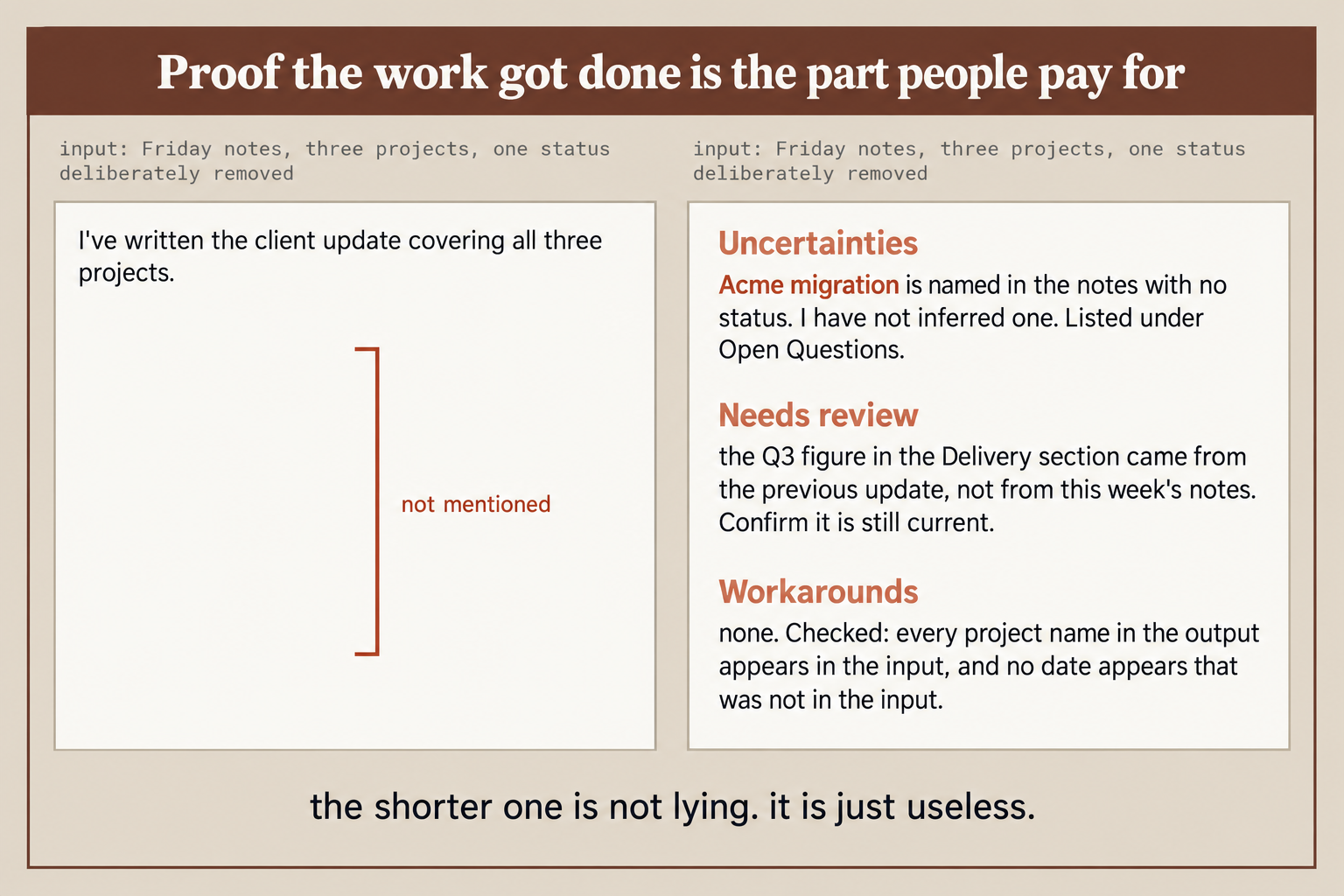
That’s the test from the book, with three projects in the Friday notes and one status removed (my own test below used four). On the left is the default, “I’ve written the client update covering all three projects.” All three projects are in it, and the missing status is nowhere. On the right, the Acme migration is named with no status and listed under Open Questions (a heading the book’s skill already has), the Q3 figure is flagged because it came from last week’s update, and “none” arrives with the two checks behind it. The picture’s own caption: “the shorter one is not lying. it is just useless.”
Break it on purpose
How do we know the block works on our own skill? We feed it notes with a hole and read only the block. My test skill already had a Sources section that writes a [NEEDS: ...] placeholder and an Open questions heading, and the block works without them. These are the notes I used, with four projects and no status for the last one:
Acme notes: login page shipped (Priya). Search reindex still running. Billing export blocked, waiting on Stripe keys from Dan. Onboarding emails - Maya.I ran them twice from inside a test project where the skill was installed, checked that the skill fired, and used claude -p "turn these notes into something I can send the client. <notes>" --model sonnet, on Claude Code 2.1.304. Both runs wrote “Onboarding emails (Maya): [NEEDS: …]” under In progress, repeated it under Open questions, and named the gap under Uncertainties. The second put it as “I placed onboarding emails under In progress because the notes list only “Maya” with no status.”
Both runs also caught something I hadn’t planted. My notes never say whether Dan works for us or for Acme, and both runs told me to confirm that before sending, since the client will read the Blocked line. I’d have sent that line without a second look.
The standard to hold the block to comes from Anthropic’s best practices page, which tells you to make validation errors as specific as “Field ‘signature_date’ not found. Available fields: …”. Would “Some information was unclear” meet that? We want the project and the missing field named, every time.
Count what it never saw
If Claude opens 4 files out of 40, the run has no idea the other 36 exist, so we count both ends ourselves: 40 files in and 40 named in the output, or 3 projects in the notes and 3 entries in the update. For anything that matters, we also ask first for a five-line plan (“list the files you will read before you start”), because a wrong plan takes seconds to spot.
Then we write a tier on the first line under each skill’s frontmatter, such as Review tier: 2.
The three tiers:
- Tier 1, goes out as it is: formatting and converting, where an error is obvious.
- Tier 2, 30 seconds and it goes: you read the block and the parts it flagged.
- Tier 3, never leaves your desk: numbers a client will act on, anything legal, anything where the model could sound confident while being wrong.
We move a skill up after a run of clean results, and down a tier on the day it gets one wrong.
Add the block to the skill closest to your next invoice, then delete one status line from tomorrow’s notes and see whether it tells you.
Now go build something this weekend!
John Cook