Best Tools to Test Claude Skills in 2026: The Buyer's Shortlist
We ran or verified 6 tools for testing Claude Skills: format, triggering, with-vs-without and cost. See which one answers your question first.
>This ranks the testing tools. Claude Skills: The Paid Work Playbook gives you the two-run sheet for the skills you did not write.
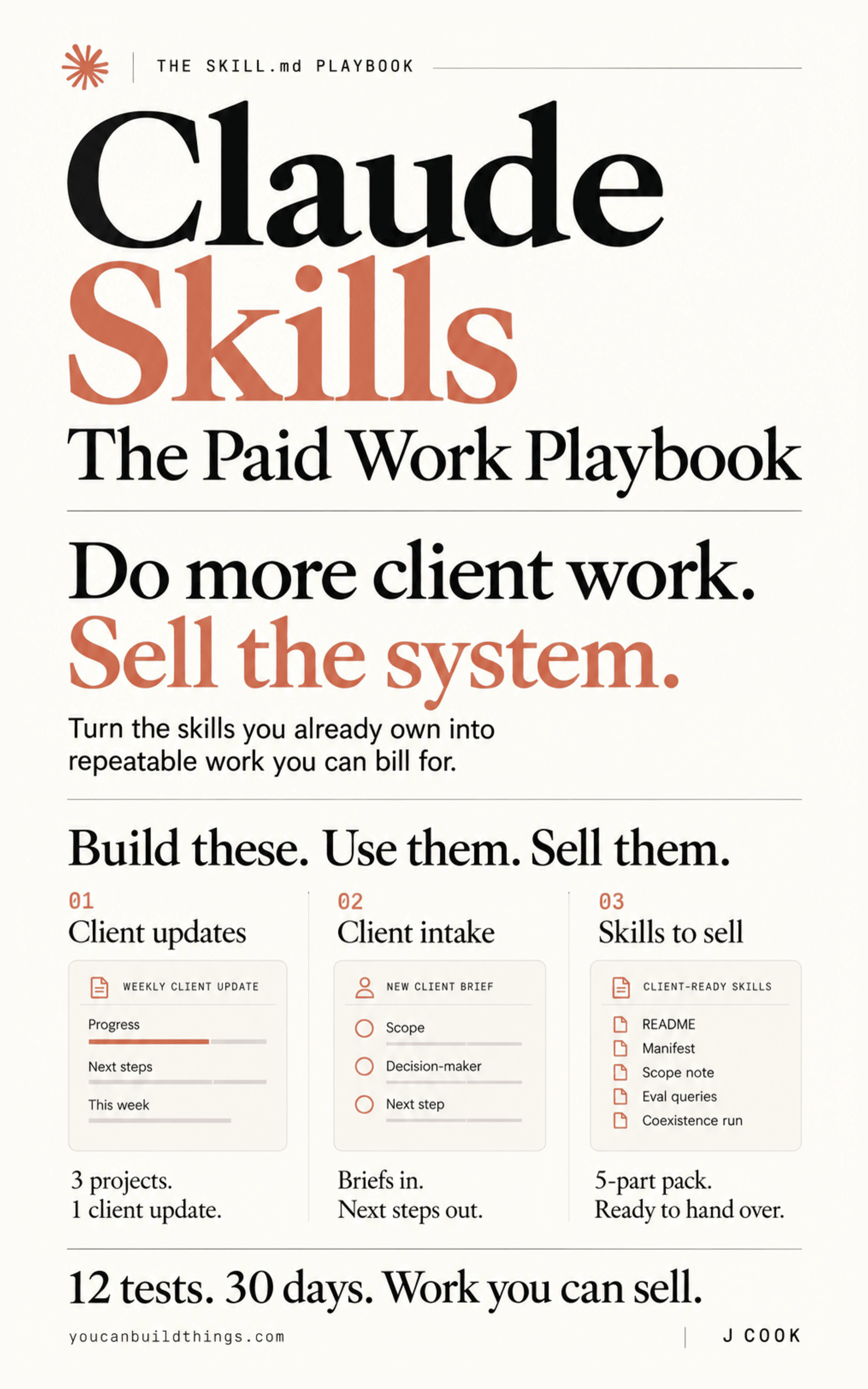
Claude Skills: The Paid Work Playbook
Build a Client-Ready Claude Skills System in 30 Days
We ran or verified 6 tools for testing Claude Skills against the four questions that matter: is the skill well formed, does it fire, does it help, and what does it cost. Anthropic's skill-creator plugin is our top pick: triggering, benefit and a blind version comparison in one loop, from the company that defines the format. Below are the best tools to test Claude Skills in 2026, with what each one checks, what it costs to run, and the defaults that will surprise you.
Key Takeaways
- The validator that ships with Claude Code passed a skill the open standard rejects. On a skill named
Claude--Helper,agentskills validateexits 1 with 3 named errors andclaude plugin validate --strictexits 0. Run both before any upload. - Neither validator catches the reserved word. A skill named
claude-formatterpassed both with exit 0 in our run. Anthropic's docs say a name "Cannot contain reserved words: "anthropic", "claude"", and neither validator checks it. claude plugin evalexits 1 below a perfect score by default. The default threshold is 1.0, and every run and every judge is a real model call on your account. Set--thresholdand--max-cost-usdbefore your first run.- skill-creator's description tuning holds back 40% of the test prompts. It trains on 60%, runs each prompt 3 times, iterates up to 5 times, and picks the description by the held-out score. Anthropic says it improved triggering on 5 of 6 of its public document skills.
- 1 built-in command shows your whole folder.
/skill-doctor(v2.1.252 or later) shows what each skill costs and how often it gets used. Every other tool here starts from a skill, a plugin or tasks you pick.
Free: The book's release-gate script: both validators plus an eval threshold in one command. Get the companion repo on GitHub.
What a Claude Skill Testing Tool Actually Is (and What It Is Not)
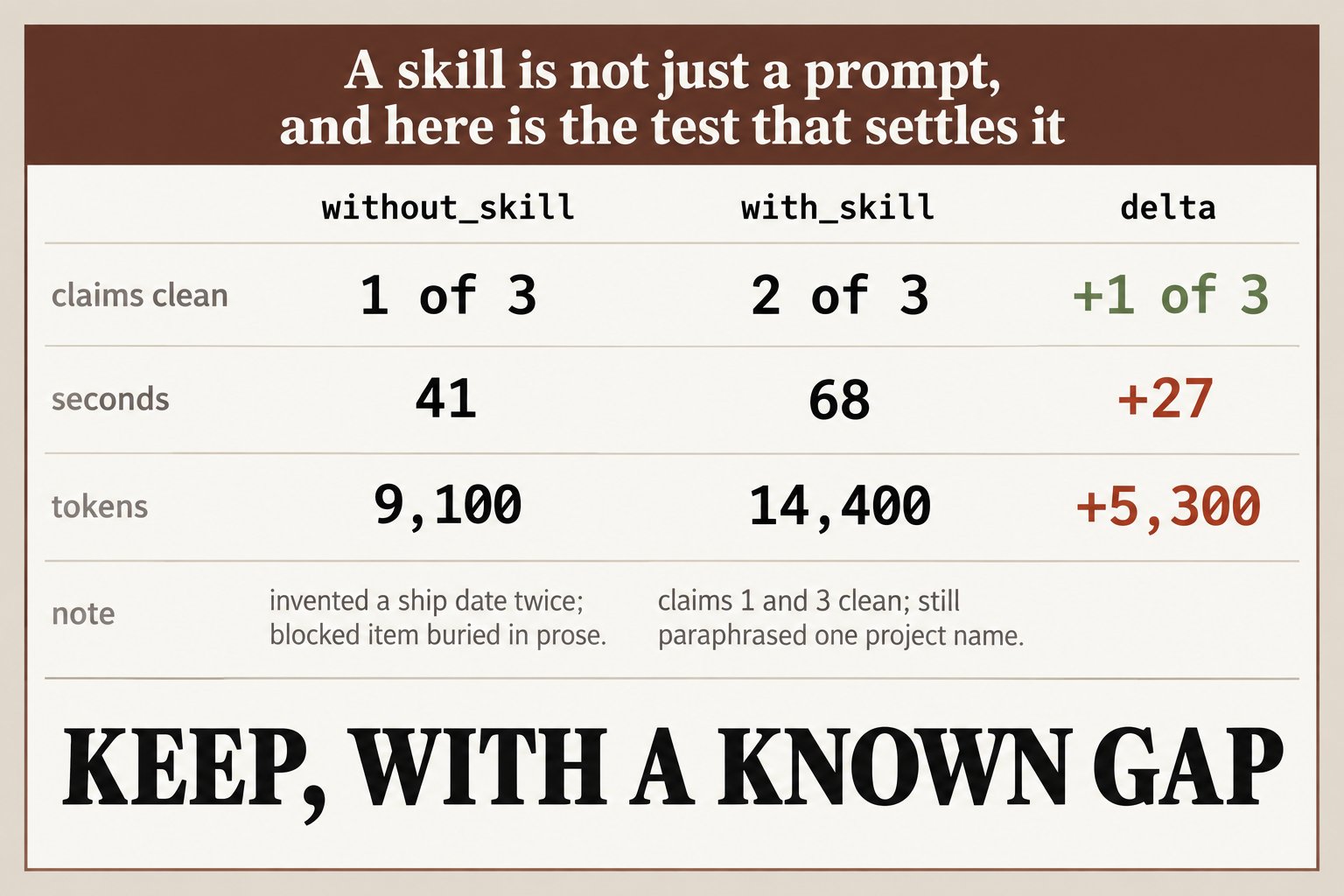
"Testing a skill" means four different checks, and no single tool runs all four. Format: does the file meet the standard, so it parses and survives an upload? Triggering: does the model pick the skill for the requests it should, and leave it alone for the ones it should not? Benefit: is the output better with the skill than without it, on the same prompt? Cost: what does the skill's description charge you in every session, and how often does it earn that?
Most tools answer one of these. A validator answers format in two seconds and says nothing about whether the skill ever fires. An eval runner answers benefit and can cost real money. A trigger test can pass perfectly on a skill whose output you would never send. Knowing which question a tool answers is most of choosing one.
A testing tool is also not a judge of taste. Anthropic's own guidance says qualities like writing style and visual design are hard to break into pass or fail checks, and a model asked to score writing quality will happily hand back a confident number. Good tools grade checkable claims: a heading is present, a date appears in the input, a word from the banned list does not. And a testing tool is not a security scanner. A skill can pass every test here and still ship a script that sends your keys somewhere.
How We Ranked These Tools
We ran the free, offline tools ourselves and verified the rest against their docs, without running any eval. Each criterion is something you can check on your own machine.
- Questions answered. Which of format, triggering, benefit and cost the tool covers.
- Baseline built in. Whether it compares the skill against a run without it, the only way to know a skill helps.
- Cost to run. Free and offline, or real model calls billed to your plan or API key.
- Scriptable result. Exit codes and machine-readable output you can use in a pre-commit check or CI.
- Scope. One skill you wrote, a plugin, or the whole folder you actually work out of.
The Best Tools to Test Claude Skills in 2026
Six tools made the list: four from Anthropic or the open standard first, then two from independent developers. Quick picks: to tune one skill, skill-creator; to gate CI, claude plugin eval; to see your whole folder's cost, /skill-doctor; for a free format check, agentskills validate; to check which skill fired, Caliper; for several agents, Skillgrade. More are in the notes under the comparison table.
1. skill-creator, best for testing one skill from draft to tuned description
At a glance: format + triggering + benefit · with vs without benchmark · blind A/B · free plugin, spends tokens
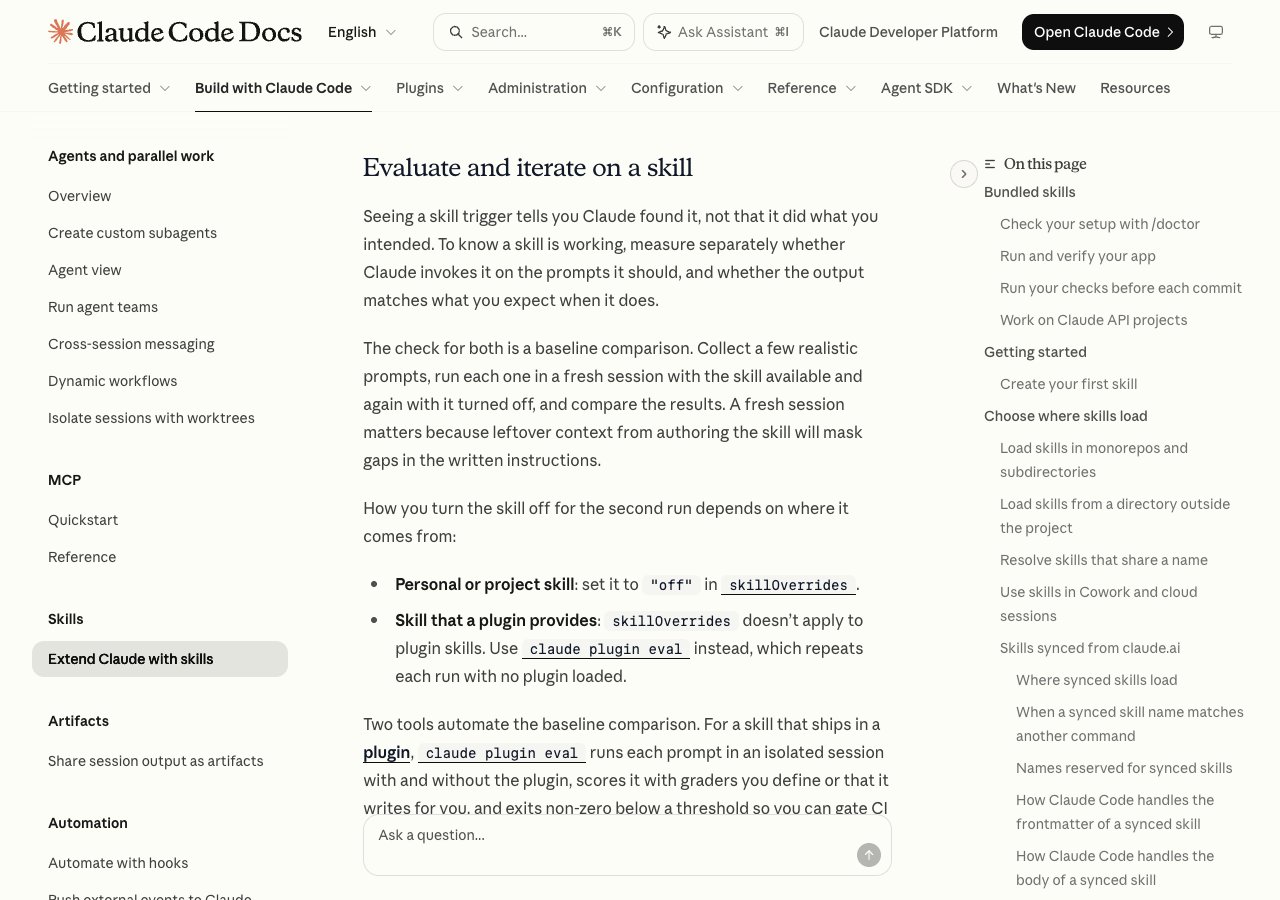
Anthropic's skill-creator plugin installs with /plugin install skill-creator@claude-plugins-official and runs the whole test loop inside a Claude Code conversation. The docs list 7 parts: test cases stored in evals/evals.json, isolated runs (a fresh subagent per case, recording tokens and duration), grading with evidence written to grading.json, a benchmark of pass rate, time and tokens with the skill versus without it, a blind A/B between two versions, description tuning, and an HTML review viewer.
Description tuning is the part to know about. It splits your test prompts 60% training and 40% held out, runs each one 3 times to get a trigger rate rather than a single reading, iterates up to 5 times, and returns the best description "selected by test score rather than train score to avoid overfitting." It generates prompts that should and should not trigger the skill. Anthropic reports that running it on its own document skills "saw improved triggering on 5 out of 6 public skills."
Every run is a model call, so it spends tokens. Its evals.json format is not read by claude plugin eval, and vice versa. It is built around one skill you are improving, not a folder of forty you are deciding whether to keep.
Best suited for: anyone who wrote a skill and wants it to fire reliably and beat no skill at all. Not a CI gate, and not a way to audit skills you downloaded.
2. claude plugin eval, best for a pass or fail gate in CI
At a glance: exit 0 / 1 / 2 · no-plugin baseline by default · 3 runs per case · default threshold 1.0 · v2.1.269+
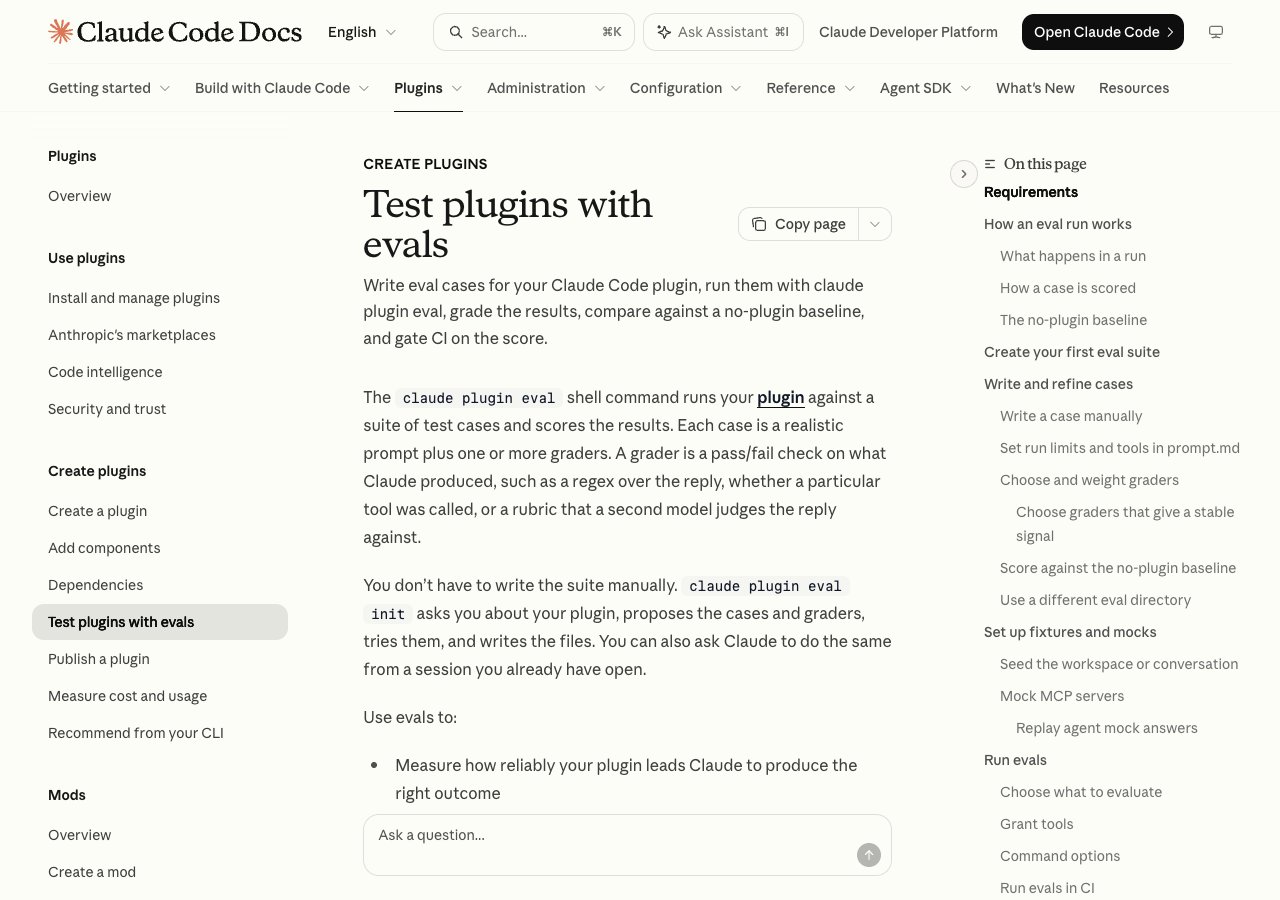
claude plugin eval docs.This shell command runs a plugin's test cases in fresh, isolated sessions with only that plugin loaded: none of your settings, CLAUDE.md, other plugins or MCP servers. By default it also runs every case without the plugin and reports the difference. Each case runs 3 times, graders score each run, and the command exits 0 if every case meets the threshold, 1 if any falls short, and 2 if it hits your cost ceiling. claude plugin eval init interviews you and writes the first suite.
Three defaults deserve attention. The threshold is 1.0: in the docs' words, "the command exits 1 when any case scores below perfect." The judge is "the model Claude Code uses for background tasks" unless you pass --judge-model. And if you are signed in with a claude.ai subscription, the HTML report is published as a private artifact unless you pass --no-publish.
Cost is real: "Every eval run and every judge grader is a real model call on your account." --max-cost-usd sets a ceiling on the estimated list-price cost, though runs already started can pass it. It needs Claude Code v2.1.269 or later, and it tests plugins, so a loose skill has to be packaged first. Older builds can answer that the command is in early access, and the docs note Anthropic can switch it off server-side.
Best suited for: plugin authors and teams who want a failing build when a change or a new model makes a skill worse. Set --threshold, --max-cost-usd and --no-publish before the first run.
3. /skill-doctor and /context, best for seeing what your whole folder costs
At a glance: whole folder · cost + usage per skill · built in · v2.1.252+
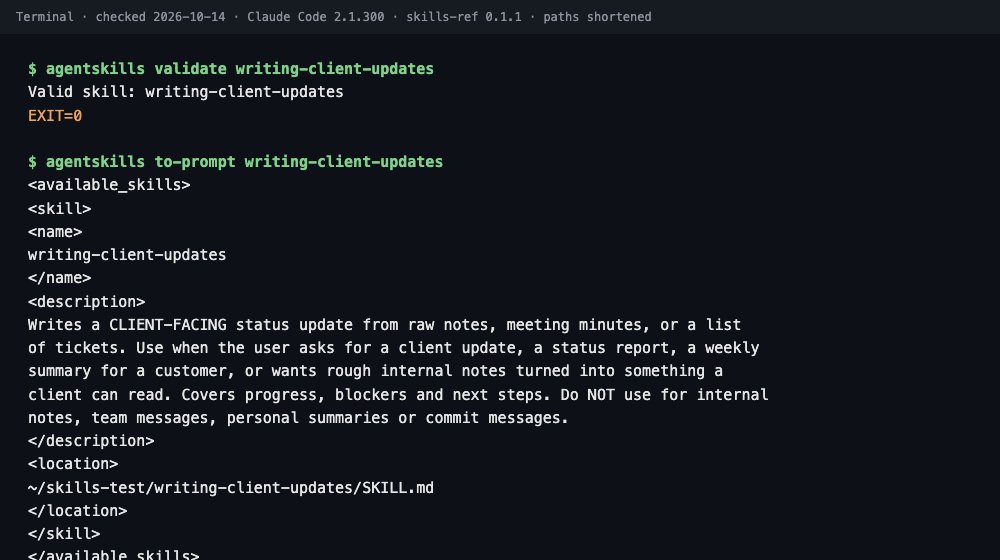
agentskills to-prompt in our run: the description is what you pay for in every session.Every other tool here starts from a skill or plugin you pick. This pair starts from all of them. The docs say: "Run /skill-doctor to see what each of your skills costs and how often it gets used, so you can decide which ones to turn off." It needs Claude Code v2.1.252 or later and has to run in the terminal on the machine where the session runs, not over Remote Control.
/context gives the total. Its Skills row "reports the size of the listing after the budget is applied, so it matches what the model receives." That budget is 1% of the context window, and each skill's description plus when_to_use is cut at 1,536 characters. Past the budget, Claude Code shortens descriptions starting with the skills you use least, which can make them fire even less. For an installed plugin, claude plugin details prints an "Always-on" token figure.
Act on what you find without deleting anything: "skillOverrides": {"some-skill": "name-only"} in .claude/settings.local.json keeps a skill callable by name and drops its description from the listing. Our book does not cover /skill-doctor; it builds a similar view by hand: cost from /context, and fire counts logged in an intake sheet. Use the built-in first.
Best suited for: anyone with more than a handful of skills, before testing any single one. It shows cost and use, not whether a skill's output is any good.
4. agentskills validate, best for a free format check before upload
At a glance: free, offline · exit 0 / 1 with named errors · skills-ref 0.1.1 · catches what Claude Code's validator passes
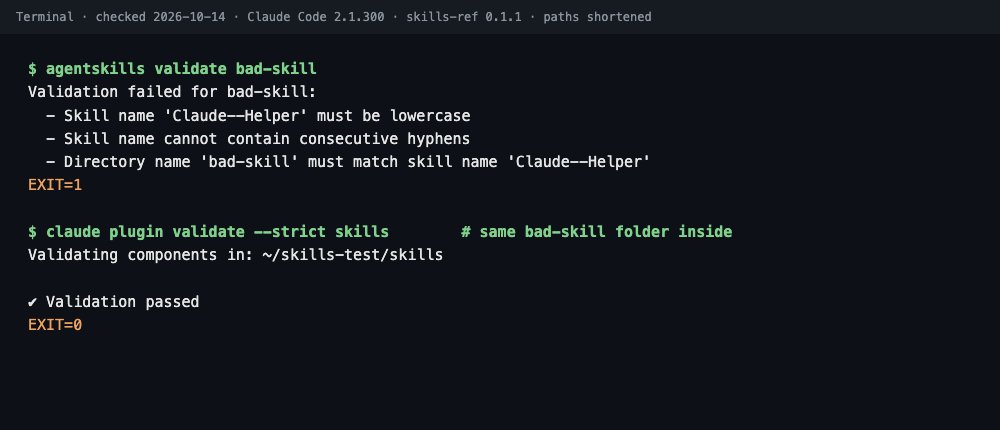
The open standard's own validator installs with pip install skills-ref (use a virtual environment on a stock Mac) and the command it gives you is agentskills, which catches people out. agentskills validate checks one skill folder: name rules, that the folder name matches the name field, a required description, and only the 6 standard frontmatter fields. It exits 0 or 1 and names each error.
We reproduced the disagreement our book opens with. On a six-line skill named Claude--Helper in a folder called bad-skill, it printed 3 errors and exited 1. claude plugin validate --strict, which ships inside Claude Code, printed "Validation passed" and exited 0. The built-in one checks manifests and paths; it does not apply the name rules. Point it at a single skill folder and it fails differently: "No manifest found in directory."
Two limits. Neither validator caught a skill named claude-formatter, though Anthropic reserves that word. And agentskills validate rejects Claude Code-only fields like disable-model-invocation, which is right before an upload and noise for a skill that stays local. Its sibling, agentskills to-prompt, prints the listing block a standard agent sees: name, description and location.
Best suited for: everyone, before any upload or handover, and in a pre-commit check. It checks format only: a perfectly valid skill can still never fire.
5. Caliper, best for checking which skill actually fired
At a glance: trigger checks without a judge · --ablate baseline · MIT · 212 GitHub stars
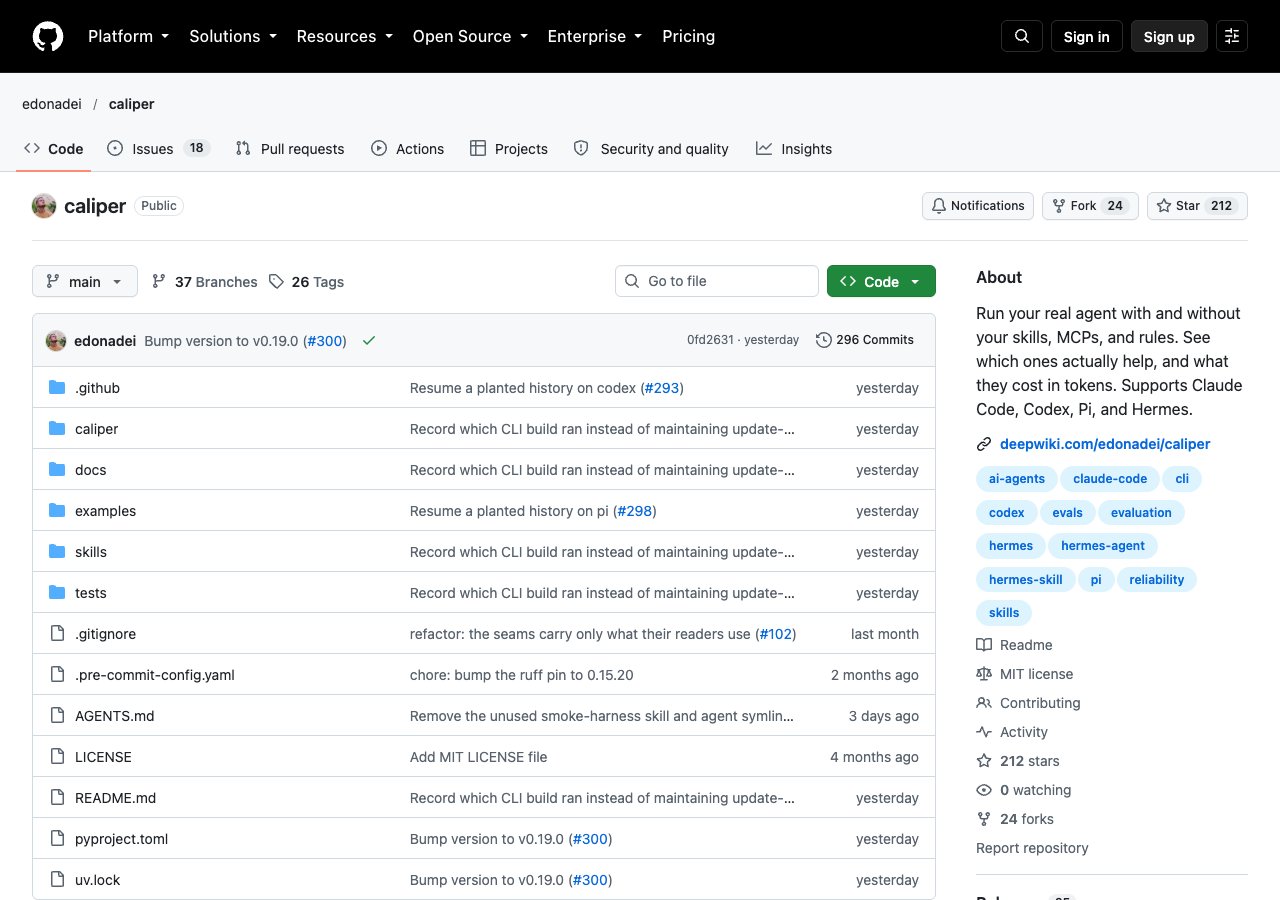
Caliper is a small evaluation tool built for agent skills, and its README opens with the right question: "Know if your agent skill actually works." It installs with pipx install caliper-eval and runs your tasks through Claude Code by default, so it needs the Claude Code CLI signed in and spends tokens like any eval.
Two features set it apart. --ablate "re-runs without the skill. Same score? It isn't earning its context." That is the with-and-without comparison in one flag. And activates: "asserts which skills the agent chose to load. It needs no judge, so it costs a fraction of a graded task." Caliper scores whether the agent picked your skill separately from whether the work came out right.
That split matters more than it sounds. A skill that "does not work" is usually one of two different problems: the model never chose it, or it chose it and the instructions were weak. They have different fixes, a better description versus a better body, and Caliper scores them apart.
It is a small independent project: MIT-licensed, 212 stars, version 0.19.0, pushed the day before we checked.
Best suited for: trigger testing across many skills at low cost, and separating "never fired" from "fired badly." Check it on your own setup before relying on it in CI.
6. Skillgrade, best for skills that must work in several agents
At a glance: Claude, Gemini and Codex · --ci with threshold · MIT · 724 GitHub stars
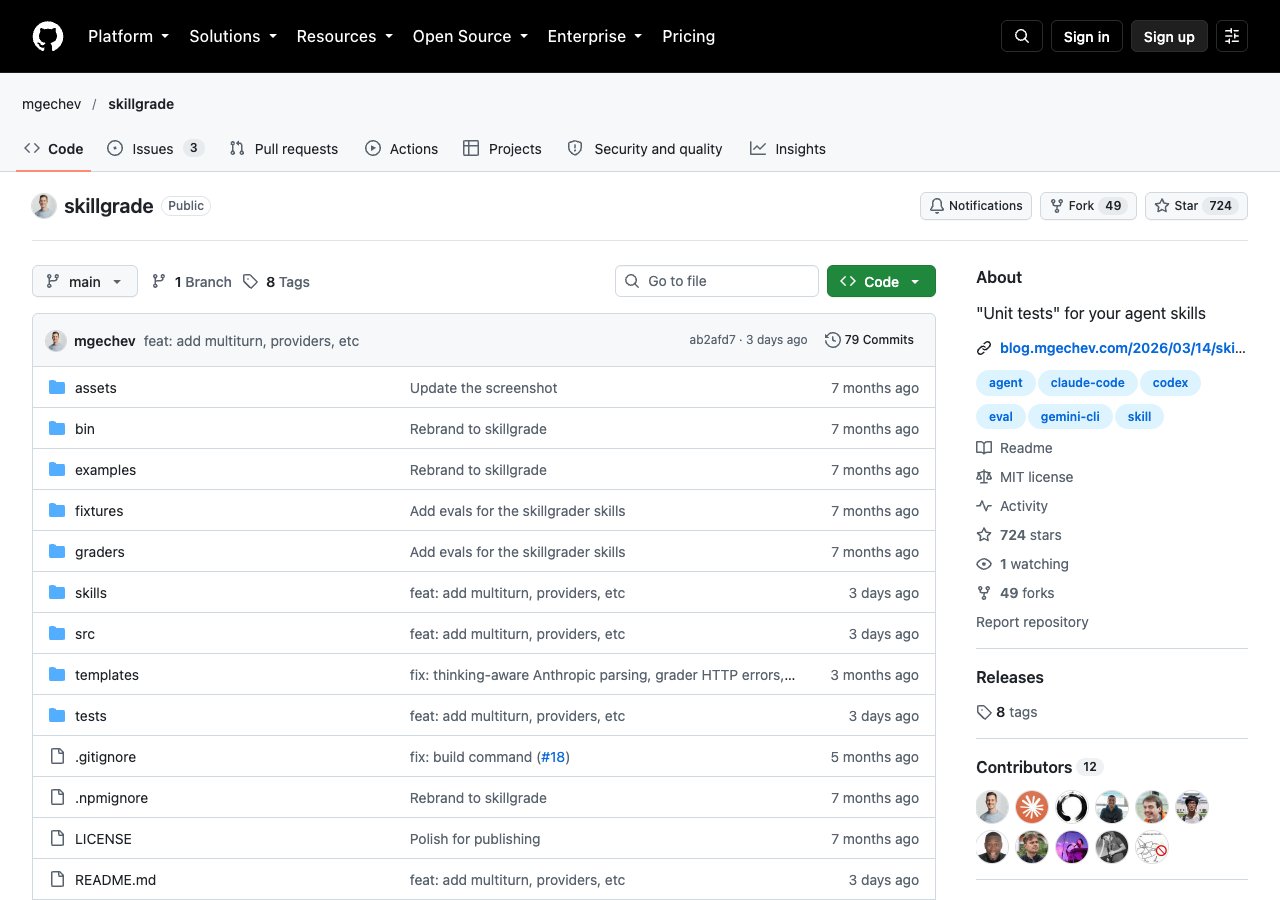
Minko Gechev's Skillgrade runs evals for AI coding agents. Its README sums it up: "Define tasks, run any agent, score with deterministic scripts, LLM judges, or human reviewers." Its GitHub description is shorter: unit tests for your agent skills. It picks the agent from whichever key you set, ANTHROPIC_API_KEY, GEMINI_API_KEY or OPENAI_API_KEY, so the same task file can grade a skill in Claude, Gemini and Codex.
skillgrade init scaffolds an eval.yaml, and "If a SKILL.md is present and an API key is set, init generates AI-powered tasks." Graders can be scripts you write, which is the cheapest and most repeatable kind, a model judge, or a person. In CI, --ci exits non-zero when the score falls below the --threshold you set.
The setup is heavier than the others: it needs Node.js 20 or later and Docker, and it spends tokens on whichever API key you give it. If your CI already runs containers, that cost is mostly paid.
It is the more popular of the two independent tools ranked here: MIT-licensed, 724 stars, pushed 3 days before we checked.
Best suited for: teams whose skills must behave the same in more than one coding agent, with Docker already in CI. Overkill for one person testing one skill.
Side-by-Side Comparison
The five criteria from the methodology, one row per tool. Cost means what a run spends, not the price of the tool.
| Tool | Best for | Checks | Baseline built in | Cost to run | Scriptable | Scope |
|---|---|---|---|---|---|---|
| skill-creator | One skill, draft to tuned | Triggering, benefit | Yes | Model tokens | Partly (bundled scripts, no exit-code gate) | One skill |
| claude plugin eval | CI gate | Benefit | Yes, default | Model tokens | Exit 0 / 1 / 2 | A plugin |
| /skill-doctor + /context | Whole-folder cost | Cost, usage | No | Inside a session | No | Whole folder |
| agentskills validate | Format before upload | Format | n/a | Free, offline | Exit 0 / 1 | One skill |
| Caliper | Which skill fired | Triggering, benefit | Yes (--ablate) | Model tokens | Not stated | Tasks you define |
| Skillgrade | Several agents | Benefit | Not stated | API tokens + Docker | --ci exit code | Tasks you define |
Also checked: Tessl (skill review plus task evals with a baseline run; needs an account), MLflow's published guide to testing Claude Code skills (a recipe, not a one-command tool), darkrishabh/agent-skills-eval (802 stars, not verified by us), and the book's free companion repo, whose release-gate.sh chains both validators and an eval threshold; point it at a folder named skills, or its second step stops at "No manifest found". Checked 2026-10-14 on Claude Code 2.1.300 and skills-ref 0.1.1.
Which Testing Tool Fits Your Use Case
Start from the question you need answered today.
| Your question | Use | Why |
|---|---|---|
| Will this file survive an upload or a handover? | agentskills validate | Free, named errors, catches what Claude Code's validator passes |
| Which of my skills are costing me the most? | /skill-doctor and /context | The only whole-folder view |
| Why does my skill never fire? | skill-creator description tuning, or Caliper | Measured trigger rates, not one lucky try |
| Does this skill actually help? | skill-creator benchmark | Same prompts with and without the skill |
| Did a new model break anything? | claude plugin eval in CI | Exit code fails the build |
| Does it behave the same in Codex and Gemini? | Skillgrade | One task file, several agents |
What Results Look Like When We Ran the Free Ones
We ran the free, offline tools on real skill files, including the finished skill from our book's companion repo, and read the docs for the rest. We ran no eval that calls a model. What came back:
- Exit 1 vs exit 0 on the same
Claude--Helperskill, with the same 3 errors the book prints. - Exit 0 from both validators on
claude-formatter, a name Anthropic reserves. - 383 characters in the finished skill's description, measured by the companion repo's
description-chars.sh. The book's one-linegrep | wc -cmethod returned 15 on the same file, because the description is a folded YAML block. Use the script. - 1.0, not 0.8: the real default for
claude plugin eval --threshold. - Background-tasks model, not Haiku: the default judge in the docs. Pin
--judge-modelso it cannot change under you.
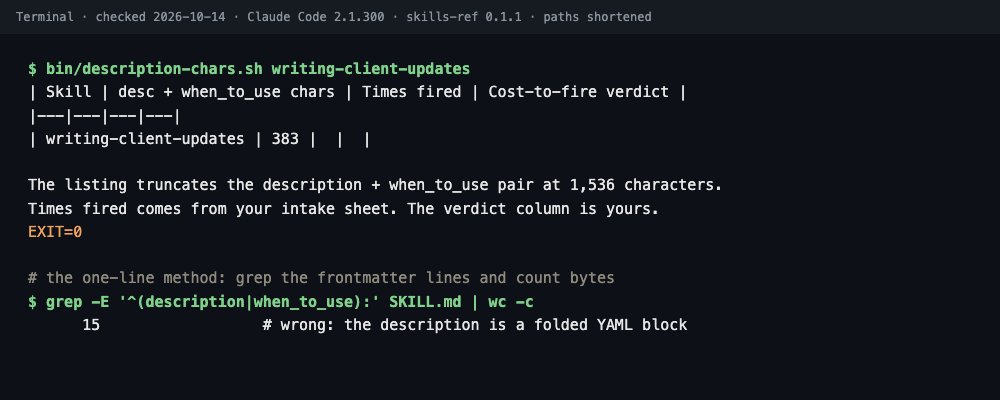
The last three are corrections to our own book, found by checking it. The three scripts come from the free companion repo. For what to check once a skill passes all of this, see our guide to the best Claude skill security scanners.
Get the Two-Run Sheet in Claude Skills: The Paid Work Playbook
Every tool above assumes you wrote the skill and want to improve it. Most people have forty they did not write and need to know which to keep. Chapter 2 of the book is the ten-minute answer: one prompt, two fresh sessions, skill off then on, and a verdict sentence with a number in it. The rest of the book turns that into a routine, from the costing sheet to the release-day re-test. Get Claude Skills: The Paid Work Playbook and run the first sheet on the skill you were most excited to install.
Frequently Asked Questions
What is the best tool to test a Claude skill?+
Anthropic's skill-creator plugin, because it checks triggering and benefit against a no-skill baseline in one loop. Run agentskills validate first for format, and /skill-doctor to see which skills are worth testing at all.
How do I test if a Claude skill is working?+
Open a fresh session and make the request without naming the skill, three times. If it never fires, ask "What skills are available?" to see whether Claude can see it, then call it with /skill-name. Working by name but never on its own means the description is the problem.
How do I test a skill with and without it?+
Run the same prompt in two fresh sessions, one started with claude --disable-slash-commands to turn skills off. For an automated version, skill-creator's benchmark and claude plugin eval both run a no-skill baseline for you.
What does claude plugin eval cost?+
Every run and every judge call is a real model call billed to your plan's usage or your API account. With 3 runs per case and a baseline arm, a 10-case suite is at least 60 runs. Set --max-cost-usd before you start.
What is the difference between agentskills validate and claude plugin validate?+
agentskills validate checks one skill against the open standard's rules and exits 1 on a bad name. claude plugin validate checks a plugin's manifest and the files in a skills folder, and passed a badly named skill in our test. Run both.
How many test runs do I need?+
Three per case is the default in both claude plugin eval and skill-creator's tuning loop, because the model is not deterministic. Two passes out of three is a defect to find, not a pass.
How do I see which skills are costing me context?+
Run /skill-doctor for cost and usage per skill, and /context for the total Skills row after the budget is applied. Turn a costly, rarely used skill down with skillOverrides set to "name-only".
Can I test Claude skills in CI?+
Yes. Use claude plugin eval with --json, --trust-plugin, --no-publish, a pinned --judge-model and a --max-cost-usd ceiling, and fail the build on the exit code. Skillgrade's --ci flag does the same across several agents.