The CLAUDE.md Setup That 10x's Your Output
>This covers .claude/ configuration. Master Claude Code goes deeper on multi-agent pipelines, production security, and turning these skills into $150/hr consulting.
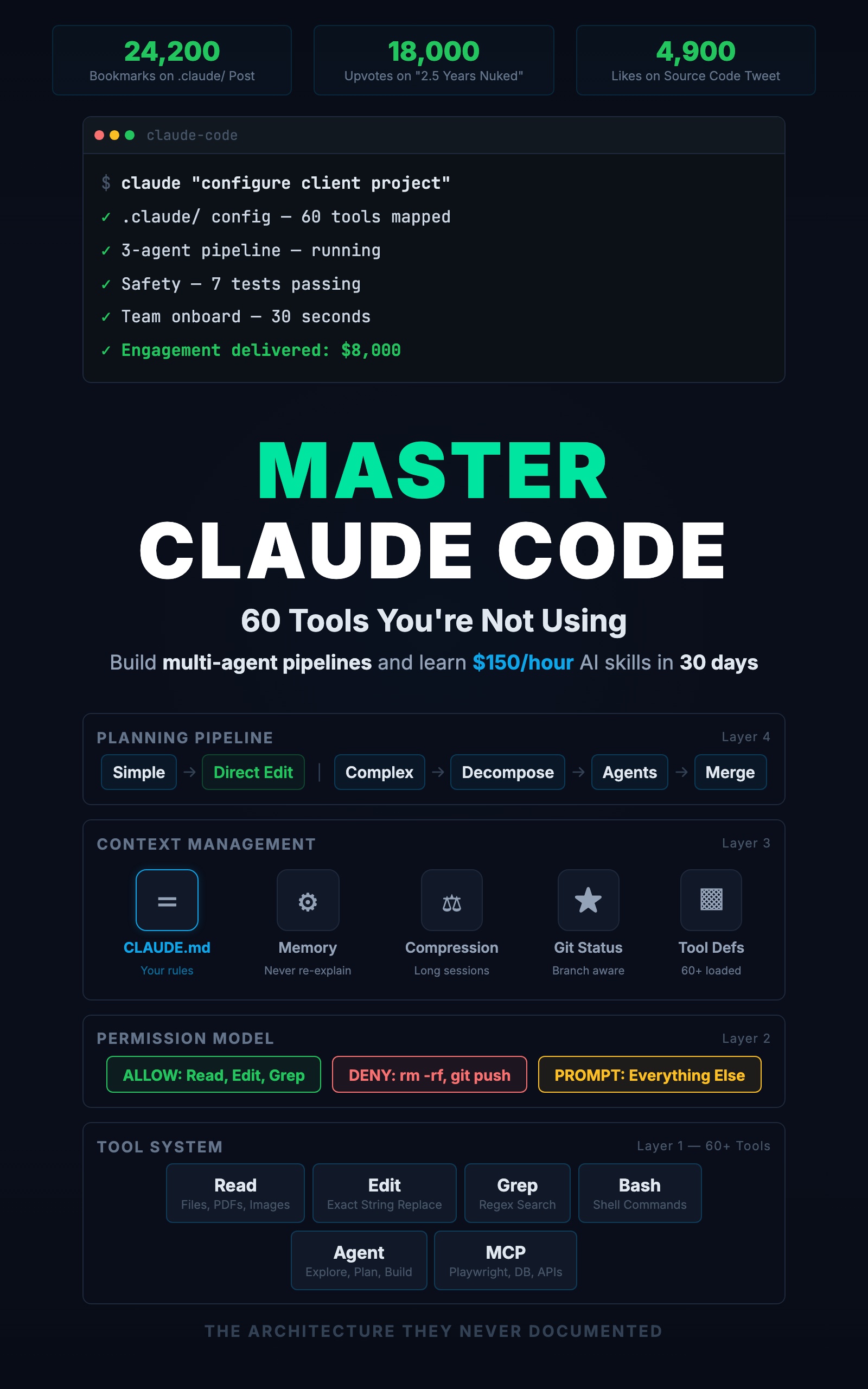
Master Claude Code: 60 Tools You're Not Using
Build Multi-Agent Pipelines and Learn $150/Hour AI Skills in 30 Days
Summary:
- Build a CLAUDE.md that makes Claude Code follow your conventions on every file it creates.
- Set up the full .claude/ directory: CLAUDE.md, commands, permissions, memory, hooks.
- See the before/after difference in output quality with real code examples.
- Copy-paste a production config you can drop into any project right now.
A single tweet showing a .claude/ directory structure got 24,200 bookmarks. Not a framework launch. A screenshot of a folder with some markdown files. Twenty-four thousand developers saved it because it answered the question they’d been asking for months: “How do I make Claude Code actually remember my project?”
The answer is not a better prompt. It is a directory.
What does CLAUDE.md actually do?
CLAUDE.md is loaded into Claude Code’s system prompt at the start of every conversation. Every message you send, every tool call it makes, happens in the context of whatever you wrote in this file. It is the single most powerful configuration you have, and most developers have never created one.
Here is what happens without it. You ask Claude Code to add a delete endpoint:
// Without CLAUDE.md
app.delete('/tasks/:id', async (req, res) => {
  await db.query('DELETE FROM tasks WHERE id = $1', [req.params.id])
  res.json({ message: 'Task deleted' })
})
Raw SQL. No auth. Hard delete. Wrong response shape. Now the same request with seven lines of CLAUDE.md rules:
// With CLAUDE.md
router.delete('/tasks/:id', authMiddleware, async (req, res, next) => {
  try {
    const task = await taskService.softDelete(req.params.id, req.user.id)
    res.json({ data: task, error: null, meta: null })
  } catch (err) {
    next(err)
  }
})
Prisma through the service layer. Auth middleware. Soft delete. Custom response shape. Same prompt, same tool, completely different output. The configuration is the variable.
What goes in a production CLAUDE.md?
Five sections. Each one eliminates a category of wrong guesses.
# Project: TaskFlow API
Express.js + TypeScript, PostgreSQL + Prisma, Zod validation.
Deployed on Railway. CI runs on GitHub Actions.

## Conventions
- TypeScript strict mode on all files
- Explicit return types on all exported functions
- Error handling through AppError class (src/lib/errors.ts)
- Database access only through Prisma, never raw SQL
- API responses use { data, error, meta } shape
- Tests use Vitest with patterns in tests/helpers/

## Structure
- src/routes/ (one file per resource)
- src/services/ (business logic, called by routes)
- src/middleware/ (auth, validation, error handling)
- src/lib/ (shared utilities and types)
- prisma/ (schema and migrations, never edit migrations)

## Rules
- Never modify .env files
- Never run git push without explicit approval
- Run tests after every source file change
- If a test fails, fix the code. Do not fix the test.
- Before modifying >5 files, show the plan first

## Workflow
- Conventional commits (feat:, fix:, refactor:)
- Prefer editing existing files over creating new ones
Three lines of project identity eliminate hundreds of wrong guesses. Claude Code will not suggest Django, will not reach for MongoDB, will not pick a different ORM. The conventions section makes every rule checkable. “Explicit return types” is verifiable. “Write clean code” is invisible.
The rules section is where most developers fail. Rules about what NOT to do prevent more damage than rules about what to do. “Never modify .env files” is more valuable than “organize secrets properly.”
As one developer on r/ClaudeAI put it when reviewing a CLAUDE.md setup guide (8 upvotes):
“I’d call this a basic setup bruh”
That is the problem. Most guides stop at basic. A production CLAUDE.md needs the negatives, the structural rules, and the workflow preferences that prevent the disasters you read about on Reddit.
How do you set up the full .claude/ directory?
CLAUDE.md is the foundation. The full directory makes it a system:
.claude/
├── CLAUDE.md              # Loaded every session (system prompt)
├── settings.json          # Permissions and MCP servers
├── settings.local.json    # Personal overrides (gitignored)
├── commands/              # Custom slash commands
│   ├── review.md
│   ├── test.md
│   └── scaffold.md
└── memory/                # Persistent context between sessions
    ├── MEMORY.md
    └── project_decisions.md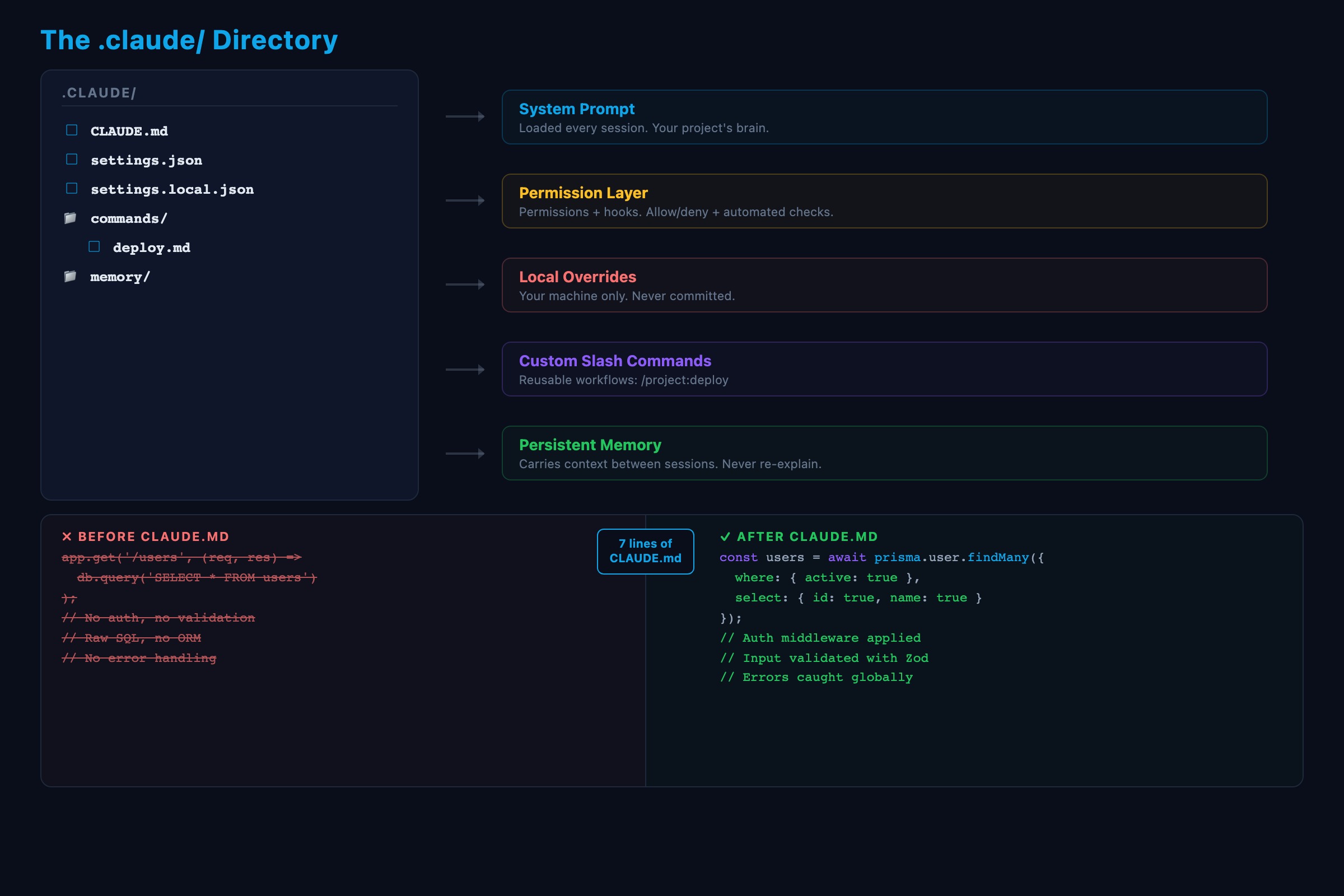
Permissions control what Claude Code can and cannot do. This goes in settings.json:
{
  "permissions": {
    "allow": [
      "Read", "Edit", "Write", "Glob", "Grep",
      "Bash(npm test)", "Bash(npm run lint)",
      "Bash(git status)", "Bash(git diff *)"
    ],
    "deny": [
      "Bash(git push *)", "Bash(git push)",
      "Bash(rm -rf *)", "Bash(git reset --hard *)"
    ]
  }
}
Allowed tools run without asking. Denied tools are blocked completely. Everything else triggers an approval prompt. Your team shares settings.json (committed to git). Individual overrides go in settings.local.json (gitignored).
Custom commands encode your judgment into repeatable workflows. A review.md in commands/:
---
description: Run a focused code review on recent changes
---
Review the staged changes. Check for:
1. Type safety (no 'any' types, explicit return types)
2. Error handling (uncaught promises, missing try/catch)
3. Test coverage (new functions without tests)
4. Security (user input reaching queries without validation)
Show findings as a numbered list with file:line references.
Now /project:review runs that checklist every time. No retyping. No forgetting to check security.
Memory carries context between sessions. Unlike conversation context (which compresses and forgets), memory files are always loaded in full. A memory file looks like this:
---
name: Database ORM decision
description: Team chose Prisma over Drizzle
type: project
---

We use Prisma for all database access. No raw SQL. No Drizzle.
Reason: team has more experience with Prisma, migration system
fits our deployment pipeline.
Store architectural decisions with rationale, your role and working style, and feedback about Claude Code’s behavior. Do not store file paths or code patterns. Those change. Memory is for things Claude Code cannot figure out by reading your code.
Hooks fire automatically when Claude Code takes actions:
{
  "hooks": {
    "PostToolUse": [{
      "matcher": "Edit|Write",
      "command": "npm run lint --fix $FILE"
    }]
  }
}
Every file Claude Code edits gets linted automatically. No “please lint the file” prompt needed.
What broke when building this
Three mistakes show up in almost every first CLAUDE.md.
Too vague. “Write clean code” and “follow best practices” are invisible. Claude Code already thinks it writes clean code. Give it specific, checkable rules. “Functions under 30 lines.” “No nested callbacks deeper than 2 levels.”
Too long. A 500-line CLAUDE.md is counterproductive. It eats context space that could be used for your actual conversation. Keep it under 100 lines. Move reference material into separate files: “For API conventions, read docs/api-conventions.md.”
Missing the negatives. Most first attempts only say what to do. The rules about what NOT to do are more important. “Never modify files in migrations/” prevents Claude Code from touching migration files during a database fix. Without that rule, it decides the fastest fix is to edit a migration. That breaks everything.
How do you verify your CLAUDE.md works?
Run this test. Ask Claude Code: “Add a new DELETE endpoint for users.” Then check:
- Did it use Prisma, not raw SQL? (Convention rule)
- Did it add auth middleware? (Structure knowledge)
- Did it use your
{ data, error, meta }response shape? (Convention rule) - Did it put the route in
src/routes/? (Structure rule) - Did it run tests after? (Behavioral rule)
If all five pass, your CLAUDE.md is working. If any fail, add the missing rule and test again. This is the iteration loop:
- Write the initial version
- Test with a real task
- Note every convention it missed
- Add a rule that prevents that specific miss
- Repeat
After three or four sessions, it covers the cases that matter. After two weeks, Claude Code feels like a teammate who has been on your project for months.
What should you actually do?
- If you have never created a CLAUDE.md: write the 5-section version above. Takes an hour. Changes every session after.
- If you have a basic CLAUDE.md: add the negatives. Add rules about what NOT to do. Add the
settings.jsonpermissions. Add one custom command. - If you are on a team: commit
CLAUDE.mdandsettings.jsonto the repo. Addsettings.local.jsonto.gitignore. New developers inherit your standards fromgit clone.
bottom_line
- The diff between using Claude Code and mastering it is a directory called
.claude/. Build it once, every session gets better. - CLAUDE.md is not documentation. It is an instruction set loaded into every conversation. Write it like you are briefing a senior dev on day one. Short sentences. Specific constraints.
- Start with CLAUDE.md alone. Add commands as you notice repetitive workflows. Add memory as you accumulate decisions. The directory grows with your usage.
Frequently Asked Questions
What goes in a CLAUDE.md file?+
Five sections: project identity (stack and framework), coding conventions (specific checkable rules), file structure (where things live), behavioral rules (what Claude Code must never do), and workflow preferences (how you want to interact).
Does CLAUDE.md work without other .claude/ files?+
Yes. CLAUDE.md alone produces more improvement than everything else combined. But adding commands, permissions, and memory to the .claude/ directory makes it 10x more effective.
How long should a CLAUDE.md be?+
50 to 100 lines. Under 100 is the sweet spot. A 500-line CLAUDE.md eats context space that Claude Code needs for your actual conversation.
More from this Book
You're Using 10% of Claude Code
All 60+ tools inside Claude Code mapped by task type with real call examples. What each one does, when it fires, and how this changes your prompts forever.
from: Master Claude Code: 60 Tools You're Not Using
Build a Multi-Agent Pipeline That Runs Itself
Build a 3-agent research-plan-build pipeline in Claude Code with subagents. Includes cost breakdown, constraint patterns, and a copy-paste command file.
from: Master Claude Code: 60 Tools You're Not Using
Lock Down Claude Code Before It Costs You
The 7-point safety checklist for Claude Code production use. Copy-paste permission configs, credential scanning hooks, and the layered defense system.
from: Master Claude Code: 60 Tools You're Not Using