How to Let Your AI Trading Agent Place Trades on Alpaca
Have your AI trading agent send its own orders to Alpaca's paper trading account tonight, ready for Monday's open. One Python file sends exactly the order your agents approved and reads the broker's copy back, field by field, until it prints MATCH.
>This covers the line from your agents to the broker. The AI Trading Agent Alpha Swarm Team builds the five agents that decide what to send, the ledger that records every fill, and the money ladder from the practice account to $1,000 a trade.
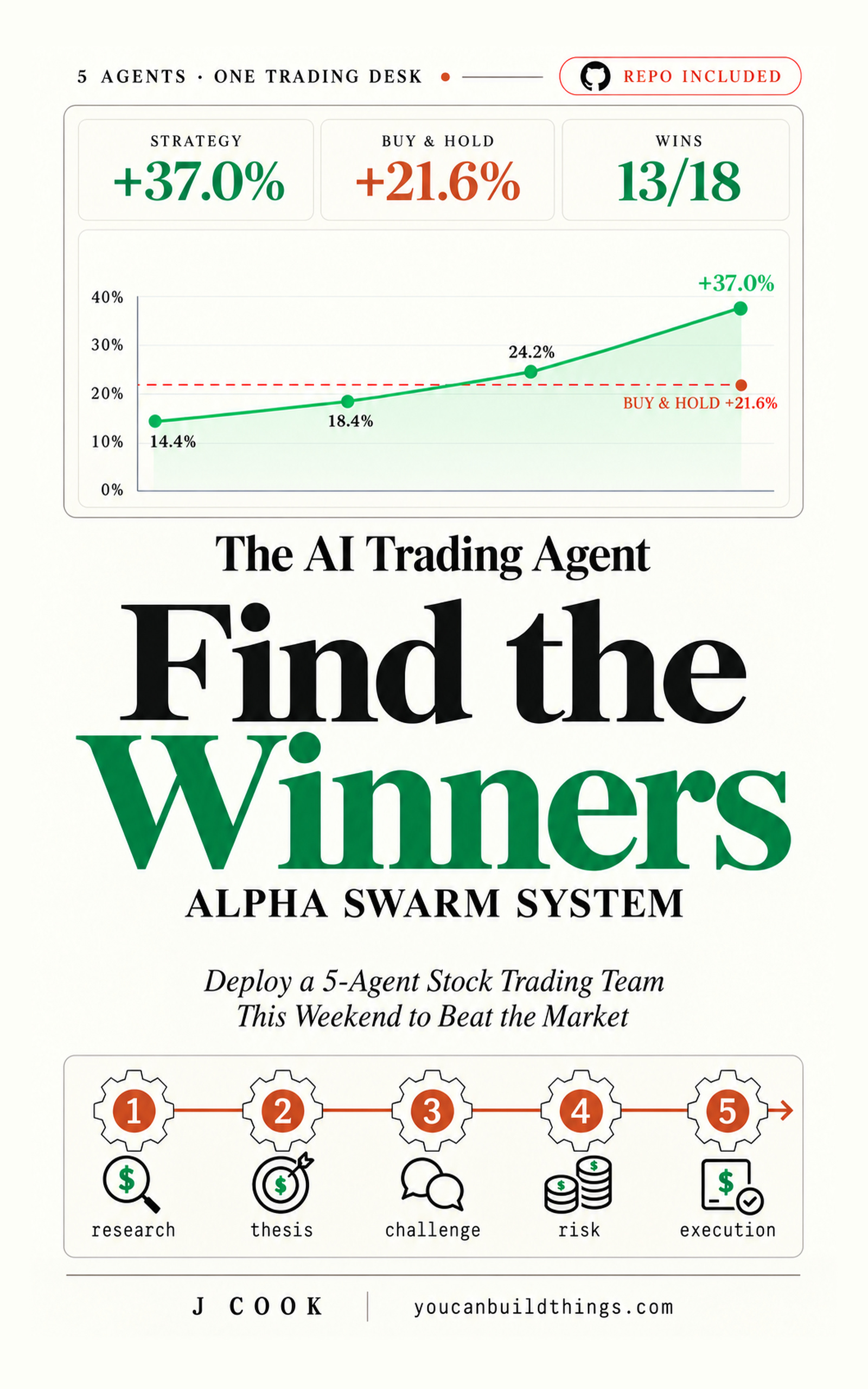
The AI Trading Agent Alpha Swarm Team
Deploy a 5-Agent Stock Trading Team This Weekend to Beat the Market and Find Winners
Hello builders,
Tonight your AI trading agents can put their own order in a real broker’s queue, where it waits for Monday’s open. A reader under the post that started my book asked the question everybody gets to eventually: “How are you getting your agents to interact with the stock market? Is this Robinhood?” My answer is the Alpaca paper trading Python setup from the book, one file that sends the order your agents approved, sends it once, and then reads the broker’s copy back to you.
I picked Alpaca because it has a trading API you can drive from Python and a practice account that opens with an email address. Interactive Brokers is the other common choice, and its route starts with downloading a separate API package and installing it by hand. Alpaca calls the practice account paper trading, and in the code you’ll see paper=True. Its own docs describe it like this:
Paper trading works the same way as live trading end to end - except the order is not routed a live exchange. Instead, the system simulates the order filling based on the real-time quotes.
The account starts you with $100,000 of practice money, which is why we keep our own $100 limit in a file on your machine.
One word you sign
That file is mandate.json, and the only hand that edits it is yours.
{
  "mode": "practice",
  "cap_usd": 100,
  "signed_by": "your name",
  "signed_on": "the date you signed"
}
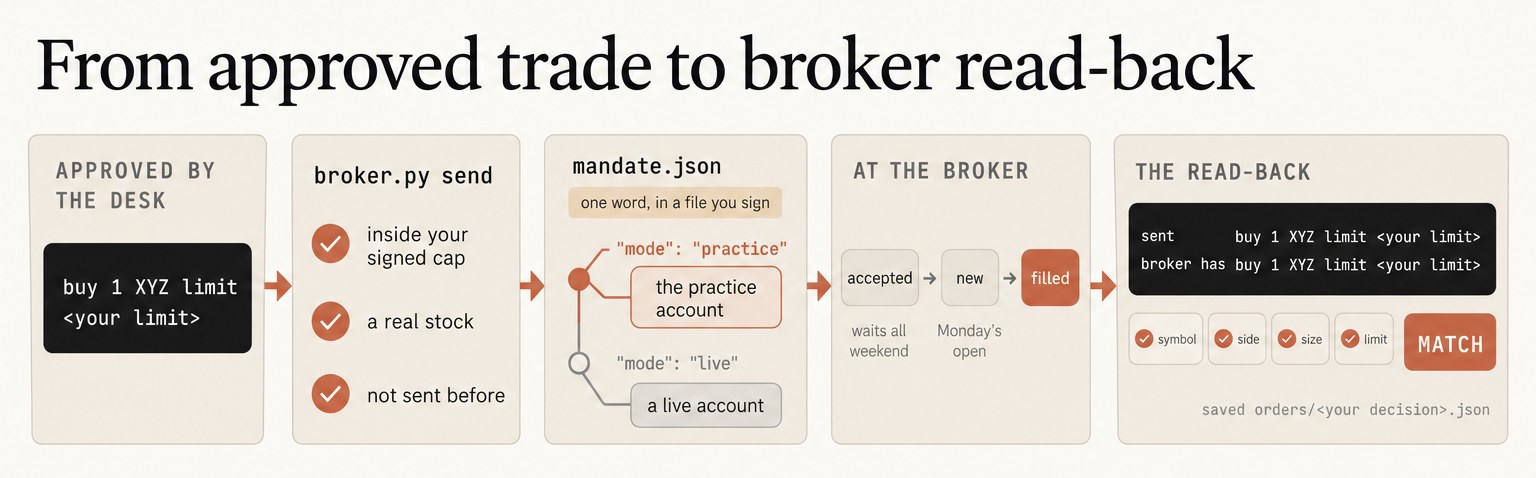
While mode says practice, the broker file reads your practice keys and sets paper=True. The day it says live, it reads a second pair of keys with LIVE in their names. We run the same checks and the same read-back on both paths, and the word in mode picks the account.
Three checks, then the send
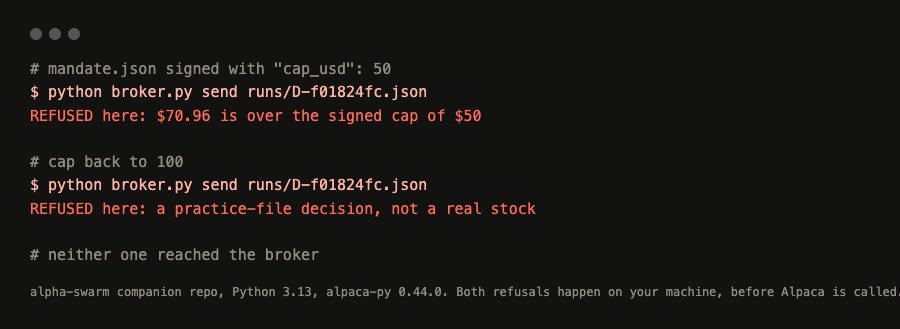
broker.py send takes the order your agents approved and checks three things before Alpaca hears about it: the order fits inside your signed cap, the stock is real, and an order with that name hasn’t been sent before. We can watch the first two refuse on your own machine with no keys at all. Sign a $50 cap, send the practice trade from the book’s first run, and it stops with REFUSED here: $70.96 is over the signed cap of $50. Put the cap back to 100 and it stops again, because DEMO is a made-up stock: REFUSED here: a practice-file decision, not a real stock.
For a real one you need your Alpaca practice keys and a free Massive key for market data in keys.env. From the companion repo:
python -m pip install alpaca-py==0.44.0
cp keys.env.example keys.env
python broker.py clock
python broker.py account
python packet.py XYZ
python broker.py test packets/P-<yours>.json
clock asks the broker whether the market is open, because we never assume its hours. account should say ACTIVE. The test line bids for one share at 10% under the last close, a price that should sit and wait, and prints this shape:
order id   <a long id from the broker>
status     accepted, filled 0
sent       buy 1 XYZ limit <your limit>
broker has buy 1 XYZ limit <your limit>
MATCH
saved orders/<your decision>.json
The angle brackets are yours to fill: your broker assigns the order id and your stock sets the limit. Run the same line again, word for word, and you get the same order id, the same MATCH, and one new line on top: already at the broker, not sent again. Scripts get run twice and laptops go to sleep mid-command, so every order carries a name built from its decision number, and the file asks Alpaca whether that name is taken before it sends anything.
Read the broker’s answer
After the send, the file lines up symbol, side, size and limit against what Alpaca says it holds and prints MATCH or MISMATCH: stop and look. My rule for anyone else’s computer is to say what you want, ask what it heard, and compare the two every single time. Then we read the status to see where the order is, and these are Alpaca’s own definitions:
accepted: The order has been received by Alpaca, but hasn’t yet been routed to the execution venue. This could be seen often out side of trading session hours.new: The order has been received by Alpaca, and routed to exchanges for execution. This is the usual initial state of an order.partially_filled: The order has been partially filled.filled: The order has been filled, and no further updates will occur for the order.canceled: The order has been canceled, and no further updates will occur for the order.
A weekend order sits at accepted. At Monday’s open it moves to new, and if the stock trades at or under your limit it fills at that price or better. Expect partial fills on paper too, since Alpaca’s paper page says eligible orders “will receive partial fills for a random size 10% of the time.” A day order that never reaches your limit is cancelled at the close, and the desk keeps its money for the next idea.
If you sent the test order, cancel it tonight with python broker.py cancel TEST-<the ten characters>, because a waiting buy holds on to its share of your buying power. If your agents sent a real order, leave it, and on Monday morning run python broker.py check <your decision> to see what filled.
Now go build something this weekend!
John Cook