How to Wire Claude Design to Your Repo in 2 Commands
Two commands, run once per machine rather than once per project, put Claude Design on every repo you own from then on. The claude design sync setup fails for most people at one step, and it is not the one you would guess: the sign-in command is `/design-login`, not `/login`, and one person lost a day to that difference.
>This gets the loop open. Claude Design Sync takes the same project all the way to a live app that stays in sync as your team keeps committing.
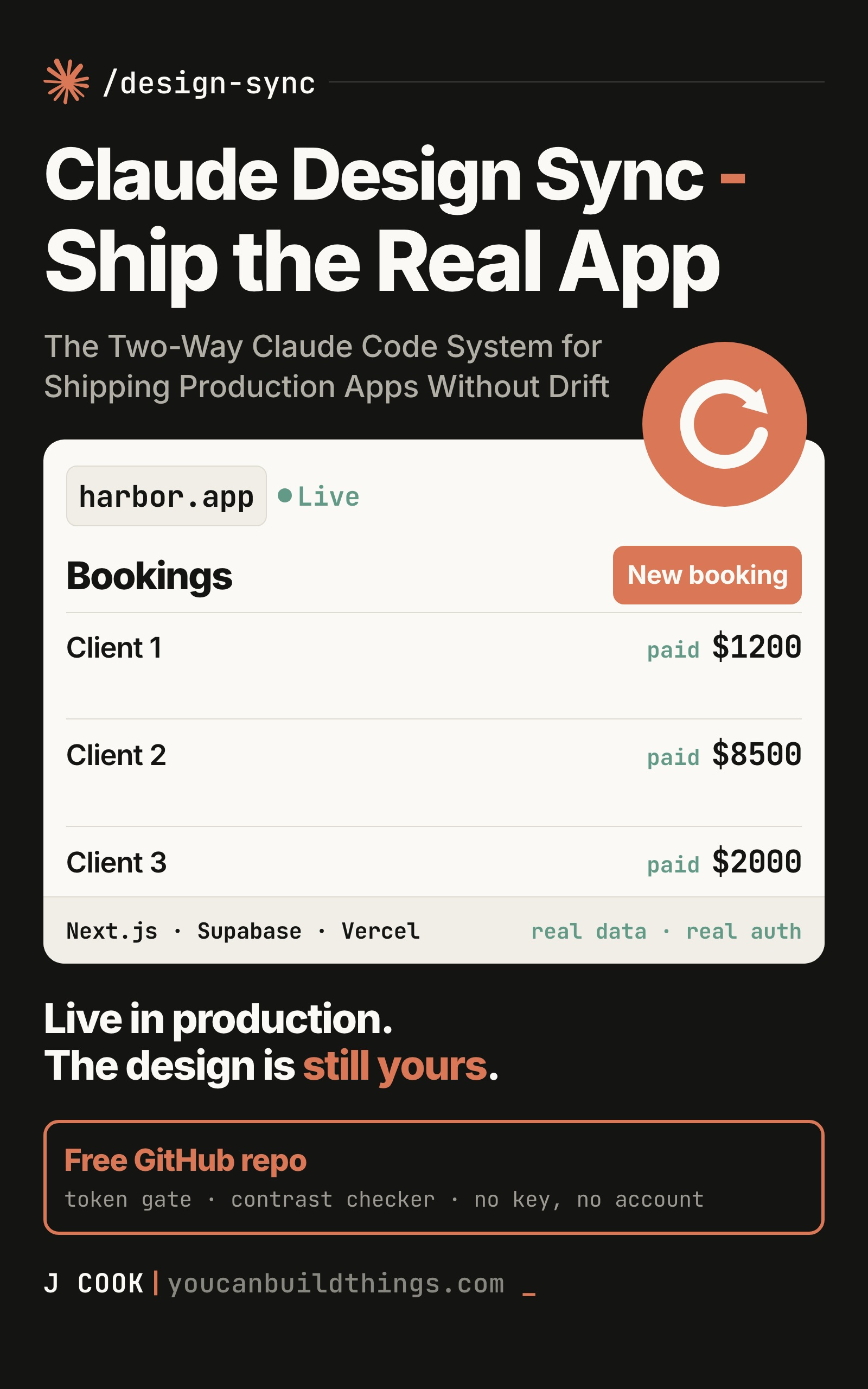
Claude Design Sync: Ship the Real App
The Two-Way Claude Code System for Shipping Production Apps Without Drift
Hello builders,
The whole claude design sync setup is two commands, run once per machine rather than once per project, and from then on Claude Design is on every repo you own. The step that stops most people is not the one you would guess, and it costs a day: somebody did everything right, got to the sign-in step, and wrote this up:
“I started the process in Claude code, and it seemed to be working up until the point of needing me to login … using the
/logincommand, which didn’t come up as an option for me. … I’m using Claude code on desktop so is that why? … does the administrator of my plan need to enable anything?”
Three theories in four sentences. The desktop app, his admin, his plan. All reasonable and all wrong. The command is /design-login. It was never /login, and /login won’t authorize a design connection no matter which machine you type it on. He lost a day to nine characters, and the thread filled up with people guessing about Enterprise permissions.
Two commands, once, forever
We run these a single time per machine, not per project. First the MCP server:
claude mcp add --scope user --transport http claude-design https://api.anthropic.com/v1/design/mcpType it exactly. The server name is claude-design, with a hyphen. You will see claude_design with an underscore in blog posts and in more than one book, and it’s wrong the dull way a misspelled variable is wrong: it works right up until you follow somebody else’s instructions and nothing matches.
Two flags in that line are doing real work. HTTP is the recommended transport for a remote server, described as “the most widely supported transport for cloud-based services,” and it takes http, sse or stdio, with SSE marked deprecated in favour of HTTP. And --scope user is what makes this a once-per-machine job instead of a once-per-project one:
“User-scoped servers are stored in
~/.claude.jsonand provide cross-project accessibility, making them available across all projects on your machine while remaining private to your user account.”
Drop that flag and you get local scope, which is the default, and a local server “loads only in the project where you added it.” (Connect Claude Code to tools via MCP)
Then:
/design-loginA browser opens, you sign in, and two permissions get attached to your claude.ai login: read and write on your design projects. That’s the whole setup. Two commands, one browser round trip, done forever.
Two failures worth ruling out before we lose a morning. If the browser stalls, the authorization gives up after five minutes and tells you to retry. And if your environment restricts nonessential network traffic, the feature switches itself off and says so in plain words:
Claude Design is disabled because nonessential network traffic is restricted.It was not hung
Now the part that makes people quit, and it is the first sync we are about to run.
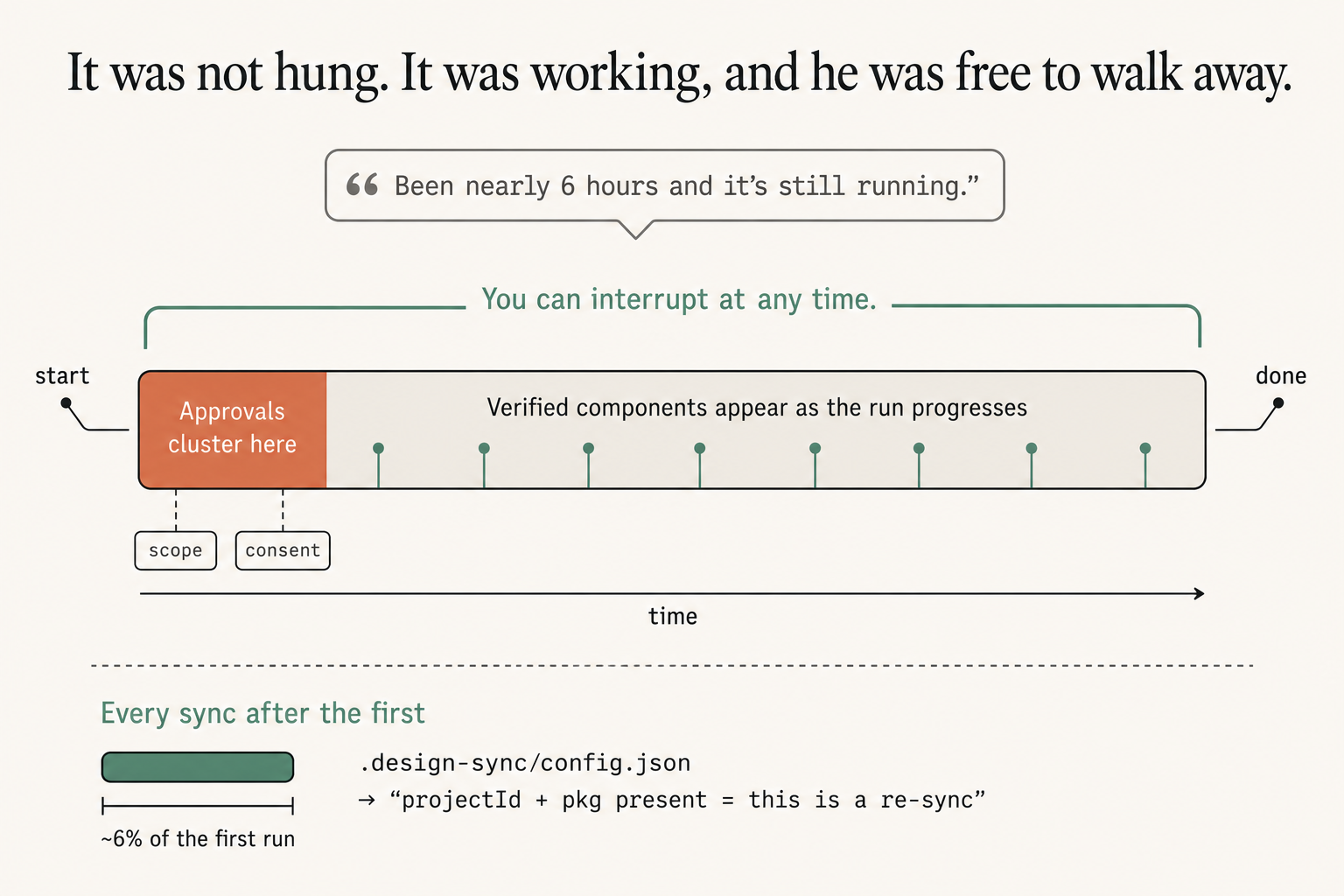
That six-hour run is the most-repeated horror story about this tool, and it is not a bug report. He hit the documented default on exactly the case the default was written for. A first import is high-fidelity, which means it iterates on the build and visually verifies the quality of every single component preview, and the documentation says outright that this can take up to a few hours on a large repo. His library was a component library laid out as a Storybook, which is the large-repo case in its purest form.
Here’s what he didn’t know. He could have talked to it. A message mid-run to check progress or narrow the scope is welcome and breaks nothing. He watched a progress-free terminal for most of a working day because he thought he was locked out of his own session.
Read the shape of that run in the picture, because it is the reason we can walk away from it. Approvals cluster at the front, tagged scope and consent, so we are not going to come back after three hours to a question we needed to answer at minute forty. After that it works, and verified components appear in the project as the run progresses, so we get to watch it fill instead of staring at nothing.
And it asks first. Before it starts, it puts a question in front of you about whether to proceed with the full high-fidelity sync or adjust the scope first. That question is the off-ramp, and the people who burned an afternoon said yes to the expensive path without reading it. On a first run, let it do the thorough thing once.
Before I trust a sync I go and look at what landed. The build leaves a review page for exactly that, and it never gets uploaded:
node .ds-sync/storybook/http-serve.mjs ./ds-bundleIt prints an address, and you add /.review.html to it. (Run that in the background rather than inline, because a plain & on the end dies with the shell, which cost me five minutes.) Then open one component and grade it on the tool’s own three words: styled, meaning your tokens and fonts are visibly on it; complete, meaning nothing collapsed or failed to draw; and plausible, meaning you would recognise it as a sensible use of your own component. A card that fails any of those renders wrong in every design anyone ever builds with it.
The checkpoint is a file
Do not trust a quiet terminal. We check the file:
cat .design-sync/config.jsonThe rule is the tool’s own: a completed sync always leaves .design-sync/config.json holding both a projectId and a pkg. Both keys present means our first sync finished, and every run after this one is a re-sync, which is the cheap kind. The sync writes an anchor recording what it verified, and on the next run anything unchanged skips verification entirely instead of being re-graded.
That is the difference between the hours you just spent and the minutes you will spend next time, and it is why the first run is worth sitting through. We are paying a setup cost once per library, not a running cost forever.
While that file is open, we look at where it points. Somebody reported a sync that pushed to the wrong Claude Design project, and the destination is right there in the config, four seconds from your eyes. Check it before you overwrite something a colleague built.
Now go build something this weekend!
John Cook