Wire Claude Code to Live Market Data (UW MCP)
A Claude Code trading bot needs live options flow. Register the official Unusual Whales MCP server the npx way, verify it, and see the real 2026 cost ladder.
>This covers the setup. Use Claude to Build an AI Trading Bot goes deeper on the screener, the flow trader, and the backtest that run on this connection.
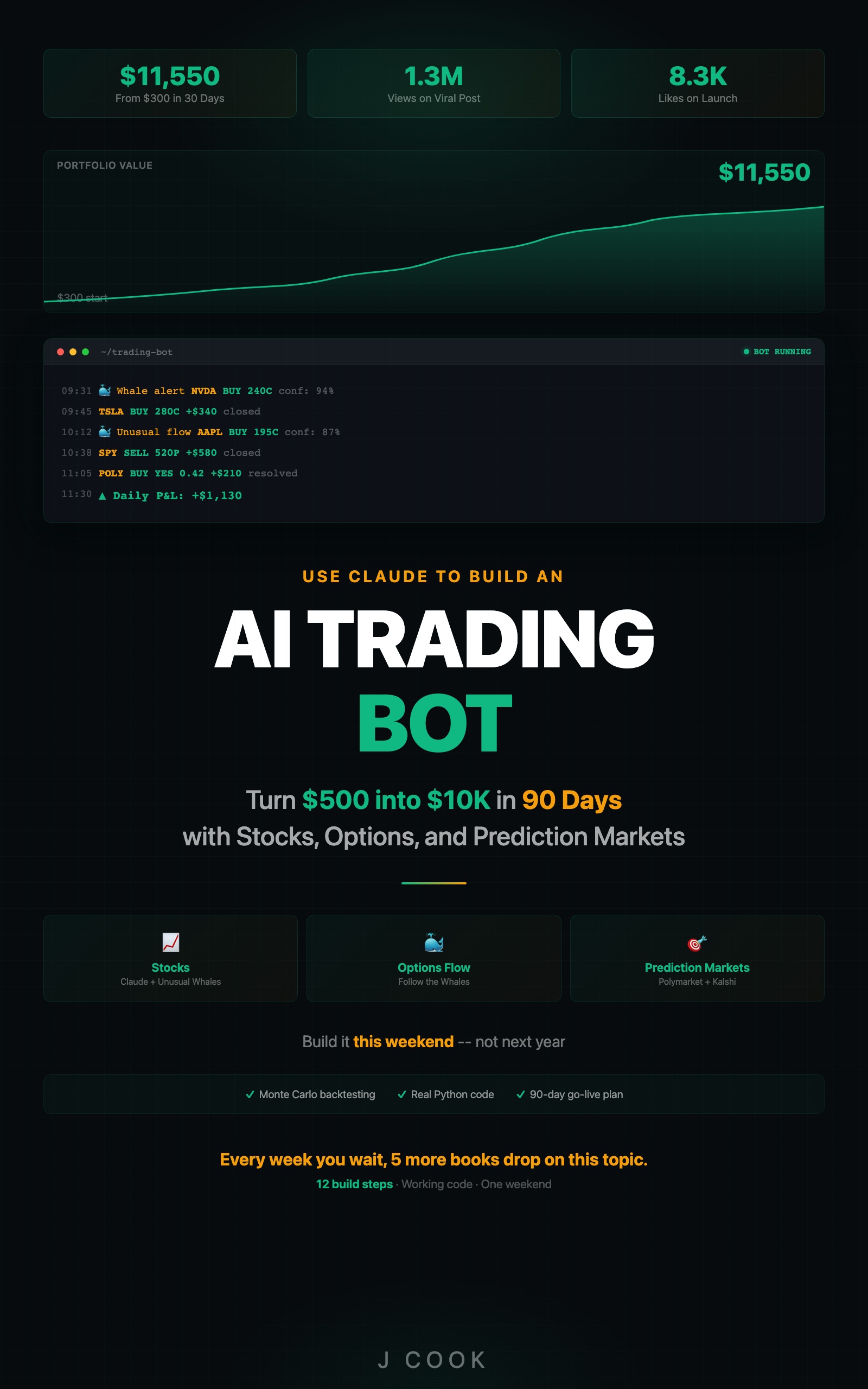
Use Claude to Build an AI Trading Bot One Weekend
Turn $500 into $10K in 90 Days with Stocks, Options, and Prediction Markets
Summary:
- The official Unusual Whales MCP is npx-based, not the wrong pip package most guides show.
- Register it with Claude Code in one command, then verify with claude mcp list.
- Saved bot scripts call UW REST directly; MCP is for the interactive Claude Code session.
- The real 2026 cost ladder, itemized, so “every tool is free” stops surprising you.
A Claude Code trading bot is only as good as the data feed behind it, and wiring that feed is where most guides send you off a cliff. They tell you to run pip install unusual-whales-mcp. That package is a community fork. It is not the official server. Following it is the single most common reason a reader’s bot returns confident, fabricated market data instead of real options flow.
This is the setup done the way it actually works in 2026.
Why does the pip package fail?
Because the official Unusual Whales MCP server is Node-based and runs via npx, not pip. The PyPI unusual-whales-mcp package is somebody else’s fork. The official package, scraped live from npm, documents exactly two supported wiring paths:
# Claude Code (remote, recommended, no install)
claude mcp add --transport http unusualwhales \
  https://api.unusualwhales.com/api/mcp \
  --header "Authorization: Bearer YOUR_KEY"

# Claude Desktop (~/Library/Application Support/Claude/claude_desktop_config.json)
{
  "mcpServers": {
    "unusualwhales": {
      "command": "npx",
      "args": ["-y", "mcp-remote",
               "https://api.unusualwhales.com/api/mcp",
               "--header", "Authorization: Bearer YOUR_KEY"]
    }
  }
}
Source: the official @unusualwhales/mcp npm package, v1.1.0, publisher unusualwhales, described as “Official Unusual Whales MCP server.” No pip anywhere. If a tutorial tells you to pip install it, the tutorial is wrong, and your bot will hallucinate.
How do you register it with Claude Code?
Four steps, in order:
- Install Claude Code:
brew install --cask claude-code, then confirm withclaude --version. - Get a paid Unusual Whales key (Trial $50/week minimum) and export it as
UW_API_KEY. - Register the server with the one command below.
- Verify with
claude mcp list.
The registration command:
claude mcp add --transport http unusualwhales \
  https://api.unusualwhales.com/api/mcp \
  --header "Authorization: Bearer $UW_API_KEY"
Verify it took:
claude mcp listIf unusualwhales is in the list, it is wired. If it is not, re-run the add command and watch for a typo in the URL or a missing Bearer prefix. claude mcp list is the source of truth, not your config file. A server that is not in that list cannot be dispatched to, no matter what a JSON file says.
What broke
My first bot used a prompt that said “Using Unusual Whales MCP, pull today’s options flow,” called from a plain Python script with client.messages.create(). It returned clean JSON. All of it invented. The vanilla Messages API has no MCP connection from a saved script, so Claude fabricated a market.
The fix is the part nobody explains: MCP and your saved scripts are two different transports.
- Inside an interactive Claude Code session, MCP is live. Ask “what is the unusual flow on AAPL right now” and Claude Code dispatches the registered UW server.
- Inside a saved
screener.pyyou run later, there is no MCP. The script must call UW’s REST endpoint directly withrequests.get()and the same Bearer token.
A saved bot that depends on an MCP prompt is the bug. Saved scripts use REST. The MCP registration is for the conversational session you work in. Get that distinction wrong and the bot looks like it works while quietly inventing every number.
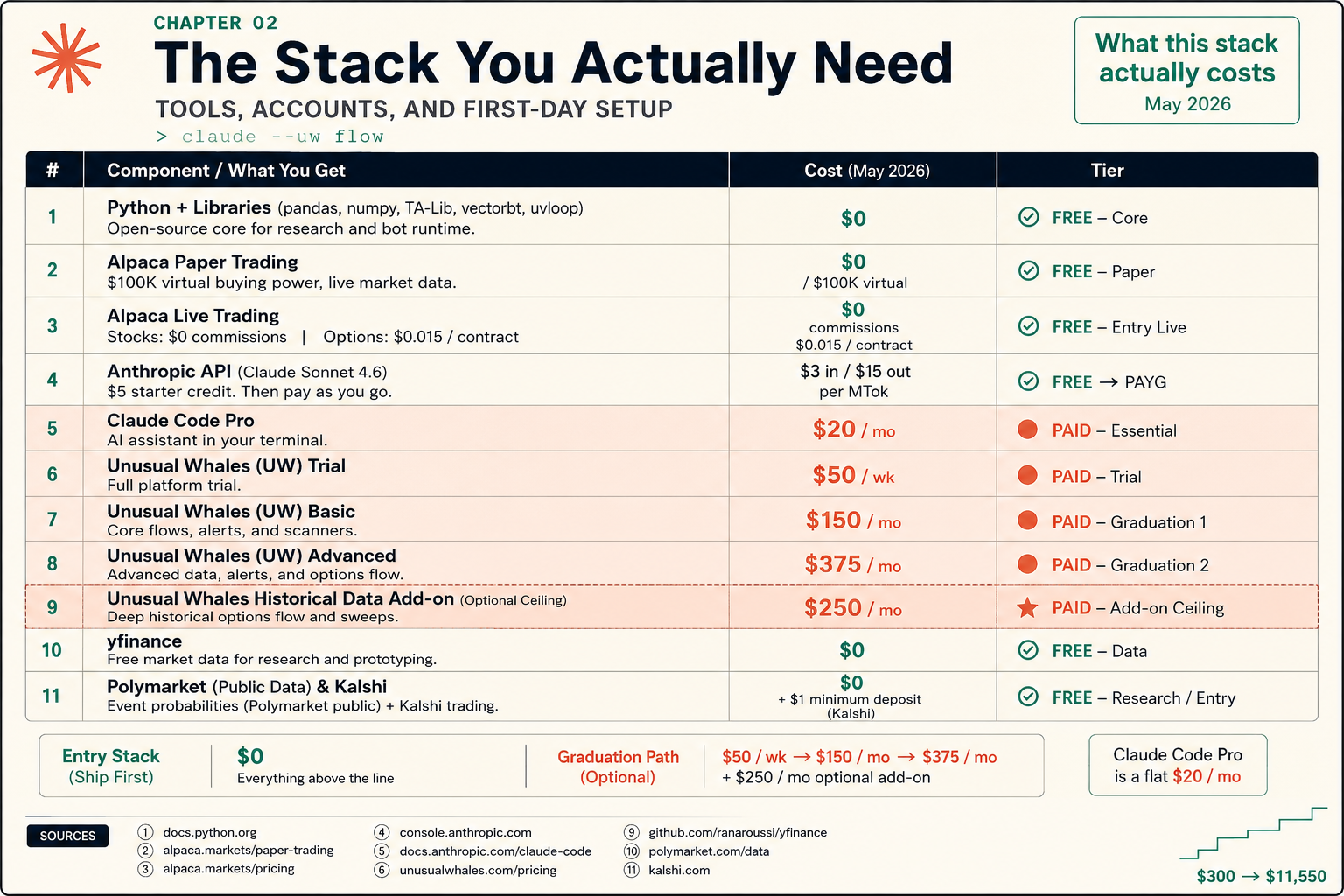
What does this stack actually cost?
The honest answer, because “every tool is free” is the lie that produced a wave of one-star reviews. Here is the itemized 2026 ladder:
| Component | Cost | Tier |
|---|---|---|
| Python + libraries | $0 | Free, core |
| Alpaca paper trading | $0 ($100K virtual) | Free, paper |
| Alpaca live (stocks / options) | $0 / $0.015 per contract | Free entry live |
| Anthropic API | $5 starter credit, then $3 in / $15 out per MTok | Pay as you go |
| Claude Code Pro | $20/month | Paid, required |
| Unusual Whales Trial | $50/week | Paid, entry |
| Unusual Whales Basic | $150/month | Graduation 1 |
| Unusual Whales Advanced | $375/month | Graduation 2 |
| UW historical options add-on | $250/month | Add-on ceiling |
| yfinance | $0 | Free data |
| Polymarket / Kalshi | $0 (Kalshi ~$1 min deposit) | Free / entry |
The entry stack ships at $0: Alpaca paper, yfinance, public market data, Python. You can build and paper-trade the screener and backtester on that alone. The graduation path is $50/week, then $150/month, then $375/month as you need deeper Unusual Whales data. The moment you wire UW MCP, your floor is $50/week. Plan around it. The free Shamu web tier does not include API or MCP access, and the free Claude chat tier cannot run the Claude Code CLI at all. Pro at $20/month is the real entry point.
Does the connection actually work?
Test it from inside Claude Code before you trust a bot to it. Open the session in your project directory and paste:
Using the unusualwhales MCP, what ticker has the highest unusual
options activity right now? One ticker symbol only, no narration.
If you get one real, current US-listed ticker back, the MCP is live. If Claude says it has no access, or returns a symbol for a company that does not exist, the registration or the API key is wrong. A hallucinated ticker is always the tell that the data layer is not connected.
What should you actually do?
- If a guide says
pip install unusual-whales-mcp→ close it. The official server is npx-based. The pip package is a fork and will not behave like the real one. - If your bot returns tickers you cannot find → the MCP or key is broken. Run
claude mcp listfirst, then re-check the Bearer token for trailing whitespace. - If you are writing a saved script → call UW REST directly, not an MCP prompt. MCP is for the interactive session only.
- If you are on the free Claude tier → you cannot run this. Claude Code needs Pro. Budget the $20/month plus the $50/week UW Trial before you start, not after.
bottom_line
- The official Unusual Whales MCP is npx, not pip. Every guide that says otherwise breaks your data feed.
- MCP for the conversation, REST for the saved script. Mixing them is the hallucination bug in disguise.
- The entry stack is genuinely $0, but UW MCP costs $50/week the moment you wire it. Honest budgeting beats a surprise.
Frequently Asked Questions
Is pip install unusual-whales-mcp the right way to set up the Unusual Whales MCP?+
No. That PyPI package is a community fork, not the official server. The official Unusual Whales MCP is Node-based and runs via npx, registered with Claude Code through claude mcp add.
Can I follow a Claude Code trading bot guide on the free Claude tier?+
No. The free Claude web and mobile chat tier cannot run the CLI. Claude Code requires a Pro subscription at $20/month minimum.
Is Unusual Whales free for API access in 2026?+
No. The free Shamu web tier does not include API or MCP access. The cheapest tier with API access is the Trial at $50/week.