Claude Code for Teams: Share One Config
Claude Code team setup: commit a shared .claude/ directory so every developer inherits your rules, safety boundaries, and MCP servers from one git clone.
>This covers the shared config and committable MCP. Master Claude Code goes deeper on ADRs, the AI-specific PR review checklist, and measuring AI code quality across a team.
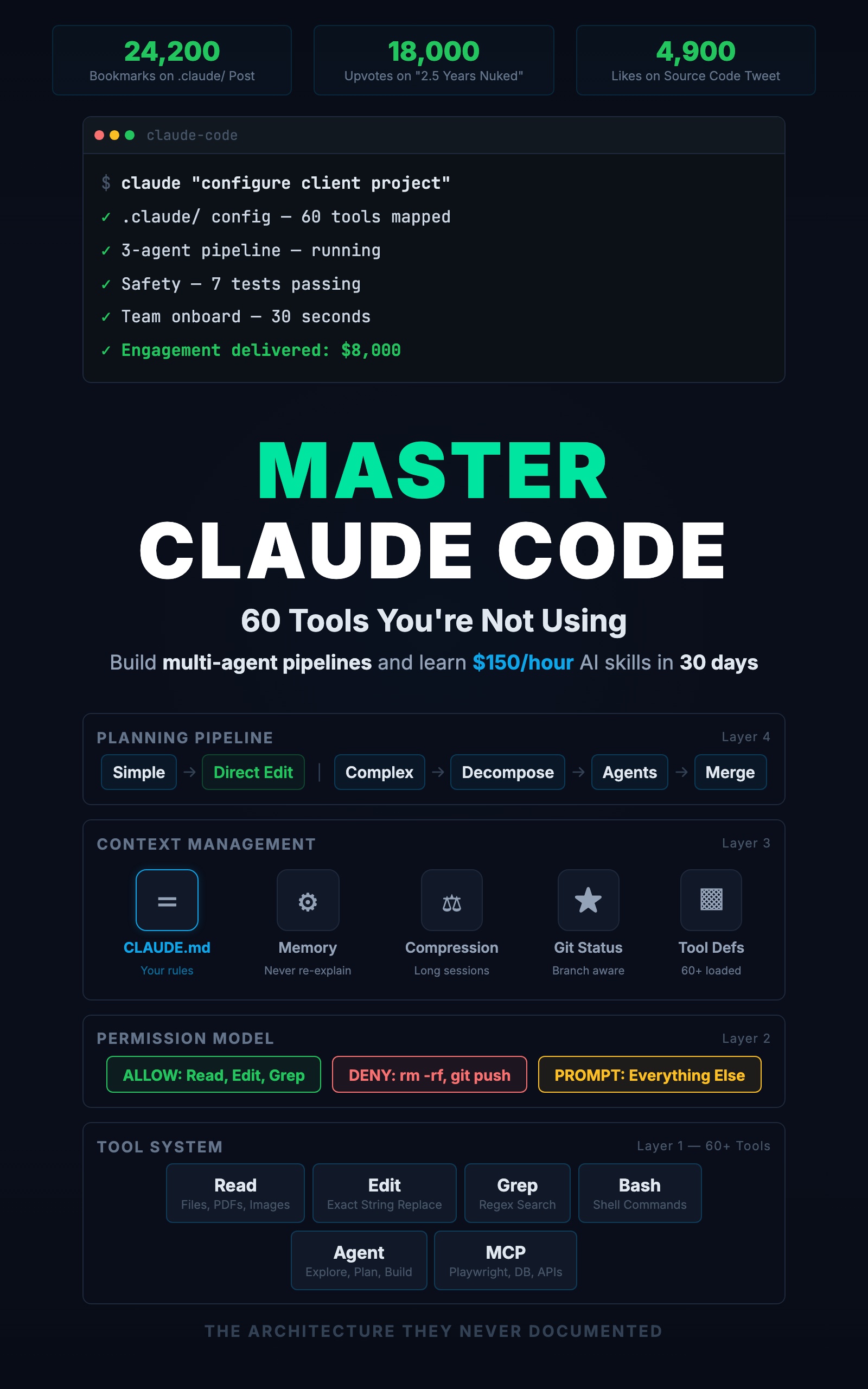
Master Claude Code: 60 Tools You're Not Using
Build Multi-Agent Pipelines and Learn $150/Hour AI Skills in 30 Days
Summary:
- Commit a shared
.claude/so every developer inherits the same rules and safety boundaries.- The step almost everyone misses: MCP servers default to local scope and are not shared.
- Fix it with
claude mcp add --scope project, using${VAR}for secrets./onboardgives new hires a 30-second codebase tour from the config they just cloned.
A proper Claude Code team setup fixes the mess before the code is written. A developer’s post titled “PM wants to push vibe coded slop to my codebase” went around because every team has the problem. One person uses Claude Code well. Another pastes whatever it generates. A third lets it make architecture calls it does not understand. The repo ends up looking like three people built three apps in it, because that is what happened. The fix is sharing the config that shapes every session. Here is what to commit.
How do you set up Claude Code for a whole team?
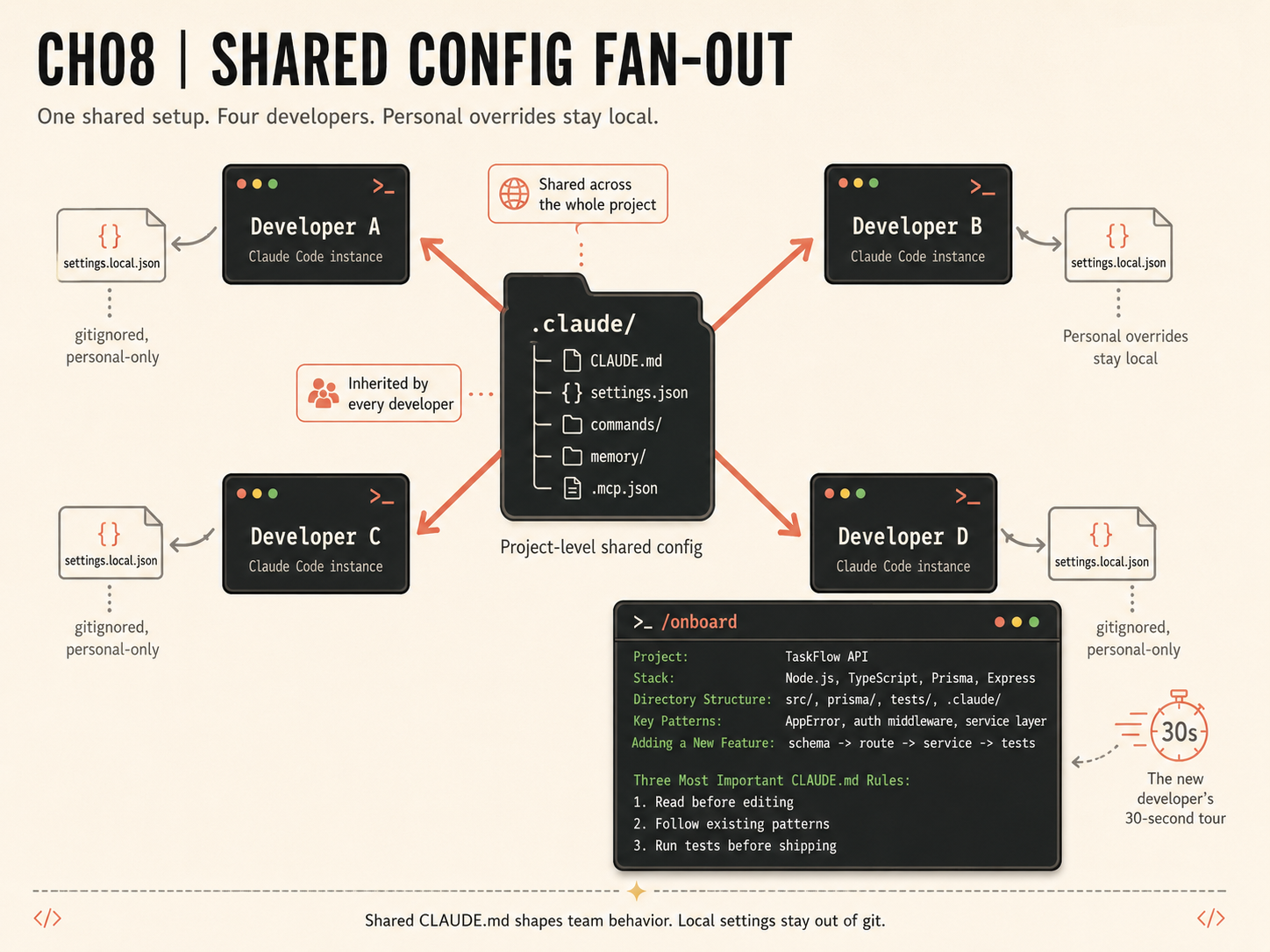
You set it up by committing a shared .claude/ directory to the repository so every developer who clones it inherits the same conventions, safety boundaries, and commands. Your personal config only affects your sessions. Your coworker’s Claude Code knows nothing about your rules unless they live in project-level files everyone shares. The split is simple: team standards go in committed files; personal preferences go in a gitignored override.
The shared directory has four surfaces, and one extra file most teams forget:
.claude/
├── CLAUDE.md            (committed: team conventions and rules)
├── settings.json        (committed: permissions and hooks)
├── commands/            (committed: shared slash commands)
└── memory/              (committed if shared)
settings.local.json      (gitignored: each dev's personal overrides)
.mcp.json                (committed: shared MCP servers)
What goes in the shared config
The team CLAUDE.md is stricter than a personal one. Every rule must be objective and checkable, not a matter of taste:
# Project: TaskFlow API (Team CLAUDE.md)

## Conventions (enforced)
- TypeScript strict mode on all files
- Explicit return types on exported functions
- Database access only through Prisma, never raw SQL
- API responses use the { data, error, meta } shape

## Safety (non-negotiable)
- Never modify .env files
- Never run git push
- Before changing more than 5 files, show the plan and wait
- Run tests after every source file change
“Functions must have explicit return types” is either true or false for any function, so Claude Code can check its own output against it. “Write clean code” means something different to every developer, so it changes nothing. Commit settings.json with the same safety deny rules for everyone, so the junior who joined yesterday gets the identical boundaries as the senior who wrote them. They cannot push to main or drop a table, because those are denied at the project level.
What broke: the MCP servers nobody shared
Here is the gap that bites teams. You commit CLAUDE.md, settings.json, and commands/, a teammate clones the repo, and they get all of it and none of your MCP servers. The claude mcp add command defaults to local scope, which writes to ~/.claude.json under your own path. It never lands in a committable file. If your workflow assumes everyone has the Playwright and database MCP servers wired up, but nobody used the right scope, the MCP layer becomes per-developer tribal knowledge.
The one-line fix, per the MCP docs: register with --scope project, which writes a committable .mcp.json at the repo root.
# Shared with the team via .mcp.json (commit this)
claude mcp add --scope project playwright -- npx -y @playwright/mcp@latest
claude mcp add --scope project db -- npx -y @bytebase/dbhub \
  --dsn '${DATABASE_URL}'
Note the single quotes around ${DATABASE_URL}. They stop your shell from expanding the variable, so the committed file contains the placeholder, not your actual password. .mcp.json supports environment-variable expansion: Claude Code resolves ${VAR} and ${VAR:-default} from each developer’s environment at server-connect time. The team shares the shape of the connection; each developer plugs in their own credentials.
{
  "mcpServers": {
    "db": {
      "command": "npx",
      "args": ["-y", "@bytebase/dbhub", "--dsn", "${DATABASE_URL}"]
    }
  }
}
Commit that, and a fresh clone runs claude mcp list and sees the team’s servers without re-adding them.
The 30-second onboarding
Add an /onboard command so a new hire gets a guided tour from the config they just cloned:
---
description: Introduce the codebase to a new developer
---
Give a structured tour: project purpose and stack, the directory
structure with each top-level folder's role, the key patterns
(error handling, auth, database access), where to add new
features, how to run tests, and the three most important
CLAUDE.md rules and why they exist.
Run /onboard and the output is the tour:
Project: TaskFlow API
Stack: Node, TypeScript, Prisma, Express

Three most important rules:
  1. Validate all inputs (Zod in middleware, before the handler)
  2. Follow existing patterns (route -> service -> Prisma)
  3. Run tests before shipping any change
That is onboarding in 30 seconds. No wiki page, no architecture meeting. The new developer’s Claude Code already follows these rules from the CLAUDE.md they inherited on clone.
What should you actually do?
- Strip personal preferences out of your current CLAUDE.md and keep only enforced, checkable team rules. Move your personal tweaks to
settings.local.jsonand gitignore it. - Re-register every team MCP server with
--scope project, then commit.mcp.json. Use${VAR}for any secret. - Add
review.md,pr-prep.md, andonboard.mdtocommands/so the whole team runs the same checks. - Verify the fan-out: have someone else clone the repo (or do a fresh clone in a scratch directory). Run
/onboardandclaude mcp list. If they get the tour and the server list without touching their own config, it works.
The bottom line
- Team-wide quality comes from configuration, not from hoping everyone does the right thing. Shared CLAUDE.md enforces conventions; shared settings enforce safety.
- Committing CLAUDE.md and settings.json is not enough. MCP servers default to local scope and silently fail to share.
--scope projectis the line that closes the gap. - The payoff is that a new developer inherits the entire team’s standards from one
git clone, and the standards apply automatically instead of when someone remembers to enforce them.
Frequently Asked Questions
How do I set up Claude Code for my whole team?+
Commit a shared .claude/ directory: CLAUDE.md with enforced conventions, settings.json with safety deny rules, and a commands/ folder. When a teammate clones the repo, their Claude Code inherits all of it automatically.
Why don't my teammates get my MCP servers when they clone the repo?+
Because claude mcp add defaults to local scope, which writes to ~/.claude.json and is private to you. Re-register with claude mcp add --scope project to write a committable .mcp.json that the team inherits.
How do I share an MCP server without committing my database password?+
Use environment-variable expansion in .mcp.json. Write the value as ${DATABASE_URL} so the placeholder is committed and each developer's local environment fills it in at server-connect time.