Claude Code Browser Automation Beyond Code
Claude Code browser automation with Playwright MCP: drive dashboards, scrape data, and monitor pages using the accessibility tree, not brittle screenshots.
>This covers browser automation as one command. Master Claude Code goes deeper on the multi-agent pipelines, the database MCP, and the full beyond-code automation platform.
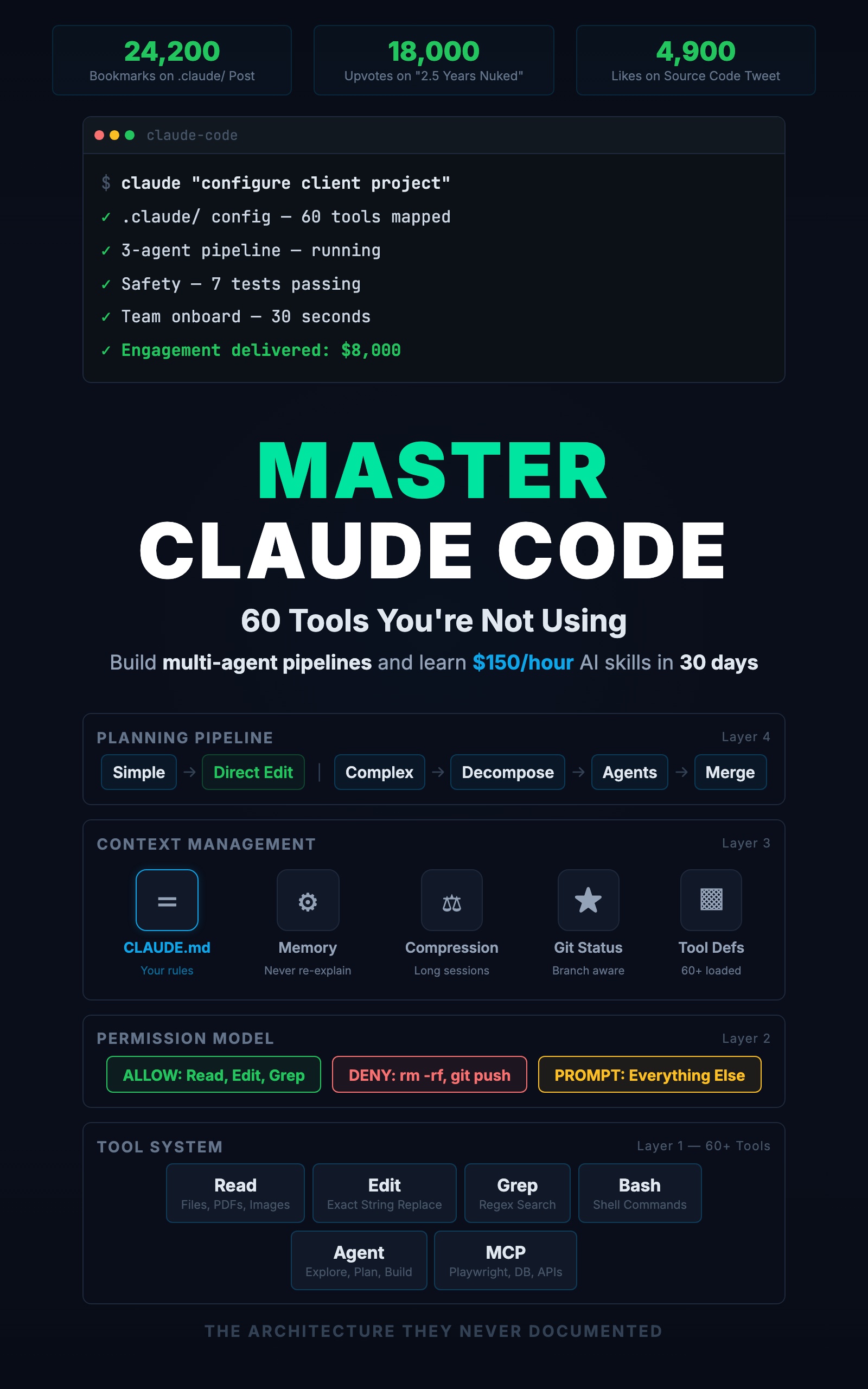
Master Claude Code: 60 Tools You're Not Using
Build Multi-Agent Pipelines and Learn $150/Hour AI Skills in 30 Days
Summary:
- Claude Code drives a browser through the Playwright MCP server.
- It reads the accessibility tree (roles and labels), not screenshots, so automations survive layout changes.
- Build a morning dashboard check as one
.claude/commands/file.- The same tool system handles data, documents, and scheduled reports.
Claude Code browser automation is the half of the tool most developers never touch. The name has “code” in it, so everyone assumes it writes functions and stops there. But the Read, Bash, and MCP tools do not care whether the task involves code. Hook up one MCP server and Claude Code can log into a dashboard, read the numbers, and write you a report before you open a browser. Here is how to build one.
How does Claude Code do browser automation?
Claude Code does browser automation through the Playwright MCP server: an external process that exposes browser tools to Claude Code over the Model Context Protocol. Register it with one command:
claude mcp add playwright -- npx -y @playwright/mcp@latestThat gives Claude Code a set of browser tools it calls the same way it calls Read or Edit. From github.com/microsoft/playwright-mcp, the core tools are:
browser_navigate     browser_click        browser_type
browser_snapshot     browser_fill_form    browser_select_option
browser_wait_for     browser_take_screenshot   browser_hover
browser_press_key    browser_tabs         browser_close
The important detail: browser_snapshot returns the page’s accessibility tree, not a pixel image. Claude Code identifies “Error Rate: 0.3%” by its role and label, regardless of how the page is styled. Redesign the dashboard layout and the automation still finds the metric, because it reads content, not position. That is what makes this reliable where coordinate-clicking is not.
One setup step people miss: Playwright needs a real browser installed. Run this once per machine:
npx playwright install chromiumWithout it, every browser command fails with a clear “browser not installed” error.
What broke when I first ran this
Two things, both fixable. The first: on a heavy-JavaScript dashboard, Claude Code took the snapshot before the page finished rendering and read an empty overview. The metrics were not in the DOM yet. The fix is a wait step:
Wait for the element labeled "Error Rate" to be visible,
then take the snapshot.
browser_wait_for pauses until that element appears. Snapshot after, and the data is there.
The second: the automation broke after a UI release because someone renamed a field’s accessible label from “Email” to “Email address.” This approach is not selector-free magic. It survives layout and styling changes, but a renamed accessible name, a role change (an <input> swapped for a custom component with no ARIA role), or an extra confirmation step can still make a command click the wrong element. Treat the command like code that ages: run it under supervision after a UI release, and update the label in the prompt when it changes. A hardcoded CSS-selector script breaks on far more changes than this does.
Build a morning dashboard check
Here is a complete automation. It logs into a monitoring dashboard, reads the metrics, checks alerts, and writes a report. Save it as .claude/commands/morning-check.md:
---
description: Morning health check from monitoring dashboard
---

Run a morning health check:

1. Use Playwright to visit the dashboard at the URL in the
   DASHBOARD_URL environment variable
2. Log in if needed (credentials in environment variables)
3. Take a snapshot of the main overview page
4. Read the key metrics: error rate, response time p99, active users
5. Take a screenshot for the record
6. Check the alerts page for any active alerts
7. Write a summary to reports/morning-check.md including:
   - Current metrics vs yesterday (if visible)
   - Any active alerts with severity
   - Screenshot path for reference
Run /morning-check and Claude Code opens the browser, logs in, reads the numbers, and writes the file. Five minutes of automated work that replaces fifteen minutes of manual clicking. A handled login flow lives at the top: visit the login page, fill credentials from environment variables (never hardcoded), submit, wait for the redirect, then proceed.
Beyond the browser: data, documents, and reports
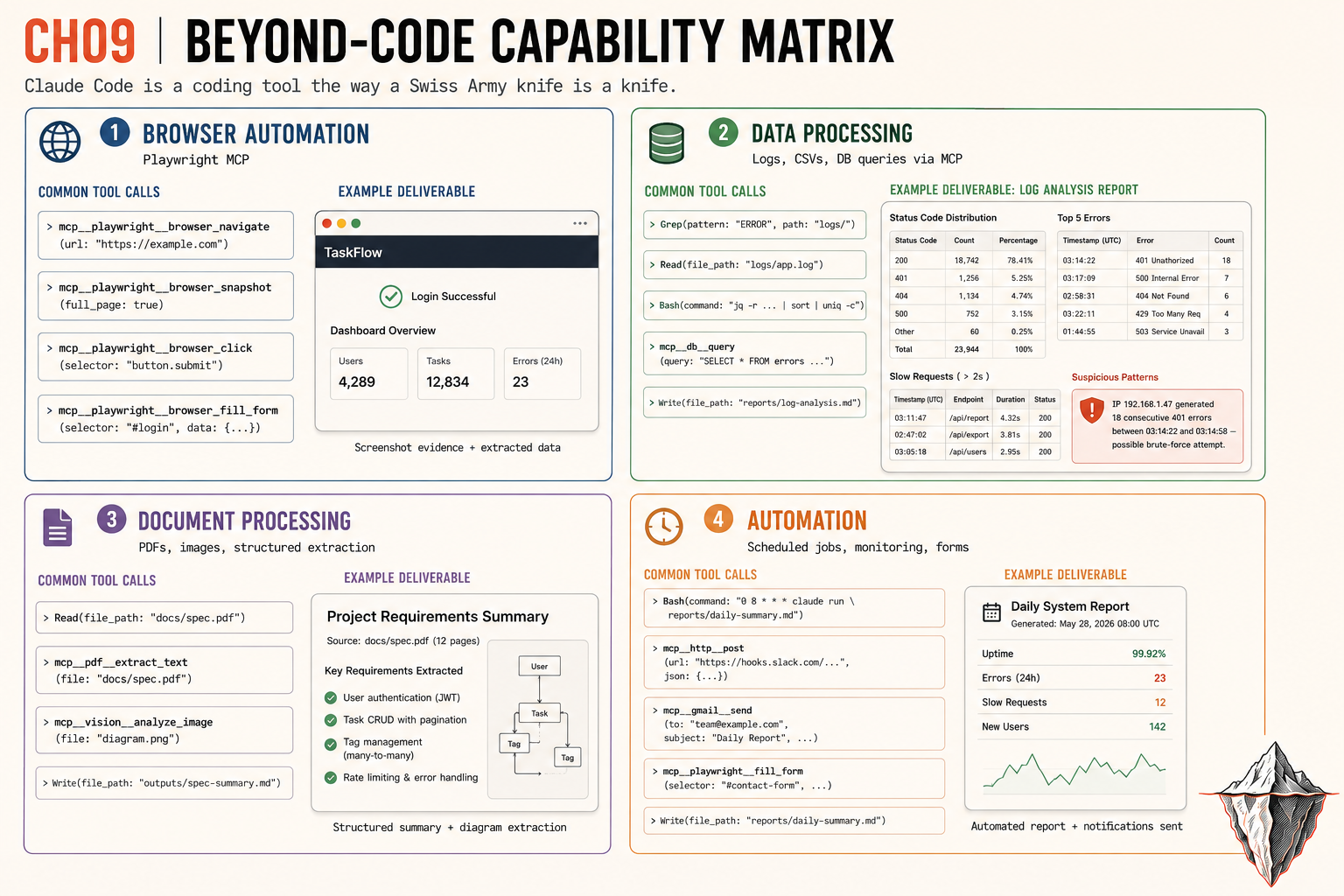
The browser is one quadrant of what Claude Code does past writing code. The same tool system covers three more.
Data processing. Read loads a log file, Bash transforms it, Write outputs a report. “Read the last 1000 lines of logs/production.log, count each HTTP status code, find requests over 2 seconds, and write a summary to reports/log-analysis.md.” With a database MCP server configured, Claude Code queries directly: “What are the top 10 most active users this week and how many tasks did each create?” It translates that to SQL, runs it, and formats the result. A real run produced a report flagging 12,847 total API calls and a suspicious IP with 18 consecutive 401s between 03:14:22 and 03:14:58: a brute-force attempt nobody would have caught by eye.
Document processing. The Read tool handles PDFs and images natively. “Read the contract in docs/vendor-agreement.pdf pages 1 through 5, extract the payment terms, renewal date, and liability caps, and summarize in a table.” It reads up to 20 pages per request. Point it at a screenshot of an error and it identifies the failing component and suggests a fix from your codebase.
Automation. Scheduled jobs, monitoring, and form filling. A competitor-pricing monitor visits each URL in a JSON file, reads the prices off the accessibility snapshot, compares to history, and alerts you on changes. A weekly client report pulls from the database, the dashboard, and the project board into one file. Run it once per client.
What makes these automations reliable
Non-code automations break differently than code: a browser fails on a layout change, a pipeline fails on an unexpected CSV column. Four practices keep them running:
- Explicit error handling. “If the login fails, report the error and stop. Do not continue to the dashboard.”
- Data validation. “Read the first 5 rows and verify the columns are email, amount, date. If any is missing, stop.”
- Idempotency. A report that writes a new file each run is safer than one that appends.
- Output verification. “After generating the report, check it has at least 10 rows and the total is positive.”
And version your command files. Commit them to git so when an automation breaks, you can diff against the version that worked.
What should you actually do?
- If you check a dashboard every morning: build the
/morning-checkcommand above. Run it tomorrow. - If you grep logs by hand: write a log-analysis command and point it at last night’s log file.
- If you track competitor prices or fill the same internal form weekly: automate it with a Playwright command and a small JSON config.
- If a command keeps clicking the wrong element: make the element descriptions specific (use the role and the accessible label, never a position), and add a
browser_wait_forbefore the snapshot.
The bottom line
- Claude Code is a coding tool the way a Swiss Army knife is a knife. Browser automation, data pipelines, and document processing all run on the same tools that build APIs.
- Structured DOM control beats screenshot-and-click every time. Reading roles and labels survives the redesigns that kill pixel-based scripts.
- Start with one automation that saves you 30 minutes a week, get it reliable, then chain the next one onto it. The compounding is where this stops being a trick and starts being a platform.
Frequently Asked Questions
Can Claude Code control a browser?+
Yes, through the Playwright MCP server. Register it with one command and Claude Code gains tools like browser_navigate, browser_snapshot, and browser_click. It reads the page's accessibility tree, not pixels, so it finds elements by role and label.
Do I need to write Playwright scripts?+
No. You describe the steps in plain English inside a .claude/commands/ file. Claude Code calls the browser tools itself. You skip CSS selectors and XPath, though a renamed accessible label can still break a step.
Why does Claude Code's browser automation fail on some pages?+
Heavy-JavaScript pages can return an incomplete snapshot if Claude Code reads them before they finish loading. Add a browser_wait_for step that pauses until a known element appears, then take the snapshot.