Run Claude Code Subagents in Parallel Without Clobbering
Multi-agent development with Claude Code clobbers files when workers share a checkout. Use git worktree isolation and claude --bg to fan out workers safely.
>This isolates the file race. Claude Code Subagents and Hooks ships the full parallel-fanout script, the collect-and-verify merge, and the container pattern for multi-runtime work.
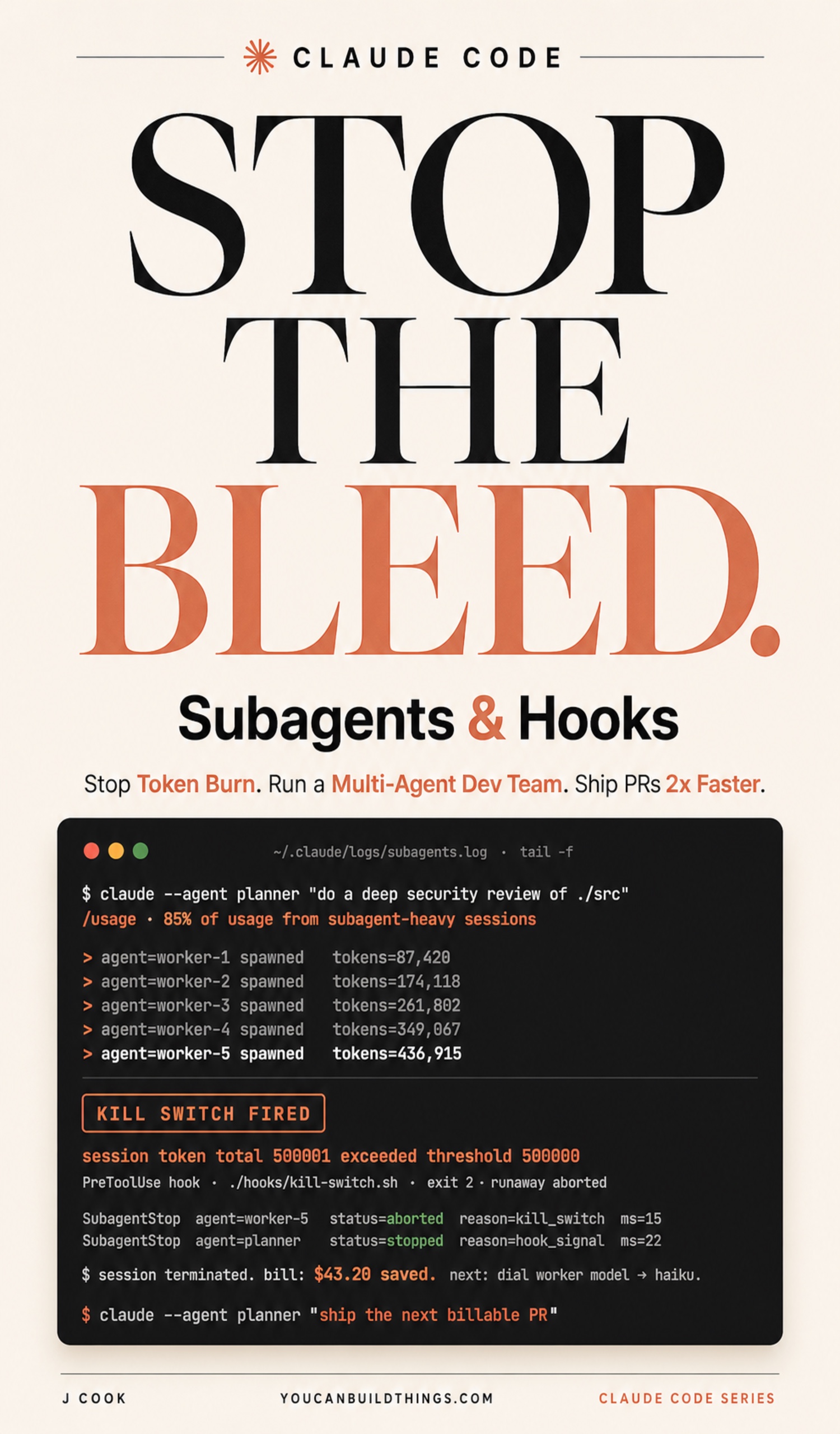
Claude Code Subagents and Hooks
Run a Multi-Agent Dev Team, Stop Token Burn, and Ship PRs 2x Faster
Summary:
- Two subagents in one checkout race on the same file and silently lose work. Isolation is the fix, not “be careful.”
claude --bgmoves each background worker into its own git worktree automatically. Three dispatches, three isolated checkouts.- Merge the three branches back through you, the operator, not between workers.
- Bonus: the
git worktreecommand reference and a five-item clobber-avoidance checklist.
Multi-agent development with Claude Code hits a wall the moment two subagents edit the same file at the same time. One reads package.json, adds a dependency, writes it back. The other read the file before that write landed, adds a different dependency, writes back, and wins. The first change is gone. No error. No warning. The planner reads two clean summaries and ships a PR missing half of what it promised.
Why do parallel Claude Code subagents clobber each other?
Because they share a checkout. A clobber is a lost write: two workers do overlapping read-modify-write cycles on the same path, and the last writer wins. It does not take fancy concurrency theory. It takes two edits to package.json, tsconfig.json, a migration directory, or a snapshot file from two workers in the same folder. Chapter 4’s stack ran subagents in sequence, so this never happened. The moment you fan out three workers in parallel (the entire point of having three) the race shows up.
The fix is isolation. Each parallel worker gets its own checkout. A developer on X named ACesar6463 put the pattern in eleven words: “same prompt, separate branch, they roll until it’s done.” Separate branch is the load-bearing phrase. Each worker on its own branch in its own worktree cannot clobber, because the workers cannot see each other’s filesystem.
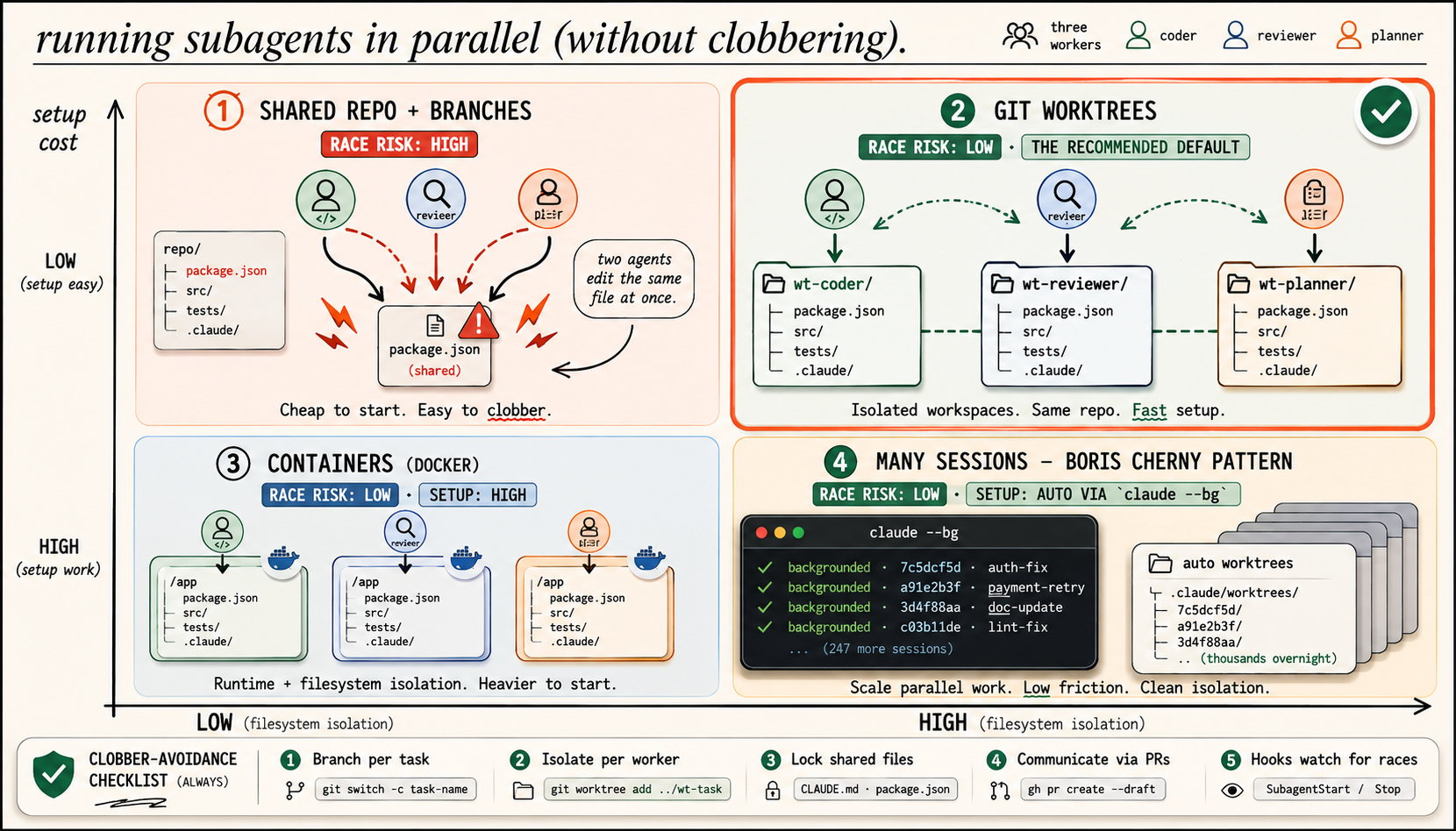
Which isolation strategy should you use?
Four strategies exist. Pick by setup cost versus how much isolation you actually need:
| Strategy | Race risk | Setup | Use it when |
|---|---|---|---|
| Shared repo + branches | HIGH | Cheap | Never for true parallel edits. This is the clobber case |
| Git worktrees | LOW | Fast | The recommended default for file edits |
| Containers (Docker) | LOW | Heavy | Workers collide outside the repo (/tmp, DB, runtimes) |
Many sessions (claude --bg) | LOW | Auto | Scaling to many workers, “thousands overnight” |
Git worktrees are the default because Claude Code gives them to you for free. Containers are real, but they are the 10% case. Start with worktrees.
The fastest way: claude —bg with auto-worktrees
claude --bg "<prompt>" dispatches a background session and moves it into its own worktree at .claude/worktrees/<auto>/ before the model can edit anything. You get isolation without thinking about it. Three independent tasks, three lines:
claude --bg --name "auth-fix"    "fix the auth flow per docs/auth.md"
claude --bg --name "payment-retry" "add retry logic to the payment client per docs/payments.md"
claude --bg --name "doc-update"  "update README.md to match the new auth and payment endpoints"
Each prints a short ID and management commands:
backgrounded · 7c5dcf5d · auth-fix
  claude agents             list sessions
  claude logs 7c5dcf5d      show recent output
  claude stop 7c5dcf5d      stop this session
The first worker’s edits land in worktree A, the second’s in B, the third’s in C. None clobbers because none shares a path. Add .claude/worktrees/ to your .gitignore so the auto-worktrees do not show up as untracked. Use --name once you go past two workers; the default IDs like 7c5dcf5d get unreadable fast.
This is the Boris Cherny “many sessions” pattern in the bottom-right of the image. The same claude --bg primitive in a polling loop is how the aspirational “thousands of sub-agents working overnight” framing actually works: dispatch, poll claude agents --json for completions, collect, dispatch the next batch.
The raw primitive: git worktree
When you need isolation outside Claude (a CI runner, a manual side branch), use the git command underneath it. Here is the real synopsis from the git-worktree docs:
git worktree add [-f] [--detach] [--checkout] [--lock [--reason <string>]]
		 [--orphan] [(-b | -B) <new-branch>] <path> [<commit-ish>]
git worktree list [-v | --porcelain [-z]]
git worktree remove [-f] <worktree>
git worktree prune [-n] [-v] [--expire <expire>]
In practice it is two commands. Create a sibling checkout on a new branch, do the work, then clean up:
git worktree add ../wt-auth -b worktree-auth   # separate checkout on a new branch
# ... edit, test, commit, push in ../wt-auth/ ...
git worktree remove ../wt-auth                  # refuses if uncommitted changes exist
The worktree shares the original repo’s .git/, so disk use is small. git switch -c task-name gets you the branch; git worktree add gets you the isolated folder to run it in.
What broke: the read-modify-write race on package.json
The first time I fanned out three workers in one checkout, two of them touched package.json. Worker A added a dependency and committed. Worker B had read the file a half-second earlier, so it never saw A’s line, added its own dependency, and wrote back. B’s version is what landed. A’s dependency vanished. Both workers returned “done.” The planner returned “both tasks complete.” The PR built fine and was missing a package.
Worktrees fix this because the two writes are now in two different files on two different branches. The conflict, if there is one, surfaces at merge time where a human resolves it instead of at runtime where nobody notices. And the merge is your job, not a worker’s. Do not let one worker merge another’s branch. Workers stay independent until you compose them:
git checkout main
git merge worktree-auth
git merge worktree-payment-retry
git merge worktree-doc-update
Worktrees do not solve everything. Two workers writing to /tmp/build-cache/ still collide, because that path is outside the repo. Two workers needing Node 18 and Node 20 still conflict, because the worktrees share the host environment. That is the 10% case where containers earn their setup cost. For workers that just edit files, worktrees are enough.
The clobber-avoidance checklist
Run this five-item check before every parallel dispatch. It takes ten seconds and catches the mistakes at dispatch time instead of merge time:
- Branch per task. Each worker on its own branch, never two in the same one.
- Isolate per worker.
--bg(auto),--worktree(named), orisolation: worktreein the subagent frontmatter. - Lock shared files. Pick tasks that touch different subtrees. Overlap is not fatal but it slows the merge.
- Communicate via PRs. Workers surface results through draft PRs (
gh pr create --draft), not by editing each other. - Hooks watch for races. Keep the
SubagentStart/SubagentStophooks firing so a stalled worker is visible.
What should you actually do?
- If you fan out workers in one checkout → stop. Switch to
claude --bgtoday and let auto-worktrees isolate them. - If you need a named branch you will return to → use
claude --worktree <name>instead of--bg. - If two workers stomp on
/tmpor need different runtimes → that is your signal to reach for containers, not before.
The bottom line
- The clobber is a silent lost write, and the only real fix is isolation, never “be careful.”
claude --bggives you a worktree per worker for free. Three lines of shell, zero race conditions.- The merge belongs to the operator. Workers stay independent until you pull their branches together and resolve conflicts with your own eyes.
Frequently Asked Questions
Why do parallel Claude Code subagents overwrite each other's work?+
Two subagents in the same checkout do overlapping read-modify-write cycles on the same file. The second write wins and the first change is silently gone. No error fires; the file's final state is whichever worker finished last.
What is the easiest way to run Claude Code agents in parallel safely?+
Use claude --bg, which moves each background session into its own git worktree before any file edits. Three dispatches means three isolated checkouts, so the workers cannot touch each other's files.
Do I need Docker to run Claude Code subagents in parallel?+
No. Git worktrees solve the file race for git-tracked files, which covers about 90% of cases. Reach for containers only when workers collide outside the repo, like shared /tmp build caches or different runtime versions.