Claude Code Hooks: Wire a SubagentStop Hook
Wire a Claude Code SubagentStop hook to a log file and tail it live, so you catch hung, runaway, and suspiciously-fast subagents before they ship bad code.
>This wires the first of five hooks. Claude Code Subagents and Hooks adds the kill-switch hook, the cost-gate, and the three-gate pipeline that catches silent failures in production.
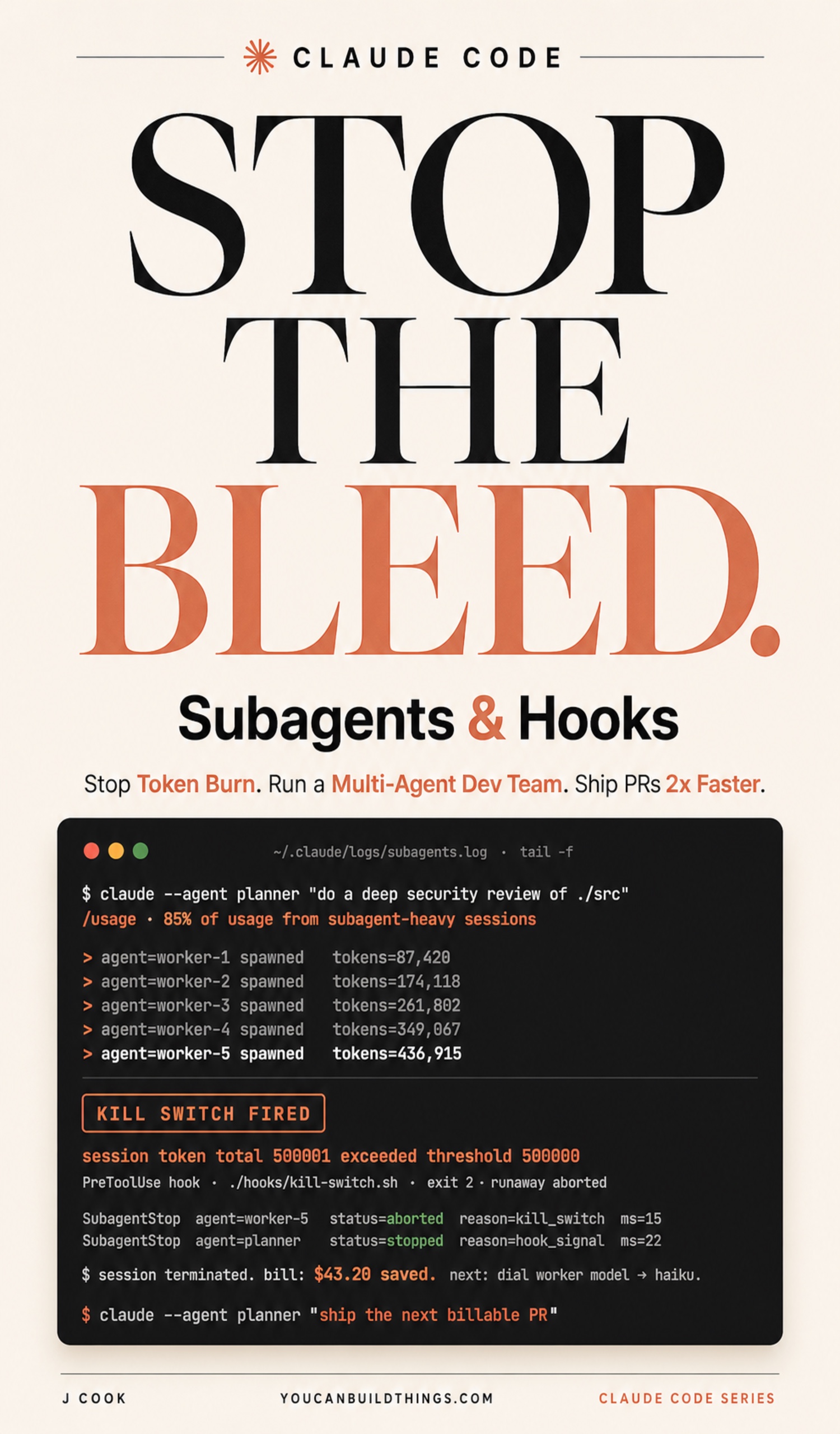
Claude Code Subagents and Hooks
Run a Multi-Agent Dev Team, Stop Token Burn, and Ship PRs 2x Faster
Summary:
- Wire a
SubagentStophook that appends one log line every time a subagent finishes.- Tail that log in a second terminal and you get a live timeline of your whole fan-out.
- The log catches three failures the planner’s summary hides: the hung subagent, the runaway, and the suspiciously-fast finish.
- Bonus: the copy-paste hook script, the
settings.jsonregistration, and the lifecycle-event table.
Most operators running Claude Code hooks have never wired one. A Reddit thread on r/ClaudeCode asked who actually runs hooks and “almost all go quiet.” That is the gap: between the moment your planner dispatches a subagent and the moment it returns, you have zero signal. Did it run? Is it still running? Did it loop and burn tokens while you waited? One hook closes that window in five minutes.
How do you see what your Claude Code subagents are doing?
You wire a SubagentStop hook. A hook is a shell command Claude Code runs when a lifecycle event fires. SubagentStop fires the moment a subagent’s session ends. Point it at a log file, open a tail -f in a second terminal, and every subagent your planner dispatches writes a line you can read in real time. The book wires five hooks across the stack; this is the first one and the one that pays off fastest, because the previous chapters showed you how to dispatch subagents and this one finally shows you how to see them.
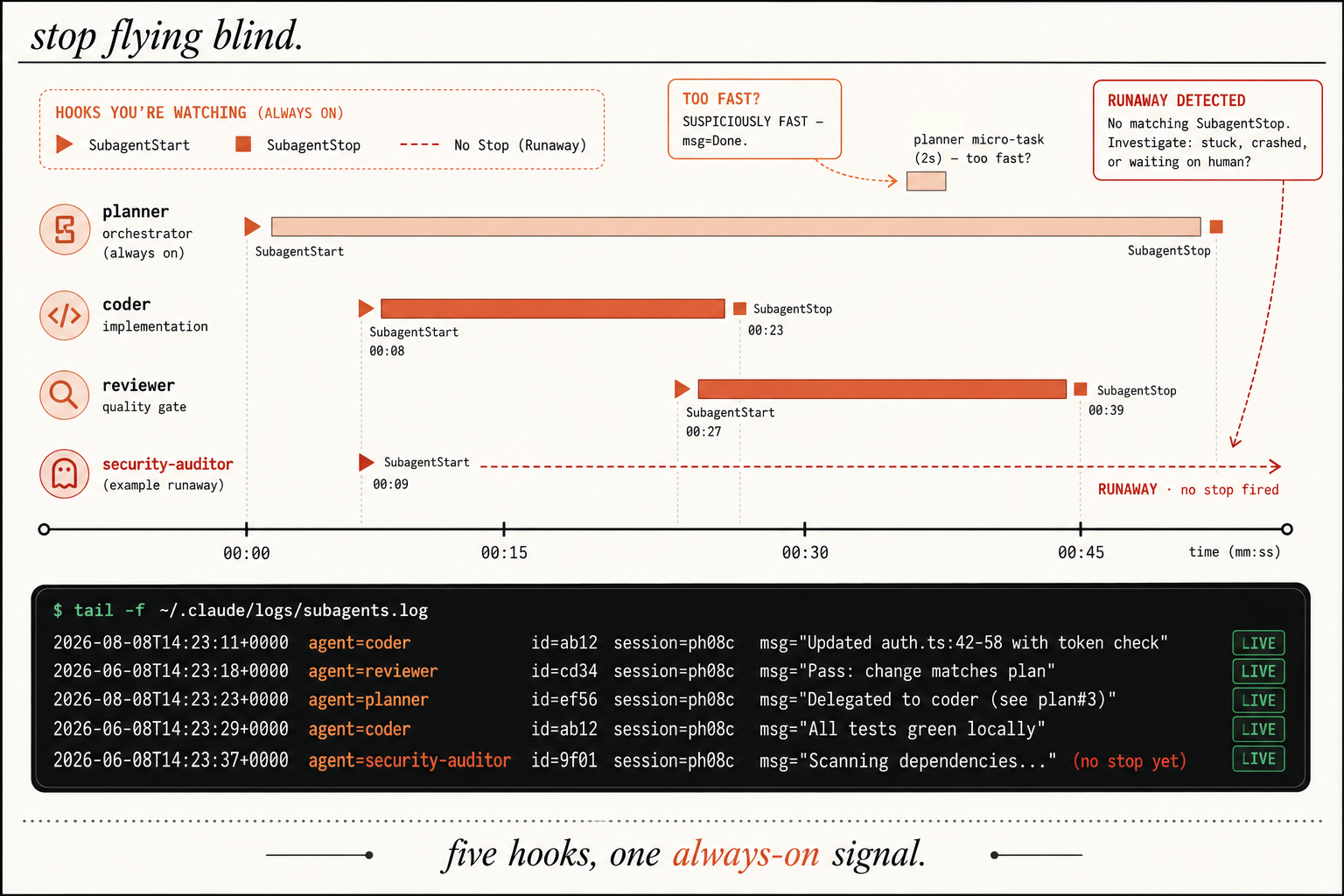
The image is the whole point: a coder that stops at eight seconds reads as a clean run. A security-auditor that starts and never stops is a runaway. A planner micro-task that finishes in two seconds with msg="Done." is suspiciously fast and probably skipped work. You cannot see any of that without the hook.
Which Claude Code hooks fire, and when?
Claude Code documents many lifecycle events. You will use a handful. These are the ones worth knowing, straight from the Claude Code hooks reference:
| Event | When it fires |
|---|---|
| SessionStart | When a session begins or resumes |
| UserPromptSubmit | When you submit a prompt, before Claude processes it |
| PreToolUse | Before a tool call executes. Can block it |
| PostToolUse | After a tool call succeeds |
| SubagentStart | When a subagent is spawned |
| SubagentStop | When a subagent finishes |
| Stop | When Claude finishes responding |
SubagentStart and SubagentStop are siblings. Pair them and you can measure how long each subagent ran, which is the foundation for catching the two-second finish that skipped its list. One trap: the event name is exact CamelCase. subagentstop, Subagent_Stop, and subagent-stop all silently fail to register. You get no warning. You run your subagents, see nothing in the log, and waste an hour debugging the script before you notice the registration was wrong.
Wire the SubagentStop hook
Registration is JSON. Open .claude/settings.json and add the hooks block at the top level:
{
  "hooks": {
    "SubagentStop": [
      {
        "matcher": "*",
        "hooks": [
          { "type": "command", "command": "./hooks/subagent-stop.sh" }
        ]
      }
    ]
  }
}
matcher: "*" fires for every subagent. The script can live anywhere; put it in ./hooks/. Now create the script. It reads the event JSON off stdin, pulls the documented fields, and appends one line:
#!/usr/bin/env bash
set -euo pipefail
LOG="${HOME}/.claude/logs/subagents.log"
mkdir -p "$(dirname "$LOG")"

EVENT_JSON=$(cat)
AGENT_TYPE=$(echo "$EVENT_JSON" | jq -r '.agent_type // "unknown"')
AGENT_ID=$(echo "$EVENT_JSON"   | jq -r '.agent_id   // "unknown"')
SESSION=$(echo "$EVENT_JSON"    | jq -r '.session_id // "unknown"')
# 160-char preview of the final message: long enough to tell
# "Completed 3 of 7 items" from a generic "Done."
MSG_PREVIEW=$(echo "$EVENT_JSON" | jq -r '(.last_assistant_message // "" | gsub("\n"; " ") | .[0:160])')
TIMESTAMP=$(date '+%Y-%m-%dT%H:%M:%S%z')

echo "$TIMESTAMP  agent=$AGENT_TYPE  id=$AGENT_ID  session=$SESSION  msg=\"$MSG_PREVIEW\"" >> "$LOG"
exit 0
The hook adds no model cost. It runs as a shell process in roughly fifteen milliseconds. Make it executable:
chmod +x ./hooks/subagent-stop.sh # needs jq: brew install jq / apt install jqKeep it under a hundred milliseconds and avoid network calls in the hot path. A curl to a slow Slack webhook delays the subagent’s apparent finish. If you need a ping, background it.
Run it: tail the log and watch the timeline
Open a second terminal and tail the log:
tail -f ~/.claude/logs/subagents.logRestart your planner session so the hook registration loads, then run a three-subagent task:
claude --agent plannerA line appears the moment the coder finishes. A second when the reviewer finishes. Each one carries the fields from the image: agent, id, session, and a msg preview. The agent names match your .claude/agents/ files. The preview reads like the subagent’s last sentence to the planner.
What broke: the runaway and the two-second finish
Three patterns become readable the first week, and each one is a failure the planner’s summary would have glossed over.
The hung subagent shows up as a missing line. The planner dispatched the coder. The coder should have finished in thirty seconds. The log has nothing. Five minutes pass, still nothing. That silence is the signal: the coder is looping or stuck on a file read. The image marks this exact case: a SubagentStart with no matching SubagentStop. Open /usage, check the spike, kill the session, and fix the briefing (the file-paths field was probably vague).
The suspiciously-fast finish is the model-swap tell. A developer on X named YouPulseX described it: “Opus 4.6 subagents are being recognized, ignored, and replaced with 4.7, then 4.7 skips requested list items and marks the job complete.” The log line lands two seconds after dispatch with msg="Done.", short, generic, naming no file or test. Real work takes time and names specific identifiers. A two-second stop with a preview that names nothing is the swap, and it is the second-most-common silent failure after the hung subagent.
The partial completion hides in plain prose. The briefing said “rewrite all seven failing assertions.” The preview reads msg="Rewrote 3 assertions; deferred 4 to follow-up." The planner’s summary will call that “done.” The log does not. Read the preview against the briefing’s enumerated targets every single time.
What should you actually do?
- If you run subagents with no hooks → wire this one today. It is the highest-payoff five minutes in your whole setup.
- If your log line reads
msg="Done."in two seconds → stop and check/usagefor an unexpected model. You got swapped. - If a
SubagentStartnever gets aSubagentStop→ kill the session, read the planner’s last message, and tighten the file-paths in the briefing.
The bottom line
- Visibility is the precondition for catching a failure, and one
SubagentStophook is the cheapest visibility you will ever buy. - The log catches what the summary hides: silence means hung, two seconds means swapped, vague means skipped.
- Wire the hook, open the second terminal, and keep a duration baseline in your head. Anything off by 2x is a signal worth two seconds of your attention.
Frequently Asked Questions
What does a SubagentStop hook do in Claude Code?+
It runs a shell command every time a subagent finishes. Wire it to append a log line with the agent name, invocation id, session id, and a preview of the subagent's final message, and you get a live trace of every subagent your planner dispatches.
Where do Claude Code hooks get registered?+
Hook registration is JSON in .claude/settings.json (project) or ~/.claude/settings.json (user). The script can live anywhere; a common spot is ./hooks/. Putting a script in a .claude/hooks/ folder and expecting auto-discovery does not work.
How do I catch a runaway subagent?+
Pair SubagentStart with SubagentStop. A SubagentStart with no matching SubagentStop after a reasonable interval is a hung or looping subagent. Tail the log in a second terminal and the missing line is the signal.