We read the skills docs of 9 AI coding tools and recorded where each one loads a SKILL.md, which frontmatter fields it keeps, and how it decides to fire a skill. Claude Code is our top pick: it documents 20 frontmatter fields where the open standard defines 6. GitHub Copilot is a close second because it reads your .claude/skills folder as is. Below are the best AI coding tools for Claude Skills in 2026, with load paths, fields and who each one fits.
.claude/skills with no copy. They are Claude Code, GitHub Copilot, Cursor, OpenCode, Goose and Amp. Codex, Gemini CLI and Junie need the skill in .agents/skills or their own folder..agents/skills, and Claude Code is the odd one out. Its docs never mention that folder. Keep your source in .claude/skills and copy it to .agents/skills for the tools that need it.paths and hooks are Claude Code features, not part of the format.paths and disable-model-invocation. VS Code keeps disable-model-invocation, user-invocable, argument-hint and context.Free: The release-day gate script from the book, ready to run on your own skills folder. Get the companion repo on GitHub.
A Claude Skill is a folder with a SKILL.md file in it: a few lines of YAML frontmatter (a name and a description) and the instructions underneath, plus optional scripts/, references/ and assets/. Anthropic created the format and then moved the specification to agentskills.io. Anthropic's own spec file is now two lines pointing there, and the standard's repository is Apache 2.0. The agentskills.io client page lists 46 products that support it.
When a tool "supports skills", it does three separate things, and a tool can do one without the others. It scans one or more folders you control. It shows the model each skill's name and description so the model can choose one. And it loads the full instructions only when the skill fires.
Support does not mean sync. Anthropic's docs say it directly: "Custom Skills do not sync across surfaces." Nothing copies your folder from Claude Code to Copilot, or even from Claude Code to claude.ai. Support also does not mean your frontmatter survives. Only six fields are in the standard: name, description, license, compatibility, metadata and allowed-tools. Everything else is one tool's own extension. And a skill is not an MCP server. A skill is instructions and files the model reads. An MCP server is a separate program that hands the model tools to call.
The facts about each tool come from its vendor's skills documentation, read on the same day; facts about the standard come from agentskills.io and Anthropic's platform docs. All are linked in the sources under this article. We installed nothing and signed into nothing.
.claude/skills with no copy. Whether the folder Claude Code uses is on the tool's documented load path. If yes, your existing folder works there today..agents/skills. The folder most vendors now share. A skill kept there reaches the most tools.Six tools made the list. Three more read SKILL.md files too and appear in the comparison table notes: Goose, Amp and Junie. The order follows how much of a Claude Code skill survives without edits: first the tools that read your folder as is, then the ones that need a copy. Claude Code scores 14 of its own 14 extra fields by definition; that column measures what survives a move. In every tool here the model can pick a skill from its description (Gemini CLI asks you first), so the differences are in folders and fields.
At a glance: 20 frontmatter fields · reads .claude/skills · 8 load locations · 1% context listing budget · 1,536-char entry cap
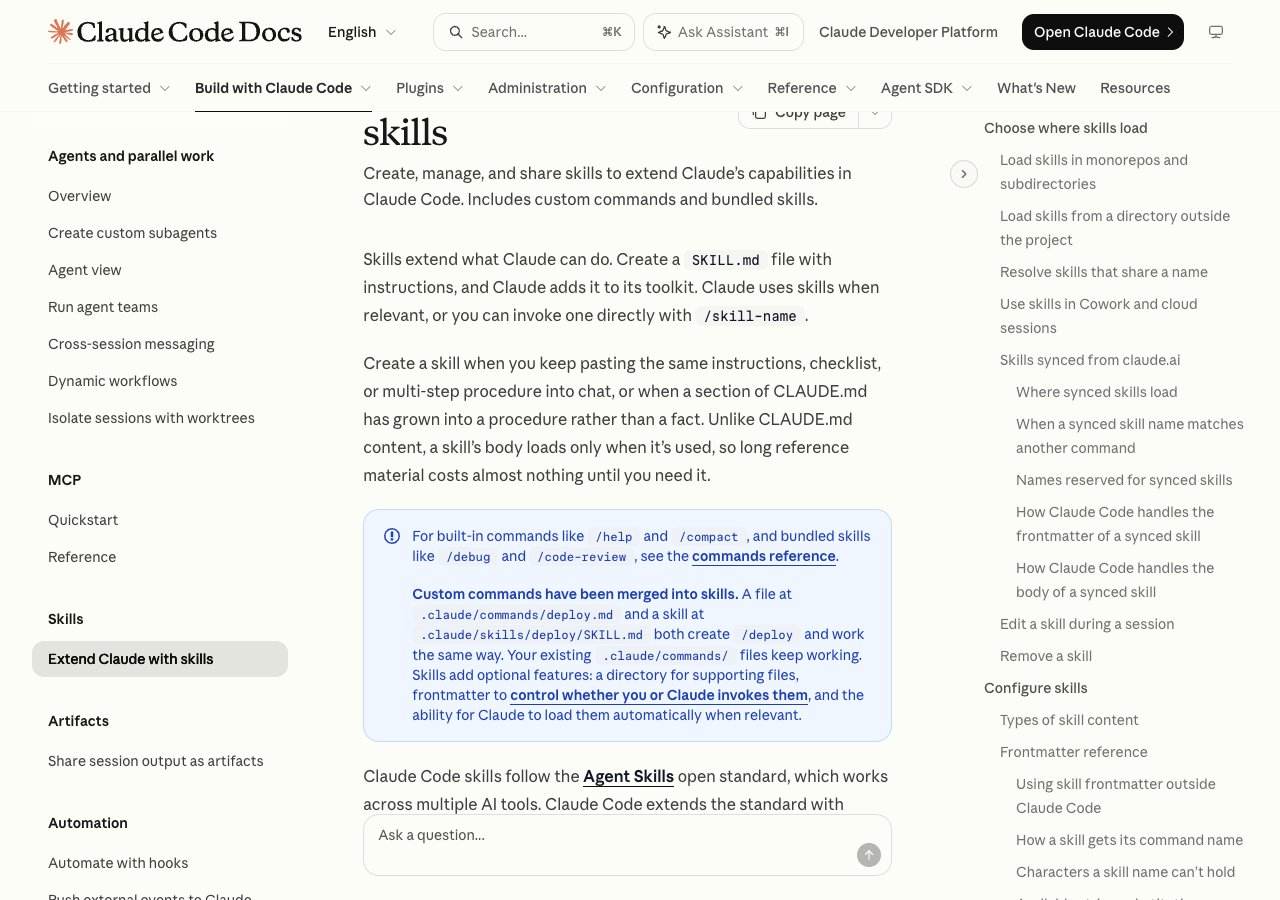
Claude Code is Anthropic's own tool, and it documents more frontmatter fields than any other tool we checked: 20, from when_to_use and paths to hooks, model, effort and context: fork. The open standard defines 6. Those 14 extras are how a skill fires only on certain file paths, runs on a cheaper model, or enforces a rule with a hook instead of asking nicely.
It loads skills from 8 places: a managed enterprise folder, ~/.claude/skills, the project's .claude/skills, nested .claude/skills folders, any --add-dir directory, plugins, skills synced from claude.ai into ~/.claude/skills/synced/, and the legacy .claude/commands/ folder. The precedence catches people. In the docs' words: "Enterprise over personal, and personal over project." A skill in your home folder beats a same-named one in the repo, in every repo.
Two limits matter on day one. The skill list the model reads is capped at 1% of the context window, and each skill's description plus when_to_use is cut at 1,536 characters. Past the budget, the least-used skills lose words first, and any entry past 1,536 characters is cut. One gap: the docs never mention .agents/skills, the folder all 8 other tools here can read.
Best suited for: anyone writing skills for themselves or a client who works in Claude Code. If the client uses another tool, put the behaviour in the body, because most other tools document few of the 14 extra fields.
At a glance: reads .claude/skills · VS Code also reads ~/.claude/skills · CLI on all Copilot plans · cloud agent on paid plans
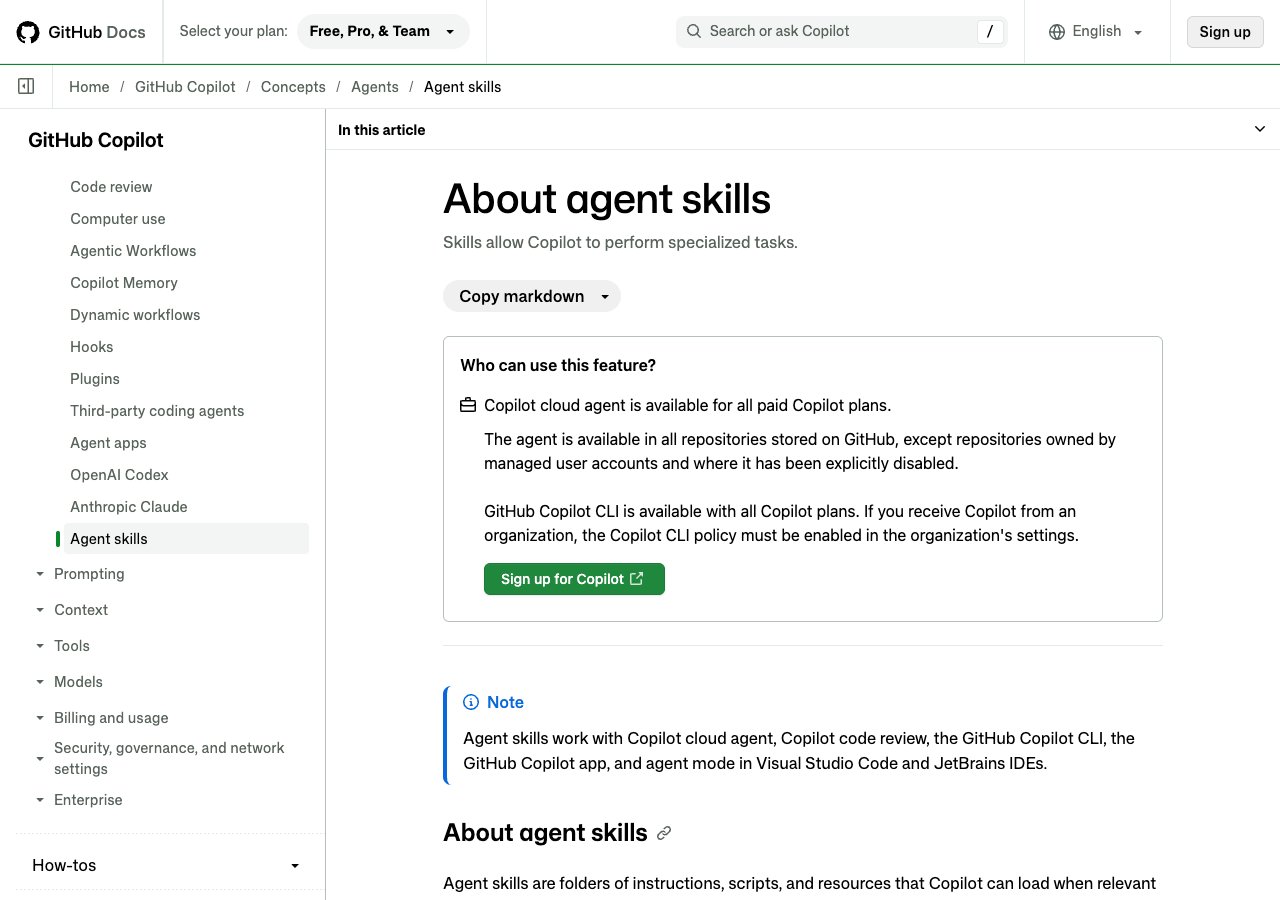
If you already pay for Copilot, your Claude skills work there today with no copy. GitHub lists the project folders it scans as .github/skills, .claude/skills and .agents/skills, and the personal ones as ~/.copilot/skills and ~/.agents/skills. VS Code goes one step further and also reads ~/.claude/skills from your home folder.
The reach is wide. GitHub says skills "work with Copilot cloud agent, Copilot code review, the GitHub Copilot CLI, the GitHub Copilot app, and agent mode in Visual Studio Code and JetBrains IDEs." The CLI comes with every Copilot plan. The cloud agent needs a paid one.
Fields are thinner. The CLI docs document name, description and license, and show allowed-tools in an example. VS Code adds argument-hint, user-invocable, disable-model-invocation and context, so a manual-only skill stays manual there. Neither paths nor hooks is documented there, so plan as if they do not come with you. In the CLI you call a skill with a slash and its name, and /skills lists, adds, reloads and removes them.
Our book calls Copilot "the cheapest test and it teaches you the least." Nothing gets copied or stripped, so it cannot show you whether a skill quietly depends on Claude Code.
Best suited for: teams already on Copilot who want one skills folder serving two tools. Skip it as your portability test, because a shared folder hides the problems a real move would show.
At a glance: honours paths · honours disable-model-invocation · reads .claude/skills · reads ~/.codex/skills
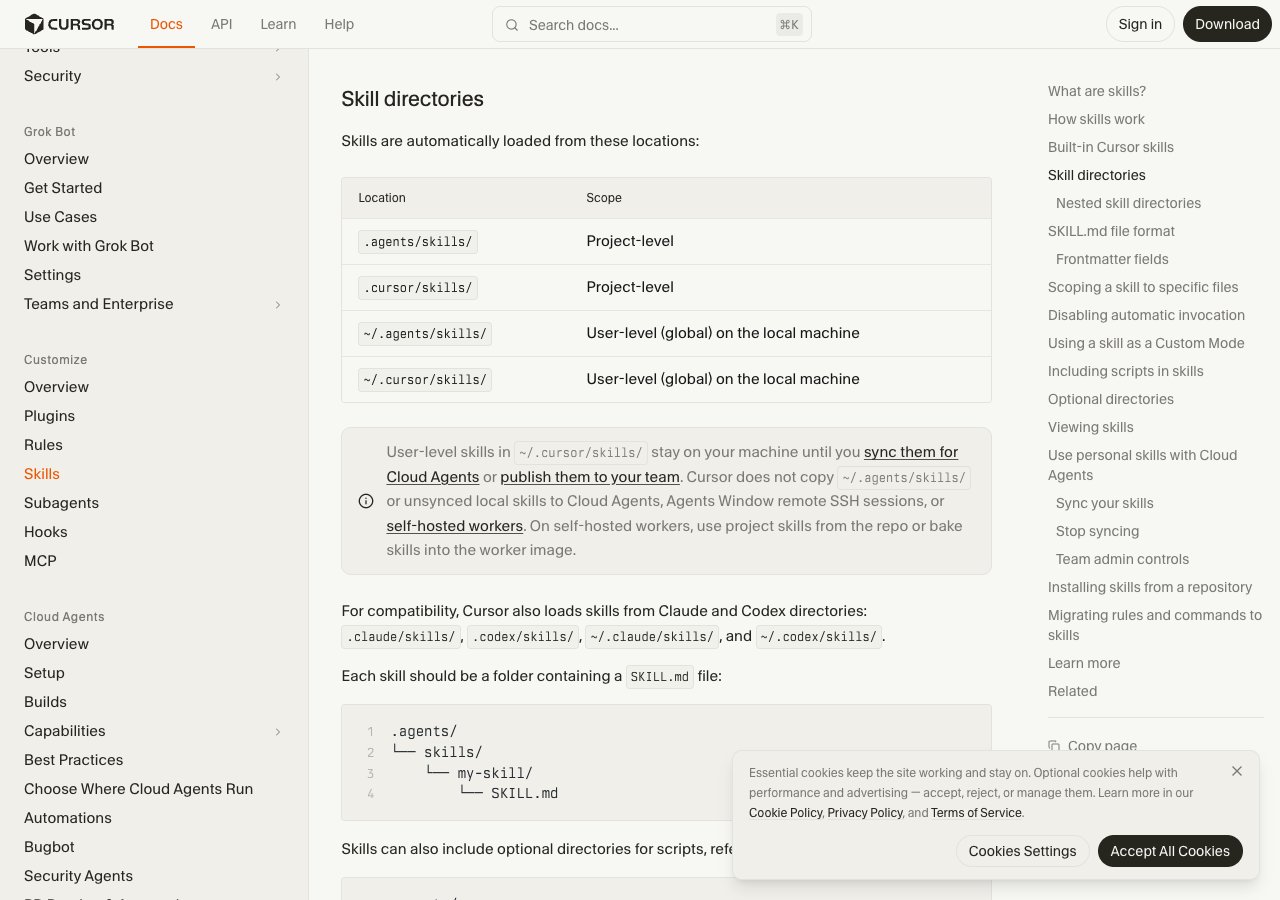
Cursor also reads 4 folders that belong to Claude Code and Codex. Its own are .agents/skills and .cursor/skills, plus the home-folder versions of both. Then the docs add: "For compatibility, Cursor also loads skills from Claude and Codex directories." That means .claude/skills, .codex/skills, ~/.claude/skills and ~/.codex/skills. The last one is a folder Codex's own docs do not list.
The bigger surprise is the fields. Cursor documents name, description, paths, disable-model-invocation, icon, color and metadata. Two of those are Claude Code extensions that our own book lists among the fields that do not travel. In Cursor they do. A skill scoped with paths to one directory keeps that scope, and a manual-only skill stays manual.
That matters because paths is one of the cleanest ways to stop a skill firing where it should not. In tools that do not document paths, plan as if that boundary is gone, and test it.
Per the docs, "the agent is presented with available skills and decides when they are relevant", and you can call one by typing / in Agent chat. No listing limit or plan requirement is documented for skills.
Best suited for: Claude Code users whose second tool is Cursor and whose skills lean on paths or manual-only invocation. If a guarantee lives in hooks, Cursor does not document that field, so test it.
At a glance: spec fields only · reads .claude/skills · reads .agents/skills · name 64 / description 1,024 chars
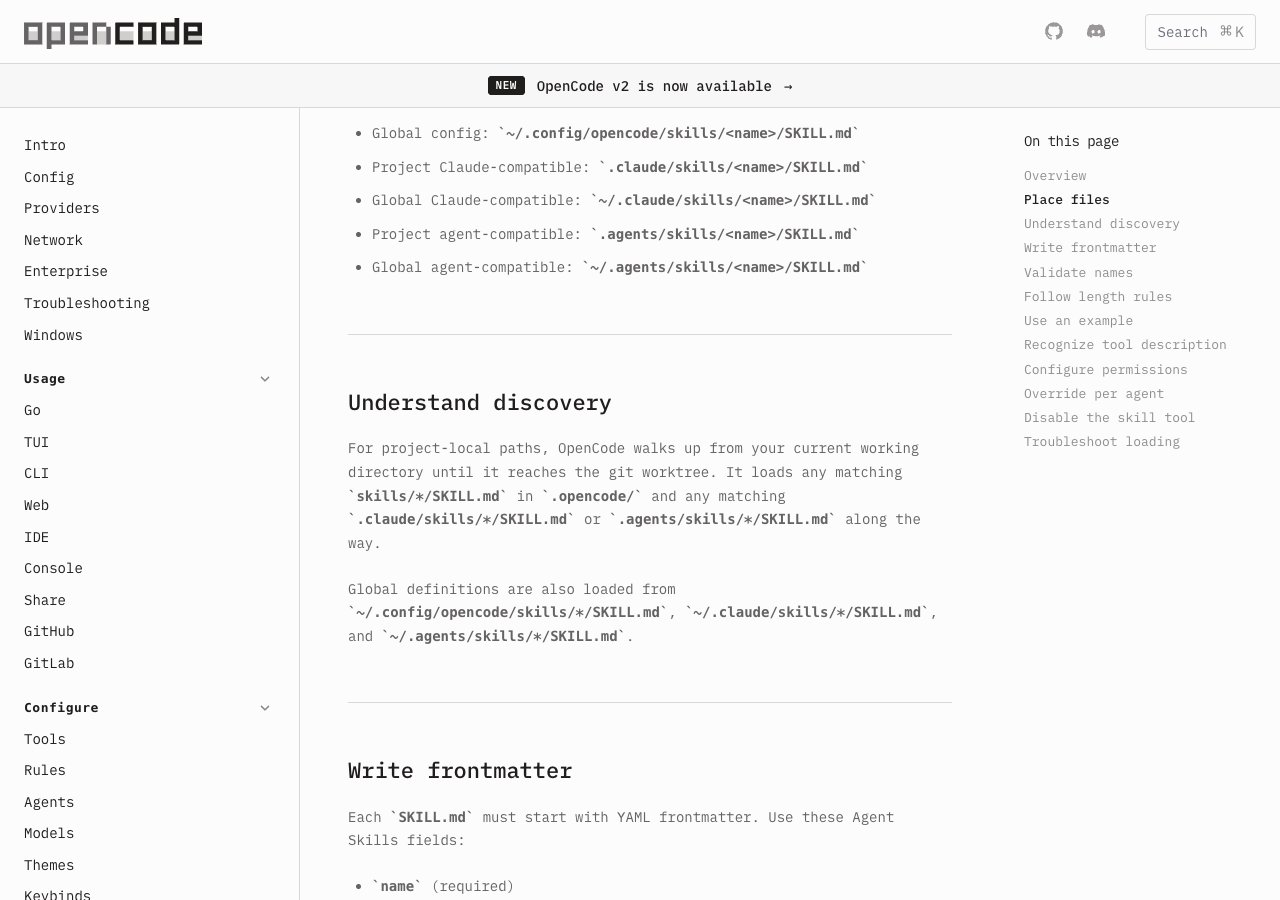
OpenCode is the purist. It reads its own .opencode/skills and ~/.config/opencode/skills, plus what it calls Claude-compatible folders (.claude/skills and ~/.claude/skills) and agent-compatible ones (.agents/skills and ~/.agents/skills). Your Claude Code folder loads as is.
On fields it documents 5 of the standard's 6: name, description, license, compatibility and metadata. It enforces the spec's own limits of 1 to 64 characters for a name and 1 to 1,024 for a description. Its rule for anything tool-specific is the one we would give: "Put OpenCode-specific behavior in metadata instead of adding custom top-level fields." Its own options, like slash invocation and auto-invoke, live under metadata keys.
That design is a quiet argument for the rule our book ends on. A skill whose behaviour lives in the body travels intact. A skill that behaves well because of Claude Code fields behaves worse everywhere else. OpenCode simply makes that rule the default.
Skills reach the model through a skill tool that lists them in an <available_skills> block, the same shape the standard's agentskills to-prompt command prints. No plan or listing limit is documented.
Best suited for: people running several agents who want one folder that means the same thing everywhere. If you depend on hooks or paths, OpenCode does not document either.
At a glance: .agents/skills only · name + description required · 2% context listing cap · 8,000 chars if window unknown
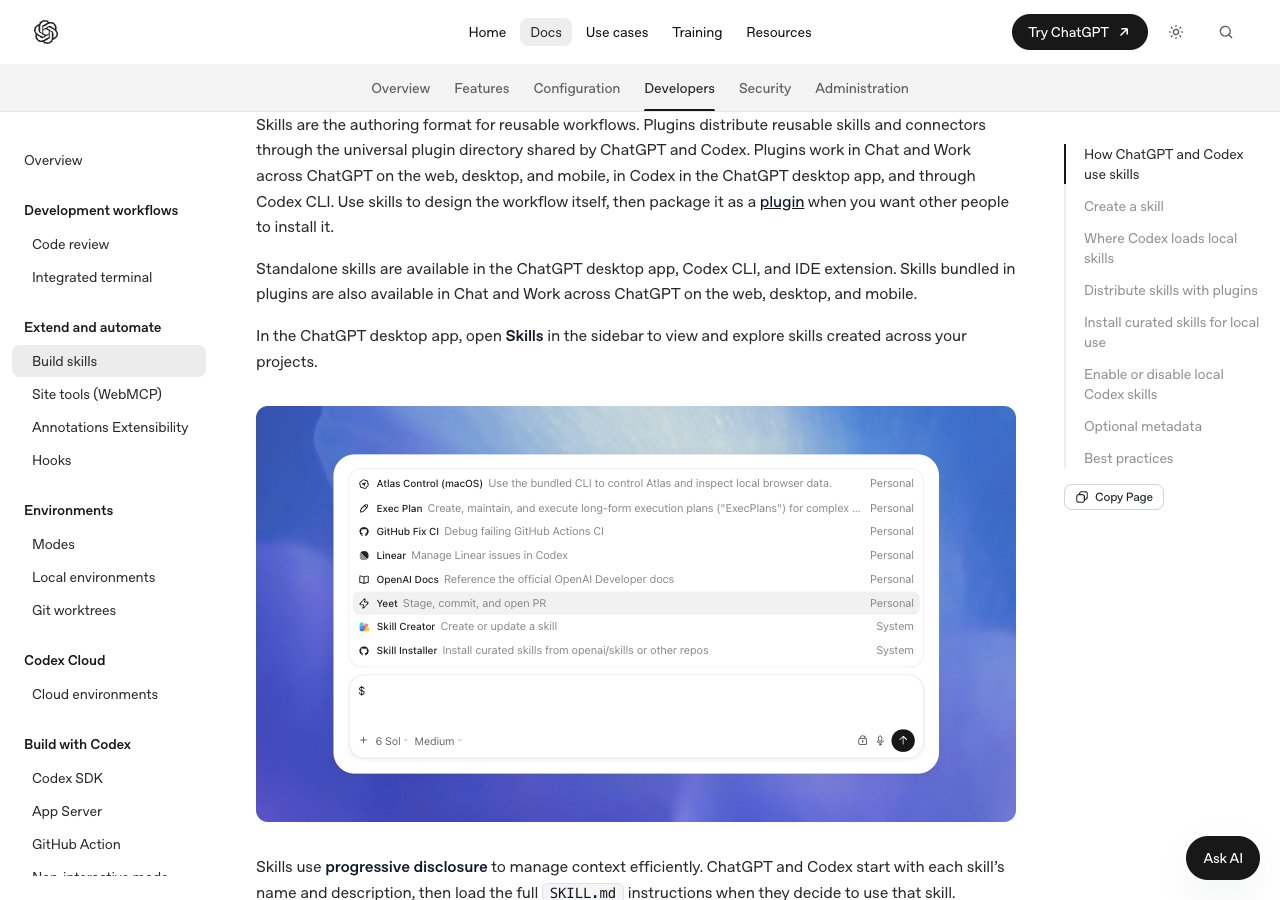
Codex shares no folder with Claude Code. It scans .agents/skills "in every directory from your current working directory up to the repository root", plus $HOME/.agents/skills, /etc/codex/skills and its bundled skills. No .claude/skills. And ~/.codex/skills, which the research for our book found people using in forum threads, is not on the documented list. The only ~/.codex file the docs mention is config.toml, for switching skills on and off.
The format side is just as strict. A skill "must include name and description." Anything Codex-specific, such as whether a skill may fire without being named, goes in a separate agents/openai.yaml file instead of the frontmatter.
Its listing budget is roomier than Claude Code's: "at most 2% of the model's context window, or 8,000 characters when the context window is unknown." You call a skill with /skills or by typing $ and its name, or it fires on its own.
That strictness is the reason to use it. The book's advice is to "run the pass against Codex even if you do not use Codex": copy the folder to .agents/skills, strip it to the six standard fields, run your trigger tests, and write down what broke. Every hidden dependency on a Claude Code field shows up at once.
Best suited for: anyone about to hand a skill pack to a client on an unknown tool, or who wants proof a skill works on its body alone. Expect a copy step and lost fields every time.
At a glance: consent prompt before loading · .gemini/skills or .agents/skills · no .claude/skills · gemini skills install
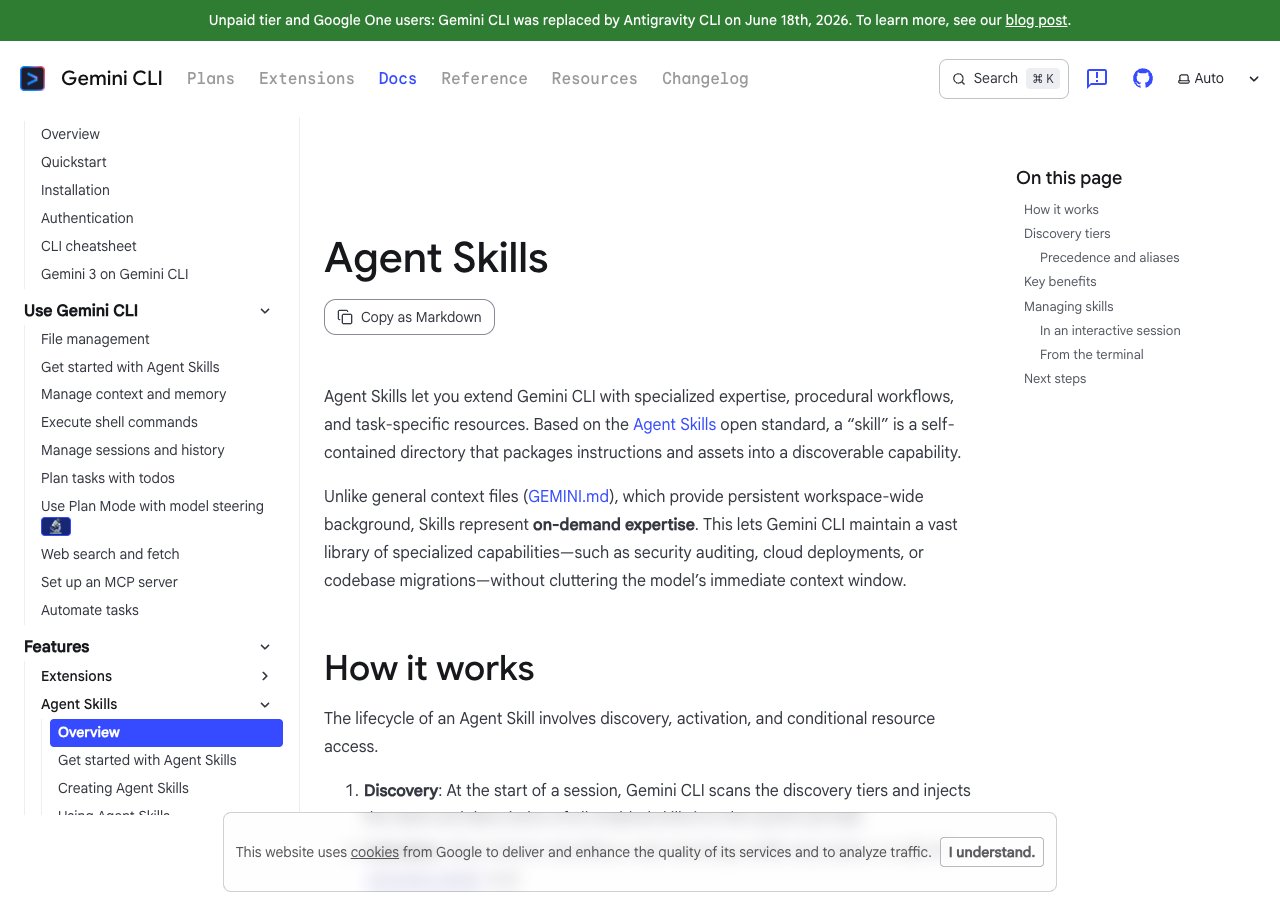
Gemini CLI reads ~/.gemini/skills and .gemini/skills, or their ~/.agents/skills and .agents/skills aliases, and the alias wins when both exist. It does not read .claude/skills, so your folder needs a copy. Precedence runs workspace, then user, then extension, then built-in, which is closer to what developers expect than Claude Code's personal-beats-project rule.
The docs are blunt about the field that matters. The description is "CRITICAL. This is how Gemini decides when to use the skill." The name "should match the directory name", the same rule the standard's validator enforces. No other fields are documented.
Firing works differently here. When a request matches, the model calls an activate_skill tool and you get a consent prompt before the skill loads. You manage skills with /skills list, enable, disable, reload and link, and gemini skills install pulls one from a git URL.
Check one thing before you pick it. The docs page carries a banner saying Gemini CLI was replaced by Antigravity CLI for unpaid-tier and Google One users. We did not check Antigravity's skills support.
Best suited for: teams already on Google's tools who want every skill load approved by a person. Keep the source in .claude/skills and copy it to .agents/skills so both tools find it.
The same five criteria as the methodology, one row per tool. "Not documented" means the vendor's skills page does not say, not that the feature is missing.
| Tool | Best for | Reads .claude/skills | Reads .agents/skills | Claude Code fields kept (of 14) | Listing limit |
|---|---|---|---|---|---|
| Claude Code | Using every skill feature | Yes (native) | Not documented | 14 | 1% of context; 1,536 chars per skill |
| GitHub Copilot | A second home for your folder | Yes; VS Code also ~/.claude/skills | Yes | VS Code: 4 (argument-hint, user-invocable, disable-model-invocation, context) | Not documented |
| Cursor | Keeping file-path scoping | Yes, project and home | Yes | 2 (paths, disable-model-invocation) | Not documented |
| OpenCode | Spec-only skills across agents | Yes, project and home | Yes | 0 (extras go in metadata) | Not documented |
| OpenAI Codex | Proving a skill is portable | No | Yes (only folder) | 0 (extras go in agents/openai.yaml) | 2% of context, or 8,000 chars |
| Gemini CLI | Skills with an approval step | No | Yes (alias wins) | 0 | Not documented |
Checked 2026-10-14. Also read SKILL.md files: Goose (reads .agents/skills, plus .claude/skills and ~/.claude/skills for backward compatibility), Amp (reads .agents/skills and .claude/skills; hosted repos capped at 200 skills), and JetBrains Junie (reads .junie/skills and .agents/skills; finds a .claude/skills folder and offers to import it). Sources and check dates are listed under this article.
Pick by where your skills need to run next, not by which tool you like typing in.
| If you | Pick | Why |
|---|---|---|
| Write skills and want hooks, paths and a model per skill | Claude Code | The only tool documenting all 20 fields |
| Already pay for Copilot and want your folder working there today | GitHub Copilot | Reads .claude/skills; nothing to copy |
| Need a skill scoped to certain files in a second tool | Cursor | Honours paths |
| Want proof your skills do not depend on Claude Code | OpenAI Codex | Shares no folder; name and description only |
| Run several agents and want one meaning everywhere | OpenCode | Spec fields only, extras in metadata |
| Hand a pack to a client whose tool you do not know | .agents/skills + the 6 standard fields | 8 of 9 tools read that folder |
We read every vendor's skills page on the same day and recorded the folders and fields each one documents. The numbers:
.claude/skills with no copy: Claude Code, GitHub Copilot, Cursor, OpenCode, Goose and Amp..agents/skills. Claude Code is the only one whose docs never mention it..claude/skills folder and offers to import it instead of reading it in place.~/.claude/skills, and Cursor keeps paths and disable-model-invocation.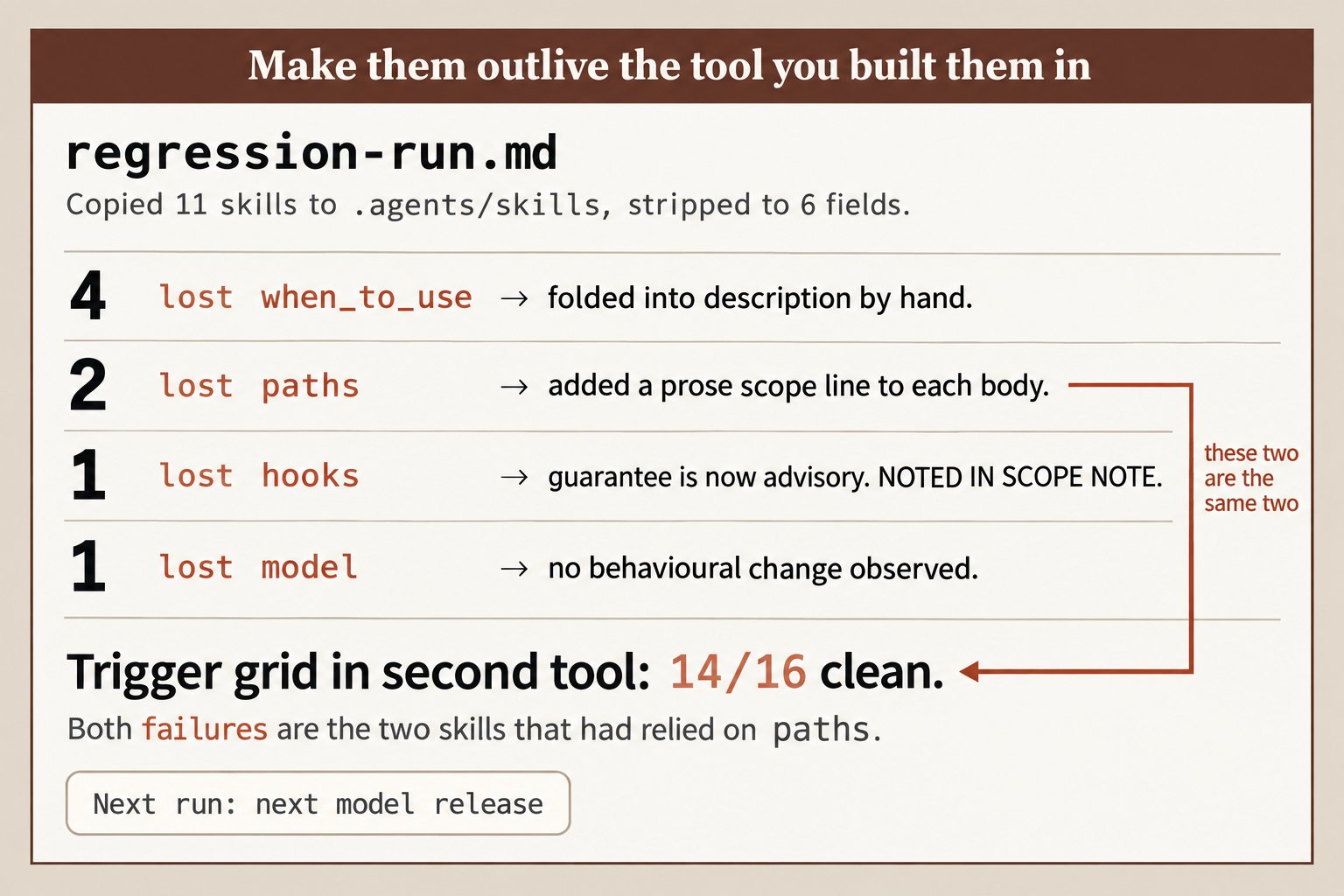
paths.The two corrections are the reason we check vendor docs instead of trusting a printed list, including our own. For the release-day routine that catches changes like these, see our guide to the best tools to test Claude Skills.
Knowing which folders a tool reads is step one. Chapter 12 of the book is the rest: copy the folder to .agents/skills, strip every skill to the six fields that travel, fold when_to_use into the description, and run your trigger tests in the second tool. You finish with a written list of exactly what broke and why. Chapter 6 builds those trigger tests: eight requests that should fire a skill and eight that should not, the hardest of them near misses. Get Claude Skills: The Paid Work Playbook and run the pass this week. The free companion repo has the release gate script ready to go. As an Amazon Associate we earn from qualifying purchases.